Certificate Templates & Maker
Professional Resume Templates
Diseñada para iPhone, iPad
Gratis · Compras en la aplicación
- Clasificación por edad4+
- CategoríaProductividad
- DesarrolladorKevin Ghori
- IdiomasInglés
- Tamaño37,1 MB
Enlaza a la página oficial de App Store
Download.org no aloja ningún archivo de Certificate Templates & Maker. El botón abre la página de la aplicación en App Store, donde la publica Kevin Ghori. Ficha comprobada por última vez el 12/11/2026.
Capturas de pantalla

Acerca de
El desarrollador no ha proporcionado este texto en tu idioma.
Certificate templates & editor app has made it easy to create beautiful professional certificates instantly without any design experience. By using this app, there will be no need to hire any professional designer to make a printable certificate. You can design the certificate by using your smartphone.
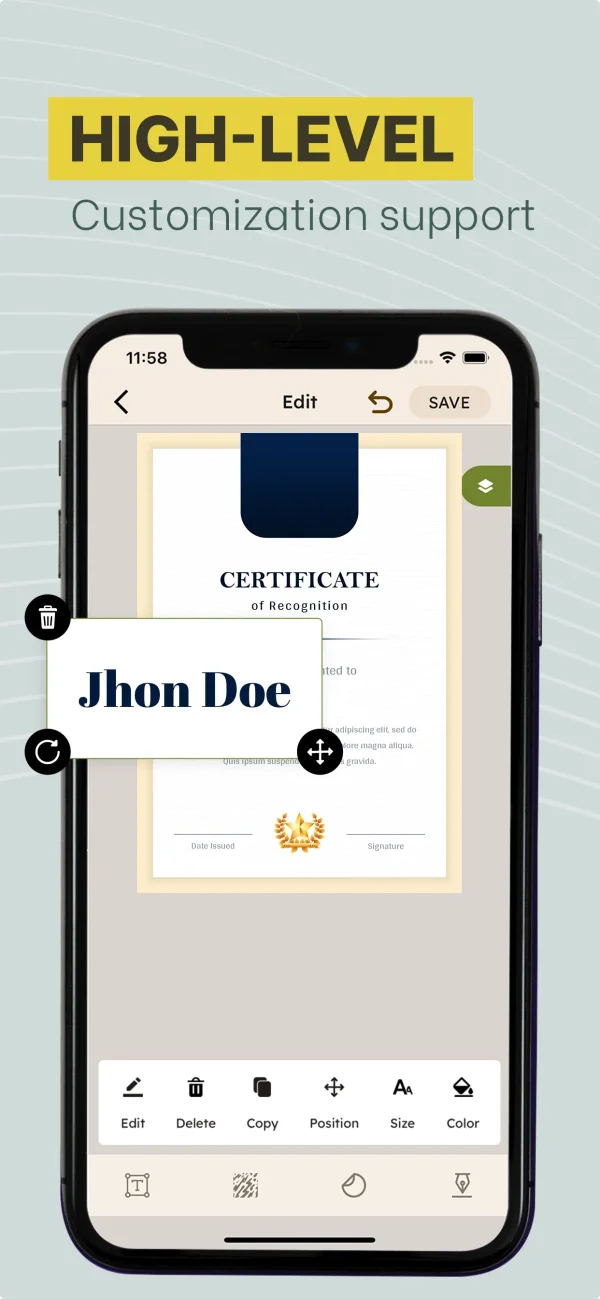
This Certificate Templates & Maker app is an editing tool to customize certificates. The certificate editor gives different options like fonts, colors, text effects, icons, stickers, backgrounds, and signatures.
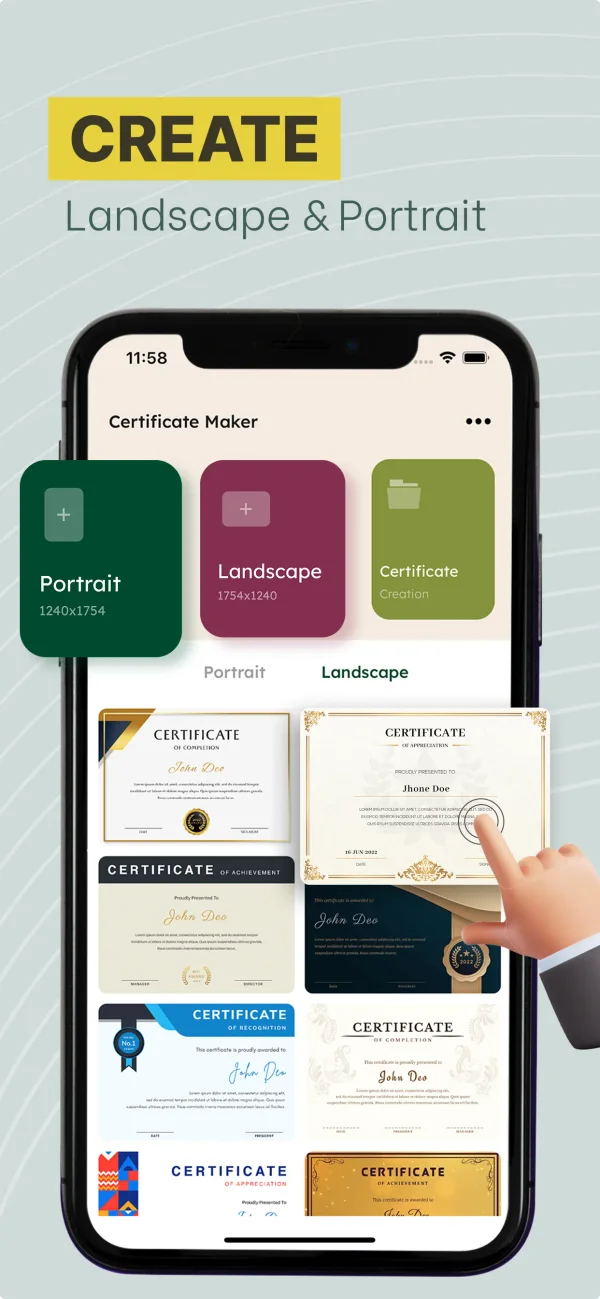
This app can also be called a certificate designer as it allows to design in portrait and landscape mode with different designing features. There is a huge collection of free professional certificate templates. Instantly in a few steps, make high-resolution printable certificates sitting at home.
Certificate Templates & Maker app gives free templates with different categories for professional, awards, gifts, appreciation, school, course completion, and more. Any organization can also use create this app to give achievements to employees, award winners, in completion of any course, experience, participation, runners-up, graduation, event completion, and many other appreciation certificates.
How to use this certificate maker application?
1. Choose portrait or landscape mode to make a certificate.
2. Select the background from the Abstract, children, color, decorative, golden, graphic, professional, and texture categories, or select from the phone's gallery.
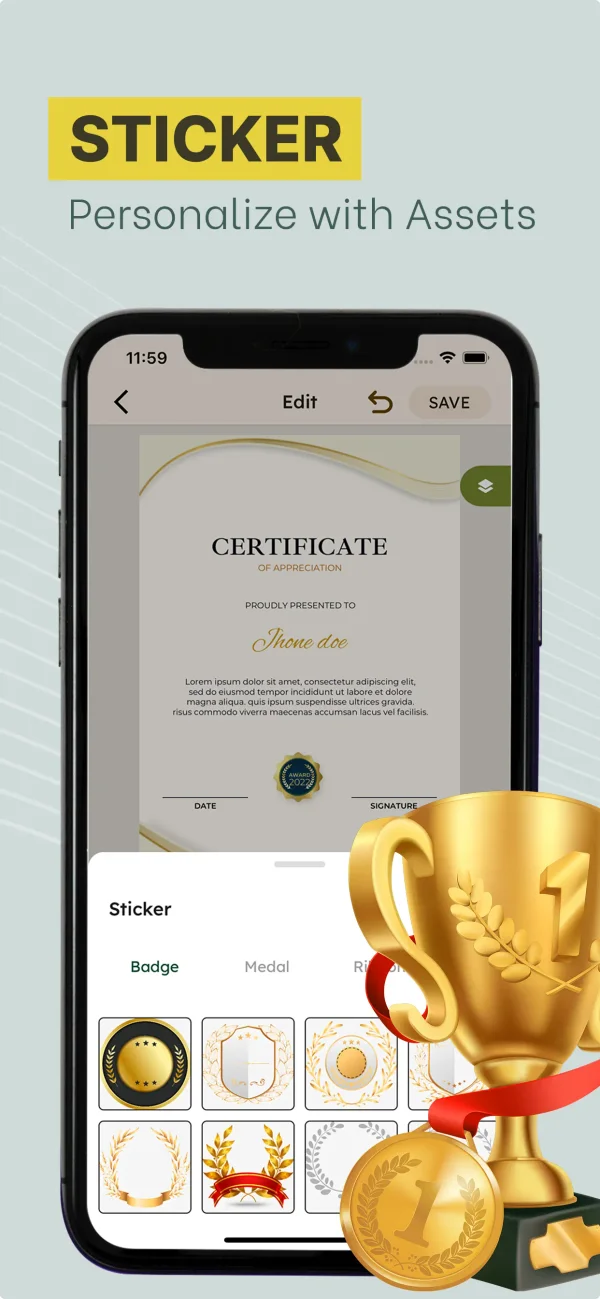
3. Add attractive stickers on the certificate from the badge, medal, ribbon, stamp, and trophy category.
4. Add text on the certificate with a different font, color, size, background, and other options.
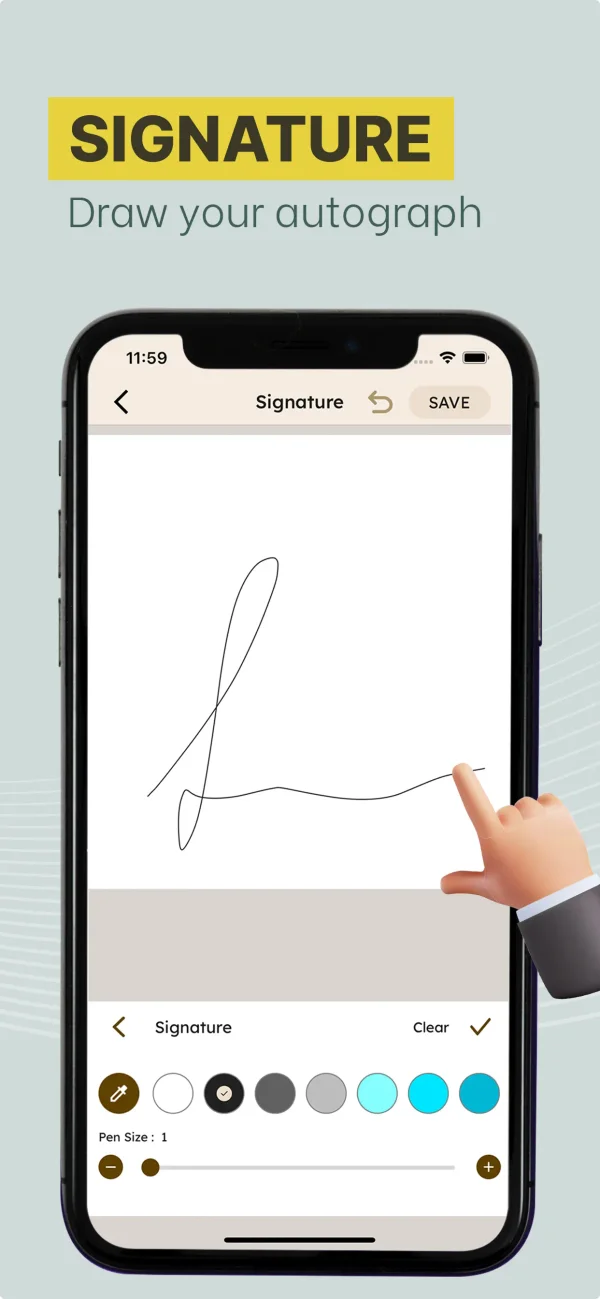
5. You can create the digital signature and add it to the certificate.
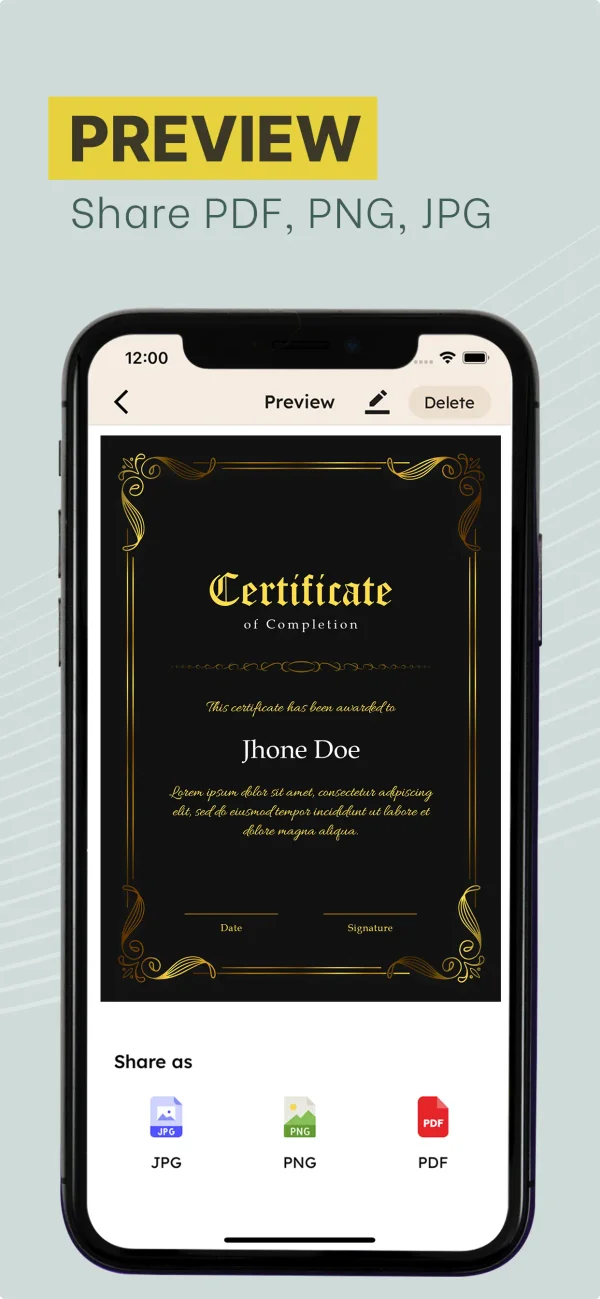
6. Save the certificate changes in JPG or PNG format, and select the image quality from respective options.
7. You can share the certificate with friends and family in JPG, PNG, or PDF format.
Terms of Use (EULA):
https://www.apple.com/legal/internet-services/itunes/dev/stdeula/
Novedades
Versión 1.9 · 18/9/2026
Bug Fixes.
Privacidad de la aplicación
Lo que Kevin Ghori declara en App Store sobre cómo esta aplicación gestiona los datos.
-
Datos usados para rastrearte
Pueden usarse para rastrearte en aplicaciones y sitios web propiedad de otras empresas.
- Identificadores
- Datos de uso
- Diagnóstico
-
Datos no vinculados a ti
Pueden recopilarse, pero no se vinculan a tu identidad.
- Identificadores
- Datos de uso
- Diagnóstico
Las prácticas de privacidad pueden variar, por ejemplo, según las funciones que uses o tu edad.
Información
- Vendedor
- Kevin Ghori
- Categoría
- Productividad
- Versión
- 1.9
- Actualizado
- 18/9/2026
- Publicado
- 30/8/2022
- Tamaño
- 37,1 MB
- Requiere
- iOS 17.0 o posterior
- Clasificación por edad
- 4+
- Precio
- Gratis
- Compras en la aplicación
- Sí
- Idiomas
- Inglés
- Copyright
- © Darshan Patel
Quizá también te guste
-
 Certificate Maker:CreatorProductividad
-
 Certificate Maker - eCardsProductividad
-
 Certificate Maker, eCard MakerProductividad
-
 AI Canvas Certificate MakerProductividad
-
 Templates for MS Word - DesiGNPlantillas de documentos
-
 AI Firma Digital – Firmar PDFRellenar, eSign Documentos
-
 Templates for Pages - DesiGNDocumentos y diseños
-
 Certify: Crear certificadosDiploma de reconocimiento PDF
-
 Construction forms & templatesProductividad
-
 eCertificateProductividad