Certificate Templates & Maker
Professional Resume Templates
Conçue pour iPhone, iPad
Gratuit · Achats intégrés
- Classification d’âge4+
- CatégorieProductivité
- DéveloppeurKevin Ghori
- LanguesAnglais
- Taille37,1 Mo
Renvoie vers la page App Store officielle
Download.org n’héberge aucun fichier de Certificate Templates & Maker. Le bouton ouvre la page de l’application sur App Store, où Kevin Ghori la publie. Fiche vérifiée pour la dernière fois le 12/11/2026.
Captures d’écran

À propos
Le développeur n’a pas fourni ce texte dans votre langue.
Certificate templates & editor app has made it easy to create beautiful professional certificates instantly without any design experience. By using this app, there will be no need to hire any professional designer to make a printable certificate. You can design the certificate by using your smartphone.
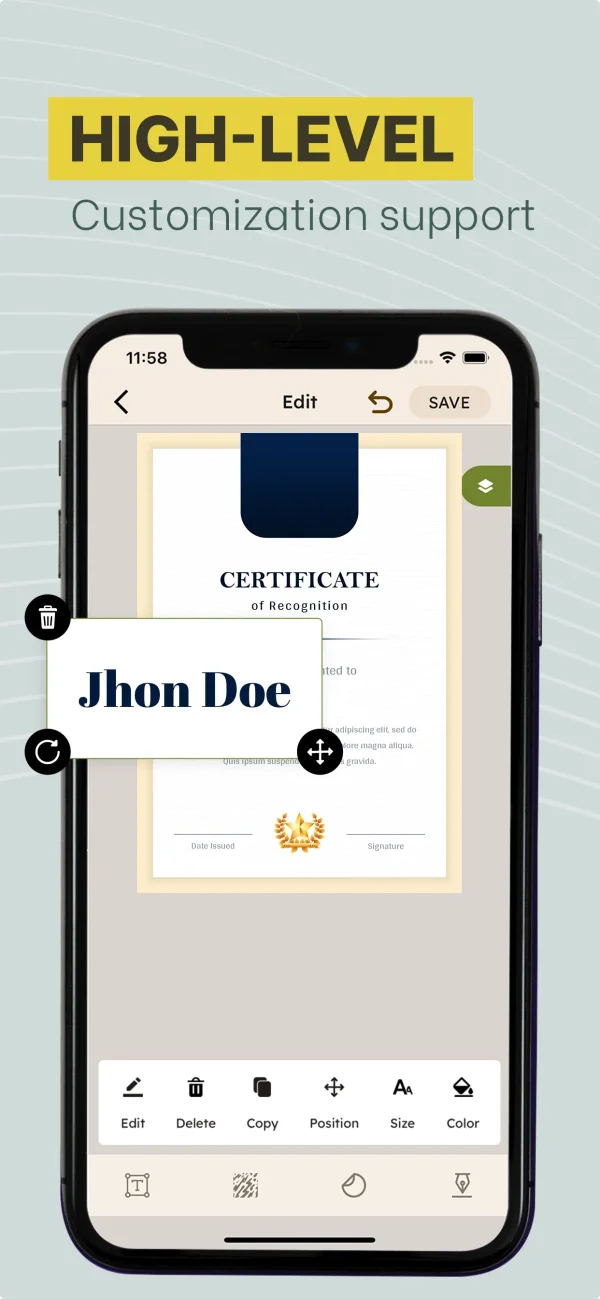
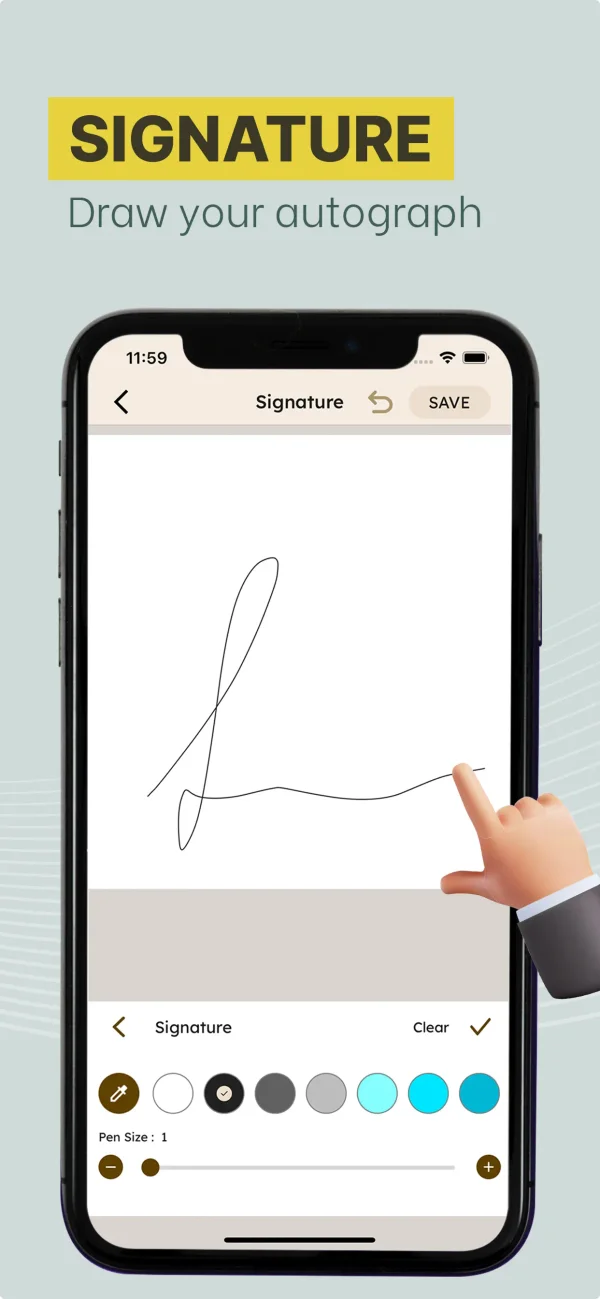
This Certificate Templates & Maker app is an editing tool to customize certificates. The certificate editor gives different options like fonts, colors, text effects, icons, stickers, backgrounds, and signatures.
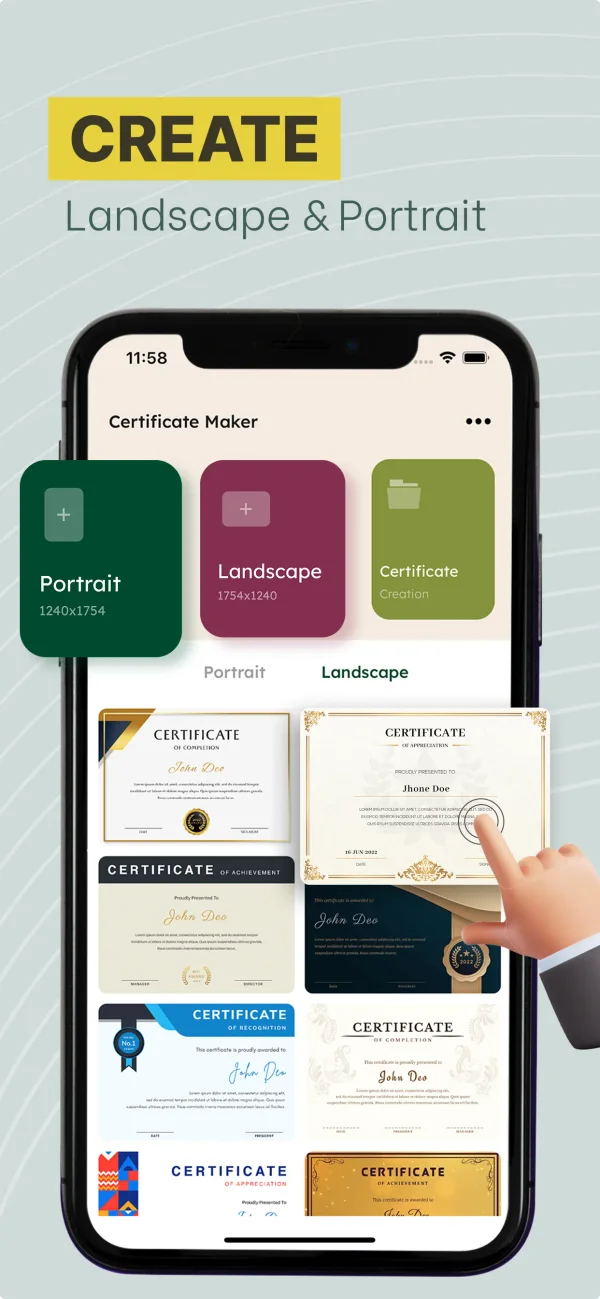
This app can also be called a certificate designer as it allows to design in portrait and landscape mode with different designing features. There is a huge collection of free professional certificate templates. Instantly in a few steps, make high-resolution printable certificates sitting at home.
Certificate Templates & Maker app gives free templates with different categories for professional, awards, gifts, appreciation, school, course completion, and more. Any organization can also use create this app to give achievements to employees, award winners, in completion of any course, experience, participation, runners-up, graduation, event completion, and many other appreciation certificates.
How to use this certificate maker application?
1. Choose portrait or landscape mode to make a certificate.
2. Select the background from the Abstract, children, color, decorative, golden, graphic, professional, and texture categories, or select from the phone's gallery.
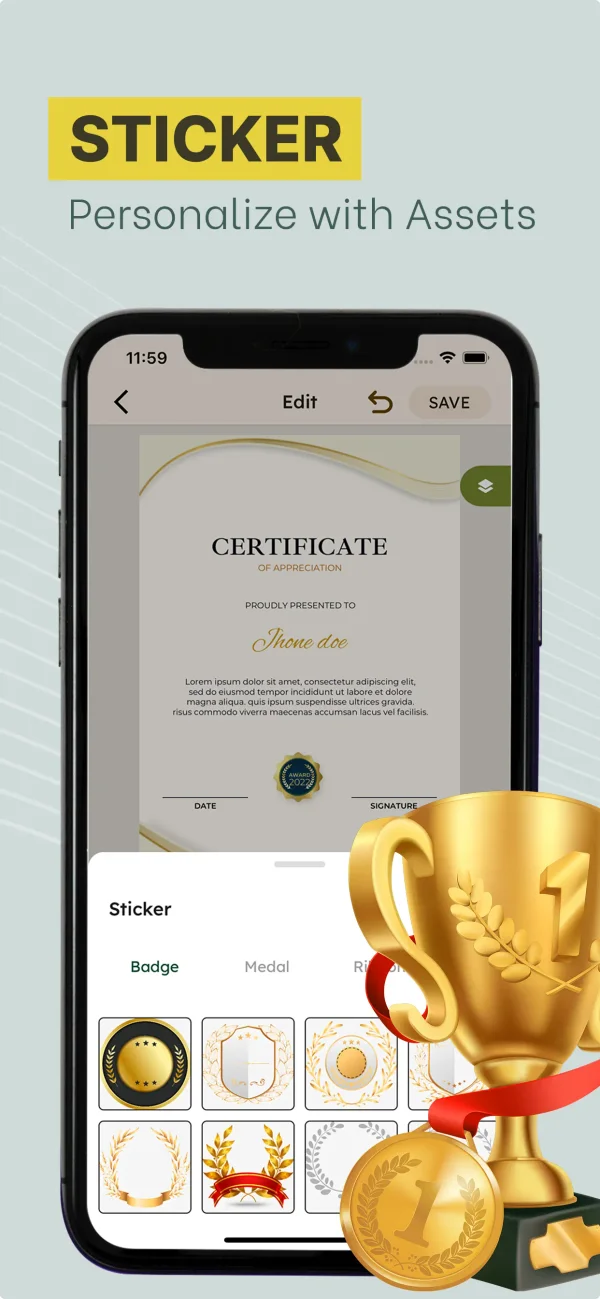
3. Add attractive stickers on the certificate from the badge, medal, ribbon, stamp, and trophy category.
4. Add text on the certificate with a different font, color, size, background, and other options.
5. You can create the digital signature and add it to the certificate.
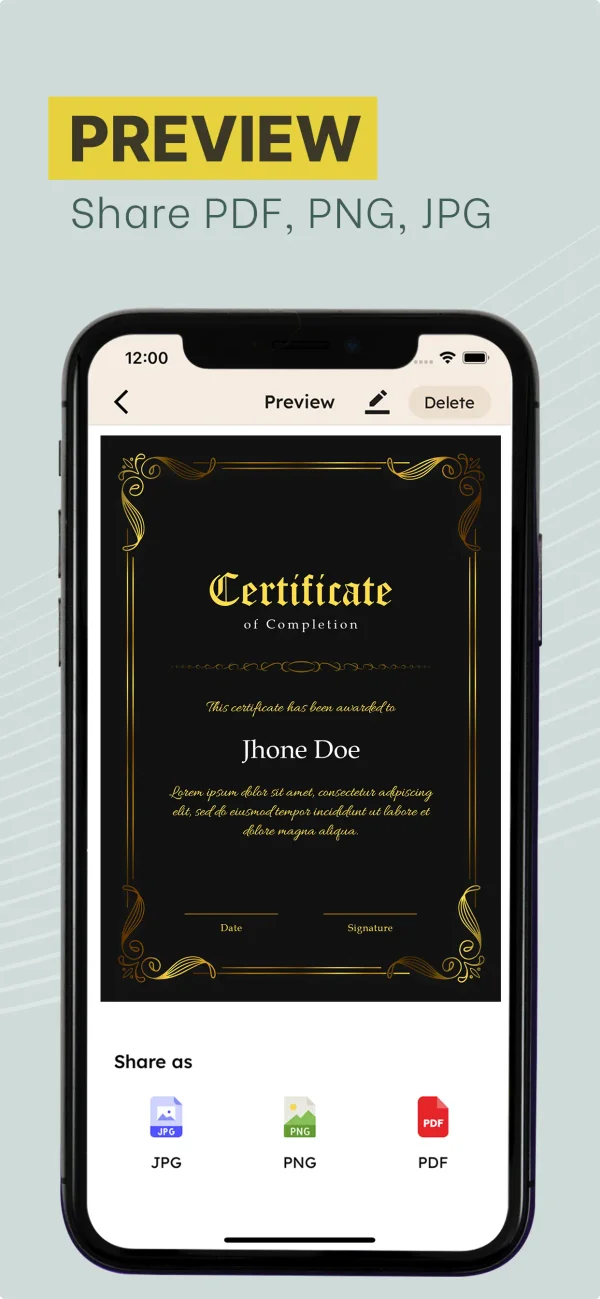
6. Save the certificate changes in JPG or PNG format, and select the image quality from respective options.
7. You can share the certificate with friends and family in JPG, PNG, or PDF format.
Terms of Use (EULA):
https://www.apple.com/legal/internet-services/itunes/dev/stdeula/
Nouveautés
Version 1.9 · 18/09/2026
Bug Fixes.
Confidentialité de l’application
Ce que Kevin Ghori déclare sur l’App Store au sujet du traitement des données par cette application.
-
Données utilisées pour vous suivre
Peuvent être utilisées pour vous suivre sur des applications et des sites web appartenant à d’autres sociétés.
- Identifiants
- Données d’utilisation
- Diagnostic
-
Données n’établissant aucun lien avec vous
Peuvent être collectées, mais ne sont pas liées à votre identité.
- Identifiants
- Données d’utilisation
- Diagnostic
Les pratiques en matière de confidentialité peuvent varier, notamment en fonction des fonctionnalités que vous utilisez ou de votre âge.
Informations
- Vendeur
- Kevin Ghori
- Catégorie
- Productivité
- Version
- 1.9
- Mis à jour
- 18/09/2026
- Publié
- 30/08/2022
- Taille
- 37,1 Mo
- Nécessite
- iOS 17.0 ou version ultérieure
- Classification d’âge
- 4+
- Prix
- Gratuit
- Achats intégrés
- Oui
- Langues
- Anglais
- Copyright
- © Darshan Patel
Vous aimerez peut-être aussi
-
 Certificate Maker:CreatorProductivité
-
 Certificate Maker - eCardsProductivité
-
 Certificate Maker, eCard MakerProductivité
-
 AI Canvas Certificate MakerProductivité
-
 Templates for MS Word - DesiGNModèles de documents pour Word
-
 AI Signature Maker: Sign PDFRemplir, eSign Documents
-
 Templates for Pages - DesiGNDocuments et conceptions
-
 Certify : CertificatsCréer un diplôme en PDF
-
 Construction forms & templatesProductivité
-
 eCertificateProductivité