Certificate Templates & Maker
Professional Resume Templates
Dirancang untuk iPhone, iPad
Gratis · Pembelian dalam aplikasi
- Batasan usia4+
- KategoriProduktivitas
- PengembangKevin Ghori
- BahasaInggris
- Ukuran37,1 MB
Tertaut ke halaman resmi App Store
Download.org tidak menyimpan file Certificate Templates & Maker apa pun. Tombol ini membuka halaman aplikasi di App Store, tempat Kevin Ghori menerbitkannya. Halaman terakhir diperiksa pada 12/11/2026.
Tangkapan layar

Tentang
Pengembang belum menyediakan teks ini dalam bahasa Anda.
Certificate templates & editor app has made it easy to create beautiful professional certificates instantly without any design experience. By using this app, there will be no need to hire any professional designer to make a printable certificate. You can design the certificate by using your smartphone.
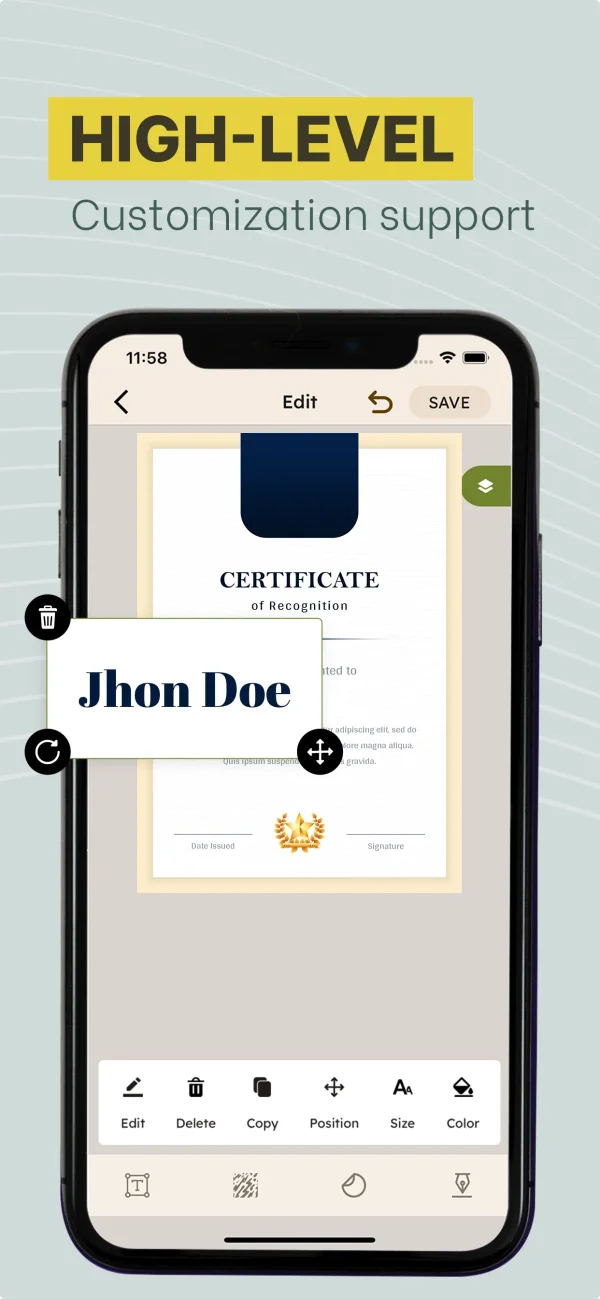
This Certificate Templates & Maker app is an editing tool to customize certificates. The certificate editor gives different options like fonts, colors, text effects, icons, stickers, backgrounds, and signatures.
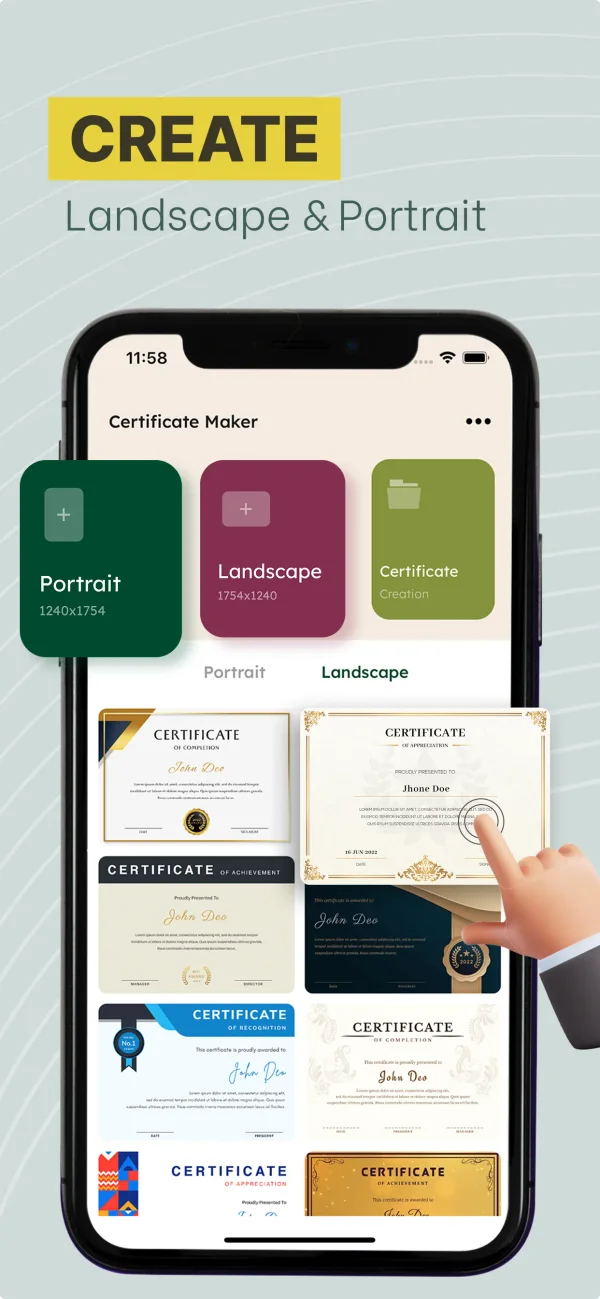
This app can also be called a certificate designer as it allows to design in portrait and landscape mode with different designing features. There is a huge collection of free professional certificate templates. Instantly in a few steps, make high-resolution printable certificates sitting at home.
Certificate Templates & Maker app gives free templates with different categories for professional, awards, gifts, appreciation, school, course completion, and more. Any organization can also use create this app to give achievements to employees, award winners, in completion of any course, experience, participation, runners-up, graduation, event completion, and many other appreciation certificates.
How to use this certificate maker application?
1. Choose portrait or landscape mode to make a certificate.
2. Select the background from the Abstract, children, color, decorative, golden, graphic, professional, and texture categories, or select from the phone's gallery.
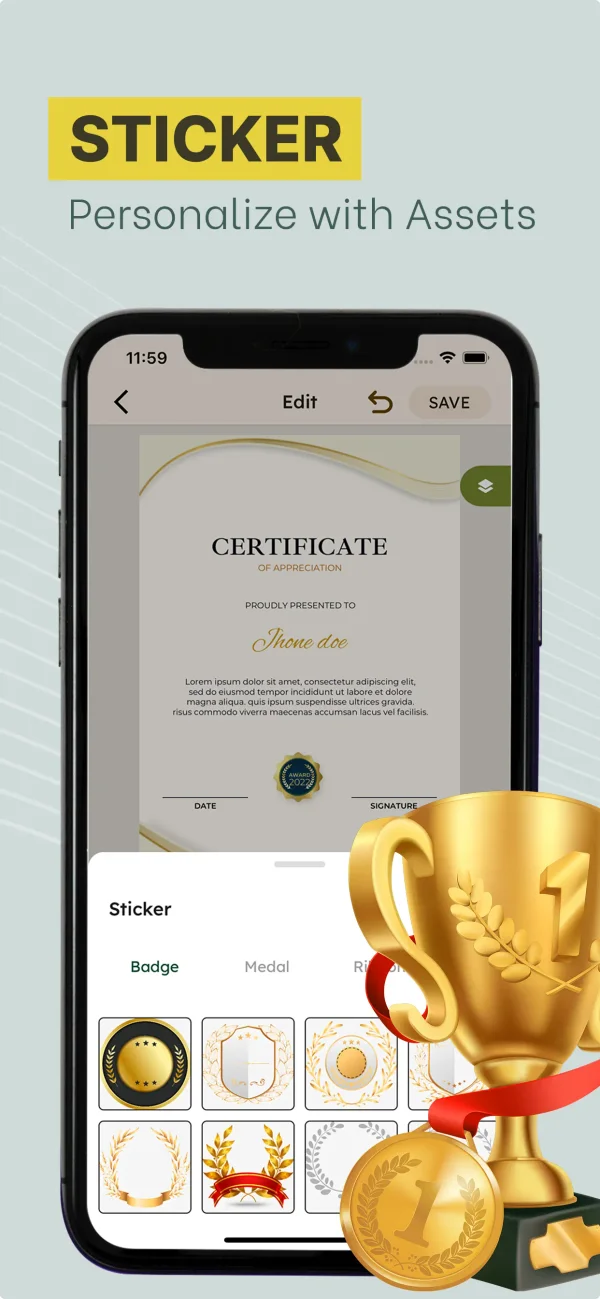
3. Add attractive stickers on the certificate from the badge, medal, ribbon, stamp, and trophy category.
4. Add text on the certificate with a different font, color, size, background, and other options.
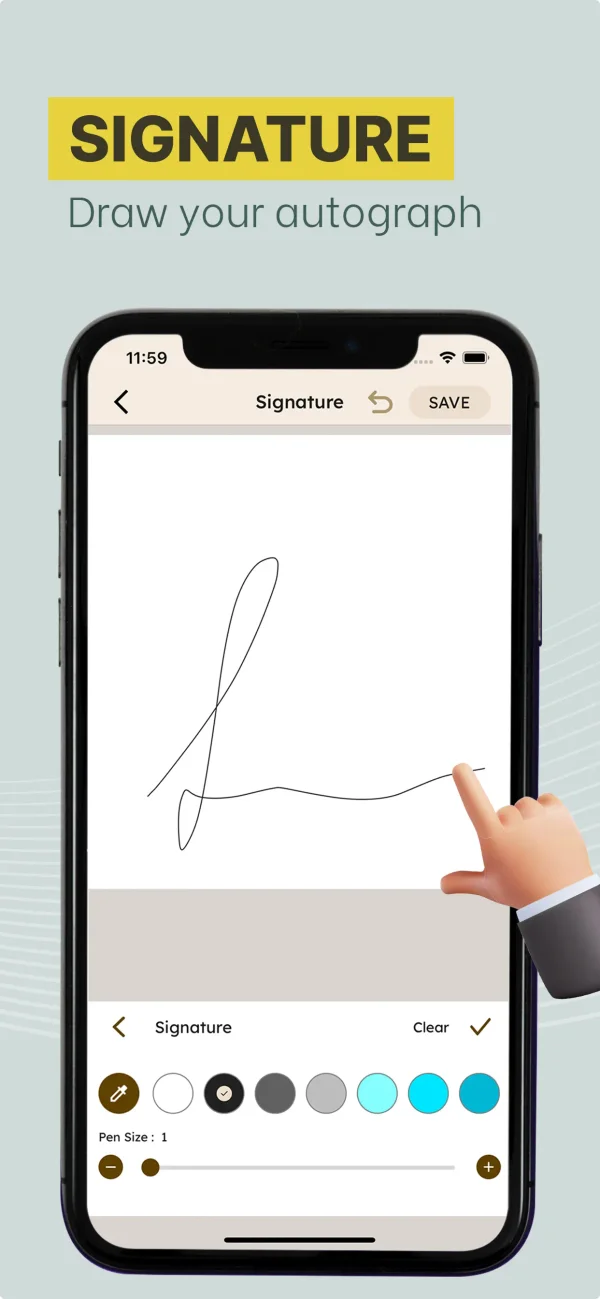
5. You can create the digital signature and add it to the certificate.
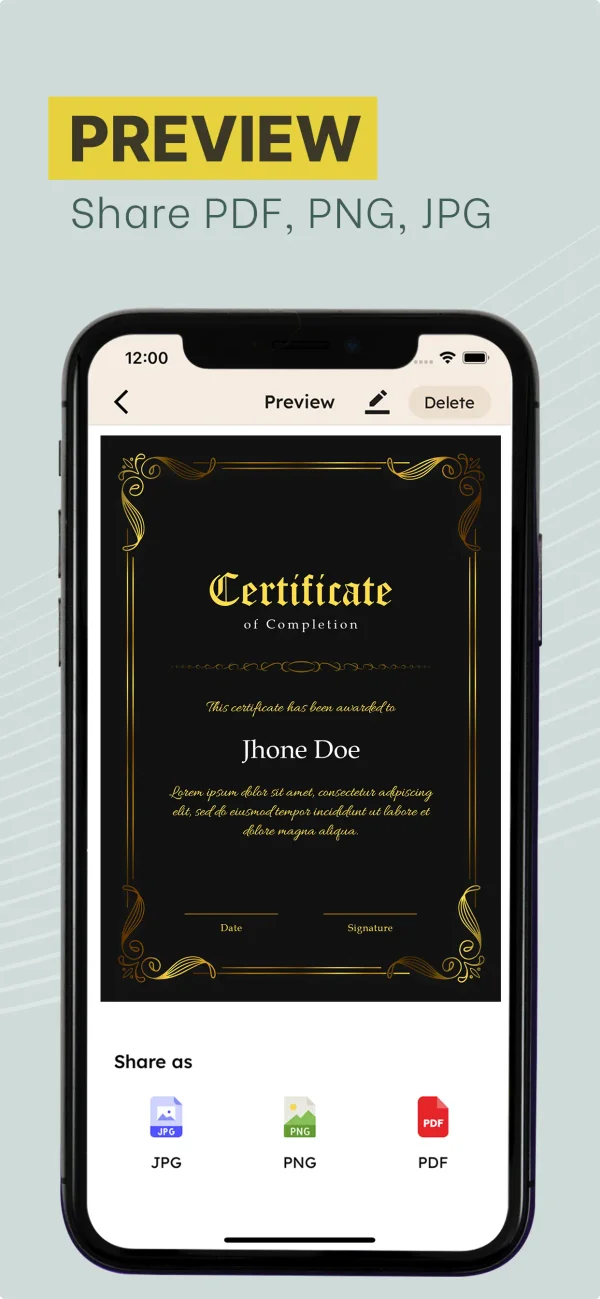
6. Save the certificate changes in JPG or PNG format, and select the image quality from respective options.
7. You can share the certificate with friends and family in JPG, PNG, or PDF format.
Terms of Use (EULA):
https://www.apple.com/legal/internet-services/itunes/dev/stdeula/
Yang baru
Versi 1.9 · 18/9/2026
Bug Fixes.
Privasi aplikasi
Yang dinyatakan Kevin Ghori di App Store tentang cara aplikasi ini menangani data.
-
Data yang digunakan untuk melacak Anda
Dapat digunakan untuk melacak Anda di aplikasi dan situs web milik perusahaan lain.
- Pengenal
- Data penggunaan
- Diagnostik
-
Data yang tidak ditautkan dengan Anda
Dapat dikumpulkan, tetapi tidak ditautkan dengan identitas Anda.
- Pengenal
- Data penggunaan
- Diagnostik
Praktik privasi dapat bervariasi, misalnya berdasarkan fitur yang Anda gunakan atau usia Anda.
Informasi
- Penjual
- Kevin Ghori
- Kategori
- Produktivitas
- Versi
- 1.9
- Diperbarui
- 18/9/2026
- Dirilis
- 30/8/2022
- Ukuran
- 37,1 MB
- Memerlukan
- iOS 17.0 atau yang lebih baru
- Batasan usia
- 4+
- Harga
- Gratis
- Pembelian dalam aplikasi
- Ya
- Bahasa
- Inggris
- Hak cipta
- © Darshan Patel
Mungkin Anda juga suka
-
 Certificate Maker:CreatorProduktivitas
-
 Certificate Maker - eCardsProduktivitas
-
 Certificate Maker, eCard MakerProduktivitas
-
 AI Canvas Certificate MakerProduktivitas
-
 Templates for MS Word - DesiGNTemplat dokumen untuk Word
-
 AI signature Maker: Esign AppProduktivitas
-
 Templates for Pages - DesiGNDokumen dan desain ahli.
-
 Certify: Certificate MakerProduktivitas
-
 Construction forms & templatesProduktivitas
-
 eCertificateProduktivitas