
- Clasificación por edad4+
- CategoríaFoto y vídeo
- Desarrolladorshinichi tanimoto
- IdiomasInglés+ 1 más
- Tamaño4,9 MB
Enlaza a la página oficial de App Store
Download.org no aloja ningún archivo de Deploy Object. El botón abre la página de la aplicación en App Store, donde la publica shinichi tanimoto. Ficha comprobada por última vez el 23/11/2026.
Capturas de pantalla


Acerca de
El desarrollador no ha proporcionado este texto en tu idioma.
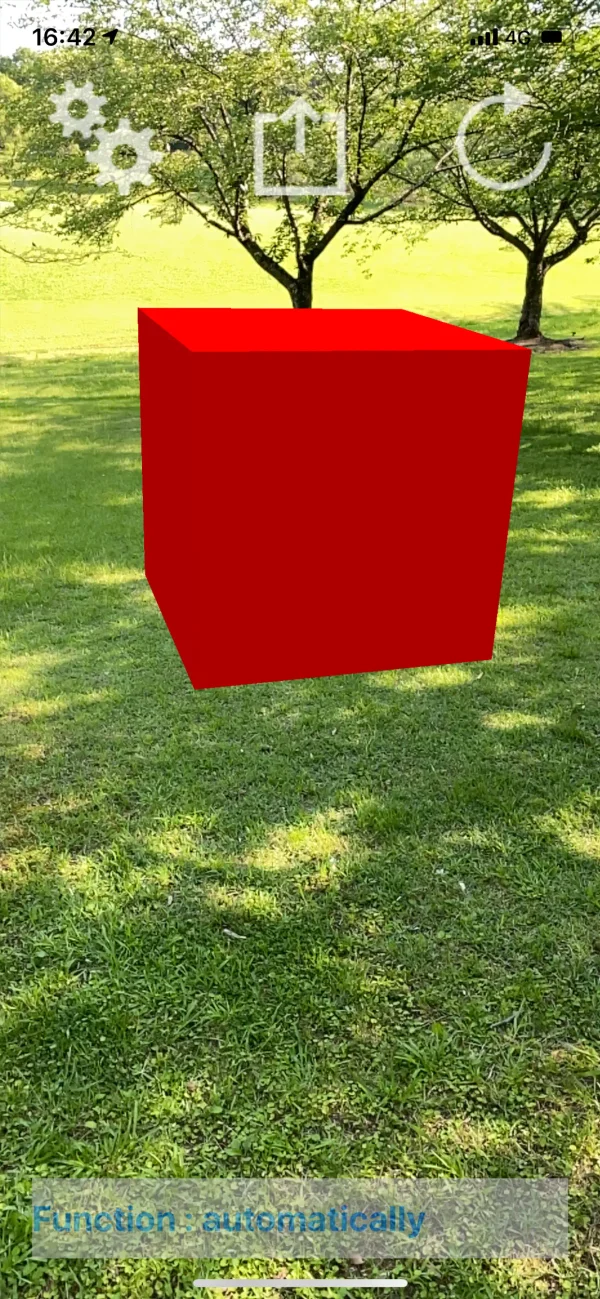
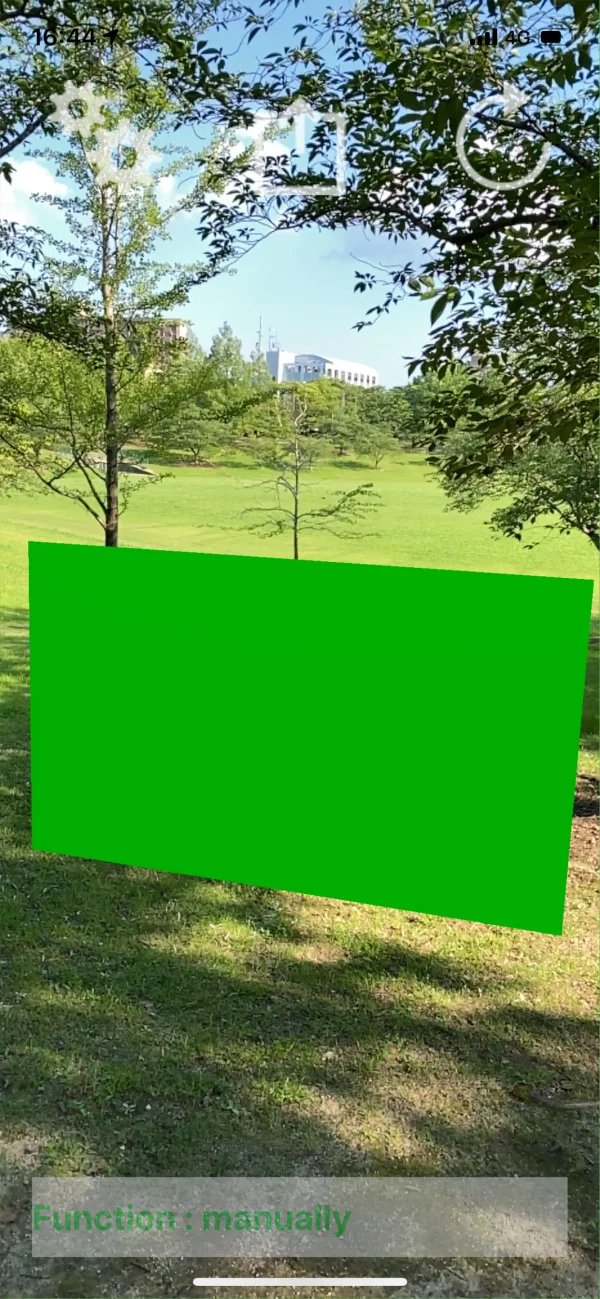
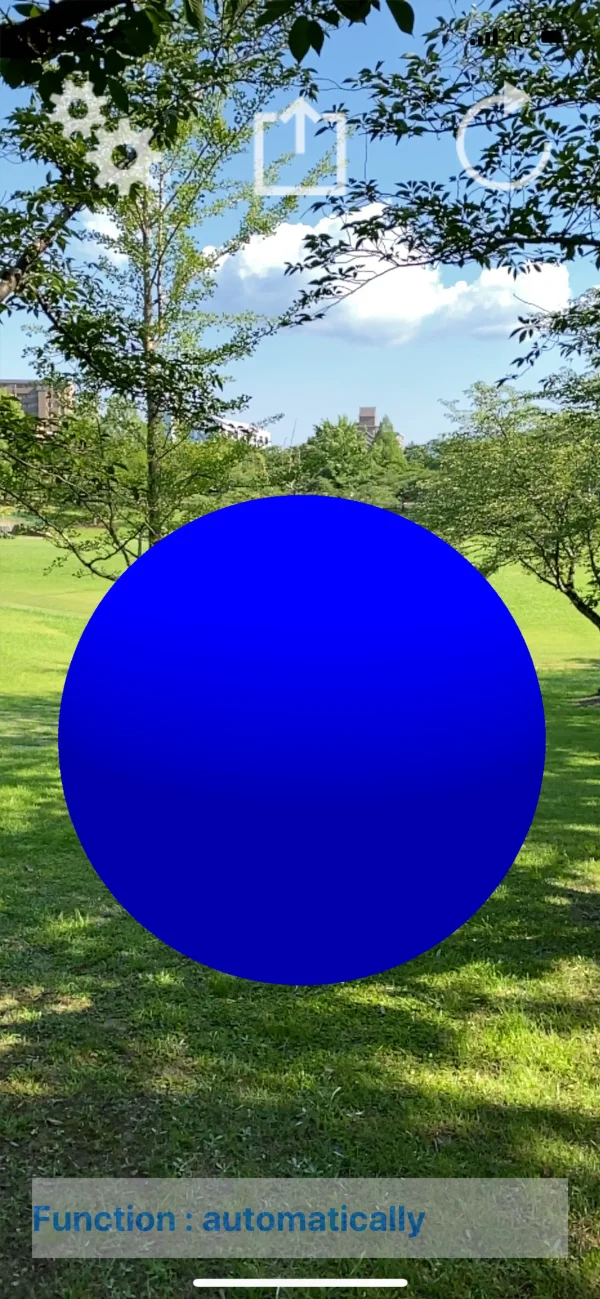
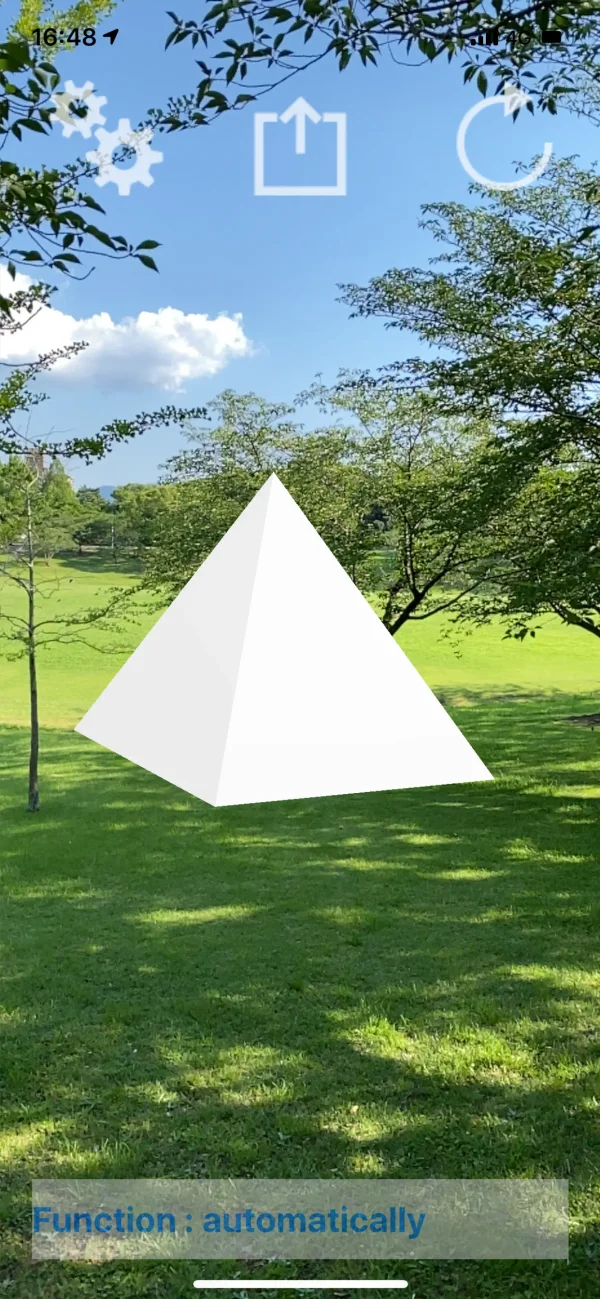
This app is an AR app that projects a virtual object onto the real space projected on the screen.
It can be used before the installation of furniture and buildings, or you can grasp the size and distance of a place.
You can also save an AR composite image of a virtual object and camera image in an album, or post it on SNS or email to share the image.
[How to use]
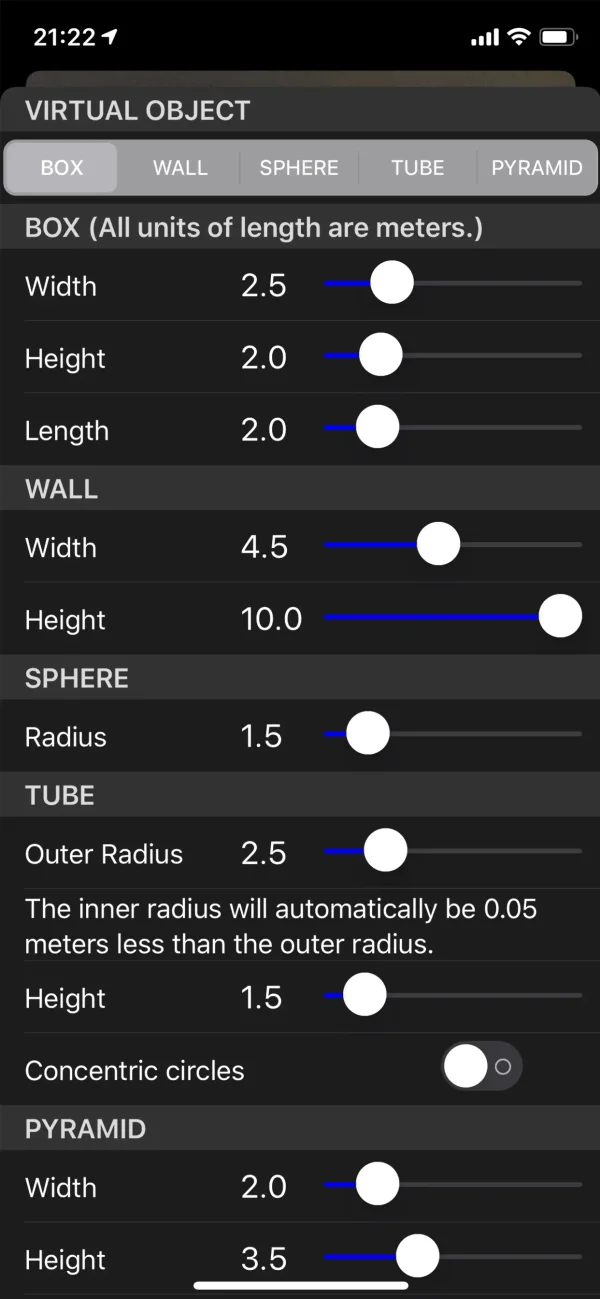
1. Tap the button at the top left of the screen and select the type, size, and color of the virtual object you want to place.
2. Point the rear camera at the flat floor to view the virtual object.
3. Tap the refresh icon in the upper right corner of the screen to reset the screen and detect the flat bottom surface to display virtual objects.
4. By tapping the button at the center of the top of the screen, you can share the image by posting it on SNS such as Twitter or email, and save the image in the album. (If you want to link with other apps, you need to install apps such as Twitter in advance.)
5. Touch and hold the screen to switch the placement of virtual objects automatically or manually. To place it manually, tap the center point of the place where you want to display the virtual object, following the instructions on the screen.
The size of the virtual object selected on the setting screen may have an error depending on the state of space recognition of the place shown in the camera when it is displayed on the screen. Please use it as a guide only.
Please use in a bright place.
Novedades
Versión 2.0 · 15/11/2026
Supported iPhone Duo.
Privacidad de la aplicación
Lo que shinichi tanimoto declara en App Store sobre cómo esta aplicación gestiona los datos.
-
Datos usados para rastrearte
Pueden usarse para rastrearte en aplicaciones y sitios web propiedad de otras empresas.
- Ubicación
- Identificadores
- Datos de uso
- Diagnóstico
-
Datos vinculados a ti
Pueden recopilarse y vincularse a tu identidad.
- Ubicación
- Identificadores
- Datos de uso
- Diagnóstico
Las prácticas de privacidad pueden variar, por ejemplo, según las funciones que uses o tu edad.
Información
- Vendedor
- shinichi tanimoto
- Categoría
- Foto y vídeo
- Versión
- 2.0
- Actualizado
- 15/11/2026
- Publicado
- 22/6/2020
- Tamaño
- 4,9 MB
- Requiere
- iOS 18.6 o posterior
- Clasificación por edad
- 4+
- Precio
- Gratis
- Idiomas
- Inglés, Japonés
- Copyright
- © Artisan Force
Quizá también te guste
-
 Our Glorious Camera: Red LensFoto y vídeo
-
 Motion Extraction CameraFoto y vídeo
-
 MetrochromeEmulsiones y cuarto oscuro
-
 Verva Editor: Pantalla VerdeChroma key y cámara lenta
-
 OffShoot SoloFoto y vídeo
-
 Rectify - Corrige diapositivasCaptura automática al cambiar
-
 Kassette: VHS & Retro CameraFoto y vídeo
-
 DeepSiCámara de visión nocturna
-
 Photo Studio : Edit PhotosFoto y vídeo
-
 HorikaCarga, haz fotos y avanza.