
QueryDial
Search Faster with Shortcuts
Diseñada para iPhone, iPad, Mac
Gratis · Compras en la aplicación
- Clasificación por edad4+
- CategoríaProductividad
- DesarrolladorYuhao Zhang
- IdiomasInglés+ 1 más
- Tamaño41,8 MB
Enlaza a la página oficial de App Store
Download.org no aloja ningún archivo de QueryDial. El botón abre la página de la aplicación en App Store, donde la publica Yuhao Zhang. Ficha comprobada por última vez el 12/11/2026.
Capturas de pantalla



Acerca de
El desarrollador no ha proporcionado este texto en tu idioma.
With QueryDial, you can:
- Use “yt cats" to search for cute cat videos on YouTube
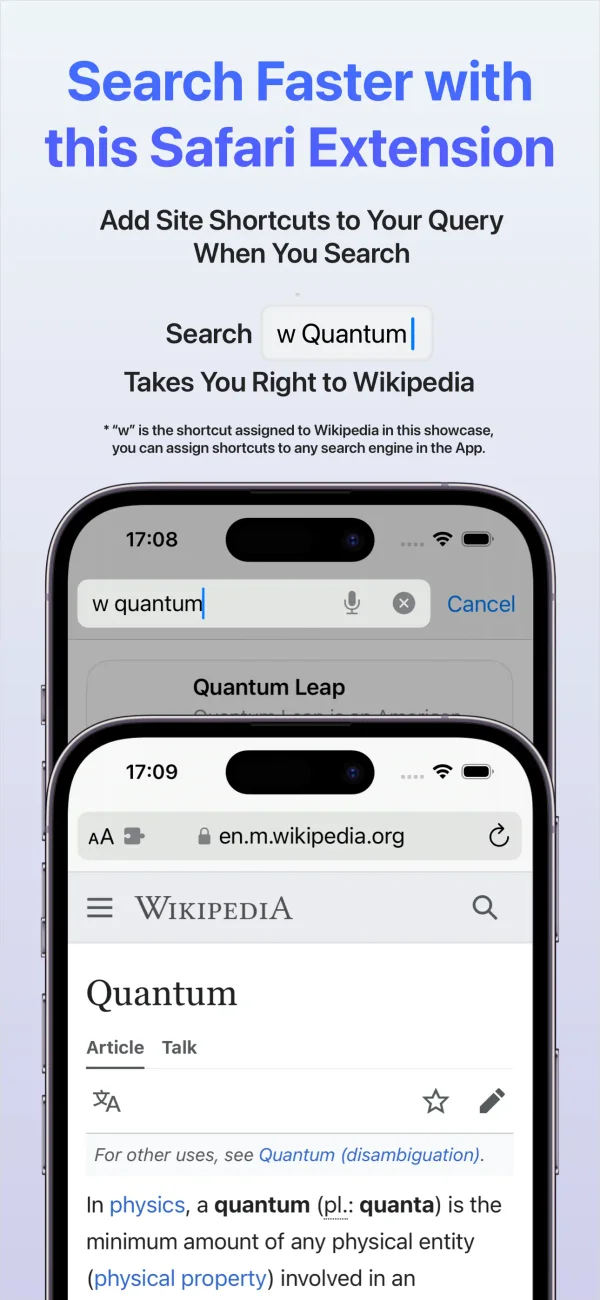
- Use "w Gravity" to easily find the content you want on Wikipedia
- Use “!x #trending" to view real-time trending topics on X
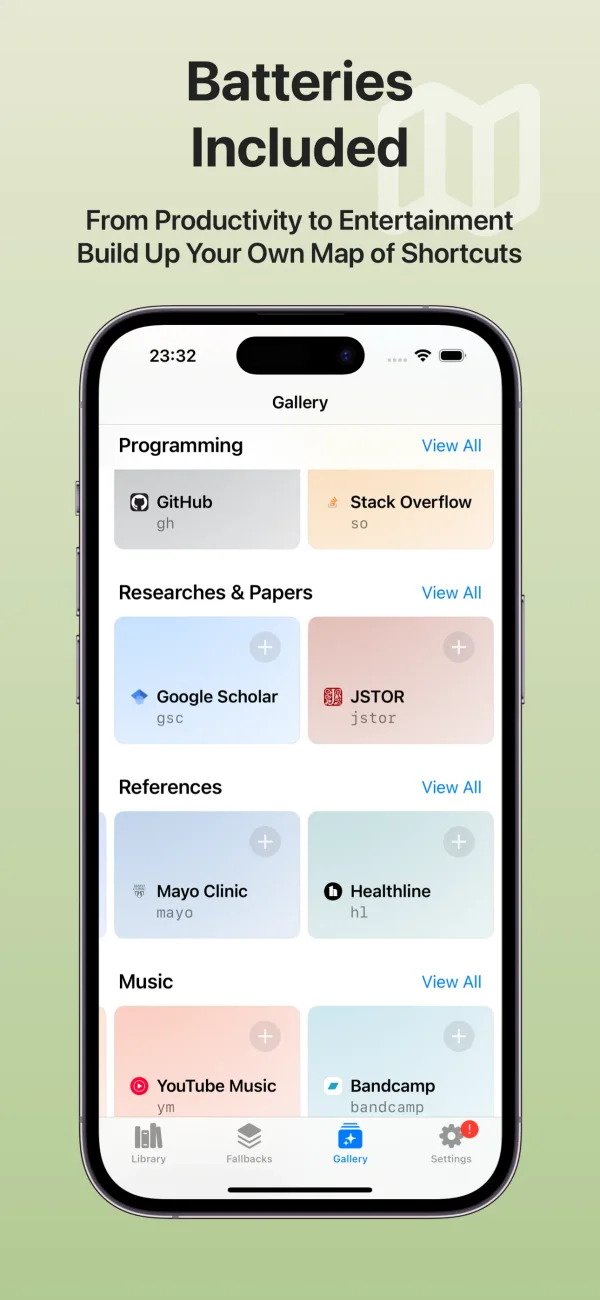
- or, assign shortcut for any websites you like!
*Getting started is easy*
1. Add your frequently used searchable websites (e.g., YouTube, Quora, Twitter, etc.) to QueryDial's search library.
2. Set up simple and easy-to-remember shortcuts (e.g., “yt” for YouTube, “w” for Wikipedia).
3. Enter your search terms directly in the Safari's search bar* or in the QueryDial toolbar window.
4. Include the shortcut in your search terms (e.g., “!yt funny cats") or as the first word in your search (e.g., “yt funny cats").
*Different ways to enter shortcuts*
- !Bang commands: Use commands like “!wiki grey fox” or “grey fox wiki!” to quickly open a search on the specified website. The syntax here is same as the !Bangs from DuckDuckGo.
- Keyword shortcuts: Add the shortcut before or after your search terms, separate them with a space, such as “yt cat videos” or “cat videos yt”.
*Site Search and Snapshot Services*
Save time entering "site:domain.com". Use QueryDial’s Safari popup to easily view the website snapshots or search the domain with site search services.
*Enhance your “Shortcuts” app*
QueryDial provides a number of useful shortcuts that you can use to customize your own workflows in the “Shortcuts” app. Try build your own workflow using shortcuts!
*To use QueryDial directly in the search bar, you need to enable shortcuts for the browser's default search engine in QueryDial's settings. QueryDial currently supports using shortcuts in the following search engines: Google, Bing, DuckDuckGo, Yandex, Yahoo, Baidu, Naver, Ecosia, Brave Search, Startpage, Kagi, Qwant, Swisscows
Novedades
Versión 1.3.0 · 25/3/2025
QueryDial 1.3.0 introduced bug fix and some UI improvements
- Search engines with same information will be merged automatically: no longer needs to worry about duplicate data present in your library (the merge will execute automatically when you open the main app)
- Support dark and tinted app icon in iOS 18
- You can now view websites’ actual icons: they replaced the existing ‘color square’ icons
Privacidad de la aplicación
Lo que Yuhao Zhang declara en App Store sobre cómo esta aplicación gestiona los datos.
-
No se recopilan datos
El desarrollador no recopila ningún dato de esta aplicación.
Las prácticas de privacidad pueden variar, por ejemplo, según las funciones que uses o tu edad.
Información
- Vendedor
- Yuhao Zhang
- Categoría
- Productividad
- Versión
- 1.3.0
- Actualizado
- 25/3/2025
- Publicado
- 21/3/2024
- Tamaño
- 41,8 MB
- Requiere
- iOS 17.0 o posterior
- Clasificación por edad
- 4+
- Precio
- Gratis
- Compras en la aplicación
- Sí
- Idiomas
- Inglés, Chino simplificado
- Copyright
- © 2024 Yuhao Zhang
Quizá también te guste
-
 Readonly-Read It LaterProductividad
-
 Noteit -AI Journal Notes DiaryProductividad
-
 Engines To SearchProductividad
-
 Kernels: Private Search EngineProductividad
-
 Next Search AppProductividad
-
 MarkMark - Read it laterProductividad
-
 Mobile Data AssistantProductividad
-
 Doodo : Private Search EngineProductividad
-
 Skip SearchProductividad
-
 Advanced Search Smart OptionsProductividad