
QueryDial
Search Faster with Shortcuts
Conçue pour iPhone, iPad, Mac
Gratuit · Achats intégrés
- Classification d’âge4+
- CatégorieProductivité
- DéveloppeurYuhao Zhang
- LanguesAnglais+ 1 de plus
- Taille41,8 Mo
Renvoie vers la page App Store officielle
Download.org n’héberge aucun fichier de QueryDial. Le bouton ouvre la page de l’application sur App Store, où Yuhao Zhang la publie. Fiche vérifiée pour la dernière fois le 12/11/2026.
Captures d’écran



À propos
Le développeur n’a pas fourni ce texte dans votre langue.
With QueryDial, you can:
- Use “yt cats" to search for cute cat videos on YouTube
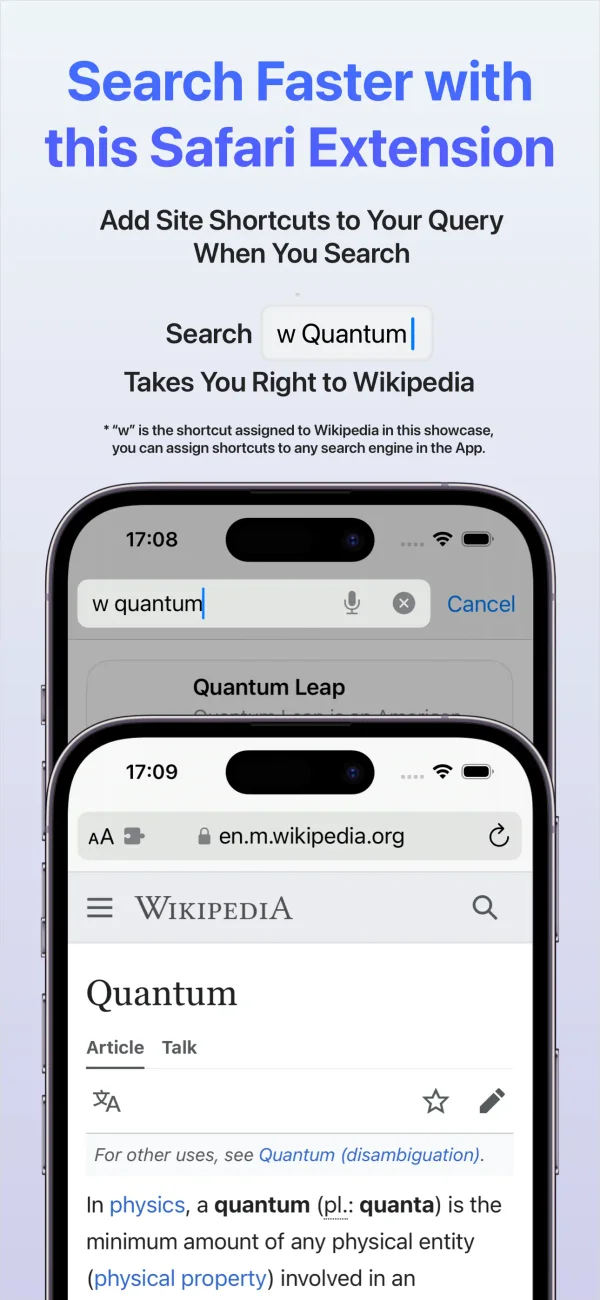
- Use "w Gravity" to easily find the content you want on Wikipedia
- Use “!x #trending" to view real-time trending topics on X
- or, assign shortcut for any websites you like!
*Getting started is easy*
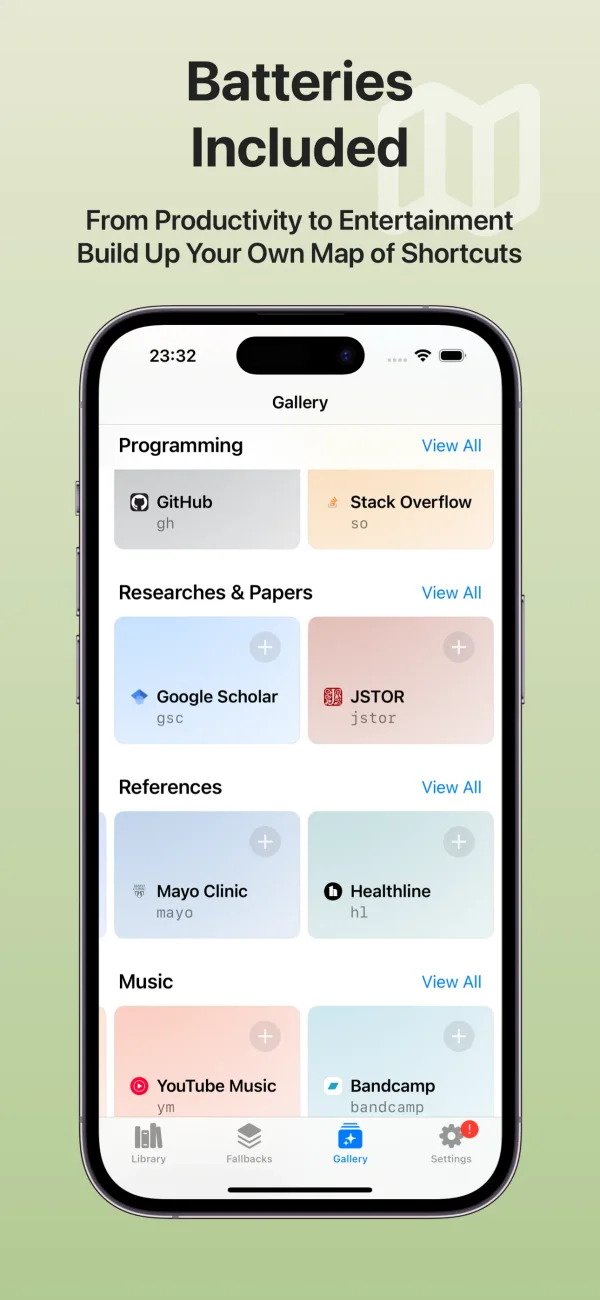
1. Add your frequently used searchable websites (e.g., YouTube, Quora, Twitter, etc.) to QueryDial's search library.
2. Set up simple and easy-to-remember shortcuts (e.g., “yt” for YouTube, “w” for Wikipedia).
3. Enter your search terms directly in the Safari's search bar* or in the QueryDial toolbar window.
4. Include the shortcut in your search terms (e.g., “!yt funny cats") or as the first word in your search (e.g., “yt funny cats").
*Different ways to enter shortcuts*
- !Bang commands: Use commands like “!wiki grey fox” or “grey fox wiki!” to quickly open a search on the specified website. The syntax here is same as the !Bangs from DuckDuckGo.
- Keyword shortcuts: Add the shortcut before or after your search terms, separate them with a space, such as “yt cat videos” or “cat videos yt”.
*Site Search and Snapshot Services*
Save time entering "site:domain.com". Use QueryDial’s Safari popup to easily view the website snapshots or search the domain with site search services.
*Enhance your “Shortcuts” app*
QueryDial provides a number of useful shortcuts that you can use to customize your own workflows in the “Shortcuts” app. Try build your own workflow using shortcuts!
*To use QueryDial directly in the search bar, you need to enable shortcuts for the browser's default search engine in QueryDial's settings. QueryDial currently supports using shortcuts in the following search engines: Google, Bing, DuckDuckGo, Yandex, Yahoo, Baidu, Naver, Ecosia, Brave Search, Startpage, Kagi, Qwant, Swisscows
Nouveautés
Version 1.3.0 · 25/03/2025
QueryDial 1.3.0 introduced bug fix and some UI improvements
- Search engines with same information will be merged automatically: no longer needs to worry about duplicate data present in your library (the merge will execute automatically when you open the main app)
- Support dark and tinted app icon in iOS 18
- You can now view websites’ actual icons: they replaced the existing ‘color square’ icons
Confidentialité de l’application
Ce que Yuhao Zhang déclare sur l’App Store au sujet du traitement des données par cette application.
-
Données non collectées
Le développeur ne collecte aucune donnée à partir de cette application.
Les pratiques en matière de confidentialité peuvent varier, notamment en fonction des fonctionnalités que vous utilisez ou de votre âge.
Informations
- Vendeur
- Yuhao Zhang
- Catégorie
- Productivité
- Version
- 1.3.0
- Mis à jour
- 25/03/2025
- Publié
- 21/03/2024
- Taille
- 41,8 Mo
- Nécessite
- iOS 17.0 ou version ultérieure
- Classification d’âge
- 4+
- Prix
- Gratuit
- Achats intégrés
- Oui
- Langues
- Anglais, Chinois simplifié
- Copyright
- © 2024 Yuhao Zhang
Vous aimerez peut-être aussi
-
 Readonly-Read It LaterProductivité
-
 Noteit -AI Journal Notes DiaryProductivité
-
 Engines To SearchProductivité
-
 Kernels: Private Search EngineProductivité
-
 Next Search AppProductivité
-
 MarkMark - Read it laterProductivité
-
 Mobile Data AssistantProductivité
-
 Doodo : Private Search EngineProductivité
-
 Skip SearchProductivité
-
 Advanced Search Smart OptionsProductivité