
- 対象年齢4+
- カテゴリ仕事効率化
- 開発元Yuhao Zhang
- 言語英語ほか1言語
- サイズ41.8 MB
App Storeの公式ページにリンクしています
Download.orgはQueryDialのファイルを一切ホストしていません。ボタンを押すと、Yuhao Zhangが公開しているApp Storeのアプリページが開きます。ページの最終確認:2026/11/12。
スクリーンショット



概要
開発元はこのテキストをお使いの言語で提供していません。
With QueryDial, you can:
- Use “yt cats" to search for cute cat videos on YouTube
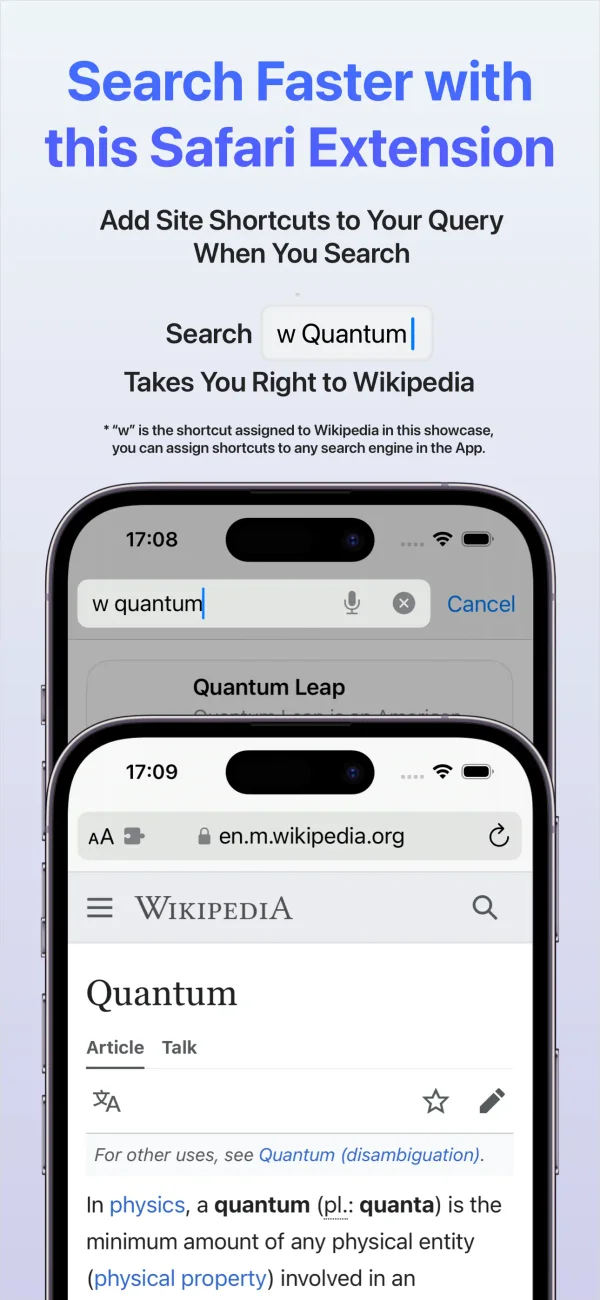
- Use "w Gravity" to easily find the content you want on Wikipedia
- Use “!x #trending" to view real-time trending topics on X
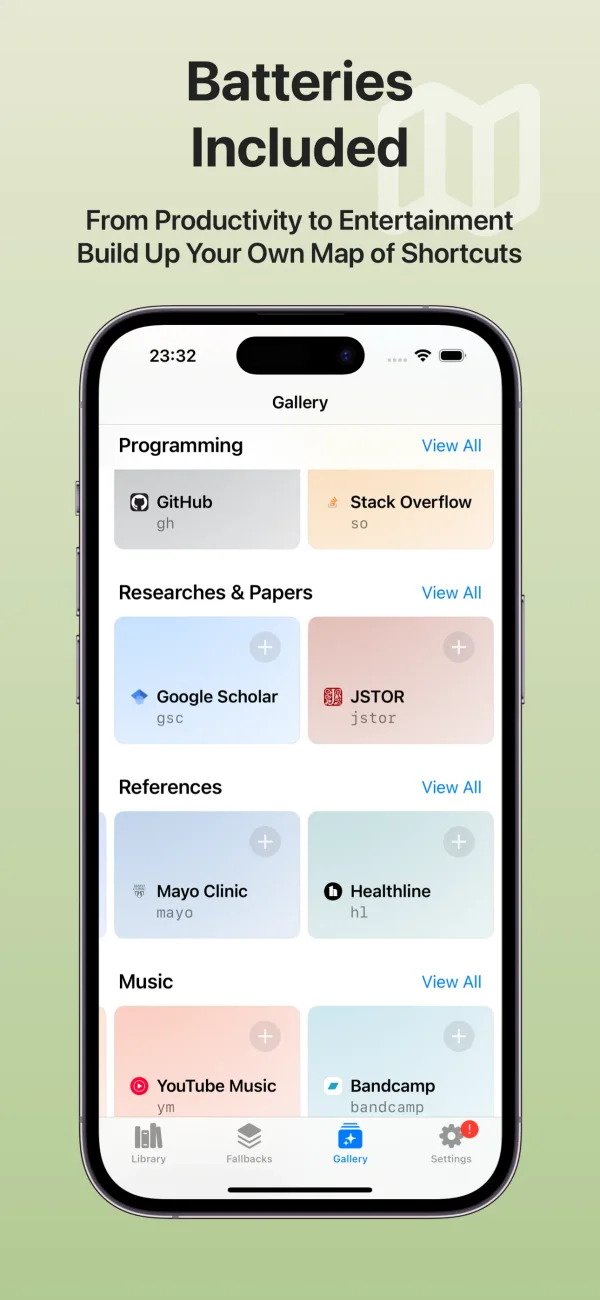
- or, assign shortcut for any websites you like!
*Getting started is easy*
1. Add your frequently used searchable websites (e.g., YouTube, Quora, Twitter, etc.) to QueryDial's search library.
2. Set up simple and easy-to-remember shortcuts (e.g., “yt” for YouTube, “w” for Wikipedia).
3. Enter your search terms directly in the Safari's search bar* or in the QueryDial toolbar window.
4. Include the shortcut in your search terms (e.g., “!yt funny cats") or as the first word in your search (e.g., “yt funny cats").
*Different ways to enter shortcuts*
- !Bang commands: Use commands like “!wiki grey fox” or “grey fox wiki!” to quickly open a search on the specified website. The syntax here is same as the !Bangs from DuckDuckGo.
- Keyword shortcuts: Add the shortcut before or after your search terms, separate them with a space, such as “yt cat videos” or “cat videos yt”.
*Site Search and Snapshot Services*
Save time entering "site:domain.com". Use QueryDial’s Safari popup to easily view the website snapshots or search the domain with site search services.
*Enhance your “Shortcuts” app*
QueryDial provides a number of useful shortcuts that you can use to customize your own workflows in the “Shortcuts” app. Try build your own workflow using shortcuts!
*To use QueryDial directly in the search bar, you need to enable shortcuts for the browser's default search engine in QueryDial's settings. QueryDial currently supports using shortcuts in the following search engines: Google, Bing, DuckDuckGo, Yandex, Yahoo, Baidu, Naver, Ecosia, Brave Search, Startpage, Kagi, Qwant, Swisscows
新機能
バージョン 1.3.0 · 2025/3/25
QueryDial 1.3.0 introduced bug fix and some UI improvements
- Search engines with same information will be merged automatically: no longer needs to worry about duplicate data present in your library (the merge will execute automatically when you open the main app)
- Support dark and tinted app icon in iOS 18
- You can now view websites’ actual icons: they replaced the existing ‘color square’ icons
アプリのプライバシー
このアプリのデータの取り扱いについて、Yuhao ZhangがApp Storeで申告している内容です。
-
データの収集なし
開発元はこのアプリからデータを収集しません。
プライバシーの取り扱いは、ご利用の機能やお客様の年齢などに応じて異なる場合があります。
情報
- 販売元
- Yuhao Zhang
- カテゴリ
- 仕事効率化
- バージョン
- 1.3.0
- 更新日
- 2025/3/25
- リリース
- 2024/3/21
- サイズ
- 41.8 MB
- 必要条件
- iOS 17.0以降
- 対象年齢
- 4+
- 価格
- 無料
- アプリ内課金
- あり
- 言語
- 英語, 簡体字中国語
- 著作権
- © 2024 Yuhao Zhang
こちらもおすすめ
-
 Readonly-Read It Later仕事効率化
-
 Noteit-ローカル秘密の日記/メモ帳AIがサポートするプライベートダイアリーネットワーク接続不要
-
 Engines To Search仕事効率化
-
 Kernels: Private Search Engine仕事効率化
-
 Next Search App仕事効率化
-
 MarkMark - Read it later仕事効率化
-
 Mobile Data Assistant仕事効率化
-
 Doodo : Private Search Engine仕事効率化
-
 Skip Search - 検索語句の登録・呼び出し・即検索片手操作でサクサク検索
-
 スマート検索〜グーグル検索でネット情報が見つけやすくなる!何を探していますか?画像、グルメ、ニュース、買い物、旅行