
QueryDial
Search Faster with Shortcuts
Dirancang untuk iPhone, iPad, Mac
Gratis · Pembelian dalam aplikasi
- Batasan usia4+
- KategoriProduktivitas
- PengembangYuhao Zhang
- BahasaInggris+ 1 lainnya
- Ukuran41,8 MB
Tertaut ke halaman resmi App Store
Download.org tidak menyimpan file QueryDial apa pun. Tombol ini membuka halaman aplikasi di App Store, tempat Yuhao Zhang menerbitkannya. Halaman terakhir diperiksa pada 12/11/2026.
Tangkapan layar



Tentang
Pengembang belum menyediakan teks ini dalam bahasa Anda.
With QueryDial, you can:
- Use “yt cats" to search for cute cat videos on YouTube
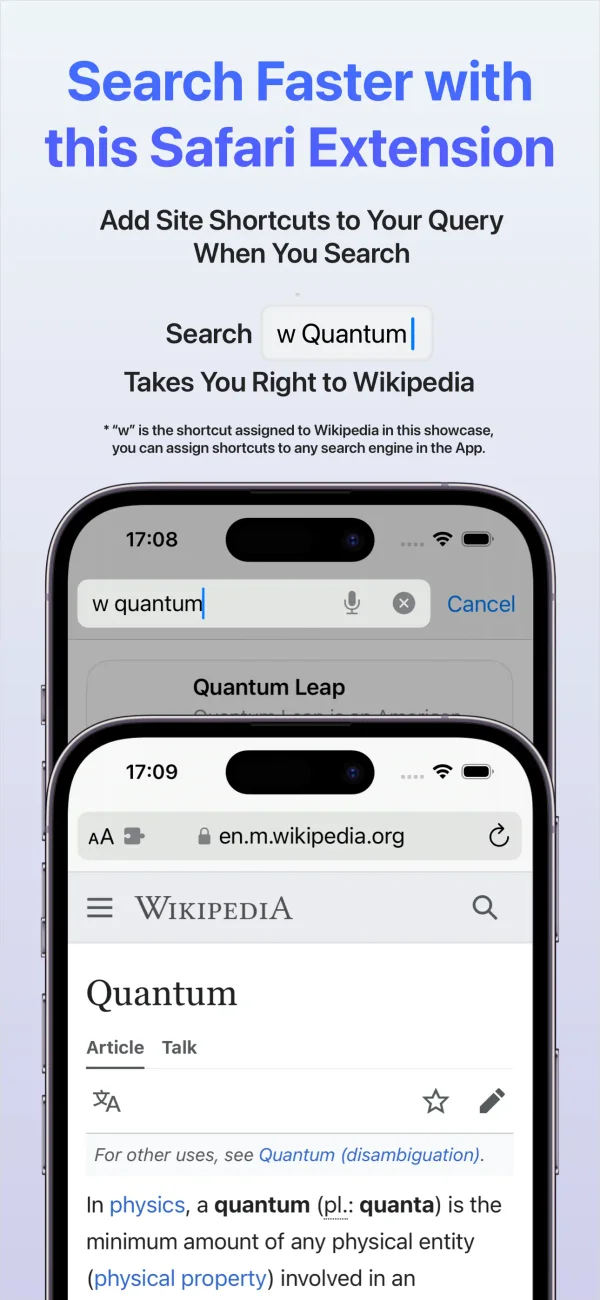
- Use "w Gravity" to easily find the content you want on Wikipedia
- Use “!x #trending" to view real-time trending topics on X
- or, assign shortcut for any websites you like!
*Getting started is easy*
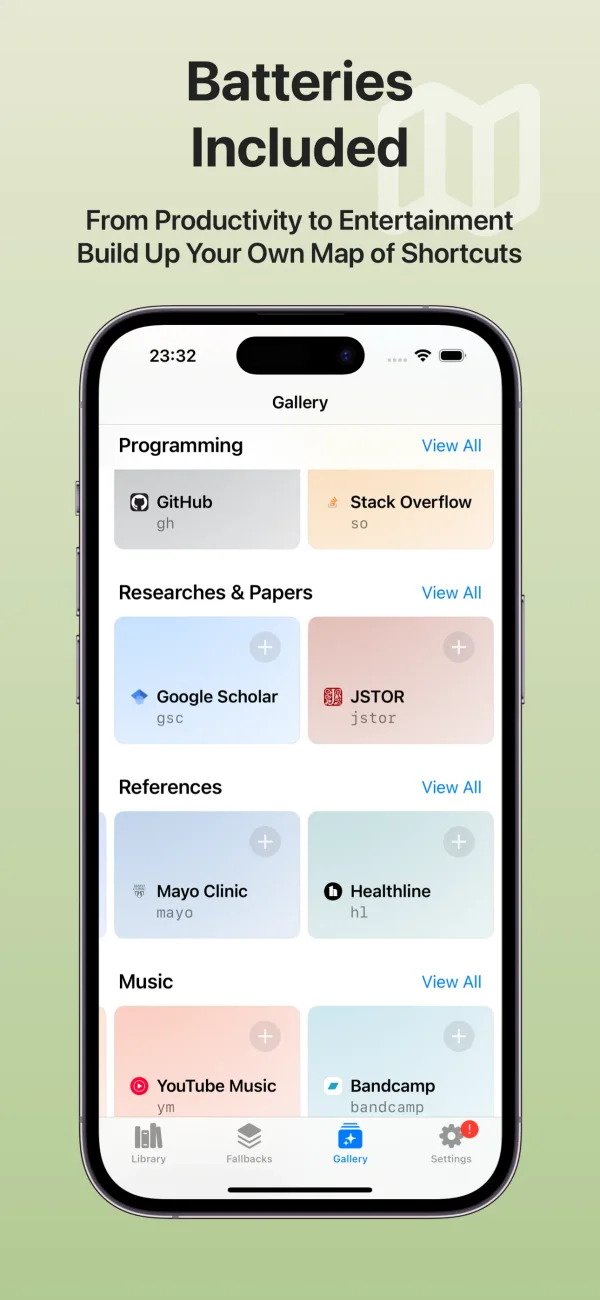
1. Add your frequently used searchable websites (e.g., YouTube, Quora, Twitter, etc.) to QueryDial's search library.
2. Set up simple and easy-to-remember shortcuts (e.g., “yt” for YouTube, “w” for Wikipedia).
3. Enter your search terms directly in the Safari's search bar* or in the QueryDial toolbar window.
4. Include the shortcut in your search terms (e.g., “!yt funny cats") or as the first word in your search (e.g., “yt funny cats").
*Different ways to enter shortcuts*
- !Bang commands: Use commands like “!wiki grey fox” or “grey fox wiki!” to quickly open a search on the specified website. The syntax here is same as the !Bangs from DuckDuckGo.
- Keyword shortcuts: Add the shortcut before or after your search terms, separate them with a space, such as “yt cat videos” or “cat videos yt”.
*Site Search and Snapshot Services*
Save time entering "site:domain.com". Use QueryDial’s Safari popup to easily view the website snapshots or search the domain with site search services.
*Enhance your “Shortcuts” app*
QueryDial provides a number of useful shortcuts that you can use to customize your own workflows in the “Shortcuts” app. Try build your own workflow using shortcuts!
*To use QueryDial directly in the search bar, you need to enable shortcuts for the browser's default search engine in QueryDial's settings. QueryDial currently supports using shortcuts in the following search engines: Google, Bing, DuckDuckGo, Yandex, Yahoo, Baidu, Naver, Ecosia, Brave Search, Startpage, Kagi, Qwant, Swisscows
Yang baru
Versi 1.3.0 · 25/3/2025
QueryDial 1.3.0 introduced bug fix and some UI improvements
- Search engines with same information will be merged automatically: no longer needs to worry about duplicate data present in your library (the merge will execute automatically when you open the main app)
- Support dark and tinted app icon in iOS 18
- You can now view websites’ actual icons: they replaced the existing ‘color square’ icons
Privasi aplikasi
Yang dinyatakan Yuhao Zhang di App Store tentang cara aplikasi ini menangani data.
-
Data tidak dikumpulkan
Pengembang tidak mengumpulkan data apa pun dari aplikasi ini.
Praktik privasi dapat bervariasi, misalnya berdasarkan fitur yang Anda gunakan atau usia Anda.
Informasi
- Penjual
- Yuhao Zhang
- Kategori
- Produktivitas
- Versi
- 1.3.0
- Diperbarui
- 25/3/2025
- Dirilis
- 21/3/2024
- Ukuran
- 41,8 MB
- Memerlukan
- iOS 17.0 atau yang lebih baru
- Batasan usia
- 4+
- Harga
- Gratis
- Pembelian dalam aplikasi
- Ya
- Bahasa
- Inggris, Tionghoa Sederhana
- Hak cipta
- © 2024 Yuhao Zhang
Mungkin Anda juga suka
-
 Readonly-Read It LaterProduktivitas
-
 Noteit -AI Journal Notes DiaryProduktivitas
-
 Engines To SearchProduktivitas
-
 Kernels: Private Search EngineProduktivitas
-
 Next Search AppProduktivitas
-
 MarkMark - Read it laterProduktivitas
-
 Mobile Data AssistantProduktivitas
-
 Doodo : Private Search EngineProduktivitas
-
 Skip SearchProduktivitas
-
 Advanced Search Smart OptionsProduktivitas