
QueryDial
Search Faster with Shortcuts
Được thiết kế cho iPhone, iPad, Mac
Miễn phí · Mua hàng trong ứng dụng
- Độ tuổi4+
- Danh mụcHiệu Suất
- Nhà phát triểnYuhao Zhang
- Ngôn ngữTiếng Anh+ 1 ngôn ngữ khác
- Kích thước41,8 MB
Liên kết đến trang App Store chính thức
Download.org không lưu trữ tệp nào của QueryDial. Nút này mở trang ứng dụng trên App Store, nơi Yuhao Zhang phát hành ứng dụng. Trang được kiểm tra lần cuối: 12/11/2026.
Ảnh chụp màn hình



Giới thiệu
Nhà phát triển chưa cung cấp nội dung này bằng ngôn ngữ của bạn.
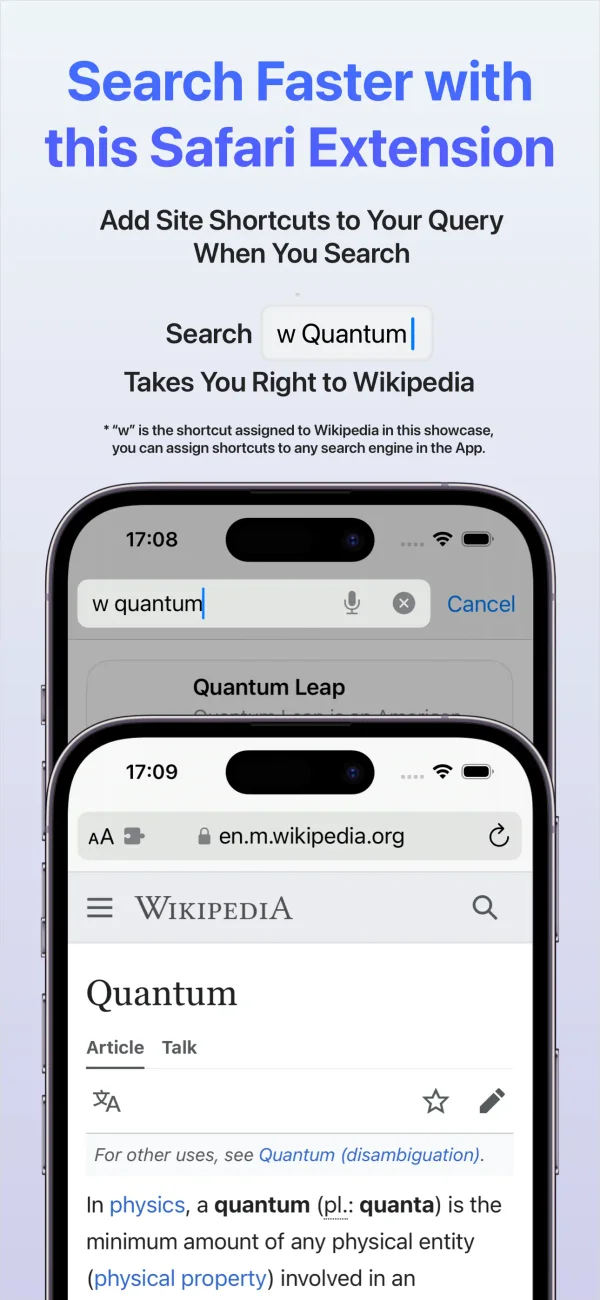
With QueryDial, you can:
- Use “yt cats" to search for cute cat videos on YouTube
- Use "w Gravity" to easily find the content you want on Wikipedia
- Use “!x #trending" to view real-time trending topics on X
- or, assign shortcut for any websites you like!
*Getting started is easy*
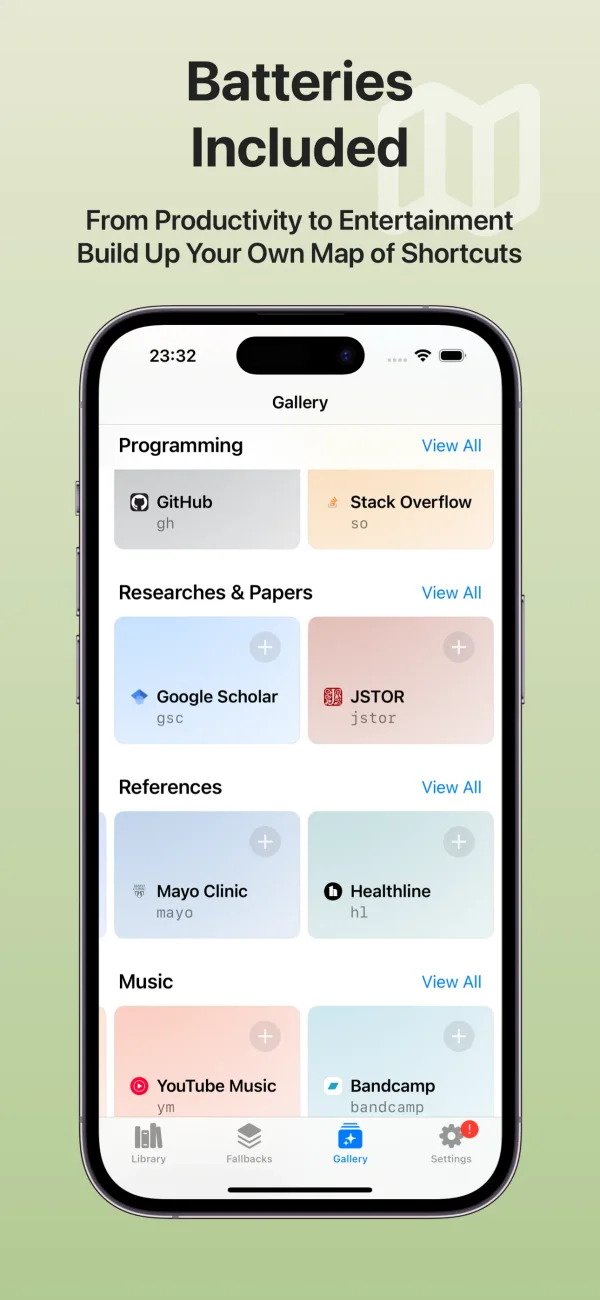
1. Add your frequently used searchable websites (e.g., YouTube, Quora, Twitter, etc.) to QueryDial's search library.
2. Set up simple and easy-to-remember shortcuts (e.g., “yt” for YouTube, “w” for Wikipedia).
3. Enter your search terms directly in the Safari's search bar* or in the QueryDial toolbar window.
4. Include the shortcut in your search terms (e.g., “!yt funny cats") or as the first word in your search (e.g., “yt funny cats").
*Different ways to enter shortcuts*
- !Bang commands: Use commands like “!wiki grey fox” or “grey fox wiki!” to quickly open a search on the specified website. The syntax here is same as the !Bangs from DuckDuckGo.
- Keyword shortcuts: Add the shortcut before or after your search terms, separate them with a space, such as “yt cat videos” or “cat videos yt”.
*Site Search and Snapshot Services*
Save time entering "site:domain.com". Use QueryDial’s Safari popup to easily view the website snapshots or search the domain with site search services.
*Enhance your “Shortcuts” app*
QueryDial provides a number of useful shortcuts that you can use to customize your own workflows in the “Shortcuts” app. Try build your own workflow using shortcuts!
*To use QueryDial directly in the search bar, you need to enable shortcuts for the browser's default search engine in QueryDial's settings. QueryDial currently supports using shortcuts in the following search engines: Google, Bing, DuckDuckGo, Yandex, Yahoo, Baidu, Naver, Ecosia, Brave Search, Startpage, Kagi, Qwant, Swisscows
Có gì mới
Phiên bản 1.3.0 · 25/03/2025
QueryDial 1.3.0 introduced bug fix and some UI improvements
- Search engines with same information will be merged automatically: no longer needs to worry about duplicate data present in your library (the merge will execute automatically when you open the main app)
- Support dark and tinted app icon in iOS 18
- You can now view websites’ actual icons: they replaced the existing ‘color square’ icons
Quyền riêng tư của ứng dụng
Những gì Yuhao Zhang khai báo trên App Store về cách ứng dụng này xử lý dữ liệu.
-
Dữ liệu không được thu thập
Nhà phát triển không thu thập bất kỳ dữ liệu nào từ ứng dụng này.
Phương thức đảm bảo quyền riêng tư có thể khác nhau, chẳng hạn như tuỳ theo các tính năng bạn sử dụng hoặc độ tuổi của bạn.
Thông tin
- Người bán
- Yuhao Zhang
- Danh mục
- Hiệu Suất
- Phiên bản
- 1.3.0
- Cập nhật
- 25/03/2025
- Phát hành
- 21/03/2024
- Kích thước
- 41,8 MB
- Yêu cầu
- iOS 17.0 trở lên
- Độ tuổi
- 4+
- Giá
- Miễn phí
- Mua hàng trong ứng dụng
- Có
- Ngôn ngữ
- Tiếng Anh, Tiếng Trung Giản thể
- Bản quyền
- © 2024 Yuhao Zhang
Có thể bạn cũng thích
-
 Readonly-Read It LaterHiệu Suất
-
 Noteit -AI Journal Notes DiaryHiệu Suất
-
 Engines To SearchHiệu Suất
-
 Kernels: Private Search EngineHiệu Suất
-
 Next Search AppHiệu Suất
-
 MarkMark - Read it laterHiệu Suất
-
 Mobile Data AssistantHiệu Suất
-
 Doodo : Private Search EngineHiệu Suất
-
 Skip SearchHiệu Suất
-
 Advanced Search Smart OptionsHiệu Suất