
QueryDial
Search Faster with Shortcuts
iPhone, iPad, Mac için tasarlandı
Ücretsiz · Uygulama içi satın alma
- Yaş sınırı4+
- KategoriÜretkenlik
- GeliştiriciYuhao Zhang
- Dillerİngilizce+ 1 dil daha
- Boyut41,8 MB
Resmi App Store sayfasına bağlanır
Download.org, QueryDial için hiçbir dosya barındırmaz. Düğme, uygulamanın App Store üzerindeki sayfasını açar; uygulamayı orada Yuhao Zhang yayınlar. Sayfanın son kontrolü: 12.11.2026.
Ekran görüntüleri



Hakkında
Geliştirici bu metni dilinizde sunmamış.
With QueryDial, you can:
- Use “yt cats" to search for cute cat videos on YouTube
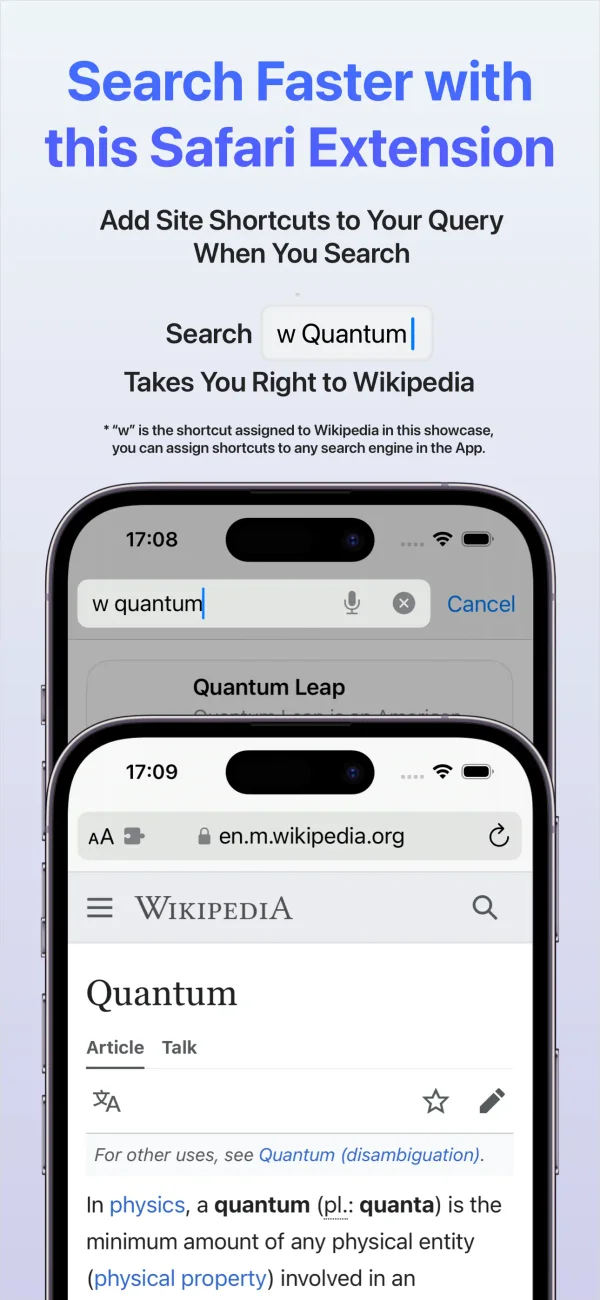
- Use "w Gravity" to easily find the content you want on Wikipedia
- Use “!x #trending" to view real-time trending topics on X
- or, assign shortcut for any websites you like!
*Getting started is easy*
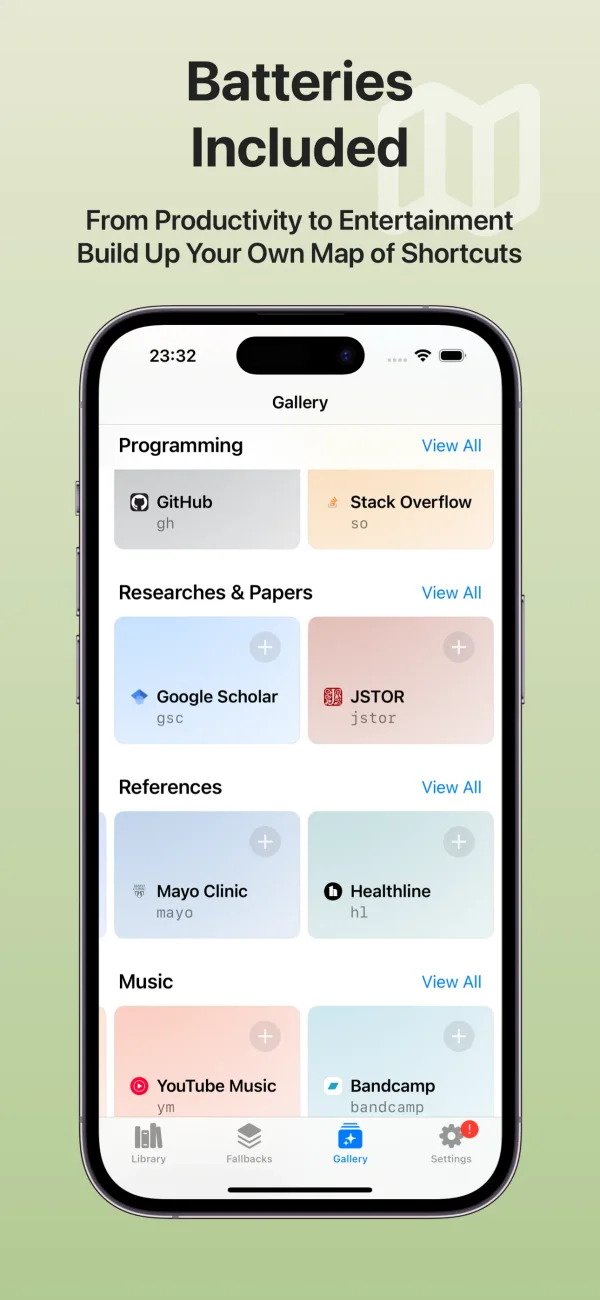
1. Add your frequently used searchable websites (e.g., YouTube, Quora, Twitter, etc.) to QueryDial's search library.
2. Set up simple and easy-to-remember shortcuts (e.g., “yt” for YouTube, “w” for Wikipedia).
3. Enter your search terms directly in the Safari's search bar* or in the QueryDial toolbar window.
4. Include the shortcut in your search terms (e.g., “!yt funny cats") or as the first word in your search (e.g., “yt funny cats").
*Different ways to enter shortcuts*
- !Bang commands: Use commands like “!wiki grey fox” or “grey fox wiki!” to quickly open a search on the specified website. The syntax here is same as the !Bangs from DuckDuckGo.
- Keyword shortcuts: Add the shortcut before or after your search terms, separate them with a space, such as “yt cat videos” or “cat videos yt”.
*Site Search and Snapshot Services*
Save time entering "site:domain.com". Use QueryDial’s Safari popup to easily view the website snapshots or search the domain with site search services.
*Enhance your “Shortcuts” app*
QueryDial provides a number of useful shortcuts that you can use to customize your own workflows in the “Shortcuts” app. Try build your own workflow using shortcuts!
*To use QueryDial directly in the search bar, you need to enable shortcuts for the browser's default search engine in QueryDial's settings. QueryDial currently supports using shortcuts in the following search engines: Google, Bing, DuckDuckGo, Yandex, Yahoo, Baidu, Naver, Ecosia, Brave Search, Startpage, Kagi, Qwant, Swisscows
Yenilikler
Sürüm 1.3.0 · 25.03.2025
QueryDial 1.3.0 introduced bug fix and some UI improvements
- Search engines with same information will be merged automatically: no longer needs to worry about duplicate data present in your library (the merge will execute automatically when you open the main app)
- Support dark and tinted app icon in iOS 18
- You can now view websites’ actual icons: they replaced the existing ‘color square’ icons
Uygulama gizliliği
Bu uygulamanın verileri nasıl işlediği hakkında Yuhao Zhang tarafından App Store üzerinde yapılan beyan.
-
Veri toplanmıyor
Geliştirici bu uygulamadan hiçbir veri toplamıyor.
Gizlilik uygulamaları, örneğin kullandığınız özelliklere veya yaşınıza göre değişiklik gösterebilir.
Bilgiler
- Satıcı
- Yuhao Zhang
- Kategori
- Üretkenlik
- Sürüm
- 1.3.0
- Güncellendi
- 25.03.2025
- Yayın tarihi
- 21.03.2024
- Boyut
- 41,8 MB
- Gereksinim
- iOS 17.0 veya sonrası
- Yaş sınırı
- 4+
- Fiyat
- Ücretsiz
- Uygulama içi satın alma
- Evet
- Diller
- İngilizce, Basitleştirilmiş Çince
- Telif hakkı
- © 2024 Yuhao Zhang
Bunları da beğenebilirsiniz
-
 Readonly-Read It LaterÜretkenlik
-
 Noteit -AI Journal Notes DiaryÜretkenlik
-
 Engines To SearchÜretkenlik
-
 Kernels: Private Search EngineÜretkenlik
-
 Next Search AppÜretkenlik
-
 MarkMark - Read it laterÜretkenlik
-
 Mobile Data AssistantÜretkenlik
-
 Doodo : Private Search EngineÜretkenlik
-
 Skip SearchÜretkenlik
-
 Advanced Search Smart OptionsÜretkenlik