
CloudClip
Clipboard history and sync
Conçue pour iPhone, iPad, iPod touch
Gratuit
- Classification d’âge4+
- CatégorieUtilitaires
- DéveloppeurThinkbitz Software Studio
- LanguesAnglais
- Taille4,6 Mo
Renvoie vers la page App Store officielle
Download.org n’héberge aucun fichier de CloudClip. Le bouton ouvre la page de l’application sur App Store, où Thinkbitz Software Studio la publie. Fiche vérifiée pour la dernière fois le 15/11/2026.
Captures d’écran

À propos
Le développeur n’a pas fourni ce texte dans votre langue.
Problems/suggestions/issues/questions: Check out the troubleshooting notes below. If they don't help, please email me at cloudclip@thinkbitz.com to help sort them out!
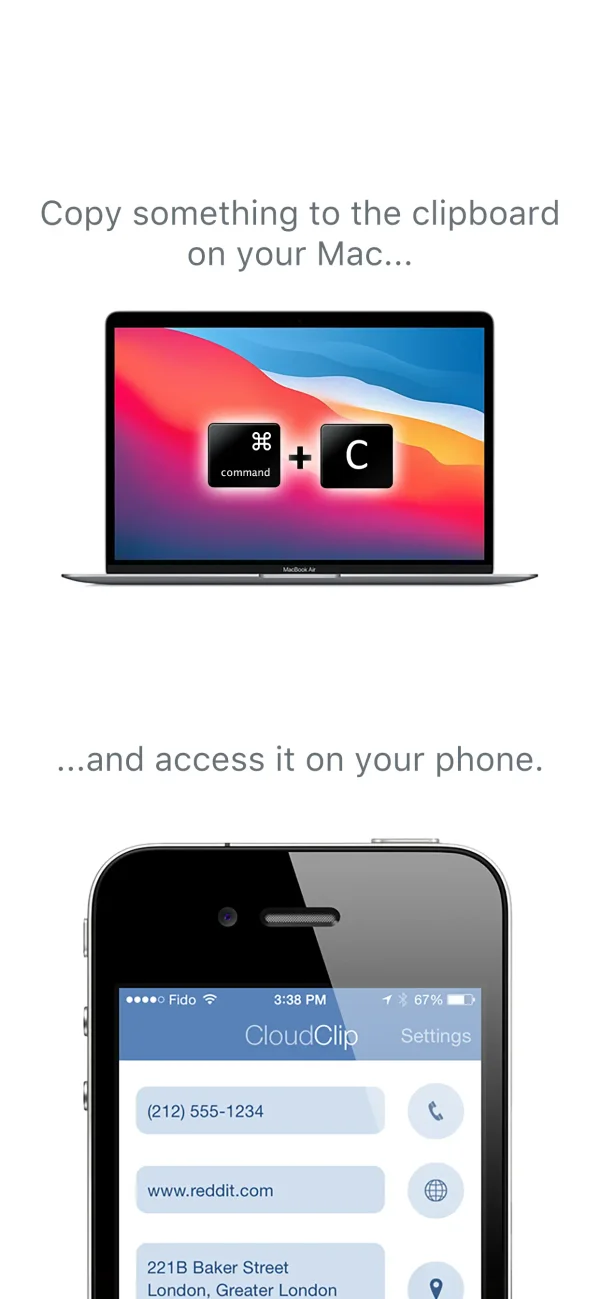
CloudClip lets you automatically share your clipboard items between all your devices.
On the Mac: Any time you copy something to the clipboard, it automatically syncs to iCloud. Open CloudClip on your iOS device to access it.
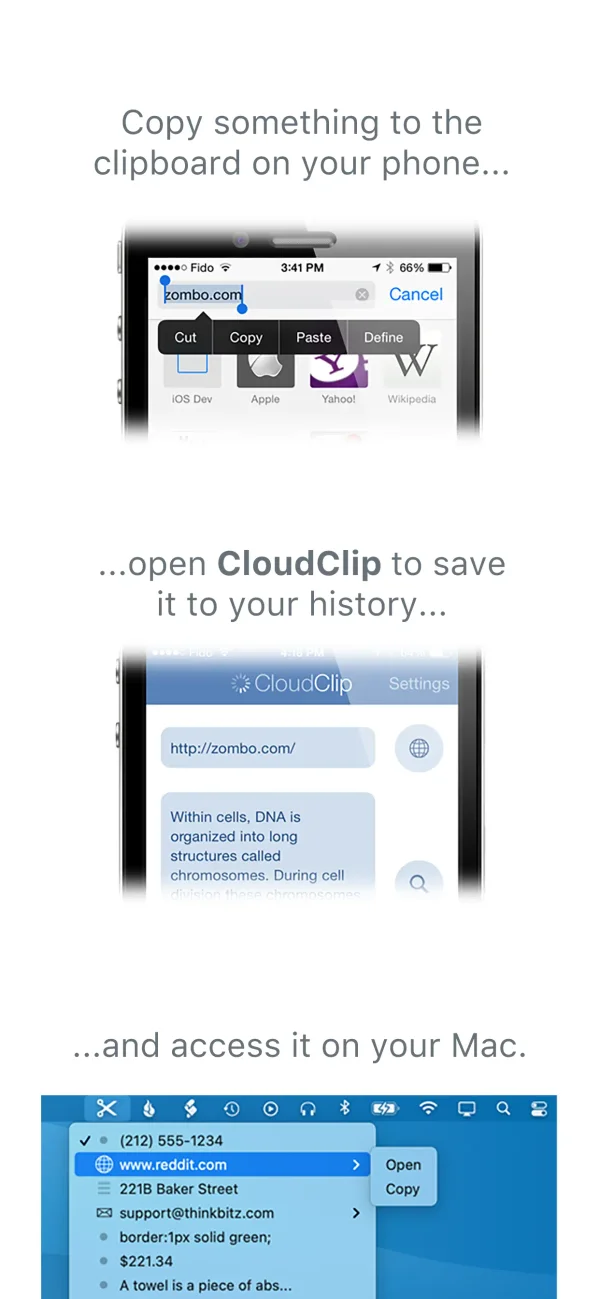
On the iPhone, iPad, or iPod touch: Copy something to the clipboard, open CloudClip to start the sync, and then access it from the CloudClip menu on your Mac.
Works between all your Macs and iOS devices!
Tap an item:
Phone number - Dial or text message
Web address - Opens in your browser
Location - Opens in maps
Email Address - Opens an email
Anything else - Copies to clipboard
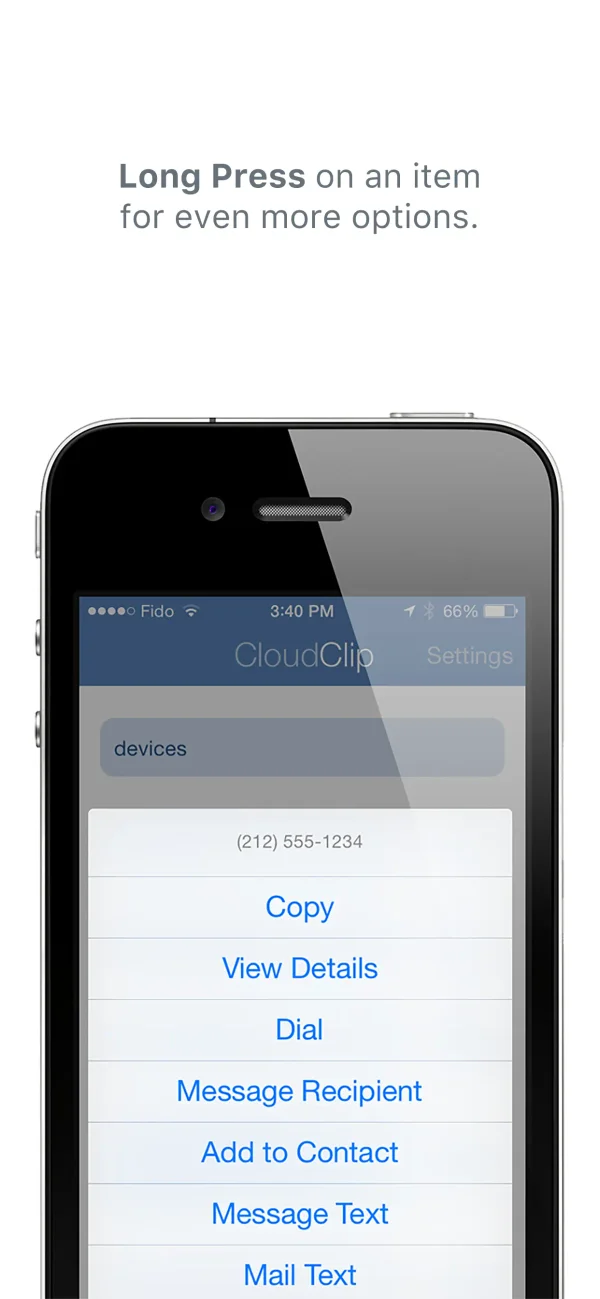
Swipe left or long press on an item for more options, or tap the detail button to read long clips.
It's very handy.
Automatically syncs a history of your recent clipboard items. Easily clear items individually by swiping left on the item, or all at once in the app's Settings.
Check out the Settings to also set:
- Whether to automatically add clips
- Choose your favorite browser and Maps app
- View help and troubleshooting tips.
NOTES
- Requires iCloud.
- Mac sync requires CloudClip Manager for Mac, available for free in the Mac App Store.
TROUBLESHOOTING
If things don't seem to be working properly, try the following on all your devices. (iCloud settings are found at Settings -> iCloud on your iOS devices, and System Preferences -> iCloud on your Macs.)
- Check all your devices are using the same iCloud account.
- Check iCloud Drive (or Documents & Data for older operating systems) is enabled on all your devices. (See below for notes on iCloud Drive.)
- Try restarting your devices.
- Try disabling and then re-enabling iCloud Drive on your devices.
If those don't seem to do the trick, email me at cloudclip@thinkbitz.com. Thanks!
URL SCHEME SUPPORT
cloudclip://add/(url encoded text)
Nouveautés
Version 1.5.2 · 18/09/2024
- Updates for iOS 18, including tinted and dark mode app icons
- Some bug and crash fixes
Confidentialité de l’application
Ce que Thinkbitz Software Studio déclare sur l’App Store au sujet du traitement des données par cette application.
-
Données n’établissant aucun lien avec vous
Peuvent être collectées, mais ne sont pas liées à votre identité.
- Données d’utilisation
- Diagnostic
Les pratiques en matière de confidentialité peuvent varier, notamment en fonction des fonctionnalités que vous utilisez ou de votre âge.
Informations
- Vendeur
- Thinkbitz Software Studio
- Catégorie
- Utilitaires
- Version
- 1.5.2
- Mis à jour
- 18/09/2024
- Publié
- 18/01/2013
- Taille
- 4,6 Mo
- Nécessite
- iOS 12.0 ou version ultérieure
- Classification d’âge
- 4+
- Prix
- Gratuit
- Langues
- Anglais
- Copyright
- © Copyright Thinkbitz
Vous aimerez peut-être aussi
-
 Pasteboard - Presse-papiersAide copier et coller
-
 PasteNow - Instant ClipboardUtilitaires
-
 My Clipboard - Cloud SyncedUtilitaires
-
 ClipboardClear - AutoSuppression automatique
-
 Clip JarUtilitaires
-
 Octoclip : Presse-papiersHistorique et synchronisation
-
 clipboard advancedUtilitaires
-
 Effacer la copieVérifier & vider presse-papier
-
 Éditeur de visionneuse de presCopier, coller, effacer, parta
-
 Copyboard-saisie rapideSaisie plus efficace