
- Age rating4+
- CategoryUtilities
- DeveloperThinkbitz Software Studio
- LanguagesEnglish
- Size4.6 MB
Links to the official App Store page
Download.org hosts no file of CloudClip. The button opens its official App Store page, published by Thinkbitz Software Studio. Listing last checked on Nov 15, 2026.
Screenshots

About
Problems/suggestions/issues/questions: Check out the troubleshooting notes below. If they don't help, please email me at cloudclip@thinkbitz.com to help sort them out!
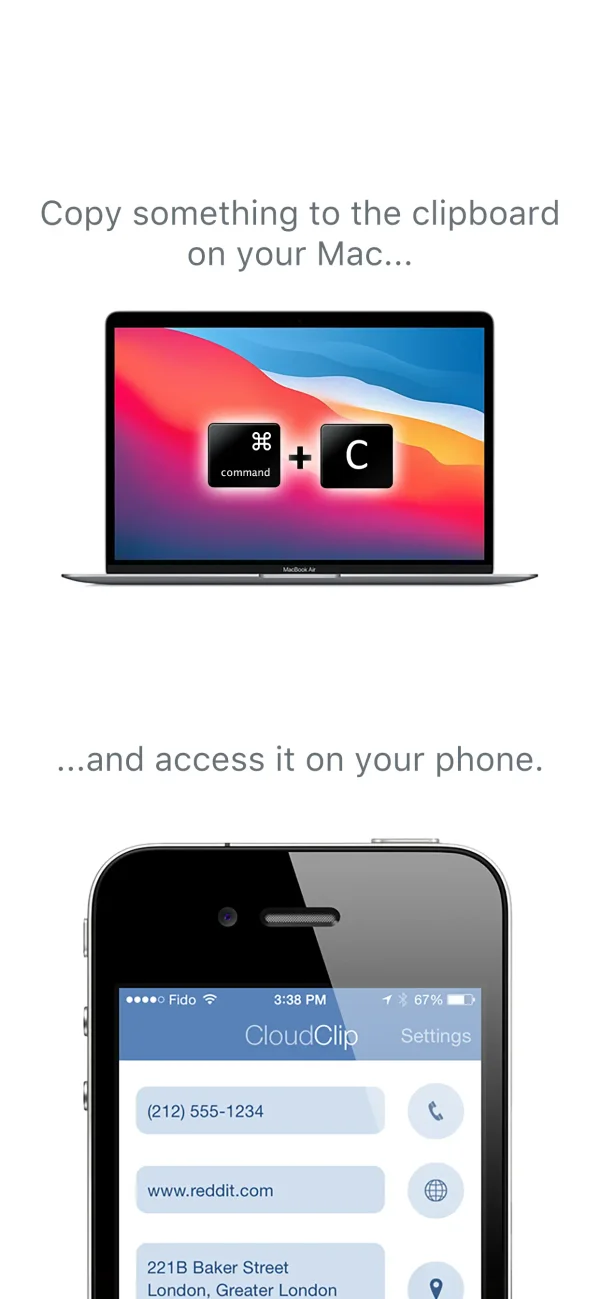
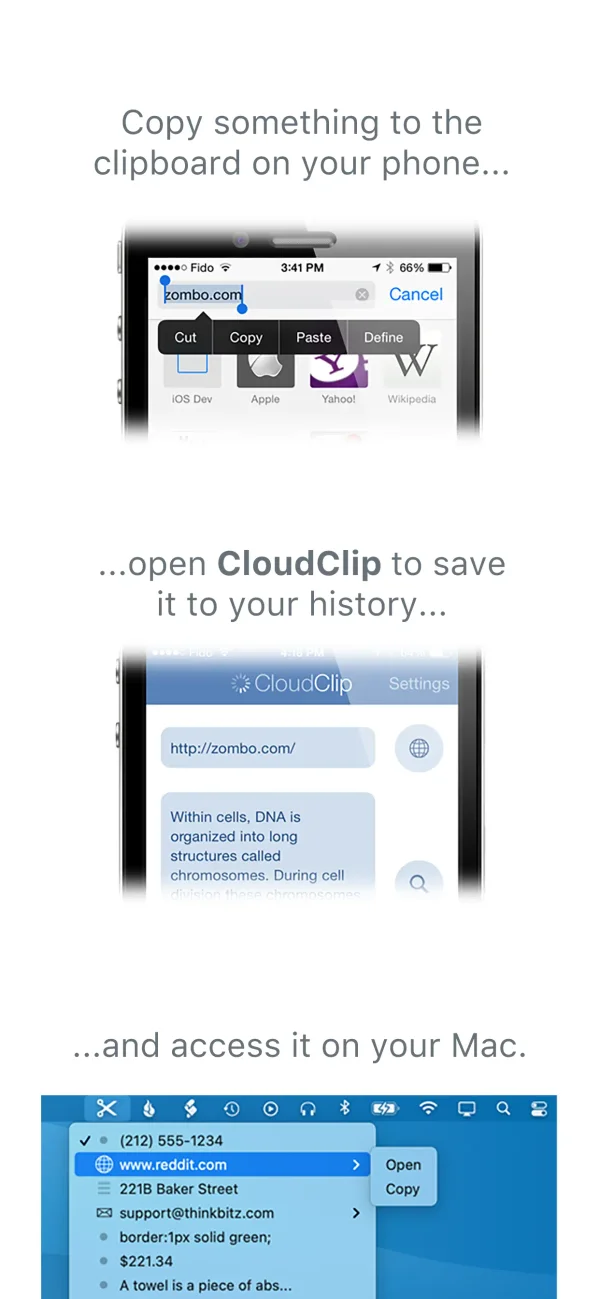
CloudClip lets you automatically share your clipboard items between all your devices.
On the Mac: Any time you copy something to the clipboard, it automatically syncs to iCloud. Open CloudClip on your iOS device to access it.
On the iPhone, iPad, or iPod touch: Copy something to the clipboard, open CloudClip to start the sync, and then access it from the CloudClip menu on your Mac.
Works between all your Macs and iOS devices!
Tap an item:
Phone number - Dial or text message
Web address - Opens in your browser
Location - Opens in maps
Email Address - Opens an email
Anything else - Copies to clipboard
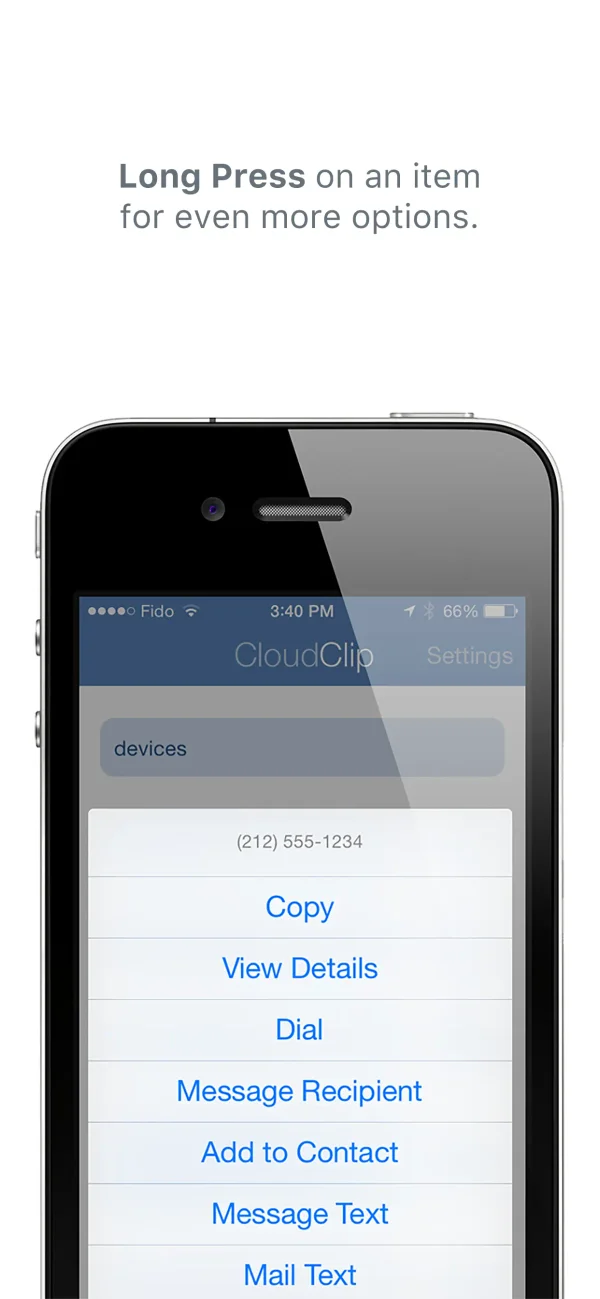
Swipe left or long press on an item for more options, or tap the detail button to read long clips.
It's very handy.
Automatically syncs a history of your recent clipboard items. Easily clear items individually by swiping left on the item, or all at once in the app's Settings.
Check out the Settings to also set:
- Whether to automatically add clips
- Choose your favorite browser and Maps app
- View help and troubleshooting tips.
NOTES
- Requires iCloud.
- Mac sync requires CloudClip Manager for Mac, available for free in the Mac App Store.
TROUBLESHOOTING
If things don't seem to be working properly, try the following on all your devices. (iCloud settings are found at Settings -> iCloud on your iOS devices, and System Preferences -> iCloud on your Macs.)
- Check all your devices are using the same iCloud account.
- Check iCloud Drive (or Documents & Data for older operating systems) is enabled on all your devices. (See below for notes on iCloud Drive.)
- Try restarting your devices.
- Try disabling and then re-enabling iCloud Drive on your devices.
If those don't seem to do the trick, email me at cloudclip@thinkbitz.com. Thanks!
URL SCHEME SUPPORT
cloudclip://add/(url encoded text)
What’s new
Version 1.5.2 · Sep 18, 2024
- Updates for iOS 18, including tinted and dark mode app icons
- Some bug and crash fixes
App privacy
What Thinkbitz Software Studio declares on the App Store about how this app handles data.
-
Data not linked to you
May be collected but is not linked to your identity.
- Usage data
- Diagnostics
Privacy practices may vary, for example with the features you use or your age.
Information
- Seller
- Thinkbitz Software Studio
- Category
- Utilities
- Version
- 1.5.2
- Updated
- Sep 18, 2024
- Released
- Jan 18, 2013
- Size
- 4.6 MB
- Requires
- iOS 12.0 or later
- Age rating
- 4+
- Price
- Free
- Languages
- English
- Copyright
- © Copyright Thinkbitz
You might also like
-
 Simple Pasteboard widgetUtilities
-
 PasteNow - Instant ClipboardMake Clipboard Management Easy
-
 My Clipboard - Cloud SyncedCopy text between devices
-
 ClipboardClear - AutoDisplay and automatic deletion
-
 Clip JarOrganize and share text clips
-
 Octoclip: Universal ClipboardClipboard history & sync
-
 clipboard advancedUtilities
-
 Erase CopyClipboard Check & 1-Tap Clear
-
 Clipboard Viewer EditorCopy, Paste, Clear, Share
-
 Copyboard-quickly enter toolMake your input more efficient