
- 対象年齢4+
- カテゴリユーティリティ
- 開発元Thinkbitz Software Studio
- 言語英語
- サイズ4.6 MB
App Storeの公式ページにリンクしています
Download.orgはCloudClipのファイルを一切ホストしていません。ボタンを押すと、Thinkbitz Software Studioが公開しているApp Storeのアプリページが開きます。ページの最終確認:2026/11/15。
スクリーンショット

概要
開発元はこのテキストをお使いの言語で提供していません。
Problems/suggestions/issues/questions: Check out the troubleshooting notes below. If they don't help, please email me at cloudclip@thinkbitz.com to help sort them out!
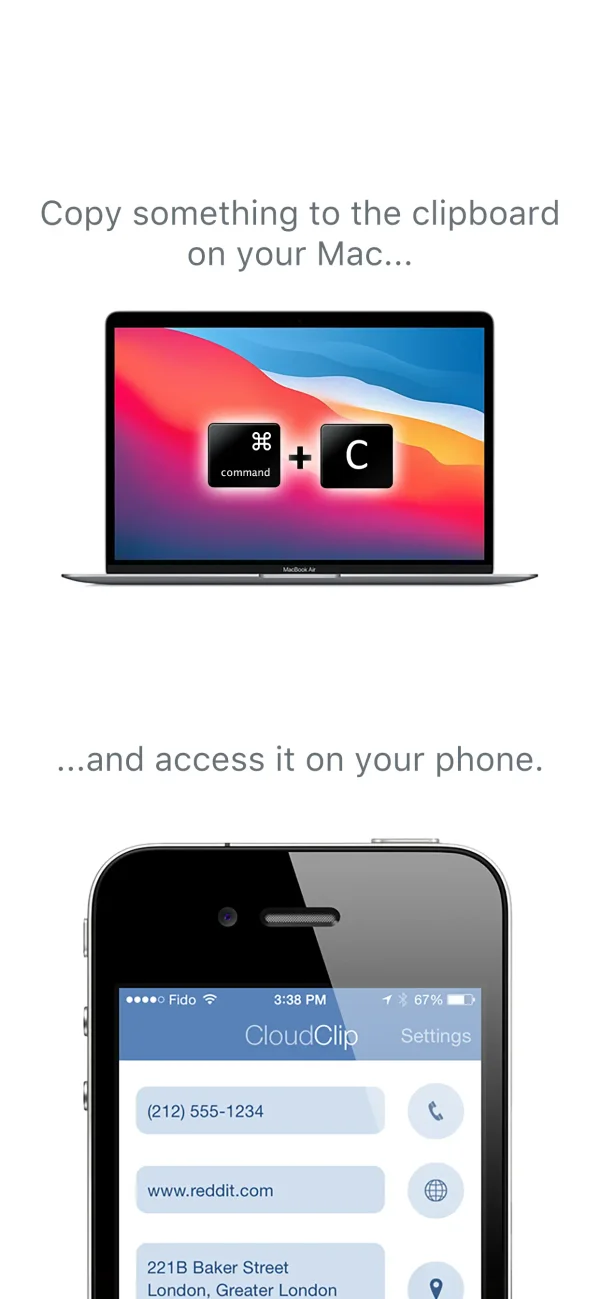
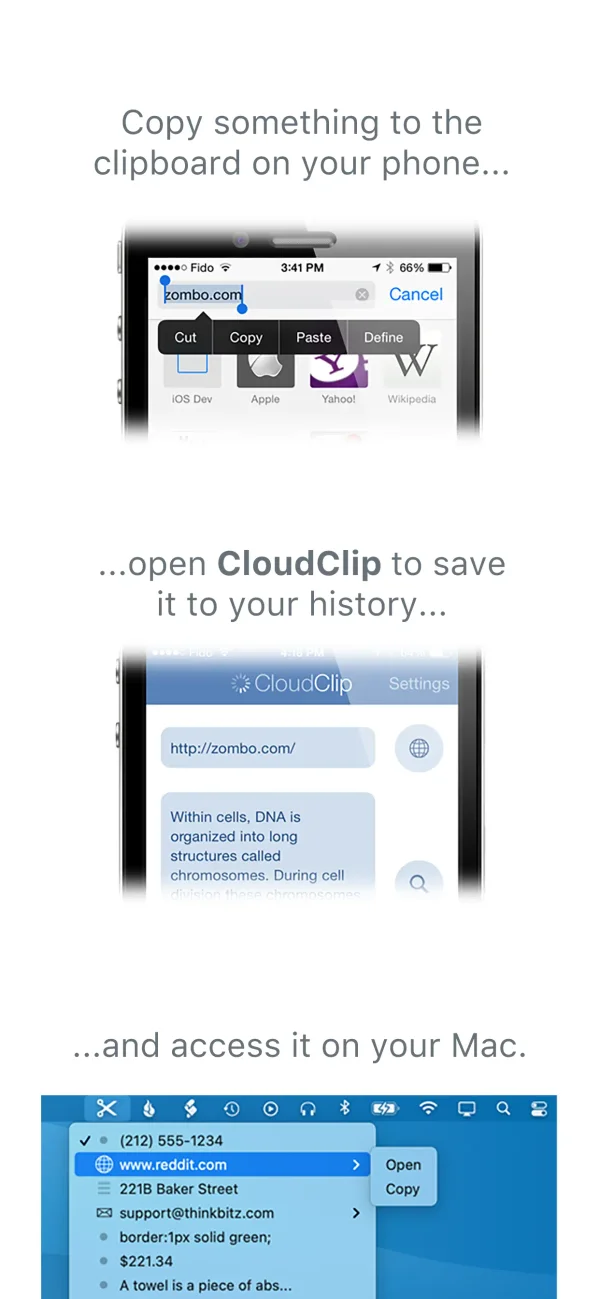
CloudClip lets you automatically share your clipboard items between all your devices.
On the Mac: Any time you copy something to the clipboard, it automatically syncs to iCloud. Open CloudClip on your iOS device to access it.
On the iPhone, iPad, or iPod touch: Copy something to the clipboard, open CloudClip to start the sync, and then access it from the CloudClip menu on your Mac.
Works between all your Macs and iOS devices!
Tap an item:
Phone number - Dial or text message
Web address - Opens in your browser
Location - Opens in maps
Email Address - Opens an email
Anything else - Copies to clipboard
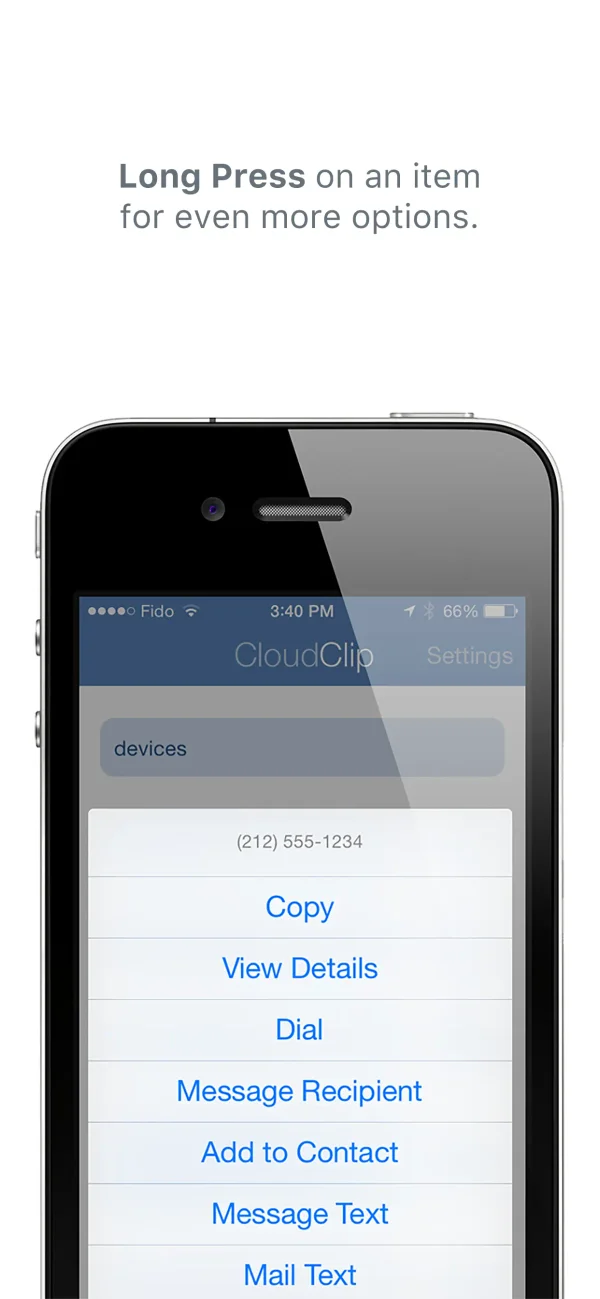
Swipe left or long press on an item for more options, or tap the detail button to read long clips.
It's very handy.
Automatically syncs a history of your recent clipboard items. Easily clear items individually by swiping left on the item, or all at once in the app's Settings.
Check out the Settings to also set:
- Whether to automatically add clips
- Choose your favorite browser and Maps app
- View help and troubleshooting tips.
NOTES
- Requires iCloud.
- Mac sync requires CloudClip Manager for Mac, available for free in the Mac App Store.
TROUBLESHOOTING
If things don't seem to be working properly, try the following on all your devices. (iCloud settings are found at Settings -> iCloud on your iOS devices, and System Preferences -> iCloud on your Macs.)
- Check all your devices are using the same iCloud account.
- Check iCloud Drive (or Documents & Data for older operating systems) is enabled on all your devices. (See below for notes on iCloud Drive.)
- Try restarting your devices.
- Try disabling and then re-enabling iCloud Drive on your devices.
If those don't seem to do the trick, email me at cloudclip@thinkbitz.com. Thanks!
URL SCHEME SUPPORT
cloudclip://add/(url encoded text)
新機能
バージョン 1.5.2 · 2024/9/18
- Updates for iOS 18, including tinted and dark mode app icons
- Some bug and crash fixes
アプリのプライバシー
このアプリのデータの取り扱いについて、Thinkbitz Software StudioがApp Storeで申告している内容です。
-
ユーザーに関連付けられないデータ
収集される場合がありますが、ユーザーの識別情報には関連付けられません。
- 使用状況データ
- 診断
プライバシーの取り扱いは、ご利用の機能やお客様の年齢などに応じて異なる場合があります。
情報
- 販売元
- Thinkbitz Software Studio
- カテゴリ
- ユーティリティ
- バージョン
- 1.5.2
- 更新日
- 2024/9/18
- リリース
- 2013/1/18
- サイズ
- 4.6 MB
- 必要条件
- iOS 12.0以降
- 対象年齢
- 4+
- 価格
- 無料
- 言語
- 英語
- 著作権
- © Copyright Thinkbitz
こちらもおすすめ
-
 コピペ+ - ウィジェットで簡単コピー&ペースト -シンプルで簡単操作の人気クリップボード管理アプリ
-
 PasteNow - インスタントクリップボードクリップボード管理を簡単に
-
 My Clipboard - Cloud Syncedユーティリティ
-
 クリップボードクリアアプリ起動で自動削除
-
 Clip Jarテキストを整理して簡単共有
-
 Octoclip:ユニバーサルクリップボードクリップボード履歴とデバイス間の同期
-
 clipboard advancedユーティリティ
-
 コピペ クリアクリップボード確認&ワンタップ消去で画像やパスワード流出防止
-
 クリップボード・ビューアーコピーペーストコピペクリア・シェア
-
 Copyboard-素早い入力ツール入力をもっと効率的に