
CloudClip
Clipboard history and sync
iPhone, iPad, iPod touch için tasarlandı
Ücretsiz
- Yaş sınırı4+
- KategoriYardımcılar
- GeliştiriciThinkbitz Software Studio
- Dillerİngilizce
- Boyut4,6 MB
Resmi App Store sayfasına bağlanır
Download.org, CloudClip için hiçbir dosya barındırmaz. Düğme, uygulamanın App Store üzerindeki sayfasını açar; uygulamayı orada Thinkbitz Software Studio yayınlar. Sayfanın son kontrolü: 15.11.2026.
Ekran görüntüleri

Hakkında
Geliştirici bu metni dilinizde sunmamış.
Problems/suggestions/issues/questions: Check out the troubleshooting notes below. If they don't help, please email me at cloudclip@thinkbitz.com to help sort them out!
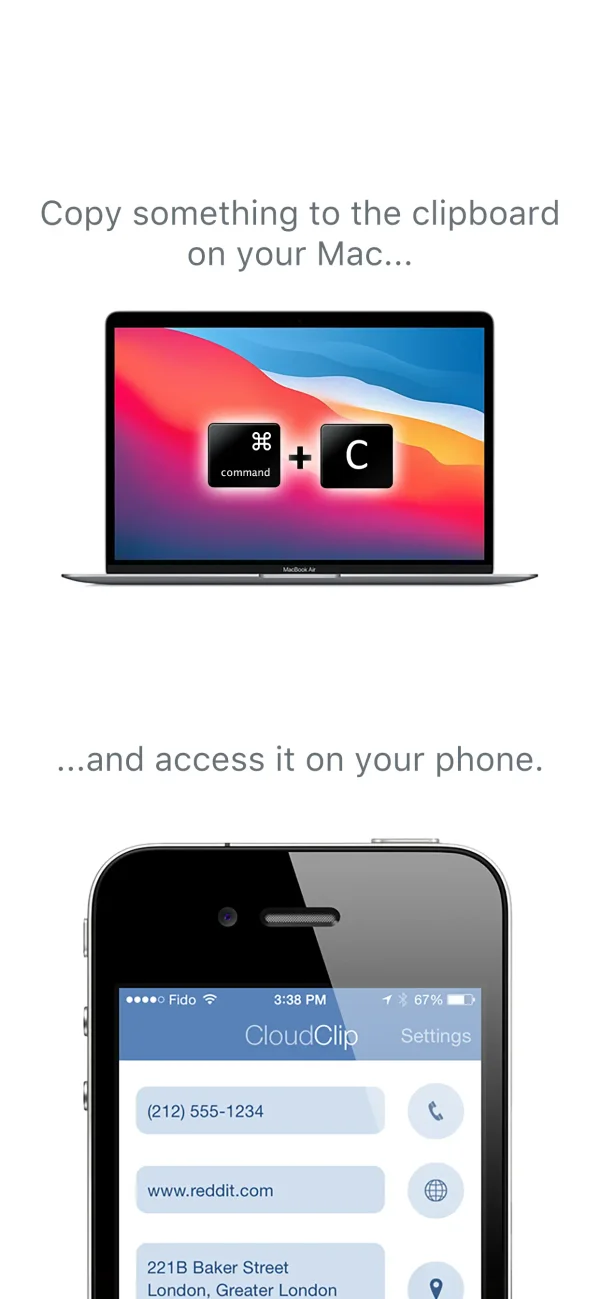
CloudClip lets you automatically share your clipboard items between all your devices.
On the Mac: Any time you copy something to the clipboard, it automatically syncs to iCloud. Open CloudClip on your iOS device to access it.
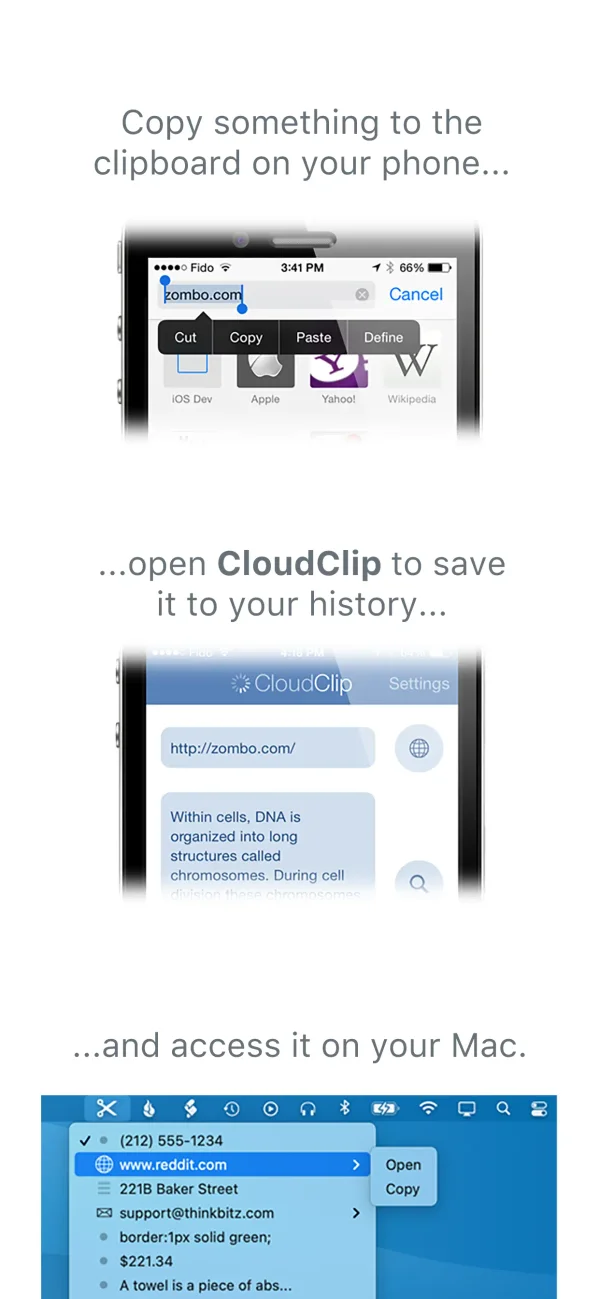
On the iPhone, iPad, or iPod touch: Copy something to the clipboard, open CloudClip to start the sync, and then access it from the CloudClip menu on your Mac.
Works between all your Macs and iOS devices!
Tap an item:
Phone number - Dial or text message
Web address - Opens in your browser
Location - Opens in maps
Email Address - Opens an email
Anything else - Copies to clipboard
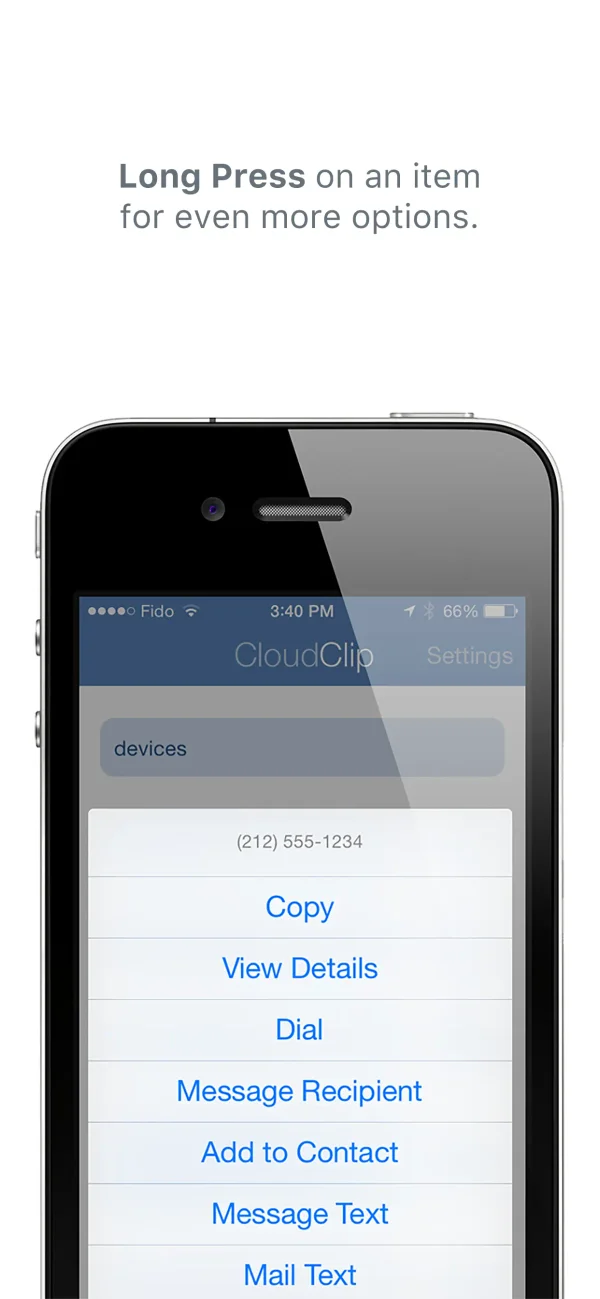
Swipe left or long press on an item for more options, or tap the detail button to read long clips.
It's very handy.
Automatically syncs a history of your recent clipboard items. Easily clear items individually by swiping left on the item, or all at once in the app's Settings.
Check out the Settings to also set:
- Whether to automatically add clips
- Choose your favorite browser and Maps app
- View help and troubleshooting tips.
NOTES
- Requires iCloud.
- Mac sync requires CloudClip Manager for Mac, available for free in the Mac App Store.
TROUBLESHOOTING
If things don't seem to be working properly, try the following on all your devices. (iCloud settings are found at Settings -> iCloud on your iOS devices, and System Preferences -> iCloud on your Macs.)
- Check all your devices are using the same iCloud account.
- Check iCloud Drive (or Documents & Data for older operating systems) is enabled on all your devices. (See below for notes on iCloud Drive.)
- Try restarting your devices.
- Try disabling and then re-enabling iCloud Drive on your devices.
If those don't seem to do the trick, email me at cloudclip@thinkbitz.com. Thanks!
URL SCHEME SUPPORT
cloudclip://add/(url encoded text)
Yenilikler
Sürüm 1.5.2 · 18.09.2024
- Updates for iOS 18, including tinted and dark mode app icons
- Some bug and crash fixes
Uygulama gizliliği
Bu uygulamanın verileri nasıl işlediği hakkında Thinkbitz Software Studio tarafından App Store üzerinde yapılan beyan.
-
Sizinle ilişkilendirilmeyen veriler
Toplanabilir ancak kimliğinizle ilişkilendirilmez.
- Kullanım verileri
- Tanılama
Gizlilik uygulamaları, örneğin kullandığınız özelliklere veya yaşınıza göre değişiklik gösterebilir.
Bilgiler
- Satıcı
- Thinkbitz Software Studio
- Kategori
- Yardımcılar
- Sürüm
- 1.5.2
- Güncellendi
- 18.09.2024
- Yayın tarihi
- 18.01.2013
- Boyut
- 4,6 MB
- Gereksinim
- iOS 12.0 veya sonrası
- Yaş sınırı
- 4+
- Fiyat
- Ücretsiz
- Diller
- İngilizce
- Telif hakkı
- © Copyright Thinkbitz
Bunları da beğenebilirsiniz
-
 Simple Pasteboard widgetYardımcılar
-
 PasteNow - Instant ClipboardYardımcılar
-
 My Clipboard - Cloud SyncedYardımcılar
-
 ClipboardClear - AutoYardımcılar
-
 Clip JarYardımcılar
-
 Octoclip: Universal ClipboardYardımcılar
-
 clipboard advancedYardımcılar
-
 Kopyayı SilPanoyu kontrol et ve temizle
-
 Pano Görüntüleyici DüzenleyiciKopyala, Yapıştır, Temizle, Pa
-
 Copyboard-quickly enter toolYardımcılar