
CloudClip
Clipboard history and sync
Được thiết kế cho iPhone, iPad, iPod touch
Miễn phí
- Độ tuổi4+
- Danh mụcTiện Ích
- Nhà phát triểnThinkbitz Software Studio
- Ngôn ngữTiếng Anh
- Kích thước4,6 MB
Liên kết đến trang App Store chính thức
Download.org không lưu trữ tệp nào của CloudClip. Nút này mở trang ứng dụng trên App Store, nơi Thinkbitz Software Studio phát hành ứng dụng. Trang được kiểm tra lần cuối: 15/11/2026.
Ảnh chụp màn hình

Giới thiệu
Nhà phát triển chưa cung cấp nội dung này bằng ngôn ngữ của bạn.
Problems/suggestions/issues/questions: Check out the troubleshooting notes below. If they don't help, please email me at cloudclip@thinkbitz.com to help sort them out!
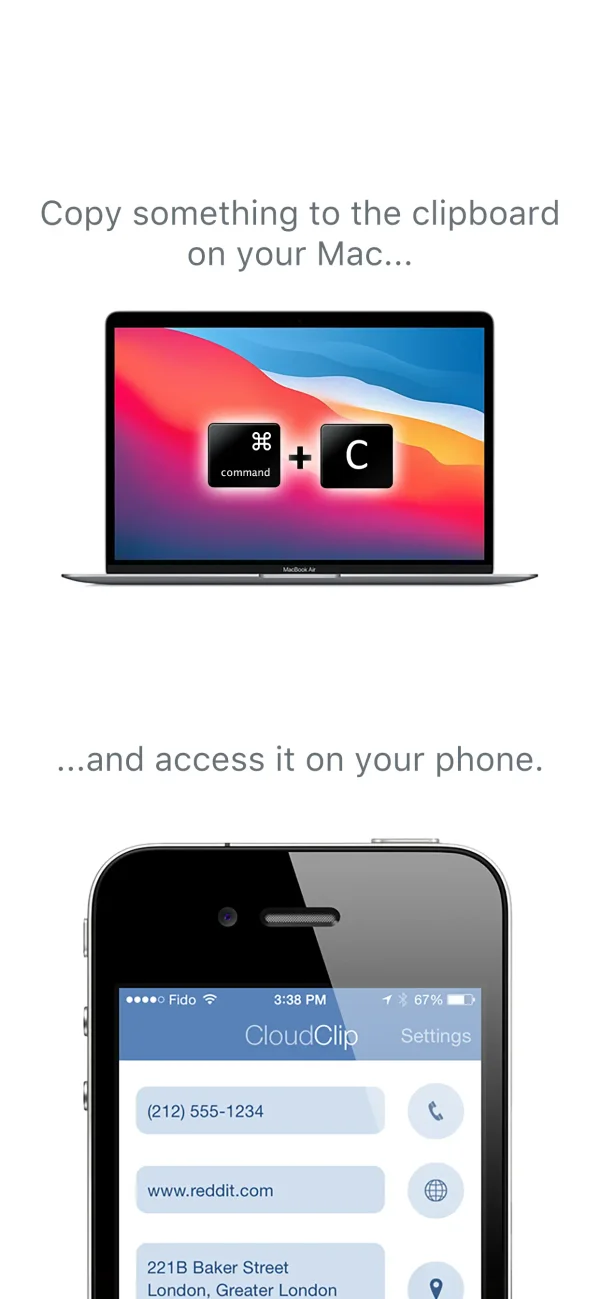
CloudClip lets you automatically share your clipboard items between all your devices.
On the Mac: Any time you copy something to the clipboard, it automatically syncs to iCloud. Open CloudClip on your iOS device to access it.
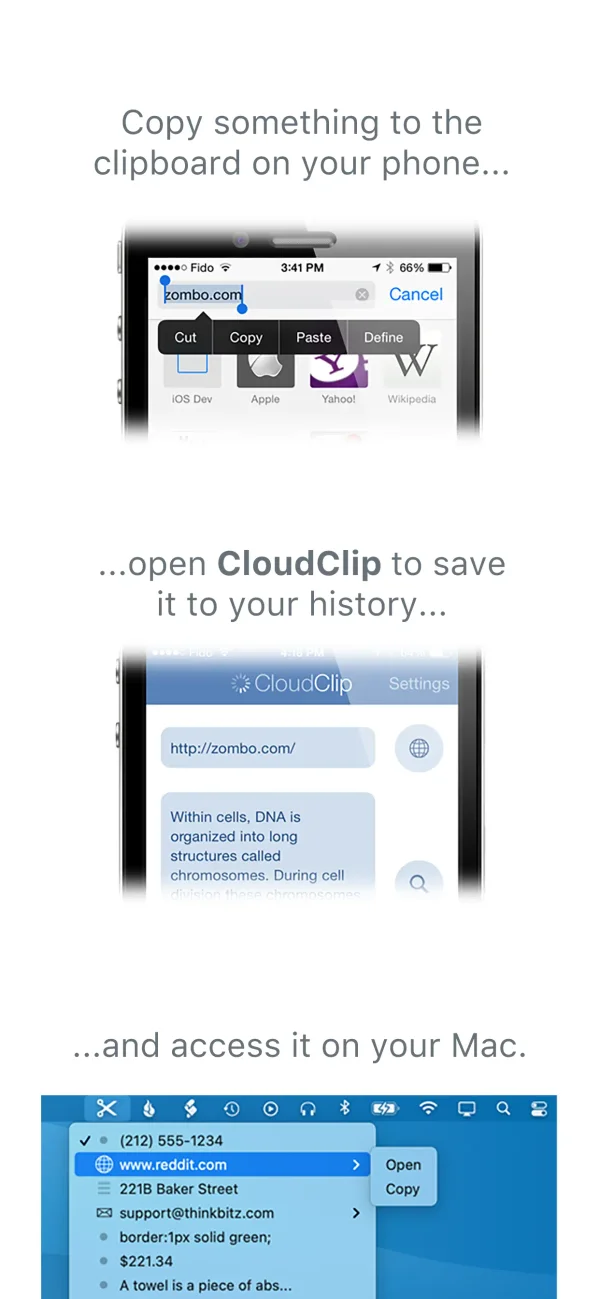
On the iPhone, iPad, or iPod touch: Copy something to the clipboard, open CloudClip to start the sync, and then access it from the CloudClip menu on your Mac.
Works between all your Macs and iOS devices!
Tap an item:
Phone number - Dial or text message
Web address - Opens in your browser
Location - Opens in maps
Email Address - Opens an email
Anything else - Copies to clipboard
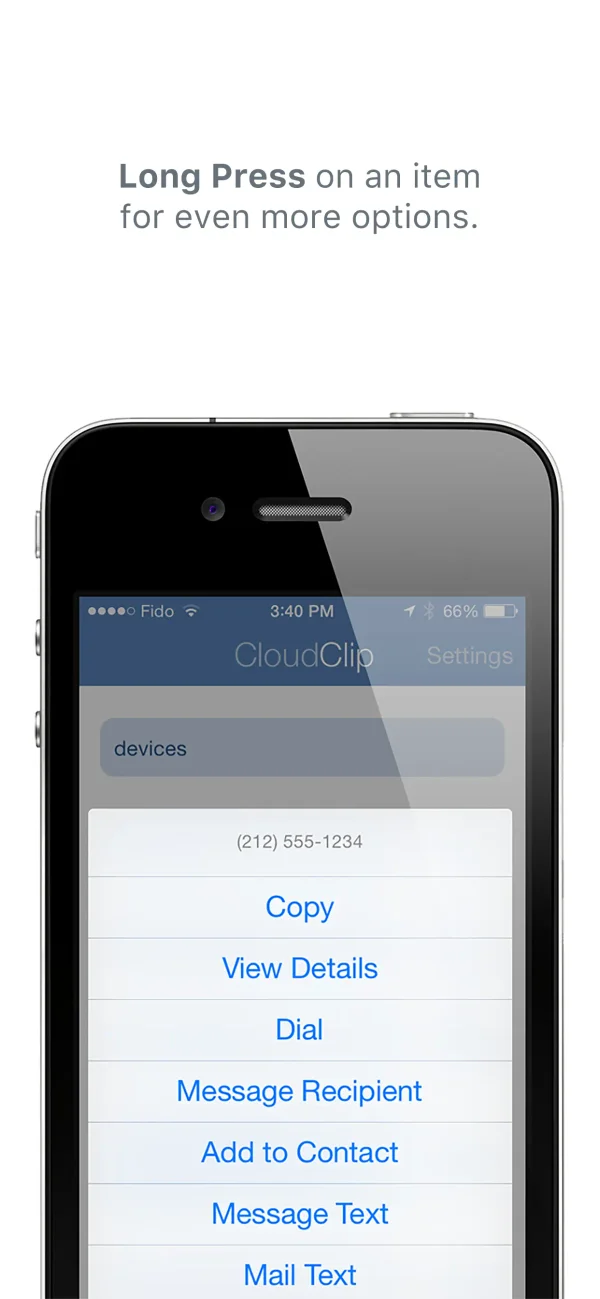
Swipe left or long press on an item for more options, or tap the detail button to read long clips.
It's very handy.
Automatically syncs a history of your recent clipboard items. Easily clear items individually by swiping left on the item, or all at once in the app's Settings.
Check out the Settings to also set:
- Whether to automatically add clips
- Choose your favorite browser and Maps app
- View help and troubleshooting tips.
NOTES
- Requires iCloud.
- Mac sync requires CloudClip Manager for Mac, available for free in the Mac App Store.
TROUBLESHOOTING
If things don't seem to be working properly, try the following on all your devices. (iCloud settings are found at Settings -> iCloud on your iOS devices, and System Preferences -> iCloud on your Macs.)
- Check all your devices are using the same iCloud account.
- Check iCloud Drive (or Documents & Data for older operating systems) is enabled on all your devices. (See below for notes on iCloud Drive.)
- Try restarting your devices.
- Try disabling and then re-enabling iCloud Drive on your devices.
If those don't seem to do the trick, email me at cloudclip@thinkbitz.com. Thanks!
URL SCHEME SUPPORT
cloudclip://add/(url encoded text)
Có gì mới
Phiên bản 1.5.2 · 18/09/2024
- Updates for iOS 18, including tinted and dark mode app icons
- Some bug and crash fixes
Quyền riêng tư của ứng dụng
Những gì Thinkbitz Software Studio khai báo trên App Store về cách ứng dụng này xử lý dữ liệu.
-
Dữ liệu không liên kết với bạn
Có thể được thu thập nhưng không liên kết với danh tính của bạn.
- Dữ liệu sử dụng
- Chẩn đoán
Phương thức đảm bảo quyền riêng tư có thể khác nhau, chẳng hạn như tuỳ theo các tính năng bạn sử dụng hoặc độ tuổi của bạn.
Thông tin
- Người bán
- Thinkbitz Software Studio
- Danh mục
- Tiện Ích
- Phiên bản
- 1.5.2
- Cập nhật
- 18/09/2024
- Phát hành
- 18/01/2013
- Kích thước
- 4,6 MB
- Yêu cầu
- iOS 12.0 trở lên
- Độ tuổi
- 4+
- Giá
- Miễn phí
- Ngôn ngữ
- Tiếng Anh
- Bản quyền
- © Copyright Thinkbitz
Có thể bạn cũng thích
-
 Pasteboard Widget - Bảng tạmHỗ trợ sao chép & dán
-
 PasteNow - Instant ClipboardTiện Ích
-
 My Clipboard - Cloud SyncedTiện Ích
-
 ClipboardClear - AutoTiện Ích
-
 Clip JarTiện Ích
-
 Octoclip: Universal ClipboardTiện Ích
-
 clipboard advancedTiện Ích
-
 Erase ClipboardKiểm tra & xóa sạch clipboard
-
 Trình chỉnh sửa Clipboard ViewSao chép, Dán, Xóa, Chia sẻ
-
 Copyboard-quickly enter toolTiện Ích