
CloudClip
Clipboard history and sync
Dirancang untuk iPhone, iPad, iPod touch
Gratis
- Batasan usia4+
- KategoriKegunaan
- PengembangThinkbitz Software Studio
- BahasaInggris
- Ukuran4,6 MB
Tertaut ke halaman resmi App Store
Download.org tidak menyimpan file CloudClip apa pun. Tombol ini membuka halaman aplikasi di App Store, tempat Thinkbitz Software Studio menerbitkannya. Halaman terakhir diperiksa pada 15/11/2026.
Tangkapan layar

Tentang
Pengembang belum menyediakan teks ini dalam bahasa Anda.
Problems/suggestions/issues/questions: Check out the troubleshooting notes below. If they don't help, please email me at cloudclip@thinkbitz.com to help sort them out!
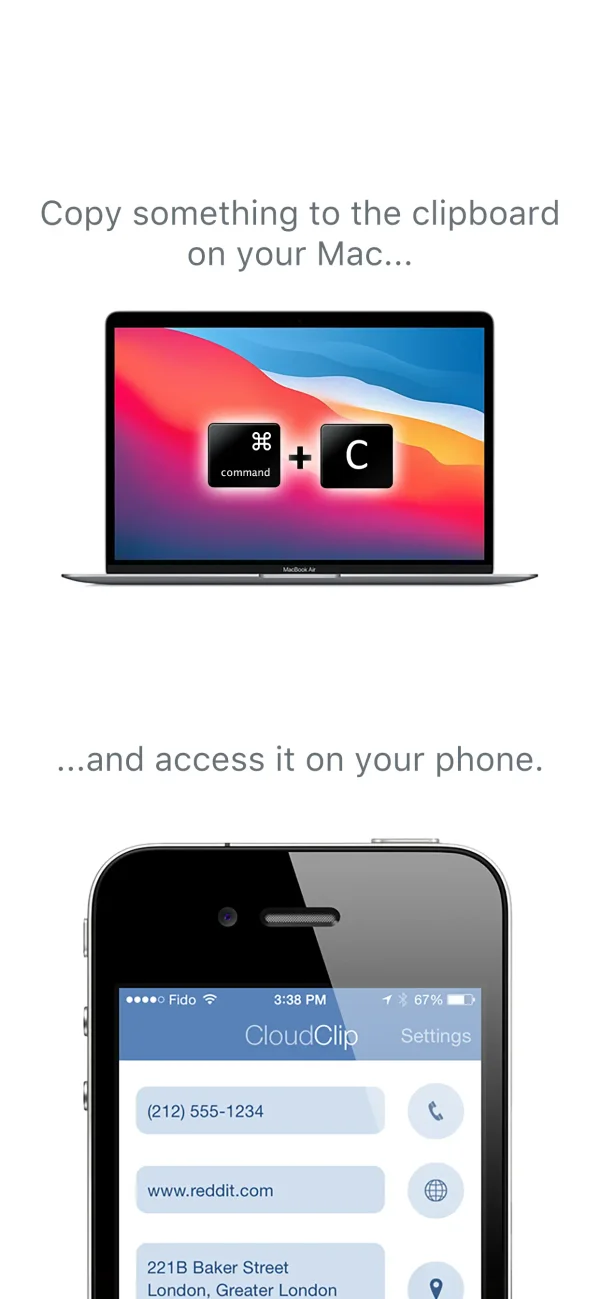
CloudClip lets you automatically share your clipboard items between all your devices.
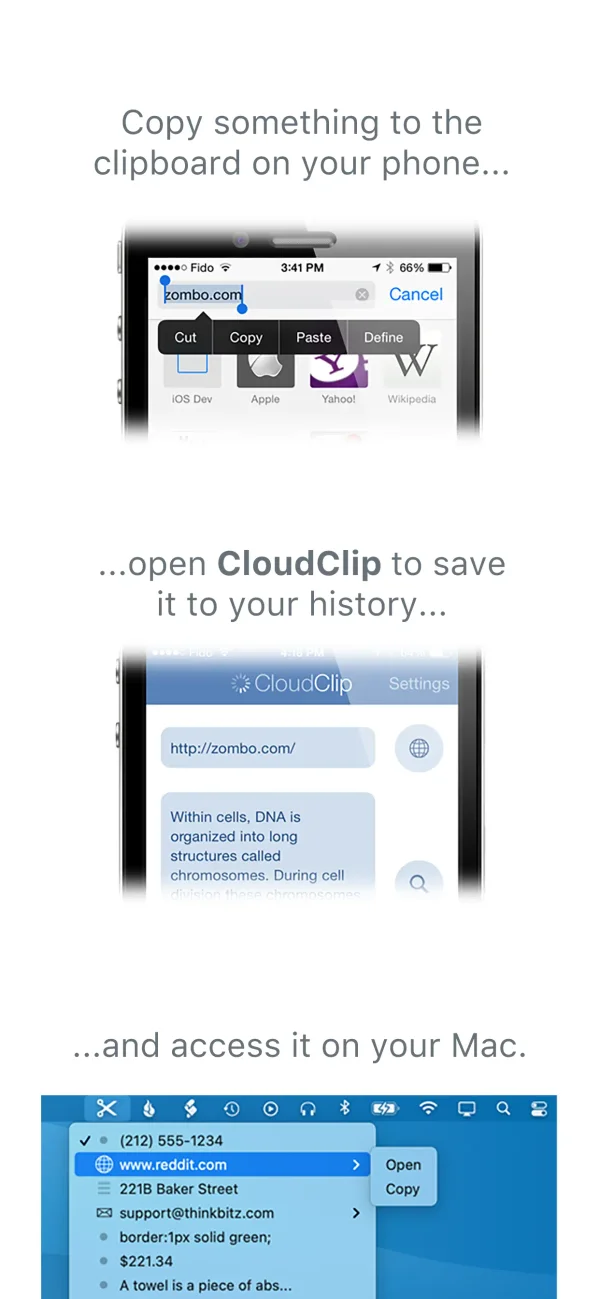
On the Mac: Any time you copy something to the clipboard, it automatically syncs to iCloud. Open CloudClip on your iOS device to access it.
On the iPhone, iPad, or iPod touch: Copy something to the clipboard, open CloudClip to start the sync, and then access it from the CloudClip menu on your Mac.
Works between all your Macs and iOS devices!
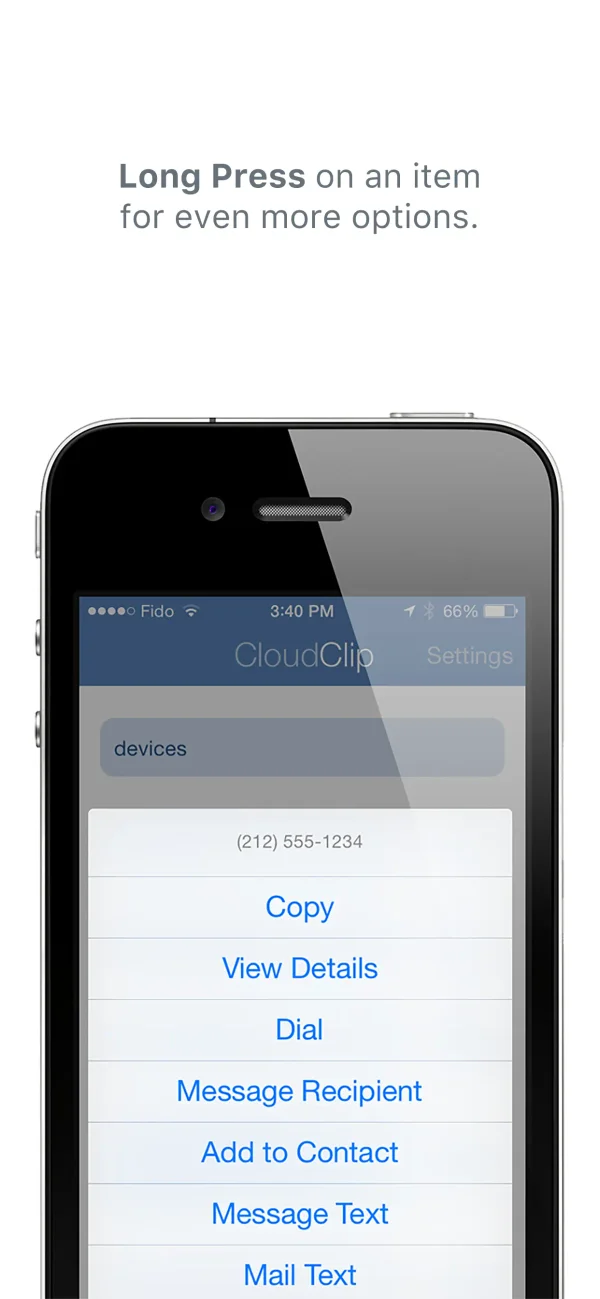
Tap an item:
Phone number - Dial or text message
Web address - Opens in your browser
Location - Opens in maps
Email Address - Opens an email
Anything else - Copies to clipboard
Swipe left or long press on an item for more options, or tap the detail button to read long clips.
It's very handy.
Automatically syncs a history of your recent clipboard items. Easily clear items individually by swiping left on the item, or all at once in the app's Settings.
Check out the Settings to also set:
- Whether to automatically add clips
- Choose your favorite browser and Maps app
- View help and troubleshooting tips.
NOTES
- Requires iCloud.
- Mac sync requires CloudClip Manager for Mac, available for free in the Mac App Store.
TROUBLESHOOTING
If things don't seem to be working properly, try the following on all your devices. (iCloud settings are found at Settings -> iCloud on your iOS devices, and System Preferences -> iCloud on your Macs.)
- Check all your devices are using the same iCloud account.
- Check iCloud Drive (or Documents & Data for older operating systems) is enabled on all your devices. (See below for notes on iCloud Drive.)
- Try restarting your devices.
- Try disabling and then re-enabling iCloud Drive on your devices.
If those don't seem to do the trick, email me at cloudclip@thinkbitz.com. Thanks!
URL SCHEME SUPPORT
cloudclip://add/(url encoded text)
Yang baru
Versi 1.5.2 · 18/9/2024
- Updates for iOS 18, including tinted and dark mode app icons
- Some bug and crash fixes
Privasi aplikasi
Yang dinyatakan Thinkbitz Software Studio di App Store tentang cara aplikasi ini menangani data.
-
Data yang tidak ditautkan dengan Anda
Dapat dikumpulkan, tetapi tidak ditautkan dengan identitas Anda.
- Data penggunaan
- Diagnostik
Praktik privasi dapat bervariasi, misalnya berdasarkan fitur yang Anda gunakan atau usia Anda.
Informasi
- Penjual
- Thinkbitz Software Studio
- Kategori
- Kegunaan
- Versi
- 1.5.2
- Diperbarui
- 18/9/2024
- Dirilis
- 18/1/2013
- Ukuran
- 4,6 MB
- Memerlukan
- iOS 12.0 atau yang lebih baru
- Batasan usia
- 4+
- Harga
- Gratis
- Bahasa
- Inggris
- Hak cipta
- © Copyright Thinkbitz
Mungkin Anda juga suka
-
 Simple Pasteboard widgetKegunaan
-
 PasteNow - Instant ClipboardKegunaan
-
 My Clipboard - Cloud SyncedKegunaan
-
 ClipboardClear - AutoKegunaan
-
 Clip JarKegunaan
-
 Octoclip: Universal ClipboardKegunaan
-
 clipboard advancedKegunaan
-
 Hapus SalinanCek & bersihkan clipboard Anda
-
 Editor Penampil ClipboardSalin, Tempel, Hapus, Bagikan
-
 Copyboard-quickly enter toolKegunaan