
- Classification d’âge4+
- CatégorieUtilitaires
- DéveloppeurCHUN CHIEH TSAI
- LanguesAnglais+ 1 de plus
- Taille1,6 Mo
Renvoie vers la page App Store officielle
Download.org n’héberge aucun fichier de Desktop Mini Clock. Le bouton ouvre la page de l’application sur App Store, où CHUN CHIEH TSAI la publie. Fiche vérifiée pour la dernière fois le 13/11/2026.
Captures d’écran
À propos
Le développeur n’a pas fourni ce texte dans votre langue.
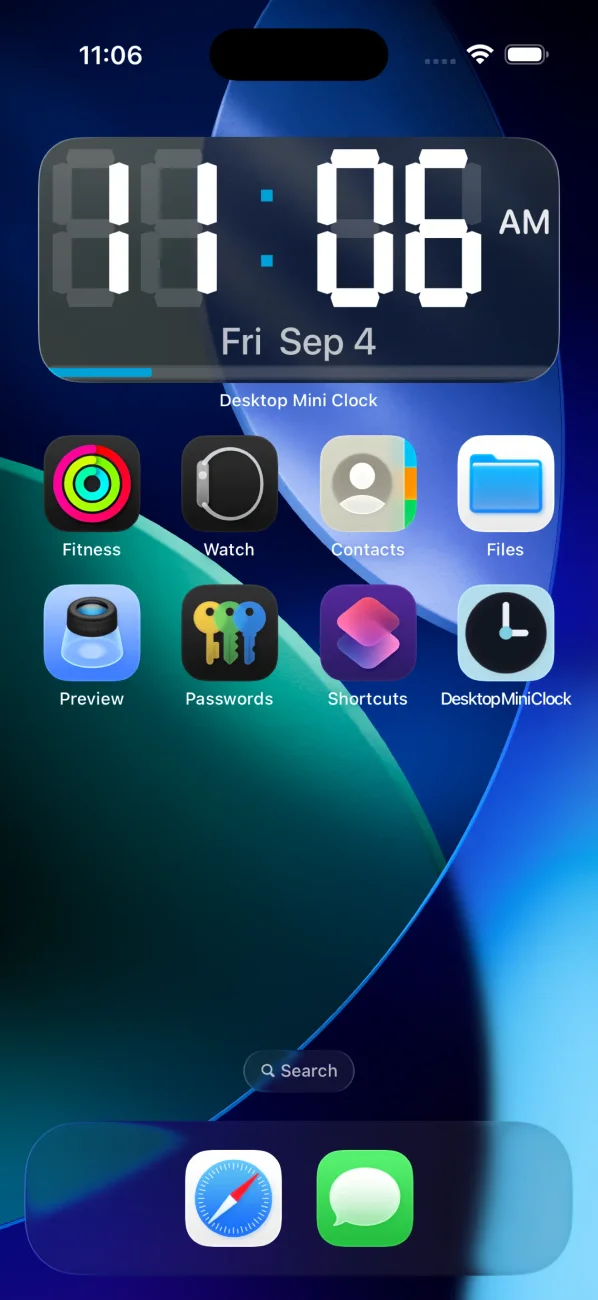
Desktop Mini Clock brings a precision LCD clock to every Apple platform — your Mac desktop, iPhone and iPad Home Screen, and Apple Vision Pro.
MAC — ALWAYS-ON FLOATING PANEL
A compact clock panel floats above your other windows, exactly where you need it. Lock position, stay always on top, or hide and reveal with a click. Drag anywhere, and the panel automatically stays on screen when your display setup changes. Start at login so the clock is always ready.
iPHONE & iPAD — HOME SCREEN WIDGETS
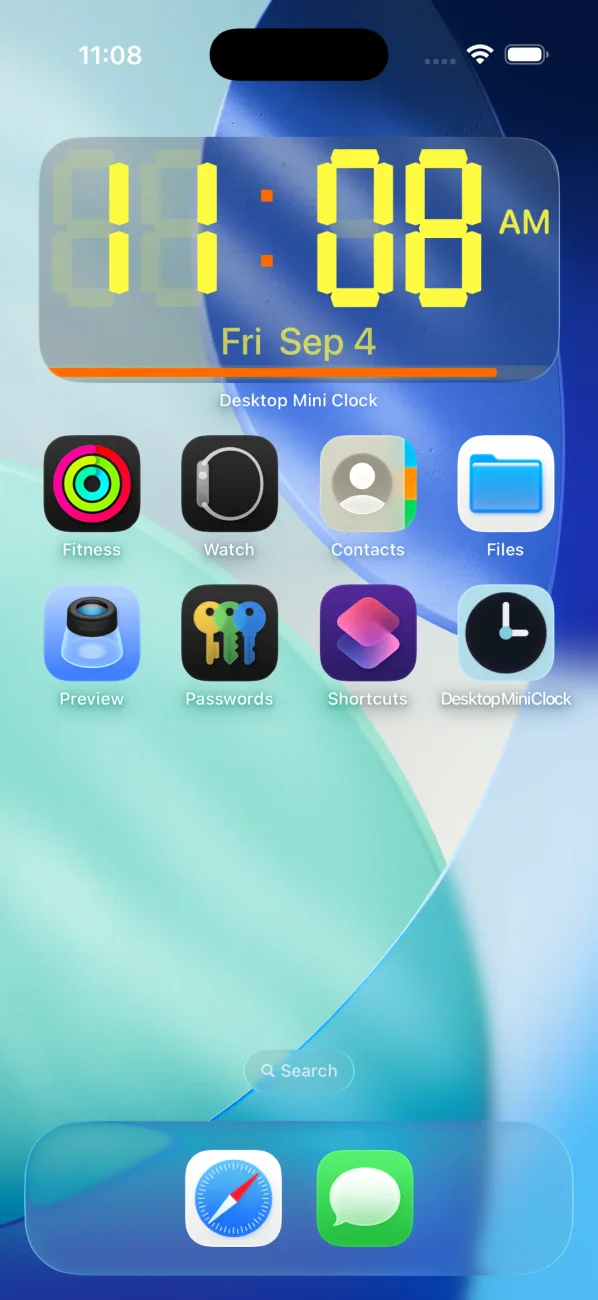
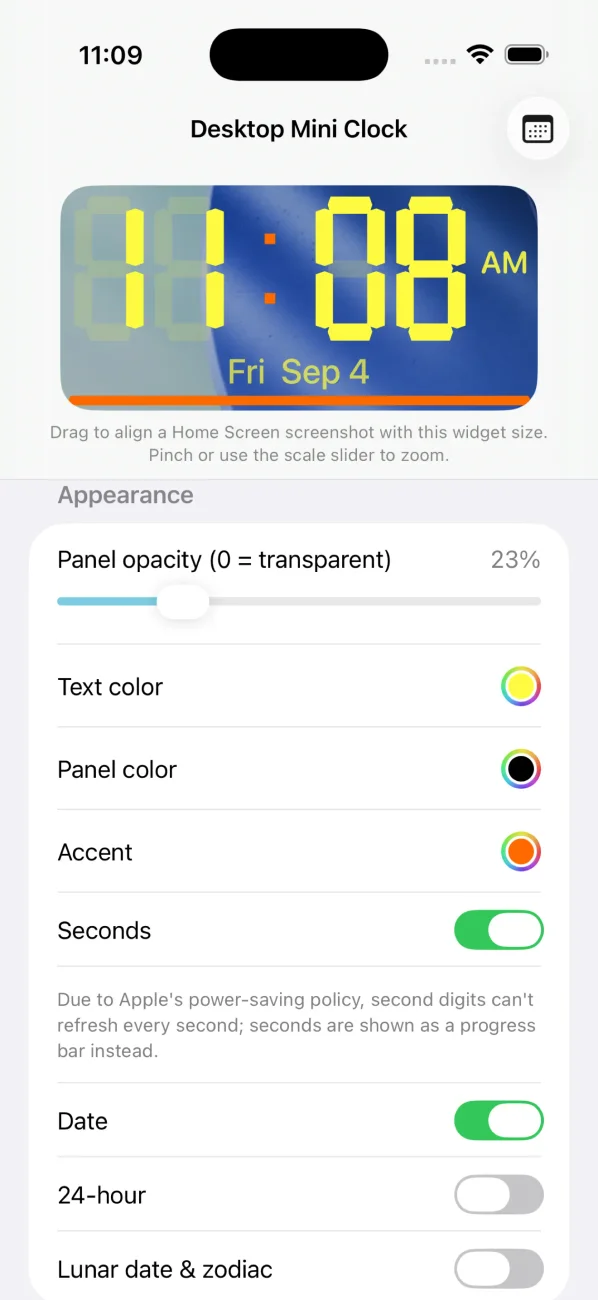
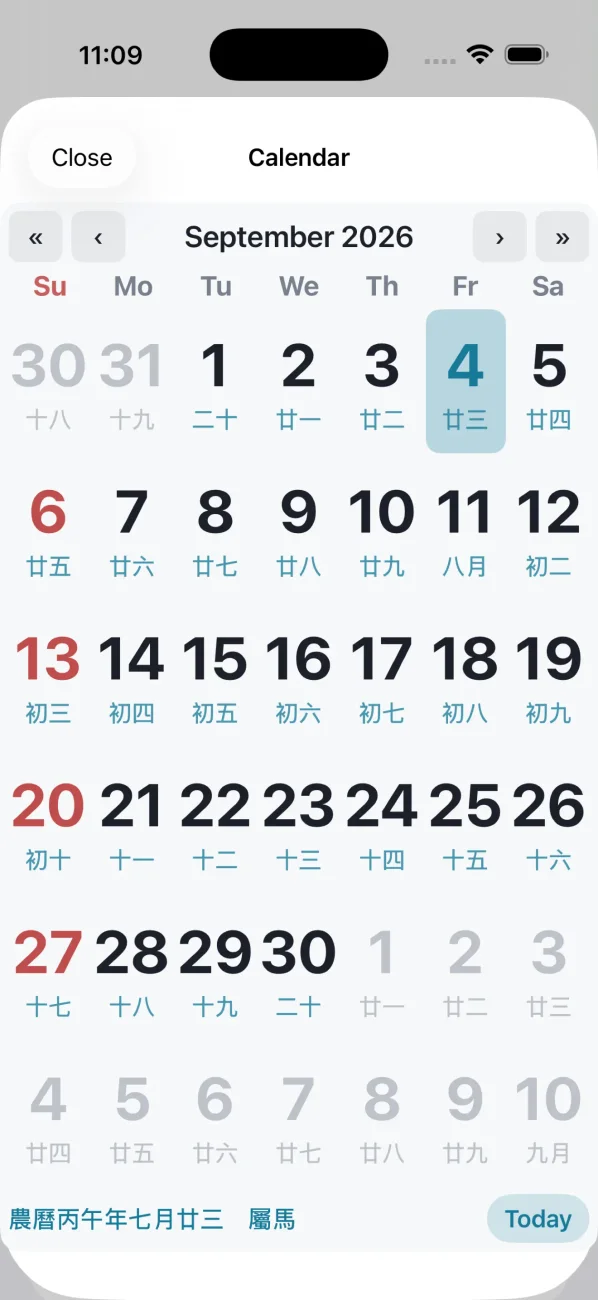
From a glanceable Small square to an Extra Large layout that pairs the clock with a full month calendar, pick the size that fits your life. Lock Screen accessories show the time at a glance. Set a personal photo as the widget background.
APPLE VISION PRO — SPATIAL CLOCK
Place the clock anywhere in your space. Scale from a subtle accent to a bold centerpiece. Hover over the date line to reveal the lunar annotation. Open the calendar or settings window while the clock stays in view.
BILINGUAL — ENGLISH & TRADITIONAL CHINESE
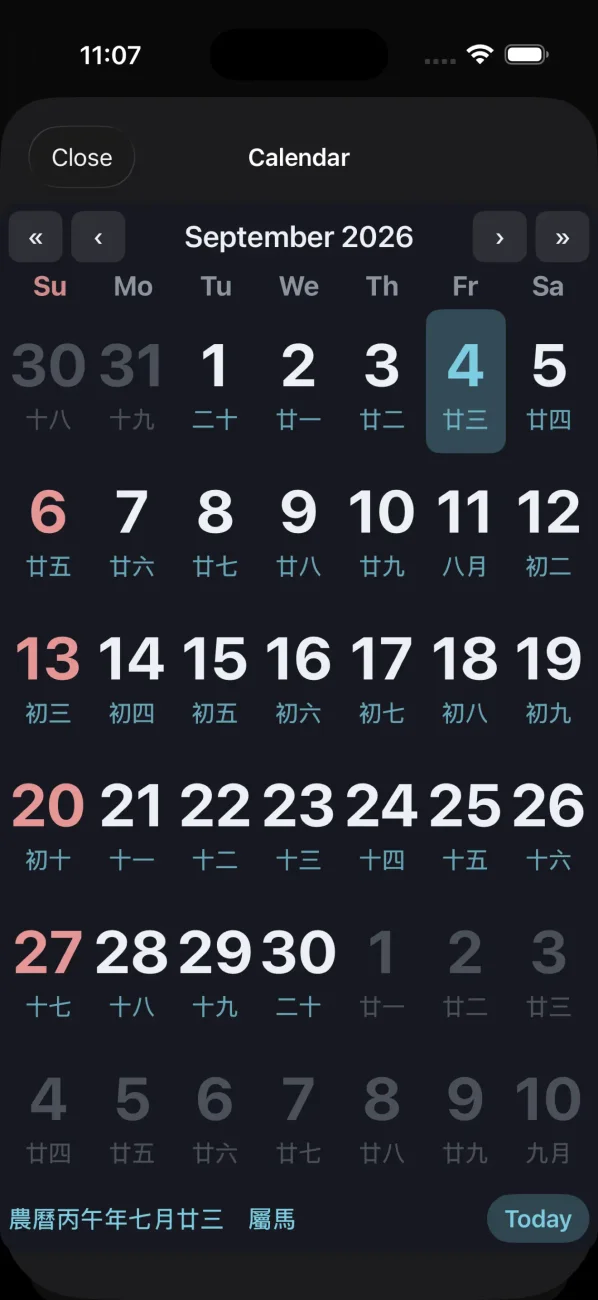
One tap switches the entire interface: date formats, weekday names, and lunar annotations all follow your language choice. Lunar calendar covers solar terms, traditional holidays, and leap months.
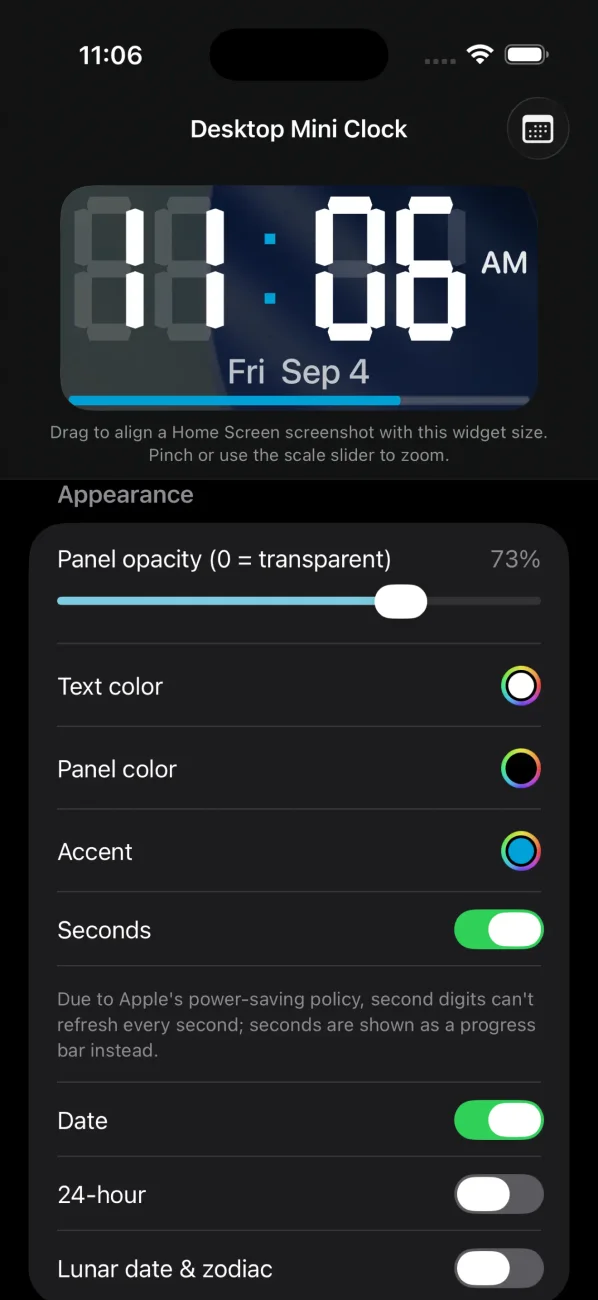
CUSTOMIZE SETTINGS
· LCD digit color and accent hue
· 12 / 24-hour format
· Seconds display with smooth progress bar
· Date and lunar annotation on or off
HONEST BY DESIGN
No ads. No tracking. No network access needed.
Nouveautés
Version 0.2.7 · 11/11/2026
The small 2×2 panel now shows the weekday, date and a seconds progress bar.
Added Pixel and Rounded clock fonts.
Added a save feature for multiple custom clock styles.
Calendar notes can show a custom title on the clock face.
Improved iPad background auto-alignment.
Confidentialité de l’application
Ce que CHUN CHIEH TSAI déclare sur l’App Store au sujet du traitement des données par cette application.
-
Données non collectées
Le développeur ne collecte aucune donnée à partir de cette application.
Les pratiques en matière de confidentialité peuvent varier, notamment en fonction des fonctionnalités que vous utilisez ou de votre âge.
Informations
- Vendeur
- CHUN CHIEH TSAI
- Catégorie
- Utilitaires
- Version
- 0.2.7
- Mis à jour
- 11/11/2026
- Publié
- 04/09/2026
- Taille
- 1,6 Mo
- Nécessite
- iOS 17.0 ou version ultérieure
- Classification d’âge
- 4+
- Prix
- Gratuit
- Langues
- Anglais, Chinois traditionnel
- Copyright
- © lukwama
Vous aimerez peut-être aussi
-
 Big Digital Clock - Desk ClockUtilitaires
-
 CKClockUtilitaires
-
 FlipMate : Horloge flipWidgets, photos et minuteur
-
 AunlivaUtilitaires
-
 Manga AI Browser: TranslatorUtilitaires
-
 LumaClockUtilitaires
-
 Tally — Simple CounterUtilitaires
-
 ASG Clock - AutostereogramUtilitaires
-
 T++截圖小工具Utilitaires
-
 The ArtclockUtilitaires