
- Age rating4+
- CategoryUtilities
- DeveloperCHUN CHIEH TSAI
- LanguagesEnglish+ 1 more
- Size1.6 MB
Links to the official App Store page
Download.org hosts no file of Desktop Mini Clock. The button opens its official App Store page, published by CHUN CHIEH TSAI. Listing last checked on Nov 13, 2026.
Screenshots
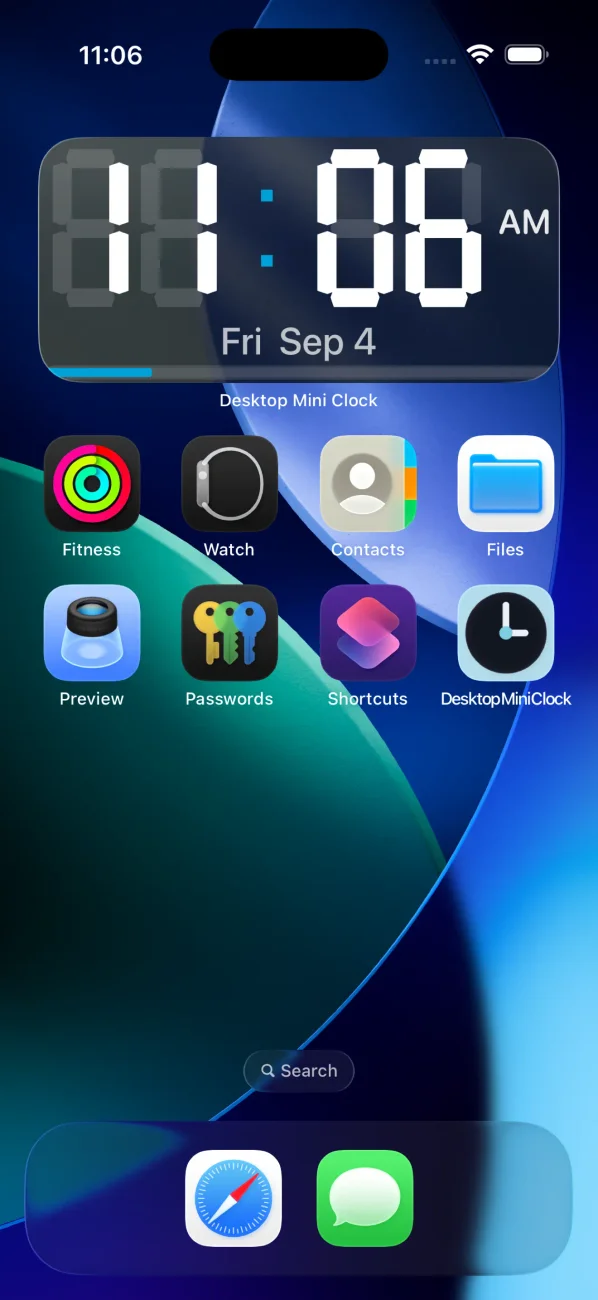
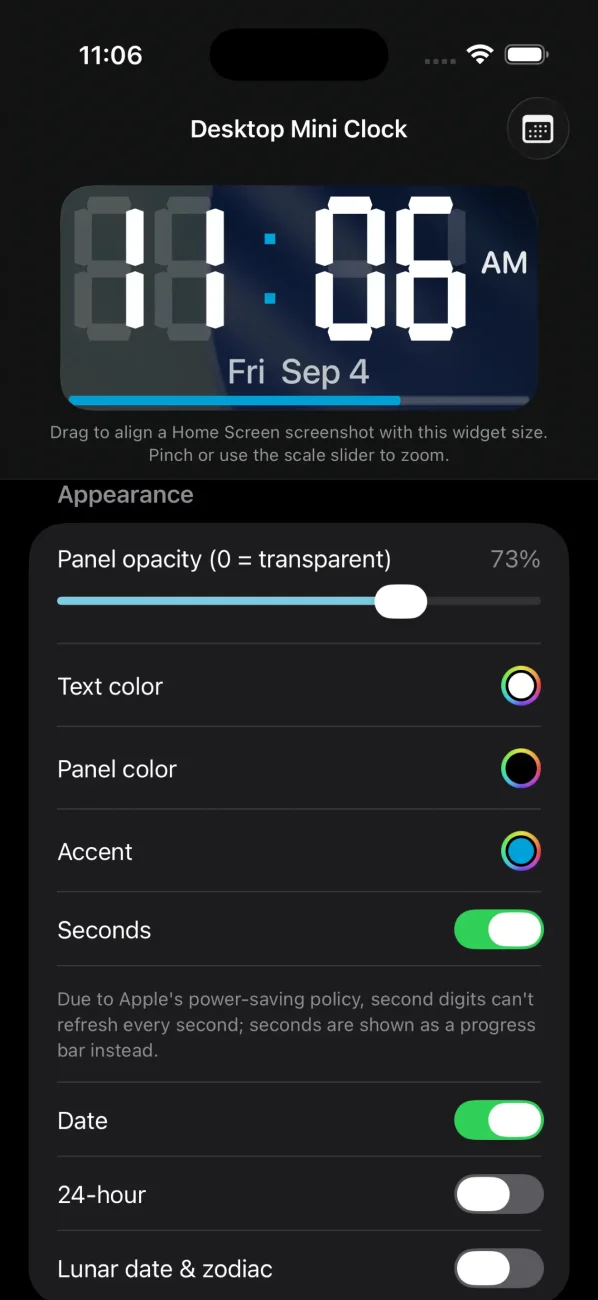
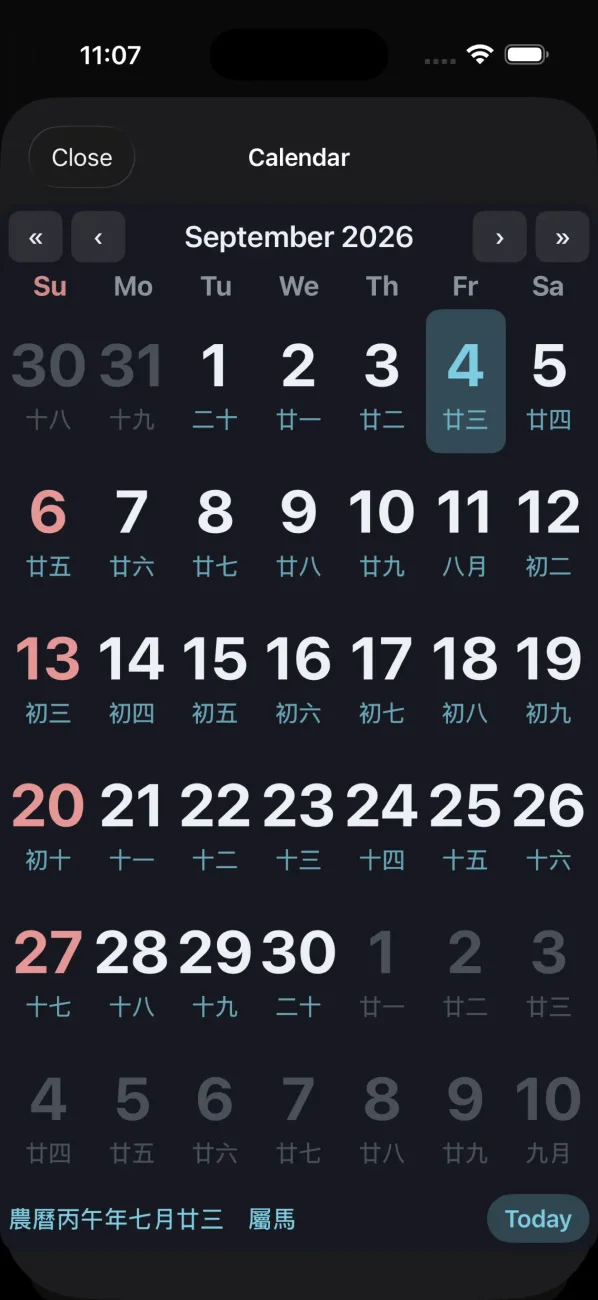
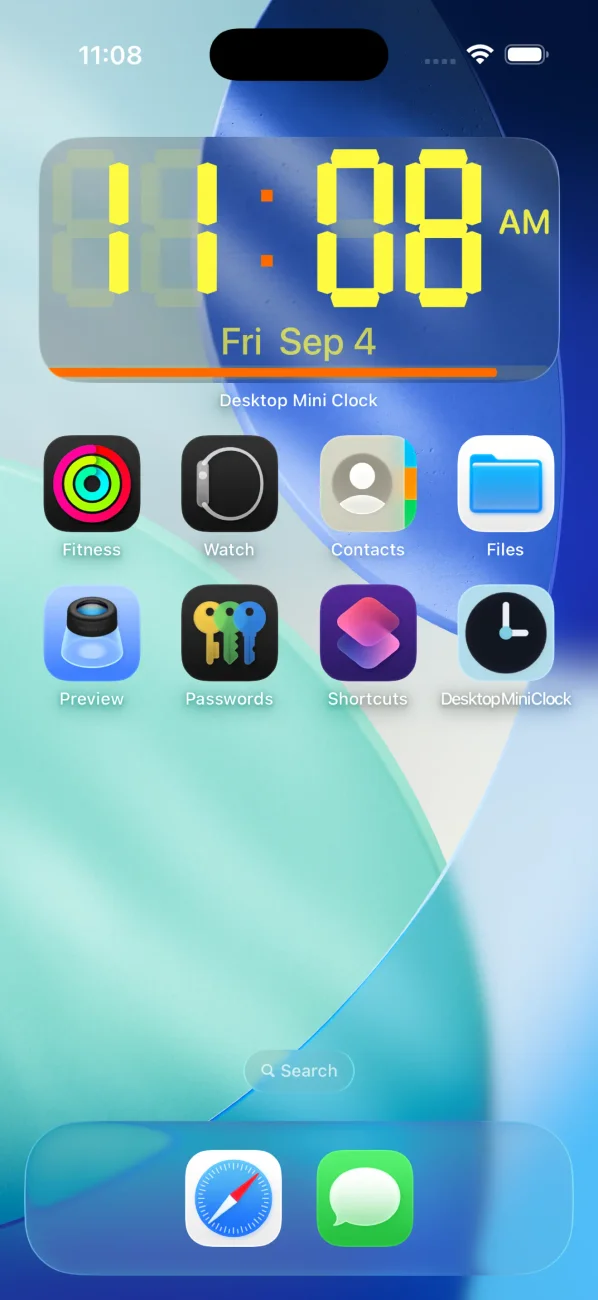
About
Desktop Mini Clock brings a precision LCD clock to every Apple platform — your Mac desktop, iPhone and iPad Home Screen, and Apple Vision Pro.
MAC — ALWAYS-ON FLOATING PANEL
A compact clock panel floats above your other windows, exactly where you need it. Lock position, stay always on top, or hide and reveal with a click. Drag anywhere, and the panel automatically stays on screen when your display setup changes. Start at login so the clock is always ready.
iPHONE & iPAD — HOME SCREEN WIDGETS
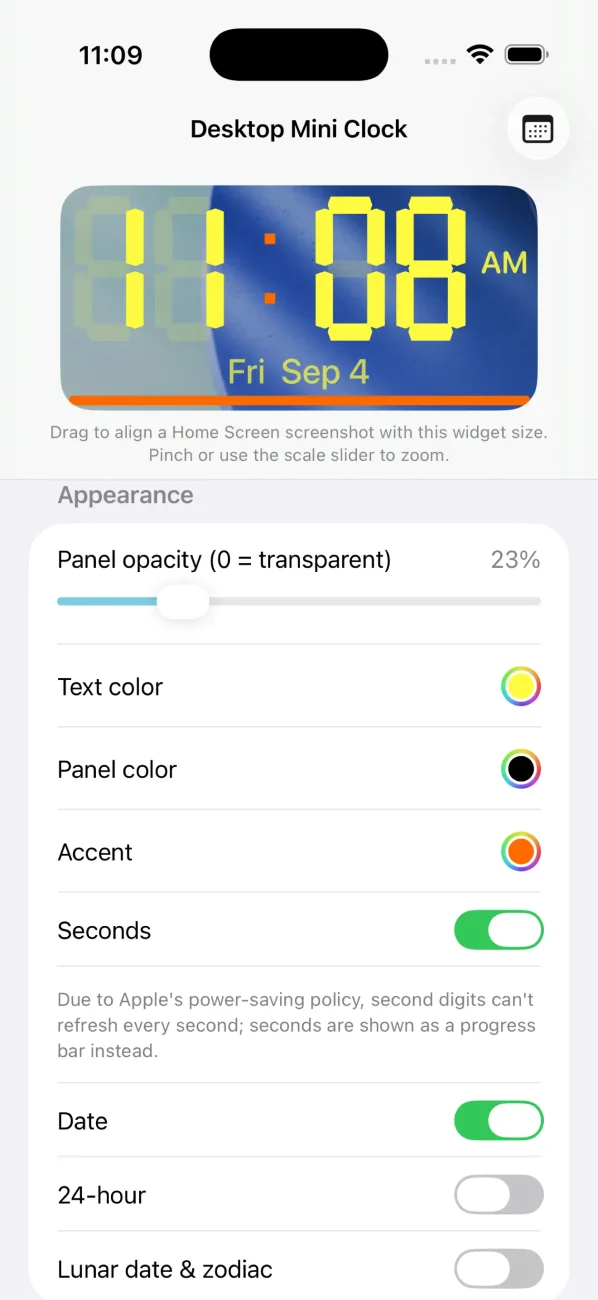
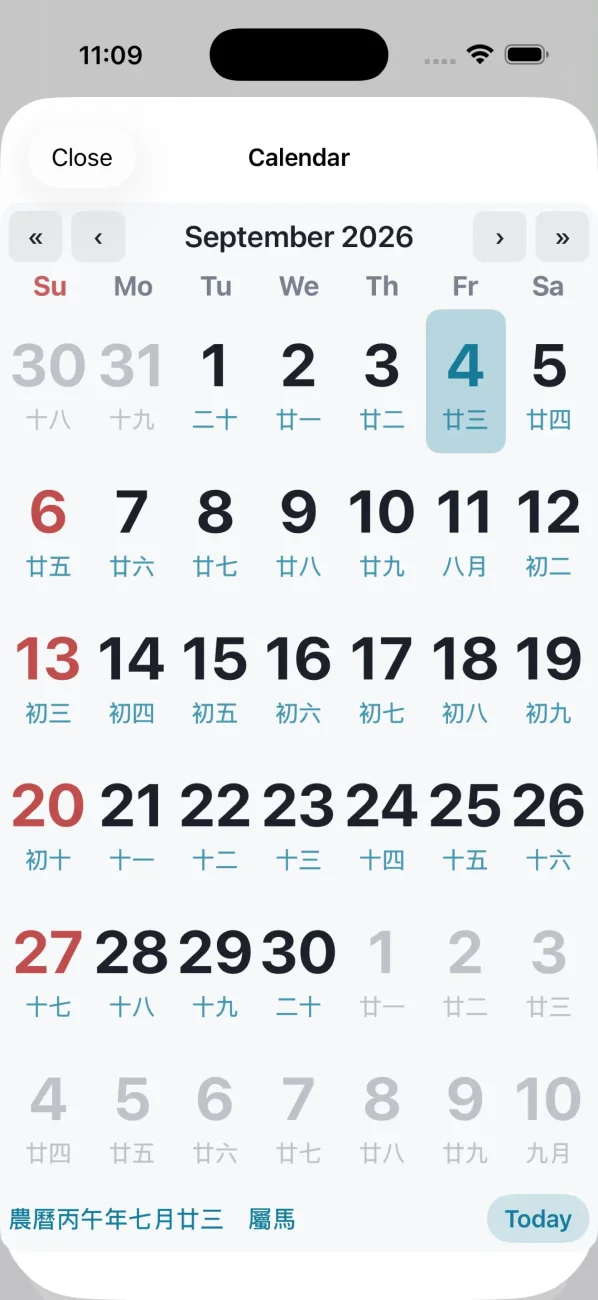
From a glanceable Small square to an Extra Large layout that pairs the clock with a full month calendar, pick the size that fits your life. Lock Screen accessories show the time at a glance. Set a personal photo as the widget background.
APPLE VISION PRO — SPATIAL CLOCK
Place the clock anywhere in your space. Scale from a subtle accent to a bold centerpiece. Hover over the date line to reveal the lunar annotation. Open the calendar or settings window while the clock stays in view.
BILINGUAL — ENGLISH & TRADITIONAL CHINESE
One tap switches the entire interface: date formats, weekday names, and lunar annotations all follow your language choice. Lunar calendar covers solar terms, traditional holidays, and leap months.
CUSTOMIZE SETTINGS
· LCD digit color and accent hue
· 12 / 24-hour format
· Seconds display with smooth progress bar
· Date and lunar annotation on or off
HONEST BY DESIGN
No ads. No tracking. No network access needed.
What’s new
Version 0.2.7 · Nov 11, 2026
The small 2×2 panel now shows the weekday, date and a seconds progress bar.
Added Pixel and Rounded clock fonts.
Added a save feature for multiple custom clock styles.
Calendar notes can show a custom title on the clock face.
Improved iPad background auto-alignment.
App privacy
What CHUN CHIEH TSAI declares on the App Store about how this app handles data.
-
Data not collected
The developer does not collect any data from this app.
Privacy practices may vary, for example with the features you use or your age.
Information
- Seller
- CHUN CHIEH TSAI
- Category
- Utilities
- Version
- 0.2.7
- Updated
- Nov 11, 2026
- Released
- Sep 4, 2026
- Size
- 1.6 MB
- Requires
- iOS 17.0 or later
- Age rating
- 4+
- Price
- Free
- Languages
- English, Traditional Chinese
- Copyright
- © lukwama
You might also like
-
 Big Digital Clock - Desk ClockFull Screen Clock with Weather
-
 CKClockSimple flip clock
-
 FlipMate: Flip & Desk ClockWidgets, Photos & Focus Timer
-
 AunlivaUtilities
-
 Manga AI Browser: TranslatorTranslate raw manga & webtoons
-
 LumaClockAnimated Clock & Display
-
 Tally — Simple CounterCount without looking
-
 ASG Clock - AutostereogramAutostereogram Clock
-
 T++截圖小工具Utilities
-
 The ArtclockUtilities