DevSnap: Screenshot to Code
OCR Text Scanner & Markdown
Conçue pour iPhone
Gratuit
- Classification d’âge4+
- CatégorieOutils de développement
- DéveloppeurAICreator
- LanguesAnglais
- Taille3,9 Mo
Renvoie vers la page App Store officielle
Download.org n’héberge aucun fichier de DevSnap: Screenshot to Code. Le bouton ouvre la page de l’application sur App Store, où AICreator la publie. Fiche vérifiée pour la dernière fois le 23/11/2026.
Captures d’écran

À propos
Le développeur n’a pas fourni ce texte dans votre langue.
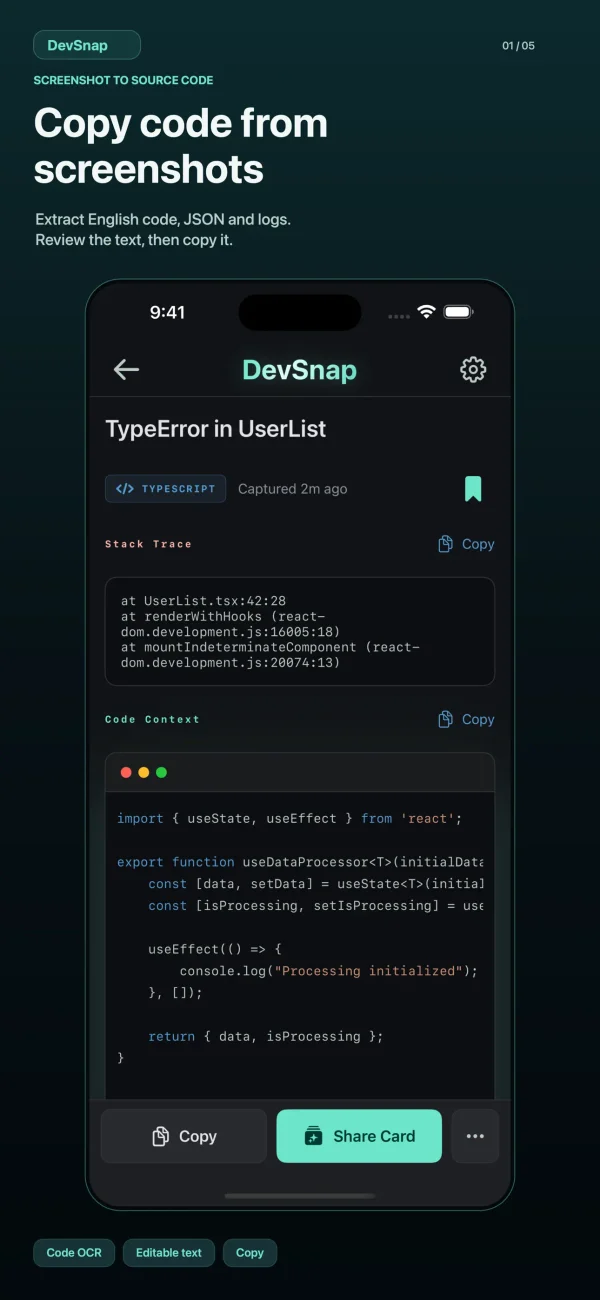
Copy code, JSON and error logs from screenshots instead of typing them again. DevSnap turns images of English source code and technical text into editable results you can copy, share or export as Markdown.
SCREENSHOT TO TEXT, BUILT FOR DEVELOPERS
- Extract code snippets from tutorial slides, screenshots and photos.
- Capture stack traces, terminal output and npm logs for a bug report or developer note.
- Review and edit recognized text before copying it.
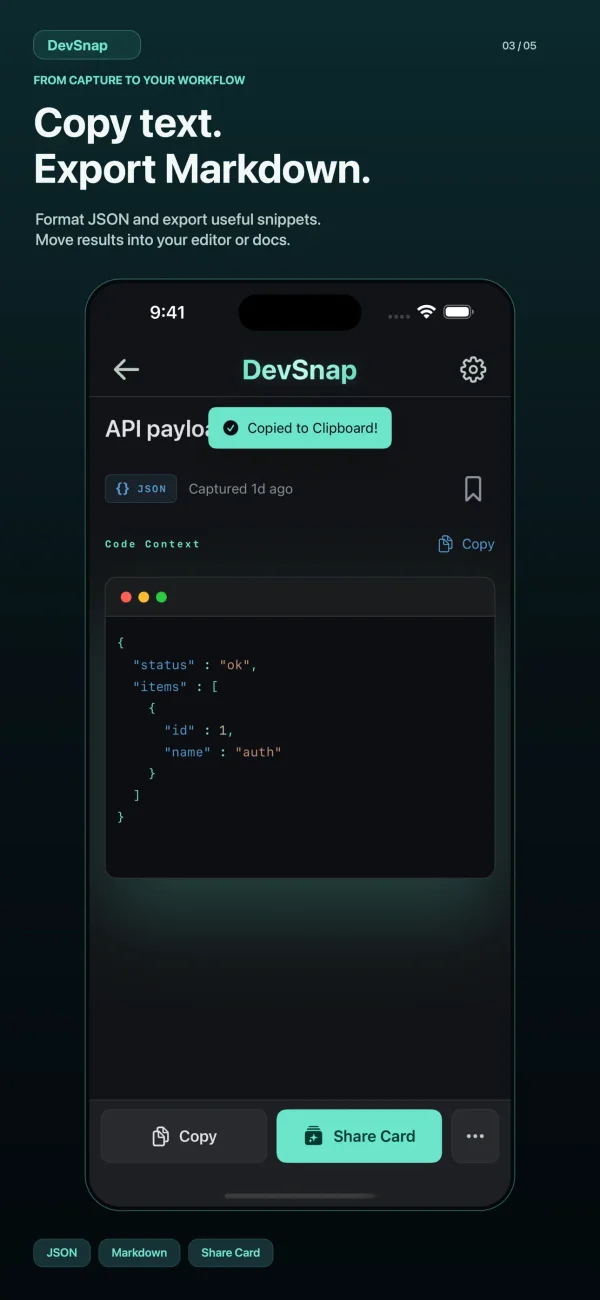
- Format JSON and export Markdown or a language-specific source file.
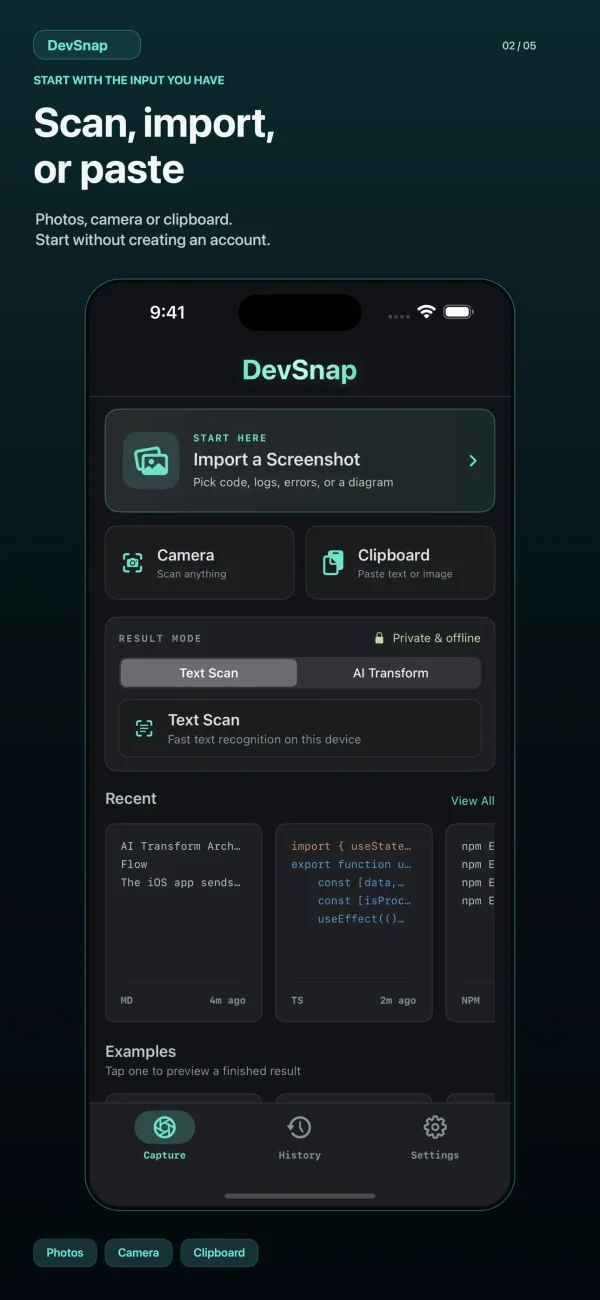
SCAN, IMPORT OR PASTE
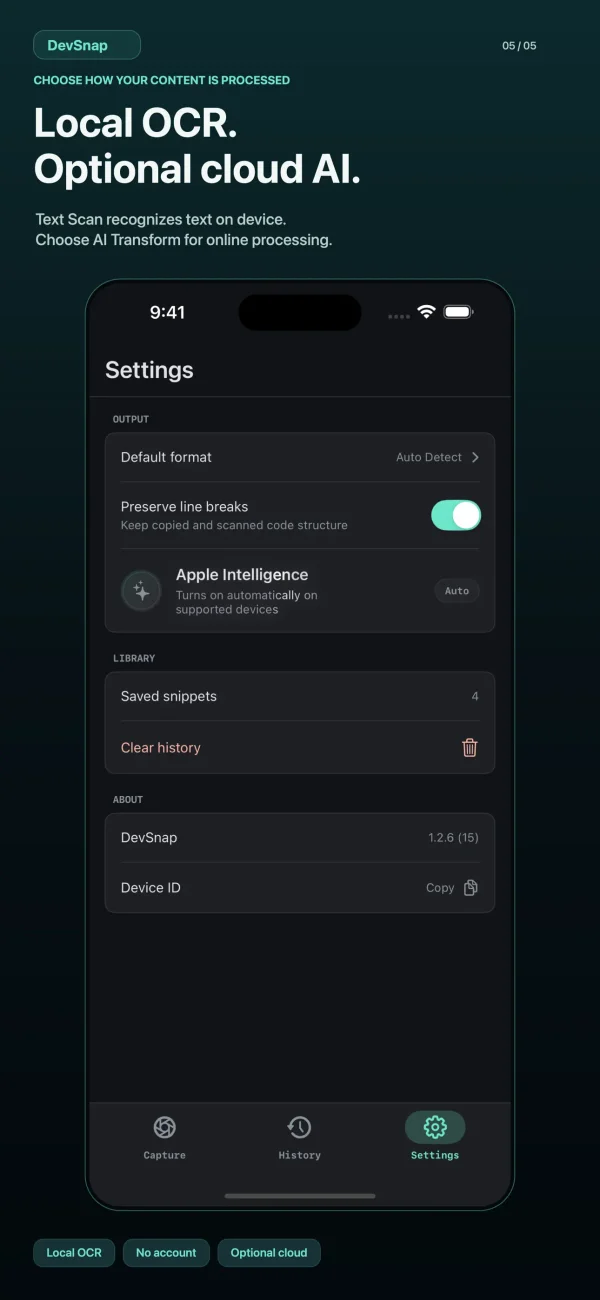
Choose a screenshot from Photos, take a picture with the camera, or paste text or an image from the clipboard. Text Scan is the default and recognizes English technical text on your device, even without an internet connection. No account is required.
COPY, SHARE AND KEEP USEFUL RESULTS
Copy cleaned text with one tap, export a file, or create a Share Card from a selected excerpt. Your original screenshot is not included in a Share Card automatically. Search saved snippets, rename results and keep favorites in local history.
TRY A RESULT BEFORE YOU SCAN
Open built-in JSON, TypeScript error and npm log examples to explore the workflow. Examples do not request Photos access, add items to History or spend AI Transform credits.
OPTIONAL AI TRANSFORM
For richer structure, switch to AI Transform to turn a selected image into Markdown, a summary or a Mermaid diagram when applicable. This cloud-processing mode requires internet access and available credits. The selected image, transform setting and an app-generated device identifier are sent to the processing service only when you start an AI request.
Text Scan keeps your images and recognized text on your device. Usage analytics excludes screenshots, clipboard text and generated results. Advertising identifiers are not collected. The app interface and on-device OCR are currently in English.
Nouveautés
Version 1.2.6 · 16/11/2026
This update adds usage analytics to help us improve scanning and sharing. Your screenshots, clipboard text, and generated results are never included in analytics. Advertising identifiers are not collected.
Confidentialité de l’application
Ce que AICreator déclare sur l’App Store au sujet du traitement des données par cette application.
-
Données établissant un lien avec vous
Peuvent être collectées et liées à votre identité.
- Emplacement
- Contenu utilisateur
- Identifiants
- Données d’utilisation
Les pratiques en matière de confidentialité peuvent varier, notamment en fonction des fonctionnalités que vous utilisez ou de votre âge.
Informations
- Vendeur
- AICreator
- Catégorie
- Outils de développement
- Version
- 1.2.6
- Mis à jour
- 16/11/2026
- Publié
- 26/05/2026
- Taille
- 3,9 Mo
- Nécessite
- iOS 18.0 ou version ultérieure
- Classification d’âge
- 4+
- Prix
- Gratuit
- Langues
- Anglais
- Copyright
- © 2026 AICreator
Vous aimerez peut-être aussi
-
 Dev & Ads AIOutils de développement
-
 Built With for SafariOutils de développement
-
 TotalDocsOutils de développement
-
 App Screenshots: Store MakerMaquette & Cadre d'appareil
-
 MCP StudioOutils de développement
-
 TapspectOutils de développement
-
 Ledge NotebookOutils de développement
-
 Store Switch XOutils de développement
-
 tunlrOutils de développement
-
 Keyword Trends PlannerOutils de développement