DevSnap: Screenshot to Code
OCR Text Scanner & Markdown
Dirancang untuk iPhone
Gratis
- Batasan usia4+
- KategoriAlat Pengembang
- PengembangAICreator
- BahasaInggris
- Ukuran3,9 MB
Tertaut ke halaman resmi App Store
Download.org tidak menyimpan file DevSnap: Screenshot to Code apa pun. Tombol ini membuka halaman aplikasi di App Store, tempat AICreator menerbitkannya. Halaman terakhir diperiksa pada 23/11/2026.
Tangkapan layar

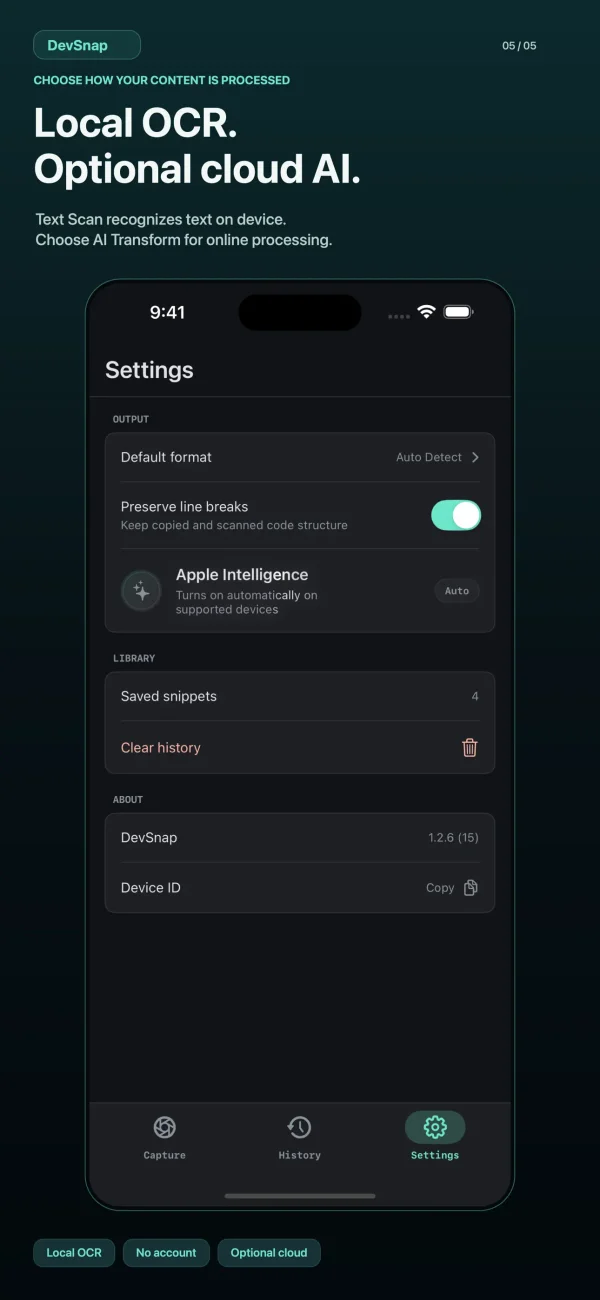
Tentang
Pengembang belum menyediakan teks ini dalam bahasa Anda.
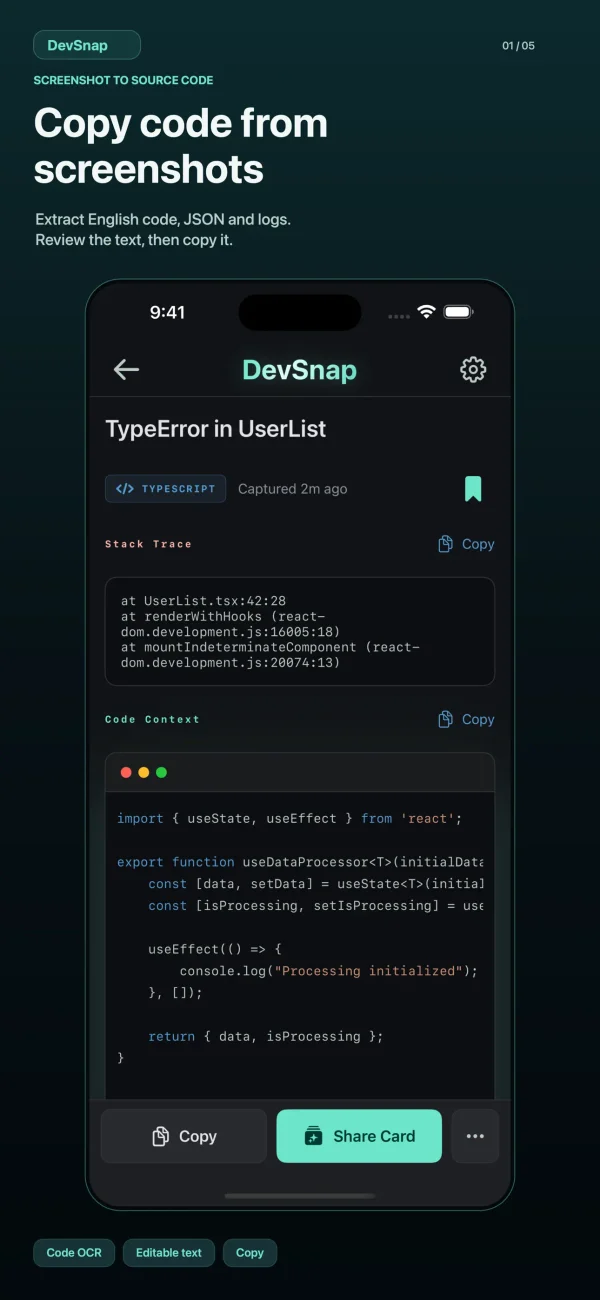
Copy code, JSON and error logs from screenshots instead of typing them again. DevSnap turns images of English source code and technical text into editable results you can copy, share or export as Markdown.
SCREENSHOT TO TEXT, BUILT FOR DEVELOPERS
- Extract code snippets from tutorial slides, screenshots and photos.
- Capture stack traces, terminal output and npm logs for a bug report or developer note.
- Review and edit recognized text before copying it.
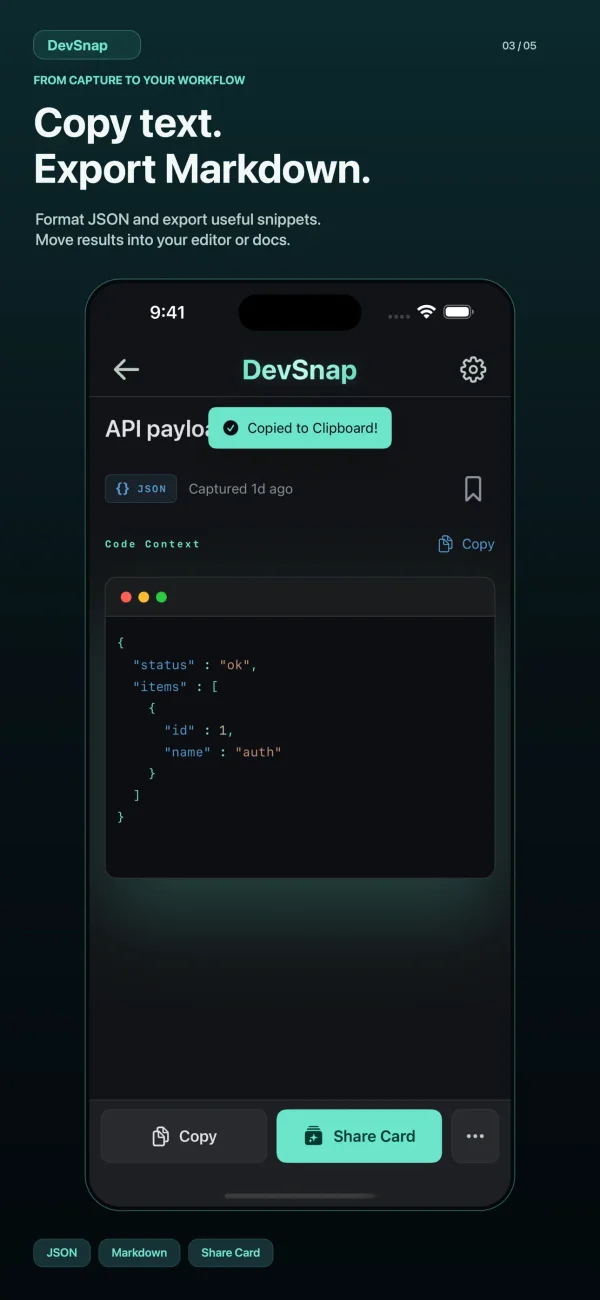
- Format JSON and export Markdown or a language-specific source file.
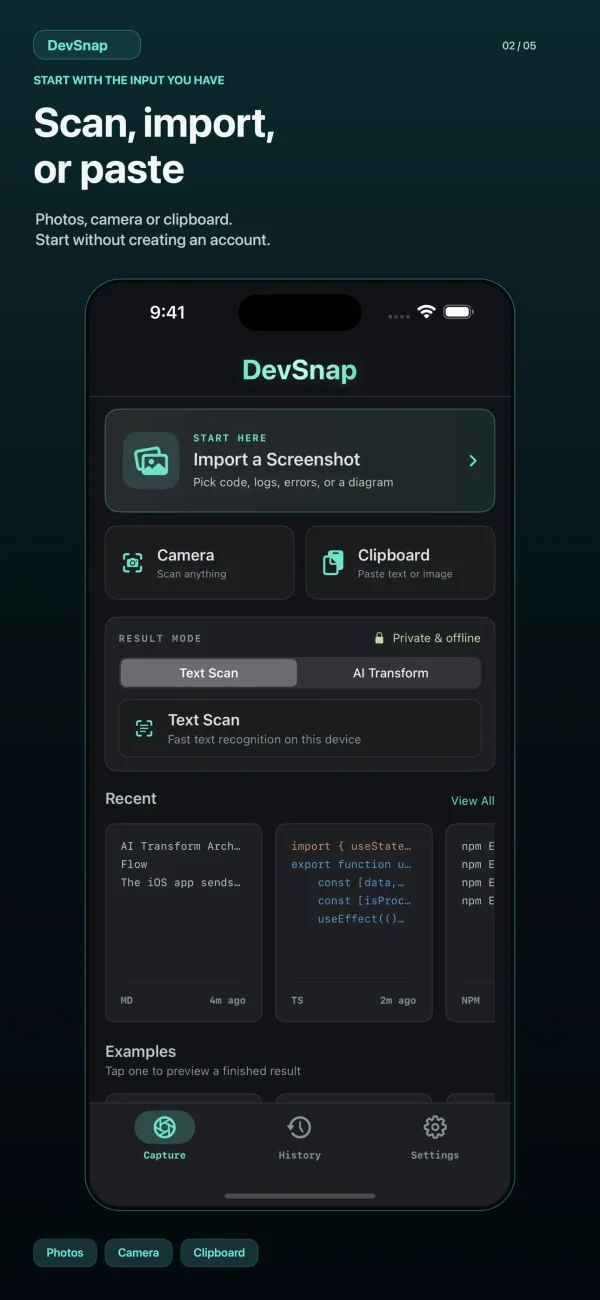
SCAN, IMPORT OR PASTE
Choose a screenshot from Photos, take a picture with the camera, or paste text or an image from the clipboard. Text Scan is the default and recognizes English technical text on your device, even without an internet connection. No account is required.
COPY, SHARE AND KEEP USEFUL RESULTS
Copy cleaned text with one tap, export a file, or create a Share Card from a selected excerpt. Your original screenshot is not included in a Share Card automatically. Search saved snippets, rename results and keep favorites in local history.
TRY A RESULT BEFORE YOU SCAN
Open built-in JSON, TypeScript error and npm log examples to explore the workflow. Examples do not request Photos access, add items to History or spend AI Transform credits.
OPTIONAL AI TRANSFORM
For richer structure, switch to AI Transform to turn a selected image into Markdown, a summary or a Mermaid diagram when applicable. This cloud-processing mode requires internet access and available credits. The selected image, transform setting and an app-generated device identifier are sent to the processing service only when you start an AI request.
Text Scan keeps your images and recognized text on your device. Usage analytics excludes screenshots, clipboard text and generated results. Advertising identifiers are not collected. The app interface and on-device OCR are currently in English.
Yang baru
Versi 1.2.6 · 16/11/2026
This update adds usage analytics to help us improve scanning and sharing. Your screenshots, clipboard text, and generated results are never included in analytics. Advertising identifiers are not collected.
Privasi aplikasi
Yang dinyatakan AICreator di App Store tentang cara aplikasi ini menangani data.
-
Data yang ditautkan dengan Anda
Dapat dikumpulkan dan ditautkan dengan identitas Anda.
- Lokasi
- Konten pengguna
- Pengenal
- Data penggunaan
Praktik privasi dapat bervariasi, misalnya berdasarkan fitur yang Anda gunakan atau usia Anda.
Informasi
- Penjual
- AICreator
- Kategori
- Alat Pengembang
- Versi
- 1.2.6
- Diperbarui
- 16/11/2026
- Dirilis
- 26/5/2026
- Ukuran
- 3,9 MB
- Memerlukan
- iOS 18.0 atau yang lebih baru
- Batasan usia
- 4+
- Harga
- Gratis
- Bahasa
- Inggris
- Hak cipta
- © 2026 AICreator
Mungkin Anda juga suka
-
 Dev & Ads AIAlat Pengembang
-
 Built With for SafariAlat Pengembang
-
 TotalDocsAlat Pengembang
-
 App Screenshots: Store MakerMockup & Bingkai Perangkat
-
 MCP StudioAlat Pengembang
-
 TapspectAlat Pengembang
-
 Ledge NotebookAlat Pengembang
-
 Store Switch XAlat Pengembang
-
 tunlrAlat Pengembang
-
 Keyword Trends PlannerAlat Pengembang