DevSnap: Screenshot to Code
OCR Text Scanner & Markdown
Projetado para iPhone
Grátis
- Classificação etária4+
- CategoriaPara desenvolvedores
- DesenvolvedorAICreator
- IdiomasInglês
- Tamanho3,9 MB
Leva à página oficial na App Store
O Download.org não hospeda nenhum arquivo de DevSnap: Screenshot to Code. O botão abre a página do app na App Store, onde AICreator o publica. Página verificada pela última vez em 23/11/2026.
Capturas de tela

Sobre
O desenvolvedor não forneceu este texto no seu idioma.
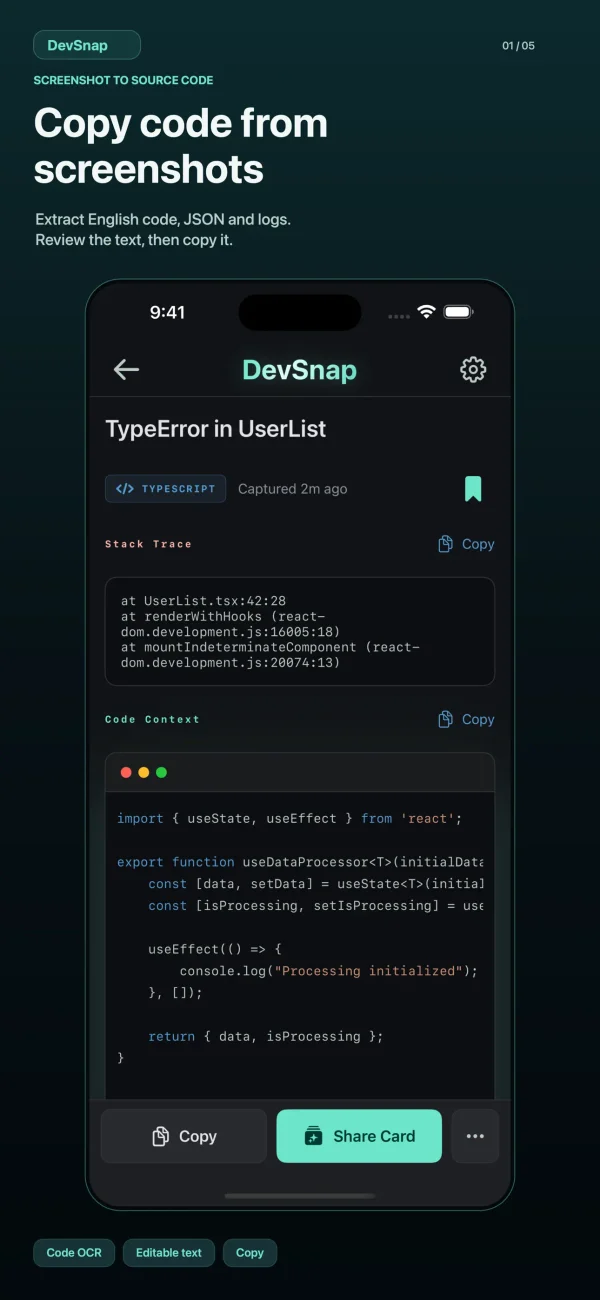
Copy code, JSON and error logs from screenshots instead of typing them again. DevSnap turns images of English source code and technical text into editable results you can copy, share or export as Markdown.
SCREENSHOT TO TEXT, BUILT FOR DEVELOPERS
- Extract code snippets from tutorial slides, screenshots and photos.
- Capture stack traces, terminal output and npm logs for a bug report or developer note.
- Review and edit recognized text before copying it.
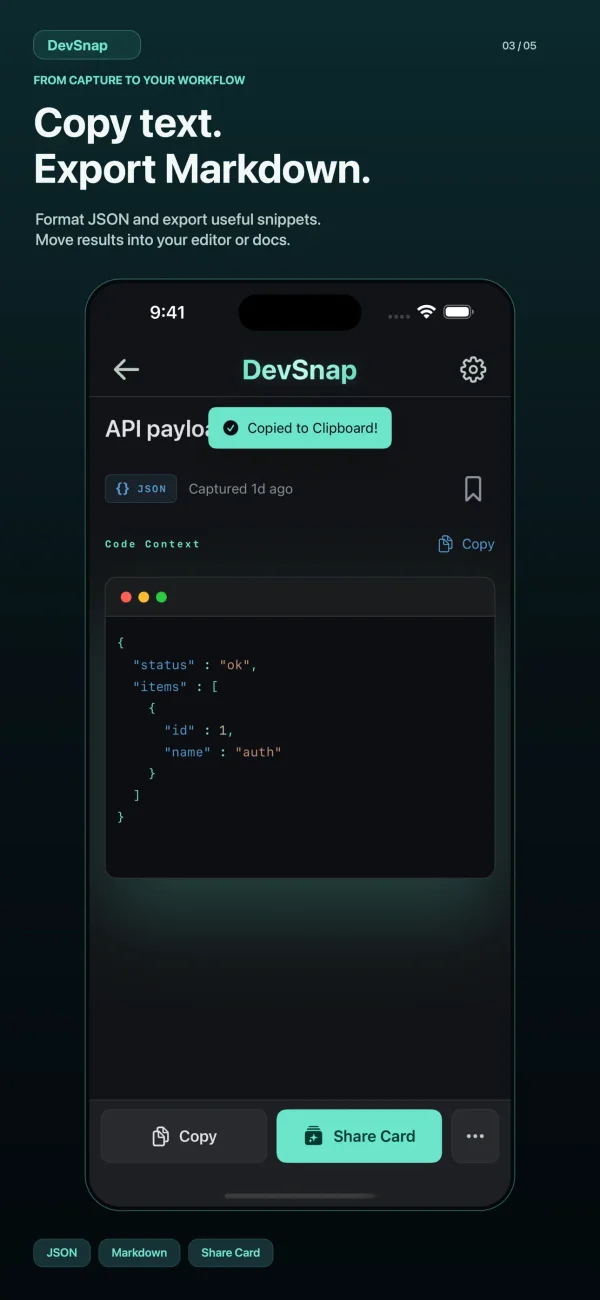
- Format JSON and export Markdown or a language-specific source file.
SCAN, IMPORT OR PASTE
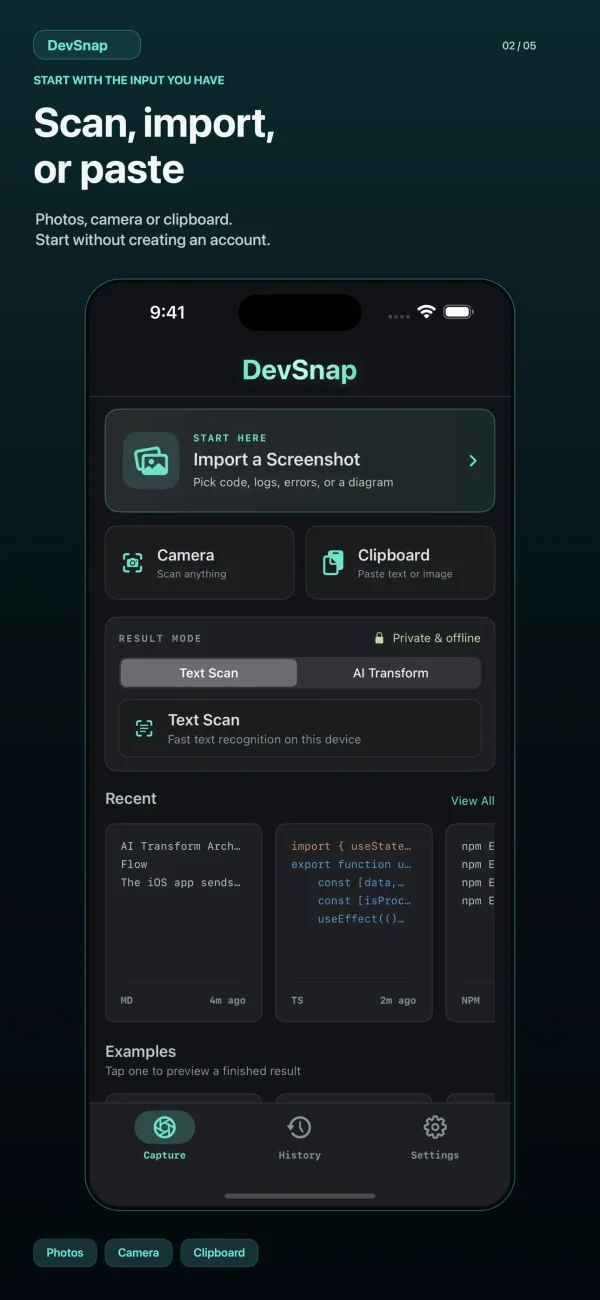
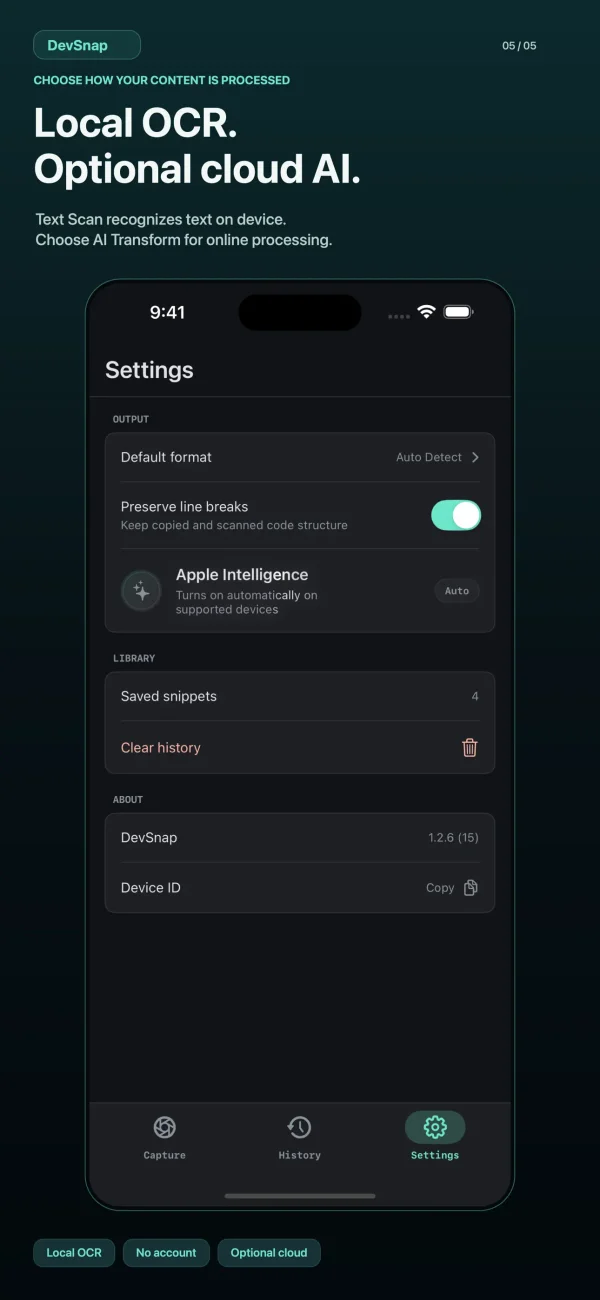
Choose a screenshot from Photos, take a picture with the camera, or paste text or an image from the clipboard. Text Scan is the default and recognizes English technical text on your device, even without an internet connection. No account is required.
COPY, SHARE AND KEEP USEFUL RESULTS
Copy cleaned text with one tap, export a file, or create a Share Card from a selected excerpt. Your original screenshot is not included in a Share Card automatically. Search saved snippets, rename results and keep favorites in local history.
TRY A RESULT BEFORE YOU SCAN
Open built-in JSON, TypeScript error and npm log examples to explore the workflow. Examples do not request Photos access, add items to History or spend AI Transform credits.
OPTIONAL AI TRANSFORM
For richer structure, switch to AI Transform to turn a selected image into Markdown, a summary or a Mermaid diagram when applicable. This cloud-processing mode requires internet access and available credits. The selected image, transform setting and an app-generated device identifier are sent to the processing service only when you start an AI request.
Text Scan keeps your images and recognized text on your device. Usage analytics excludes screenshots, clipboard text and generated results. Advertising identifiers are not collected. The app interface and on-device OCR are currently in English.
Novidades
Versão 1.2.6 · 16/11/2026
This update adds usage analytics to help us improve scanning and sharing. Your screenshots, clipboard text, and generated results are never included in analytics. Advertising identifiers are not collected.
Privacidade do app
O que AICreator declara na App Store sobre como este app lida com os dados.
-
Dados vinculados a você
Podem ser coletados e vinculados à sua identidade.
- Localização
- Conteúdo do usuário
- Identificadores
- Dados de uso
As práticas de privacidade podem variar, por exemplo, com base nos recursos que você usa ou na sua idade.
Informações
- Vendedor
- AICreator
- Categoria
- Para desenvolvedores
- Versão
- 1.2.6
- Atualizado
- 16/11/2026
- Lançamento
- 26/05/2026
- Tamanho
- 3,9 MB
- Requer
- iOS 18.0 ou posterior
- Classificação etária
- 4+
- Preço
- Grátis
- Idiomas
- Inglês
- Copyright
- © 2026 AICreator
Você também pode gostar
-
 Dev & Ads AIPara desenvolvedores
-
 Built With for SafariPara desenvolvedores
-
 TotalDocsPara desenvolvedores
-
 App Screenshots: Store MakerMockup & Moldura de Aparelho
-
 MCP StudioPara desenvolvedores
-
 TapspectPara desenvolvedores
-
 Ledge NotebookPara desenvolvedores
-
 Store Switch XPara desenvolvedores
-
 tunlrPara desenvolvedores
-
 Keyword Trends PlannerPara desenvolvedores