DevSnap: Screenshot to Code
OCR Text Scanner & Markdown
Được thiết kế cho iPhone
Miễn phí
- Độ tuổi4+
- Danh mụcCông Cụ Nhà Phát Triển
- Nhà phát triểnAICreator
- Ngôn ngữTiếng Anh
- Kích thước3,9 MB
Liên kết đến trang App Store chính thức
Download.org không lưu trữ tệp nào của DevSnap: Screenshot to Code. Nút này mở trang ứng dụng trên App Store, nơi AICreator phát hành ứng dụng. Trang được kiểm tra lần cuối: 23/11/2026.
Ảnh chụp màn hình

Giới thiệu
Nhà phát triển chưa cung cấp nội dung này bằng ngôn ngữ của bạn.
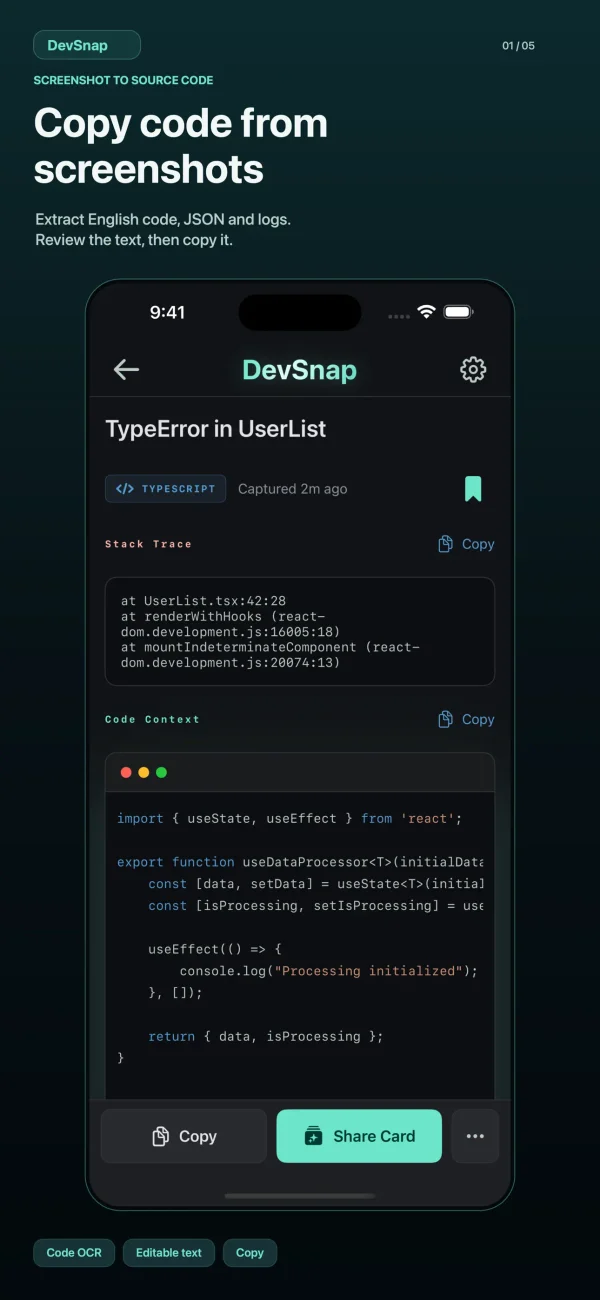
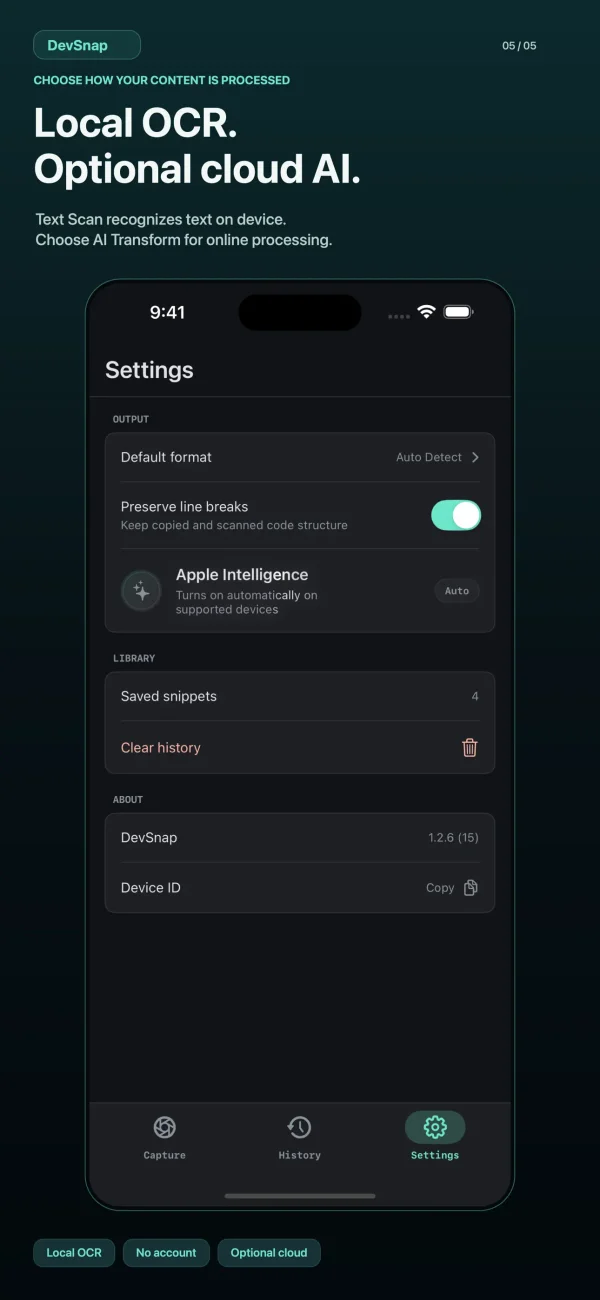
Copy code, JSON and error logs from screenshots instead of typing them again. DevSnap turns images of English source code and technical text into editable results you can copy, share or export as Markdown.
SCREENSHOT TO TEXT, BUILT FOR DEVELOPERS
- Extract code snippets from tutorial slides, screenshots and photos.
- Capture stack traces, terminal output and npm logs for a bug report or developer note.
- Review and edit recognized text before copying it.
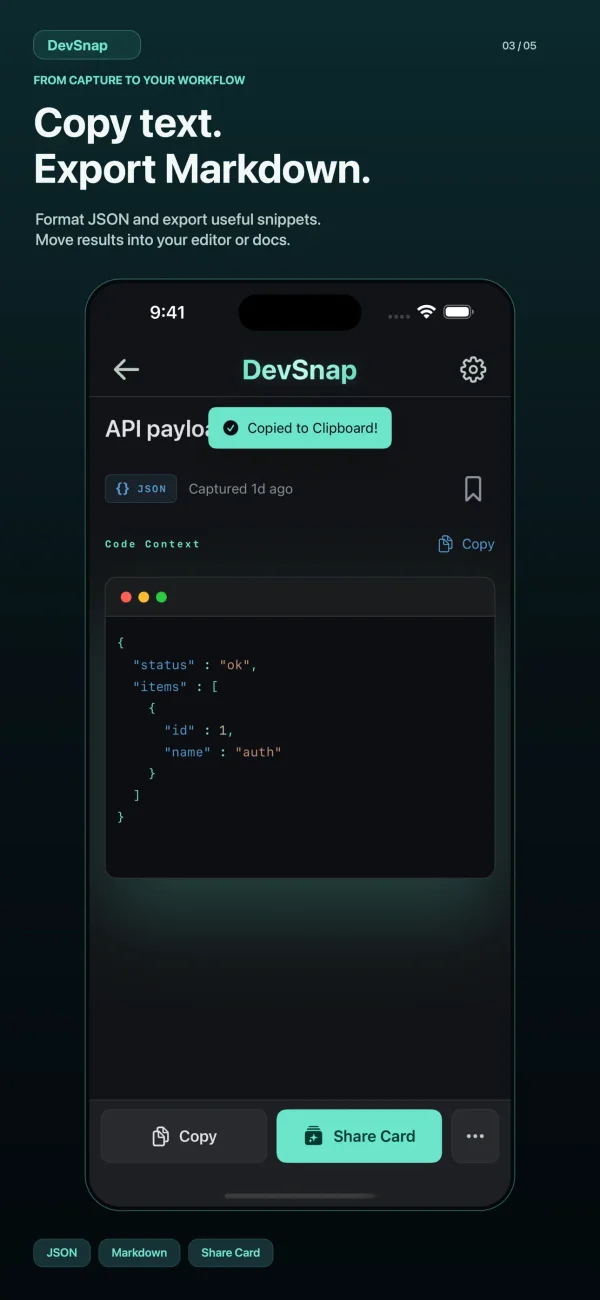
- Format JSON and export Markdown or a language-specific source file.
SCAN, IMPORT OR PASTE
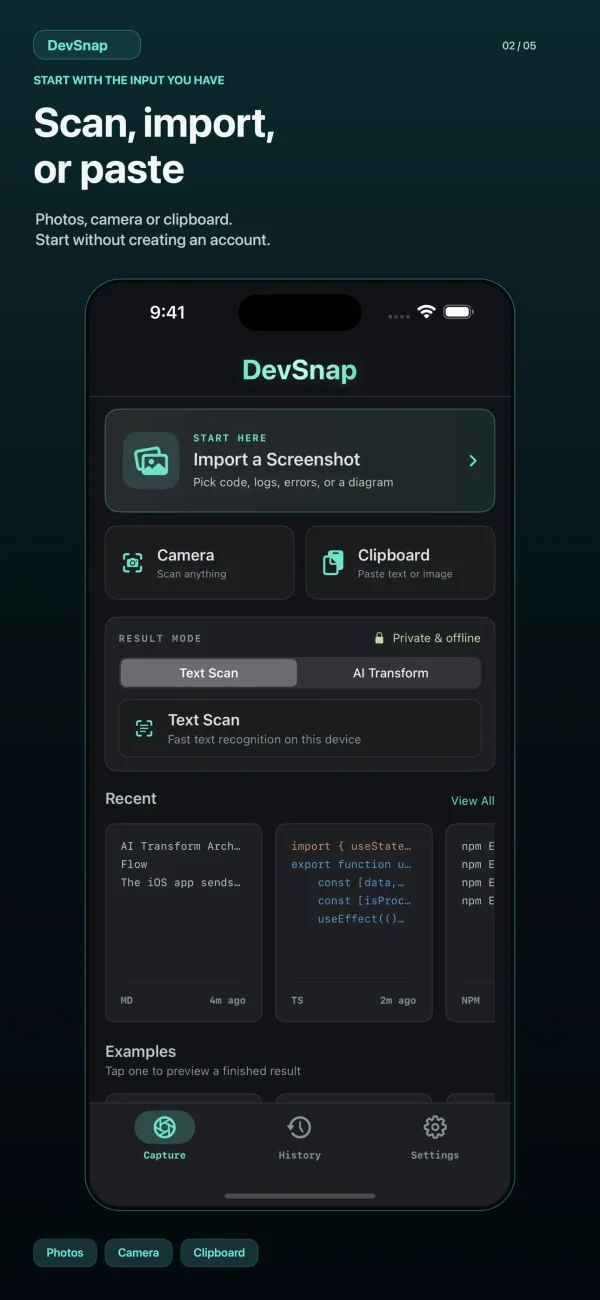
Choose a screenshot from Photos, take a picture with the camera, or paste text or an image from the clipboard. Text Scan is the default and recognizes English technical text on your device, even without an internet connection. No account is required.
COPY, SHARE AND KEEP USEFUL RESULTS
Copy cleaned text with one tap, export a file, or create a Share Card from a selected excerpt. Your original screenshot is not included in a Share Card automatically. Search saved snippets, rename results and keep favorites in local history.
TRY A RESULT BEFORE YOU SCAN
Open built-in JSON, TypeScript error and npm log examples to explore the workflow. Examples do not request Photos access, add items to History or spend AI Transform credits.
OPTIONAL AI TRANSFORM
For richer structure, switch to AI Transform to turn a selected image into Markdown, a summary or a Mermaid diagram when applicable. This cloud-processing mode requires internet access and available credits. The selected image, transform setting and an app-generated device identifier are sent to the processing service only when you start an AI request.
Text Scan keeps your images and recognized text on your device. Usage analytics excludes screenshots, clipboard text and generated results. Advertising identifiers are not collected. The app interface and on-device OCR are currently in English.
Có gì mới
Phiên bản 1.2.6 · 16/11/2026
This update adds usage analytics to help us improve scanning and sharing. Your screenshots, clipboard text, and generated results are never included in analytics. Advertising identifiers are not collected.
Quyền riêng tư của ứng dụng
Những gì AICreator khai báo trên App Store về cách ứng dụng này xử lý dữ liệu.
-
Dữ liệu liên kết với bạn
Có thể được thu thập và liên kết với danh tính của bạn.
- Vị trí
- Nội dung của người dùng
- Mã định danh
- Dữ liệu sử dụng
Phương thức đảm bảo quyền riêng tư có thể khác nhau, chẳng hạn như tuỳ theo các tính năng bạn sử dụng hoặc độ tuổi của bạn.
Thông tin
- Người bán
- AICreator
- Danh mục
- Công Cụ Nhà Phát Triển
- Phiên bản
- 1.2.6
- Cập nhật
- 16/11/2026
- Phát hành
- 26/05/2026
- Kích thước
- 3,9 MB
- Yêu cầu
- iOS 18.0 trở lên
- Độ tuổi
- 4+
- Giá
- Miễn phí
- Ngôn ngữ
- Tiếng Anh
- Bản quyền
- © 2026 AICreator
Có thể bạn cũng thích
-
 Dev & Ads AICông Cụ Nhà Phát Triển
-
 Built With for SafariCông Cụ Nhà Phát Triển
-
 TotalDocsCông Cụ Nhà Phát Triển
-
 App Screenshots: Store MakerMockup & Khung Thiết Bị
-
 MCP StudioCông Cụ Nhà Phát Triển
-
 TapspectCông Cụ Nhà Phát Triển
-
 Ledge NotebookCông Cụ Nhà Phát Triển
-
 Store Switch XCông Cụ Nhà Phát Triển
-
 tunlrCông Cụ Nhà Phát Triển
-
 Keyword Trends PlannerCông Cụ Nhà Phát Triển