- 対象年齢4+
- カテゴリ開発ツール
- 開発元AICreator
- 言語英語
- サイズ3.9 MB
App Storeの公式ページにリンクしています
Download.orgはDevSnap: Screenshot to Codeのファイルを一切ホストしていません。ボタンを押すと、AICreatorが公開しているApp Storeのアプリページが開きます。ページの最終確認:2026/11/23。
スクリーンショット

概要
開発元はこのテキストをお使いの言語で提供していません。
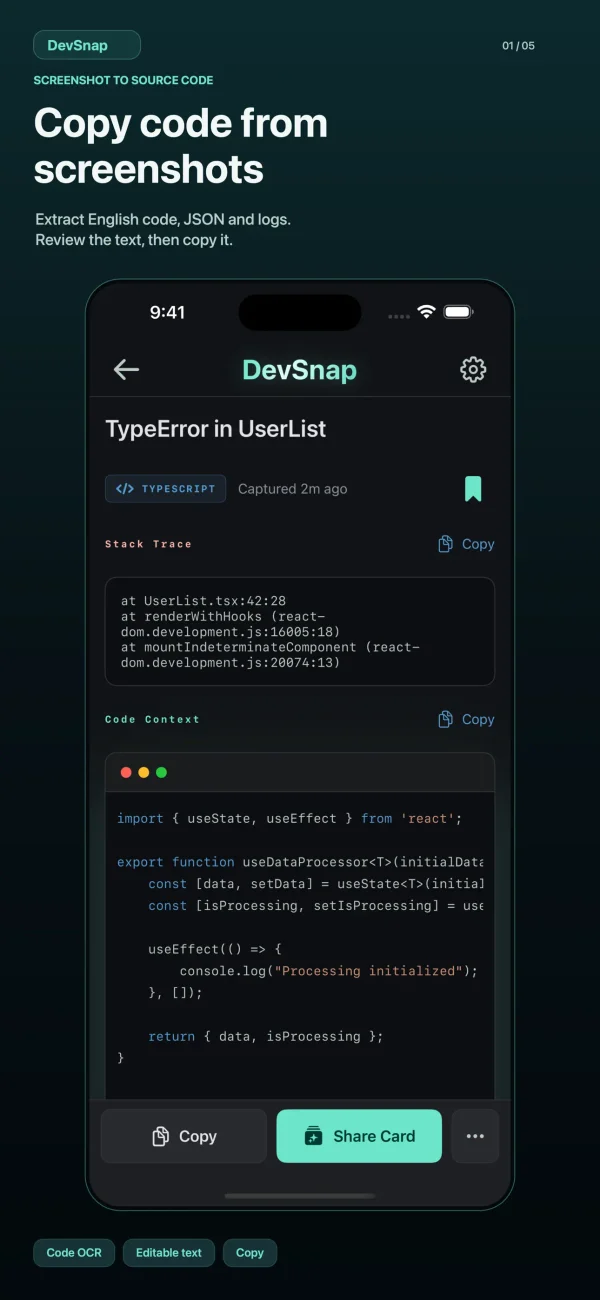
Copy code, JSON and error logs from screenshots instead of typing them again. DevSnap turns images of English source code and technical text into editable results you can copy, share or export as Markdown.
SCREENSHOT TO TEXT, BUILT FOR DEVELOPERS
- Extract code snippets from tutorial slides, screenshots and photos.
- Capture stack traces, terminal output and npm logs for a bug report or developer note.
- Review and edit recognized text before copying it.
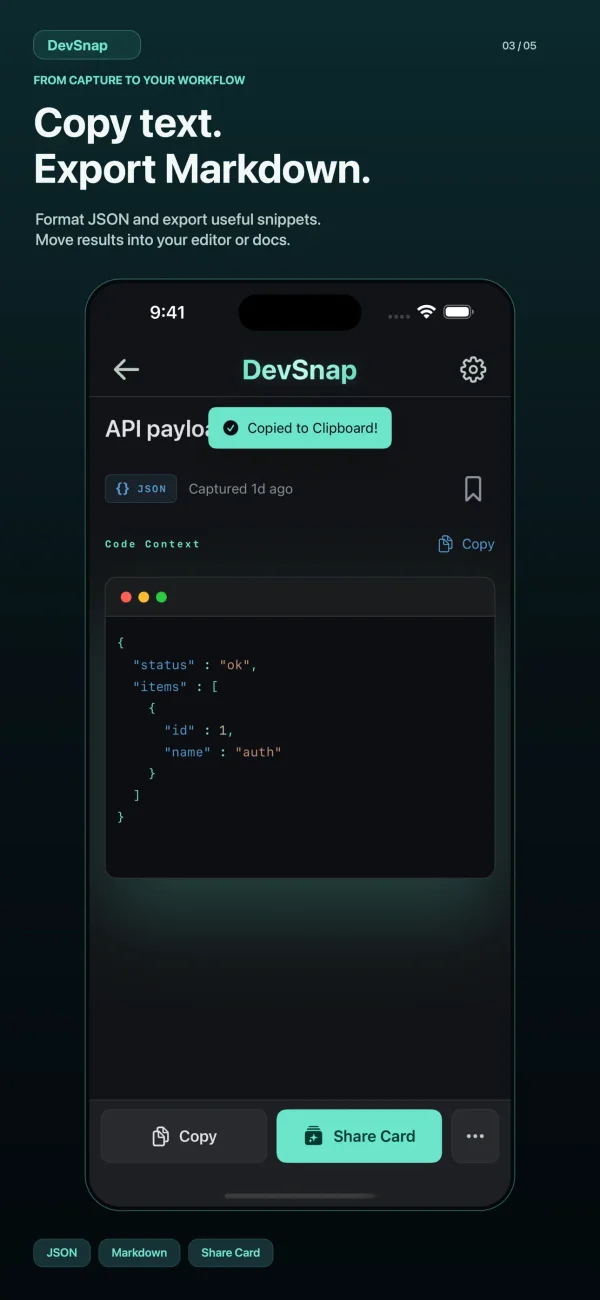
- Format JSON and export Markdown or a language-specific source file.
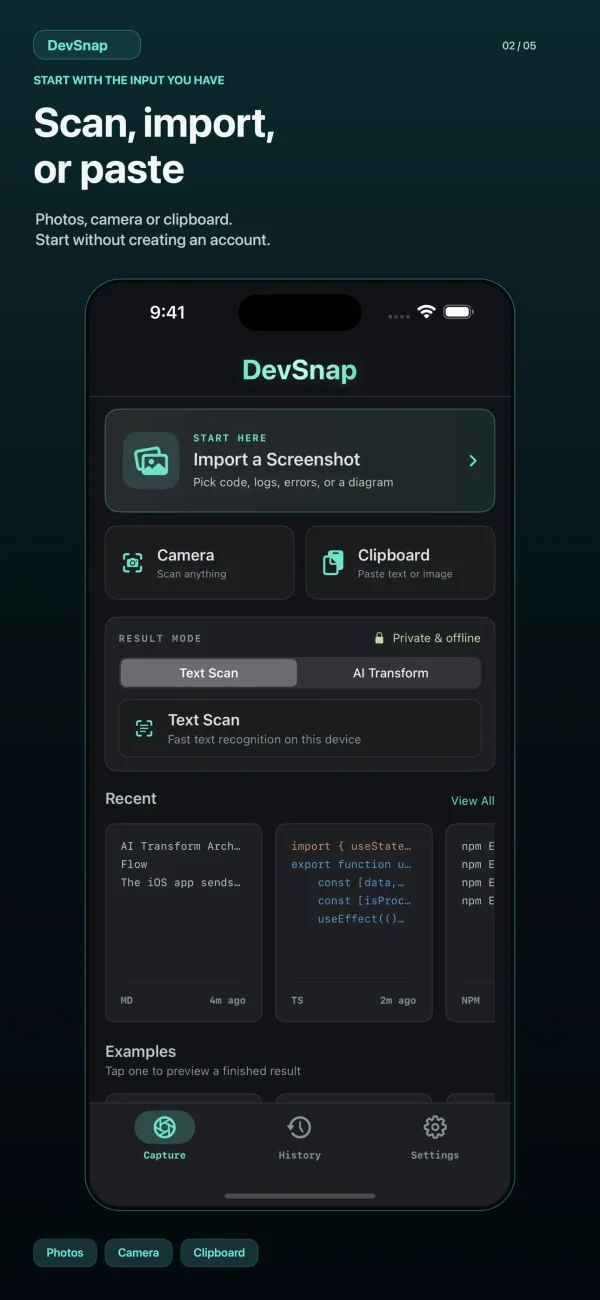
SCAN, IMPORT OR PASTE
Choose a screenshot from Photos, take a picture with the camera, or paste text or an image from the clipboard. Text Scan is the default and recognizes English technical text on your device, even without an internet connection. No account is required.
COPY, SHARE AND KEEP USEFUL RESULTS
Copy cleaned text with one tap, export a file, or create a Share Card from a selected excerpt. Your original screenshot is not included in a Share Card automatically. Search saved snippets, rename results and keep favorites in local history.
TRY A RESULT BEFORE YOU SCAN
Open built-in JSON, TypeScript error and npm log examples to explore the workflow. Examples do not request Photos access, add items to History or spend AI Transform credits.
OPTIONAL AI TRANSFORM
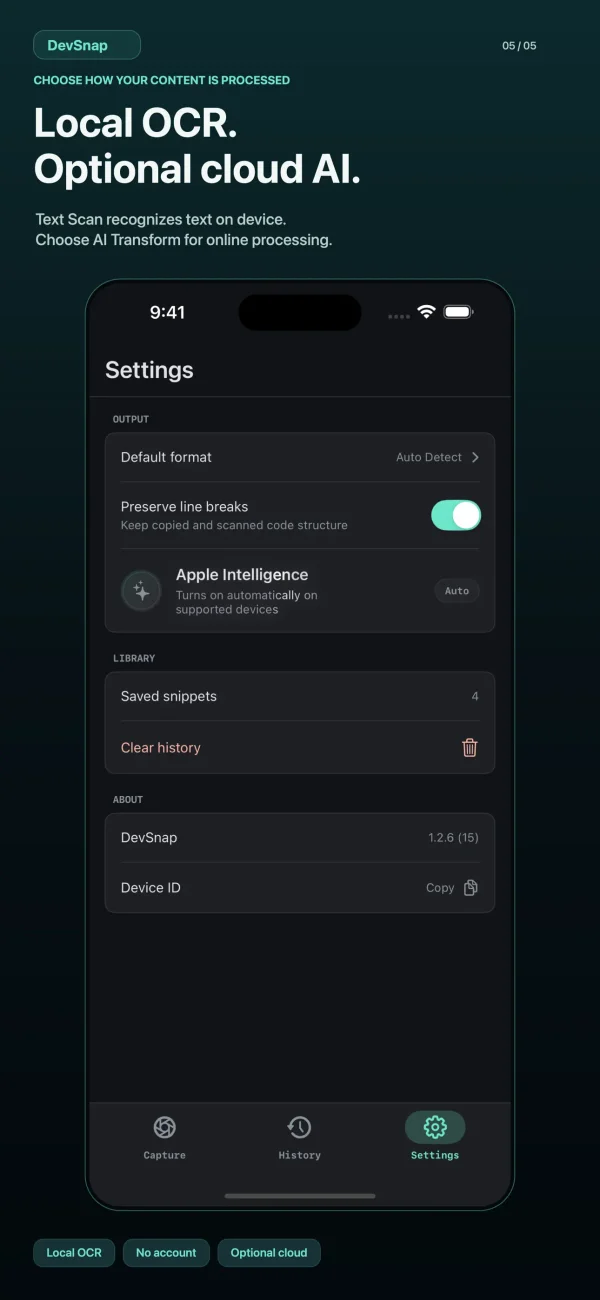
For richer structure, switch to AI Transform to turn a selected image into Markdown, a summary or a Mermaid diagram when applicable. This cloud-processing mode requires internet access and available credits. The selected image, transform setting and an app-generated device identifier are sent to the processing service only when you start an AI request.
Text Scan keeps your images and recognized text on your device. Usage analytics excludes screenshots, clipboard text and generated results. Advertising identifiers are not collected. The app interface and on-device OCR are currently in English.
新機能
バージョン 1.2.6 · 2026/11/16
This update adds usage analytics to help us improve scanning and sharing. Your screenshots, clipboard text, and generated results are never included in analytics. Advertising identifiers are not collected.
アプリのプライバシー
このアプリのデータの取り扱いについて、AICreatorがApp Storeで申告している内容です。
-
ユーザーに関連付けられたデータ
収集され、ユーザーの識別情報に関連付けられる場合があります。
- 位置情報
- ユーザーコンテンツ
- ID
- 使用状況データ
プライバシーの取り扱いは、ご利用の機能やお客様の年齢などに応じて異なる場合があります。
情報
- 販売元
- AICreator
- カテゴリ
- 開発ツール
- バージョン
- 1.2.6
- 更新日
- 2026/11/16
- リリース
- 2026/5/26
- サイズ
- 3.9 MB
- 必要条件
- iOS 18.0以降
- 対象年齢
- 4+
- 価格
- 無料
- 言語
- 英語
- 著作権
- © 2026 AICreator