iDocCam
Unleash Doc Cam in your phone
Conçue pour iPhone, iPod touch
Gratuit · Achats intégrés
- Classification d’âge4+
- CatégorieProductivité
- DéveloppeurIPEVO
- LanguesAnglais+ 11 de plus
- Taille20,9 Mo
Renvoie vers la page App Store officielle
Download.org n’héberge aucun fichier de iDocCam. Le bouton ouvre la page de l’application sur App Store, où IPEVO la publie. Fiche vérifiée pour la dernière fois le 12/11/2026.
Captures d’écran

À propos
Le développeur n’a pas fourni ce texte dans votre langue.
iDocCam is an app that allows you to control your iPhone’s camera in real-time, and even turn it into a document camera for large-screen projection. You may subscribe to iDocCam either on a monthly or yearly basis.
There are 3 ways to use it:
1. Use iDocCam as a standalone app.
Use it as a standalone app to view and adjust live images captured by your iPhone’s camera.
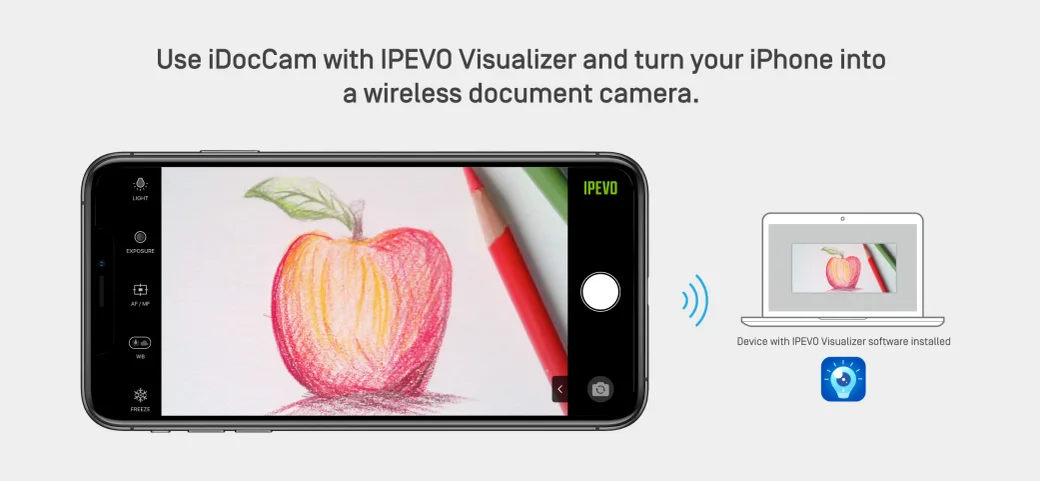
2. Use iDocCam with IPEVO Visualizer software
Install iDocCam on your iPhone. And then, install IPEVO Visualizer software on a computer, tablet, or smart TV*. Connect your iPhone and your device to the same wireless network. Launch iDocCam and Visualizer respectively*.
After that, choose your iPhone as the camera source in Visualizer. You’ll then be able to view the live images of your iPhone’s camera in Visualizer. You can then control and adjust the live images using Visualizer.
And if you connect your device to a projector, the live images will be projected onto a large screen, turning your iPhone into a document camera instantly.
*For more information about IPEVO Visualizer, please visit https://www.ipevo.com/visualizer .
*If you’re using your iPhone in conjunction with Visualizer on an iOS or macOS device, you do not need to connect them to the same wireless network. You can connect them via Bluetooth instead.
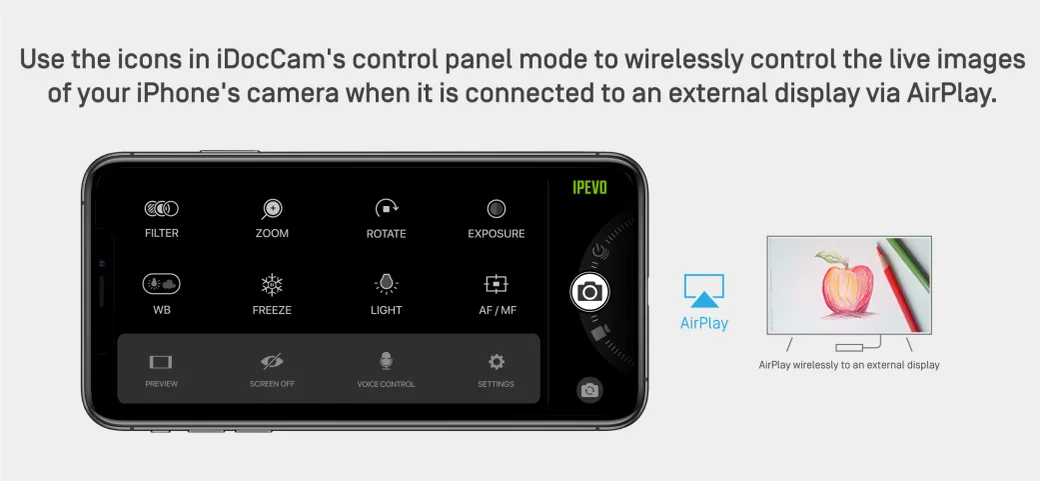
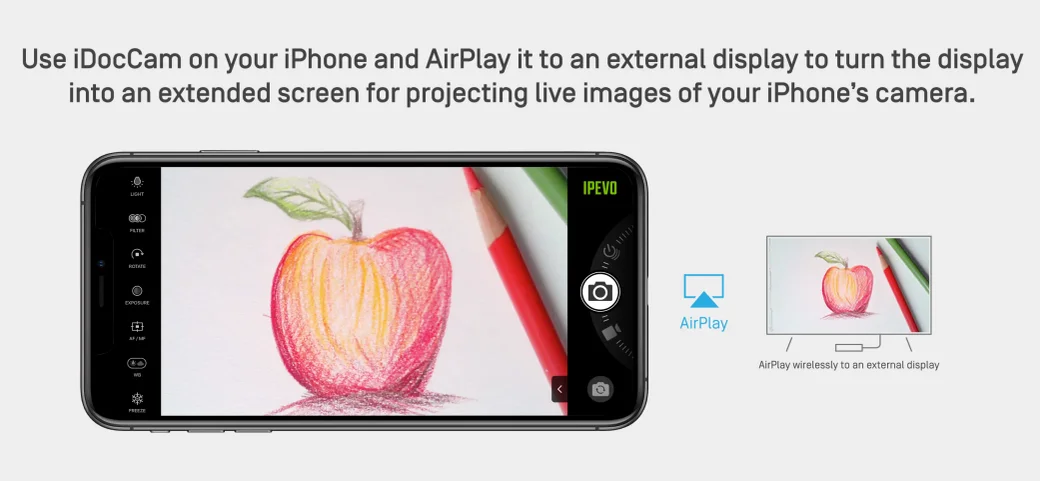
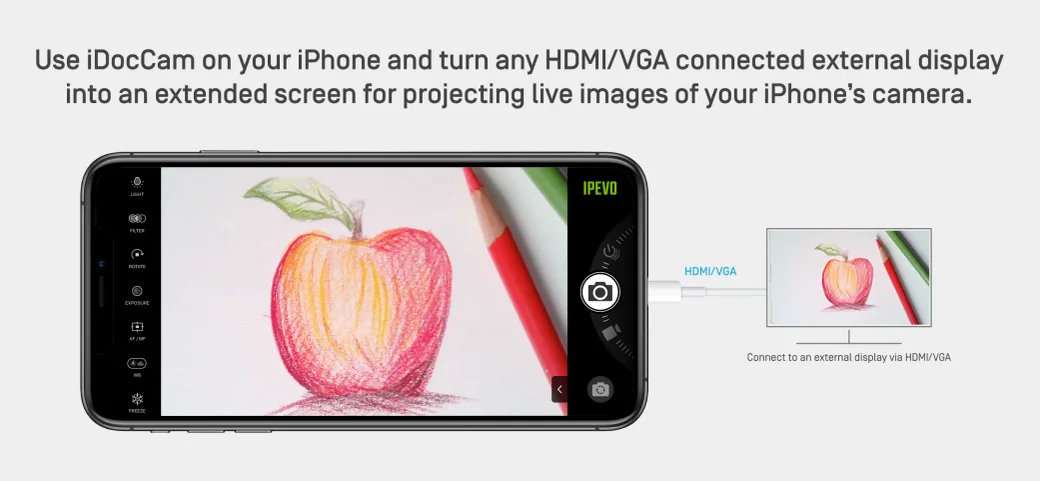
3. Connect iDocCam to an external display via HDMI/VGA, or AirPlay
Launch iDocCam on your iPhone. Then, connect your iPhone to an external display via HDMI/VGA via a Lightning to HDMI/VGA adapter, or AirPlay (using Apple TV). Now you can use the external display as an extended screen to project the live images of your iPhone’s camera.
#Trial Version
Available features:
• Snapshot*
• Wi-Fi connectivity to IPEVO Visualizer and Virtual Camera*
• HDMI, VGA, and Airplay projection*
*Digital watermark applied on output.
#Full Version
Added features:
• No watermark
• High-resolution video and image
• Customizable camera settings
• Image filters
• Video recording
• Timelapse recording
• Power-saving mode
• Voice control
• Full-screen controller
Nouveautés
Version 3.6.5 · 16/05/2025
Fixed minor bugs.
Confidentialité de l’application
Ce que IPEVO déclare sur l’App Store au sujet du traitement des données par cette application.
-
Données n’établissant aucun lien avec vous
Peuvent être collectées, mais ne sont pas liées à votre identité.
- Achats
- Identifiants
Les pratiques en matière de confidentialité peuvent varier, notamment en fonction des fonctionnalités que vous utilisez ou de votre âge.
Informations
- Vendeur
- IPEVO
- Catégorie
- Productivité
- Version
- 3.6.5
- Mis à jour
- 16/05/2025
- Publié
- 08/12/2019
- Taille
- 20,9 Mo
- Nécessite
- iOS 12.0 ou version ultérieure
- Classification d’âge
- 4+
- Prix
- Gratuit
- Achats intégrés
- Oui
- Langues
- Anglais, Néerlandais, Finnois, Français, Allemand, Italien, Japonais, Coréen, Russe, Chinois simplifié, Espagnol, Chinois traditionnel
- Copyright
- © 2025 IPEVO Corp.
Vous aimerez peut-être aussi
-
 Extron ControlProductivité
-
 Swivl CaptureProductivité
-
 Ditto ConnectProductivité
-
 Q-SYS UCI ViewerProductivité
-
 Ekahau SurveyProductivité
-
 ISTELive 26 and ASCD Annual 26Productivité
-
 vCastSenderProductivité
-
 Scribble Together tableauCours en ligne et notes PDF
-
 Ekahau AnalyzerProductivité
-
 Seeing AICaméra pour déficients visuels