iDocCam
Unleash Doc Cam in your phone
Được thiết kế cho iPhone, iPod touch
Miễn phí · Mua hàng trong ứng dụng
- Độ tuổi4+
- Danh mụcHiệu Suất
- Nhà phát triểnIPEVO
- Ngôn ngữTiếng Anh+ 11 ngôn ngữ khác
- Kích thước20,9 MB
Liên kết đến trang App Store chính thức
Download.org không lưu trữ tệp nào của iDocCam. Nút này mở trang ứng dụng trên App Store, nơi IPEVO phát hành ứng dụng. Trang được kiểm tra lần cuối: 12/11/2026.
Ảnh chụp màn hình

Giới thiệu
Nhà phát triển chưa cung cấp nội dung này bằng ngôn ngữ của bạn.
iDocCam is an app that allows you to control your iPhone’s camera in real-time, and even turn it into a document camera for large-screen projection. You may subscribe to iDocCam either on a monthly or yearly basis.
There are 3 ways to use it:
1. Use iDocCam as a standalone app.
Use it as a standalone app to view and adjust live images captured by your iPhone’s camera.
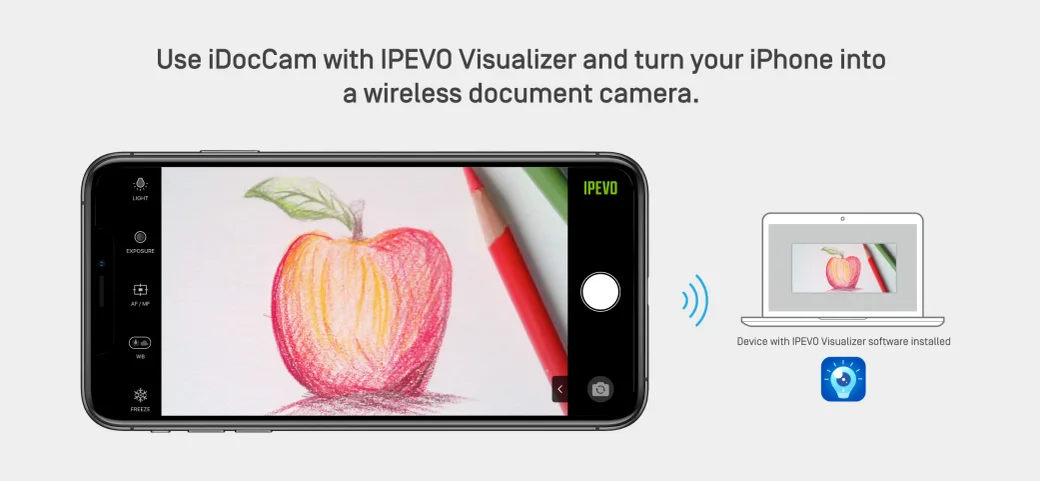
2. Use iDocCam with IPEVO Visualizer software
Install iDocCam on your iPhone. And then, install IPEVO Visualizer software on a computer, tablet, or smart TV*. Connect your iPhone and your device to the same wireless network. Launch iDocCam and Visualizer respectively*.
After that, choose your iPhone as the camera source in Visualizer. You’ll then be able to view the live images of your iPhone’s camera in Visualizer. You can then control and adjust the live images using Visualizer.
And if you connect your device to a projector, the live images will be projected onto a large screen, turning your iPhone into a document camera instantly.
*For more information about IPEVO Visualizer, please visit https://www.ipevo.com/visualizer .
*If you’re using your iPhone in conjunction with Visualizer on an iOS or macOS device, you do not need to connect them to the same wireless network. You can connect them via Bluetooth instead.
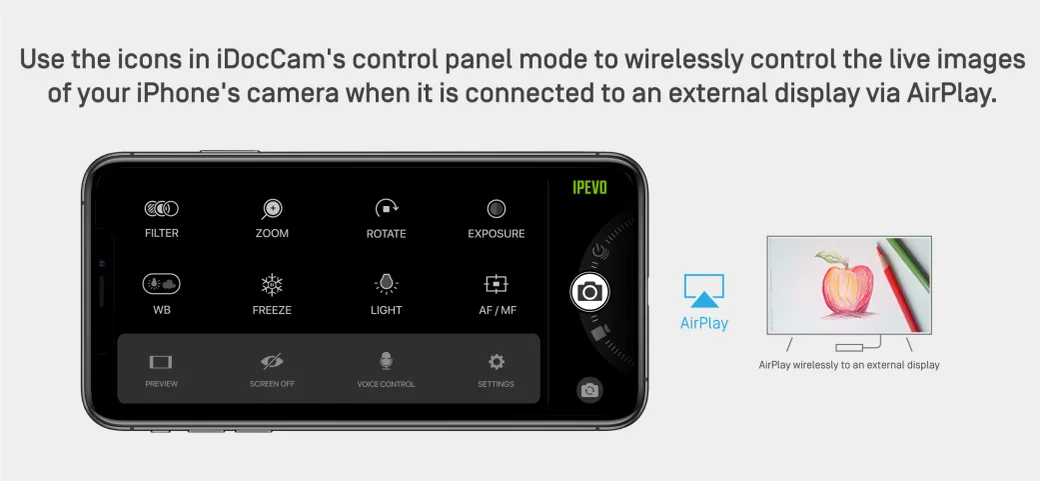
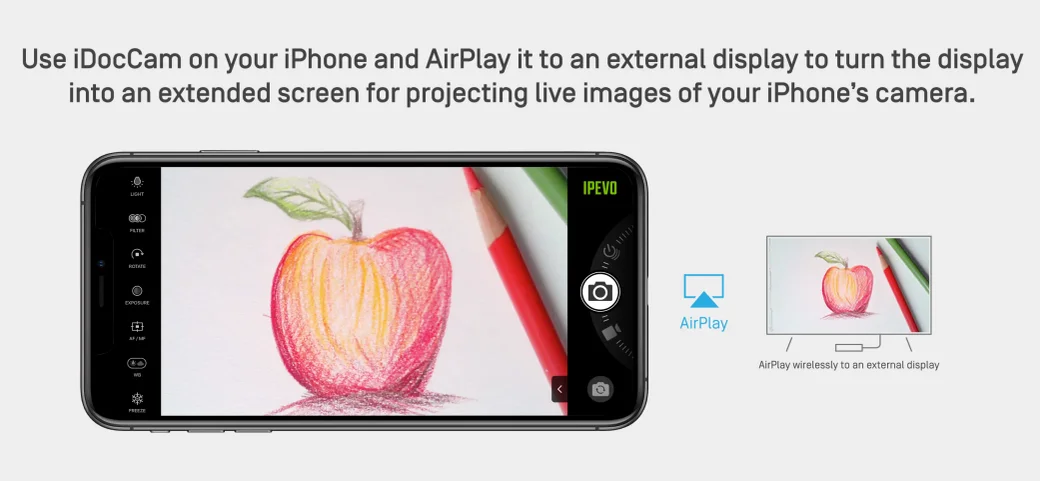
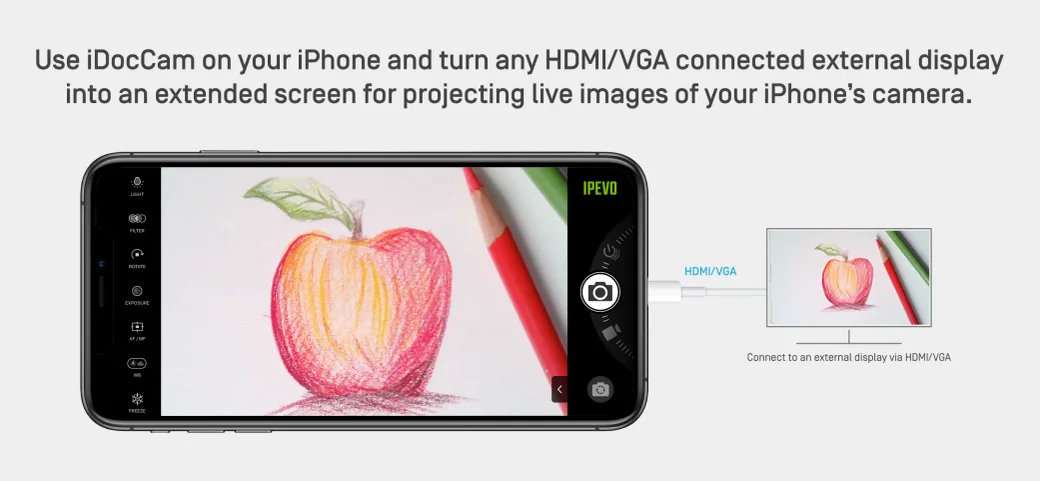
3. Connect iDocCam to an external display via HDMI/VGA, or AirPlay
Launch iDocCam on your iPhone. Then, connect your iPhone to an external display via HDMI/VGA via a Lightning to HDMI/VGA adapter, or AirPlay (using Apple TV). Now you can use the external display as an extended screen to project the live images of your iPhone’s camera.
#Trial Version
Available features:
• Snapshot*
• Wi-Fi connectivity to IPEVO Visualizer and Virtual Camera*
• HDMI, VGA, and Airplay projection*
*Digital watermark applied on output.
#Full Version
Added features:
• No watermark
• High-resolution video and image
• Customizable camera settings
• Image filters
• Video recording
• Timelapse recording
• Power-saving mode
• Voice control
• Full-screen controller
Có gì mới
Phiên bản 3.6.5 · 16/05/2025
Fixed minor bugs.
Quyền riêng tư của ứng dụng
Những gì IPEVO khai báo trên App Store về cách ứng dụng này xử lý dữ liệu.
-
Dữ liệu không liên kết với bạn
Có thể được thu thập nhưng không liên kết với danh tính của bạn.
- Mục mua
- Mã định danh
Phương thức đảm bảo quyền riêng tư có thể khác nhau, chẳng hạn như tuỳ theo các tính năng bạn sử dụng hoặc độ tuổi của bạn.
Thông tin
- Người bán
- IPEVO
- Danh mục
- Hiệu Suất
- Phiên bản
- 3.6.5
- Cập nhật
- 16/05/2025
- Phát hành
- 08/12/2019
- Kích thước
- 20,9 MB
- Yêu cầu
- iOS 12.0 trở lên
- Độ tuổi
- 4+
- Giá
- Miễn phí
- Mua hàng trong ứng dụng
- Có
- Ngôn ngữ
- Tiếng Anh, Tiếng Hà Lan, Tiếng Phần Lan, Tiếng Pháp, Tiếng Đức, Tiếng Ý, Tiếng Nhật, Tiếng Hàn, Tiếng Nga, Tiếng Trung Giản thể, Tiếng Tây Ban Nha, Tiếng Trung Phồn thể
- Bản quyền
- © 2025 IPEVO Corp.