iDocCam
Unleash Doc Cam in your phone
Designed for iPhone, iPod touch
Free · In-app purchases
- Age rating4+
- CategoryProductivity
- DeveloperIPEVO
- LanguagesEnglish+ 11 more
- Size20.9 MB
Links to the official App Store page
Download.org hosts no file of iDocCam. The button opens its official App Store page, published by IPEVO. Listing last checked on Nov 12, 2026.
Screenshots

About
iDocCam is an app that allows you to control your iPhone’s camera in real-time, and even turn it into a document camera for large-screen projection. You may subscribe to iDocCam either on a monthly or yearly basis.
There are 3 ways to use it:
1. Use iDocCam as a standalone app.
Use it as a standalone app to view and adjust live images captured by your iPhone’s camera.
2. Use iDocCam with IPEVO Visualizer software
Install iDocCam on your iPhone. And then, install IPEVO Visualizer software on a computer, tablet, or smart TV*. Connect your iPhone and your device to the same wireless network. Launch iDocCam and Visualizer respectively*.
After that, choose your iPhone as the camera source in Visualizer. You’ll then be able to view the live images of your iPhone’s camera in Visualizer. You can then control and adjust the live images using Visualizer.
And if you connect your device to a projector, the live images will be projected onto a large screen, turning your iPhone into a document camera instantly.
*For more information about IPEVO Visualizer, please visit https://www.ipevo.com/visualizer .
*If you’re using your iPhone in conjunction with Visualizer on an iOS or macOS device, you do not need to connect them to the same wireless network. You can connect them via Bluetooth instead.
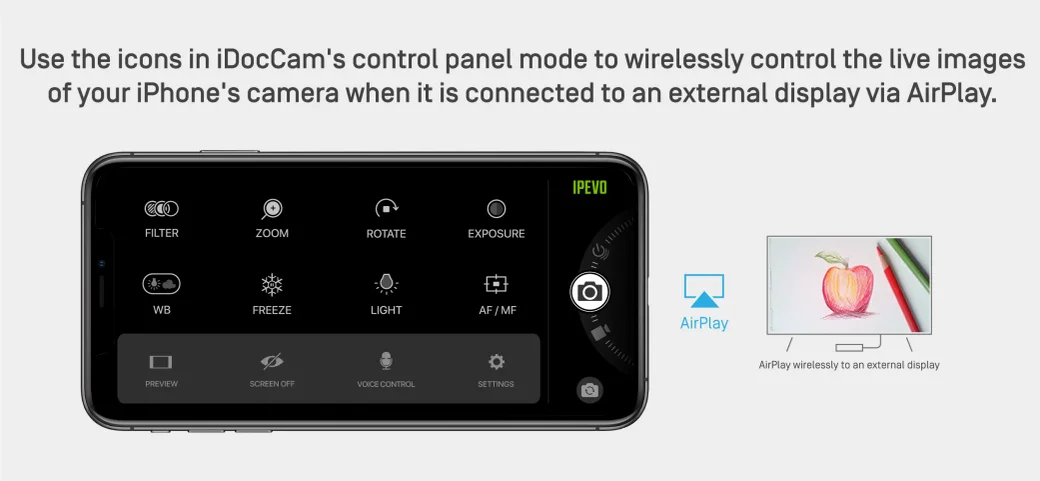
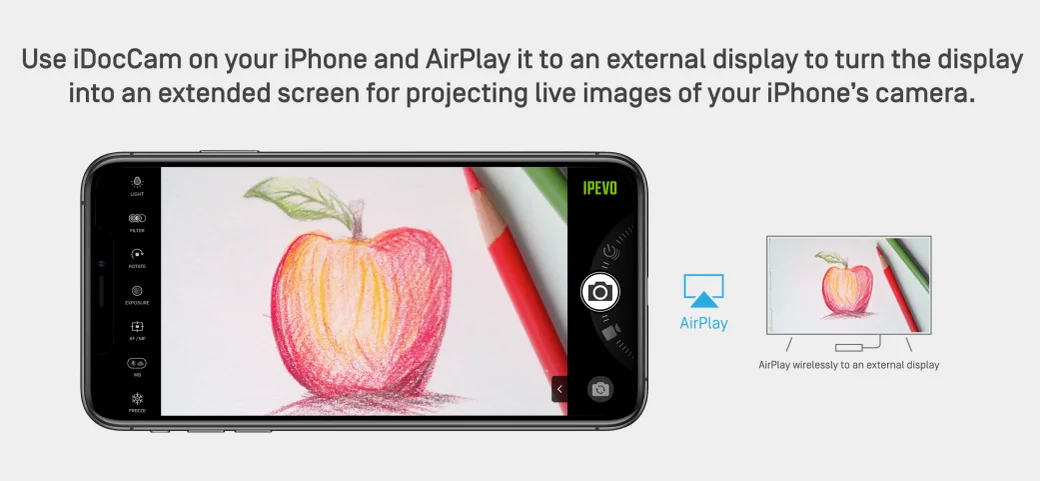
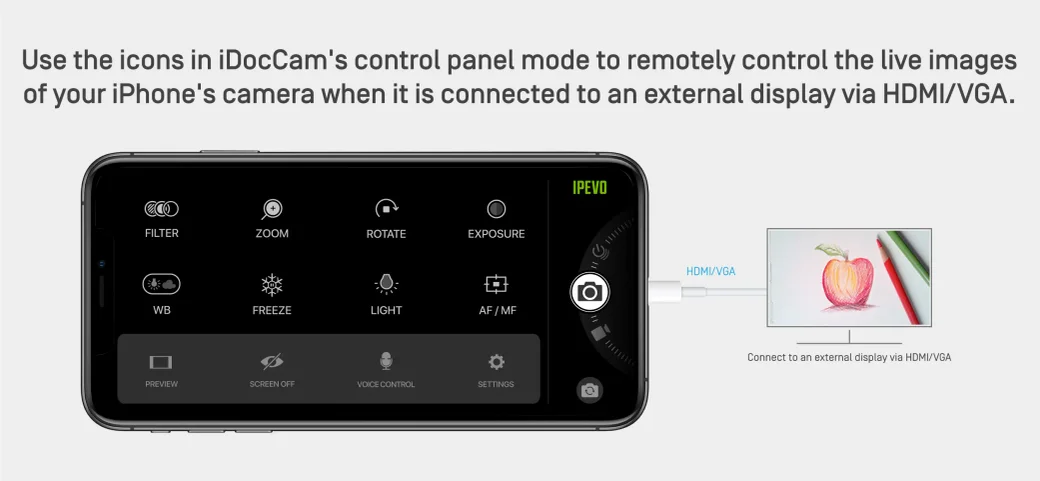
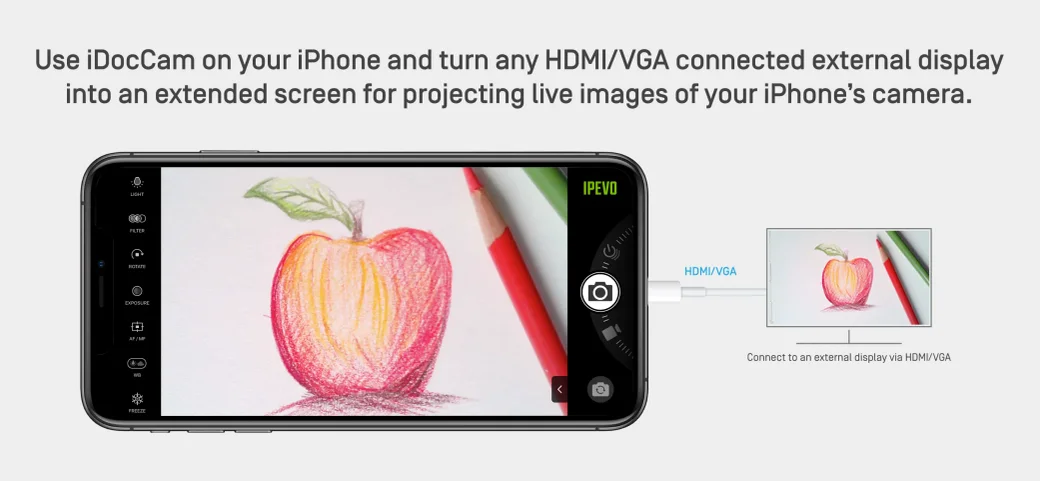
3. Connect iDocCam to an external display via HDMI/VGA, or AirPlay
Launch iDocCam on your iPhone. Then, connect your iPhone to an external display via HDMI/VGA via a Lightning to HDMI/VGA adapter, or AirPlay (using Apple TV). Now you can use the external display as an extended screen to project the live images of your iPhone’s camera.
#Trial Version
Available features:
• Snapshot*
• Wi-Fi connectivity to IPEVO Visualizer and Virtual Camera*
• HDMI, VGA, and Airplay projection*
*Digital watermark applied on output.
#Full Version
Added features:
• No watermark
• High-resolution video and image
• Customizable camera settings
• Image filters
• Video recording
• Timelapse recording
• Power-saving mode
• Voice control
• Full-screen controller
What’s new
Version 3.6.5 · May 16, 2025
Fixed minor bugs.
App privacy
What IPEVO declares on the App Store about how this app handles data.
-
Data not linked to you
May be collected but is not linked to your identity.
- Purchases
- Identifiers
Privacy practices may vary, for example with the features you use or your age.
Information
- Seller
- IPEVO
- Category
- Productivity
- Version
- 3.6.5
- Updated
- May 16, 2025
- Released
- Dec 8, 2019
- Size
- 20.9 MB
- Requires
- iOS 12.0 or later
- Age rating
- 4+
- Price
- Free
- In-app purchases
- Yes
- Languages
- English, Dutch, Finnish, French, German, Italian, Japanese, Korean, Russian, Simplified Chinese, Spanish, Traditional Chinese
- Copyright
- © 2025 IPEVO Corp.
You might also like
-
 Extron ControlProductivity
-
 Swivl CaptureSmart video collaboration
-
 Ditto ConnectShare content wirelessly
-
 Q-SYS UCI ViewerProductivity
-
 Ekahau SurveyProductivity
-
 ISTELive 26 and ASCD Annual 26Productivity
-
 vCastSenderProductivity
-
 Scribble Together whiteboardTutor online & annotate PDFs
-
 Ekahau AnalyzerProductivity
-
 Seeing AITalking Camera for the Blind