iDocCam
Unleash Doc Cam in your phone
Dirancang untuk iPhone, iPod touch
Gratis · Pembelian dalam aplikasi
- Batasan usia4+
- KategoriProduktivitas
- PengembangIPEVO
- BahasaInggris+ 11 lainnya
- Ukuran20,9 MB
Tertaut ke halaman resmi App Store
Download.org tidak menyimpan file iDocCam apa pun. Tombol ini membuka halaman aplikasi di App Store, tempat IPEVO menerbitkannya. Halaman terakhir diperiksa pada 12/11/2026.
Tangkapan layar

Tentang
Pengembang belum menyediakan teks ini dalam bahasa Anda.
iDocCam is an app that allows you to control your iPhone’s camera in real-time, and even turn it into a document camera for large-screen projection. You may subscribe to iDocCam either on a monthly or yearly basis.
There are 3 ways to use it:
1. Use iDocCam as a standalone app.
Use it as a standalone app to view and adjust live images captured by your iPhone’s camera.
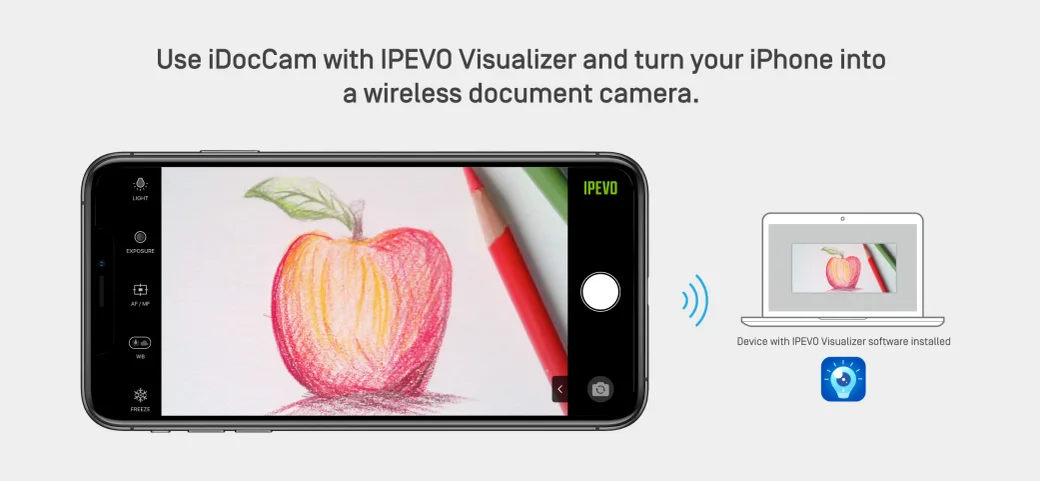
2. Use iDocCam with IPEVO Visualizer software
Install iDocCam on your iPhone. And then, install IPEVO Visualizer software on a computer, tablet, or smart TV*. Connect your iPhone and your device to the same wireless network. Launch iDocCam and Visualizer respectively*.
After that, choose your iPhone as the camera source in Visualizer. You’ll then be able to view the live images of your iPhone’s camera in Visualizer. You can then control and adjust the live images using Visualizer.
And if you connect your device to a projector, the live images will be projected onto a large screen, turning your iPhone into a document camera instantly.
*For more information about IPEVO Visualizer, please visit https://www.ipevo.com/visualizer .
*If you’re using your iPhone in conjunction with Visualizer on an iOS or macOS device, you do not need to connect them to the same wireless network. You can connect them via Bluetooth instead.
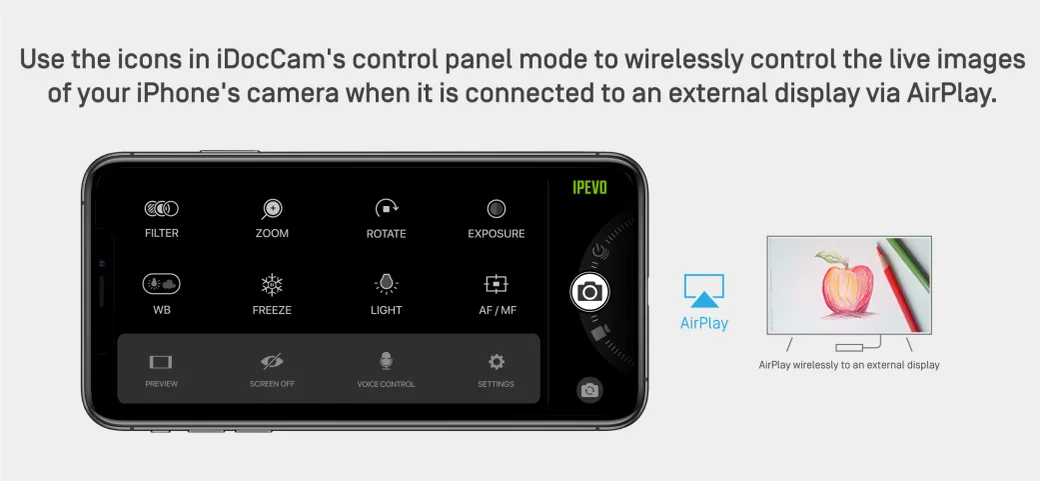
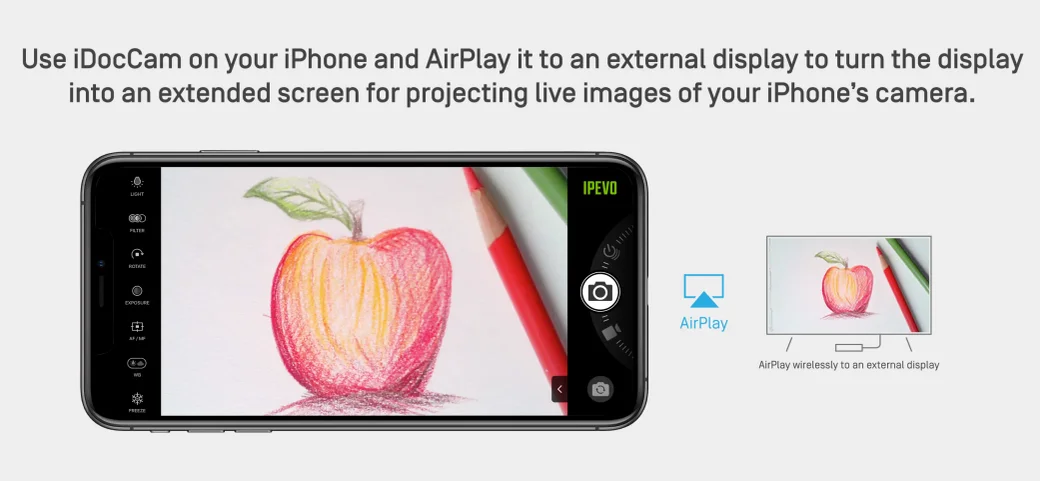
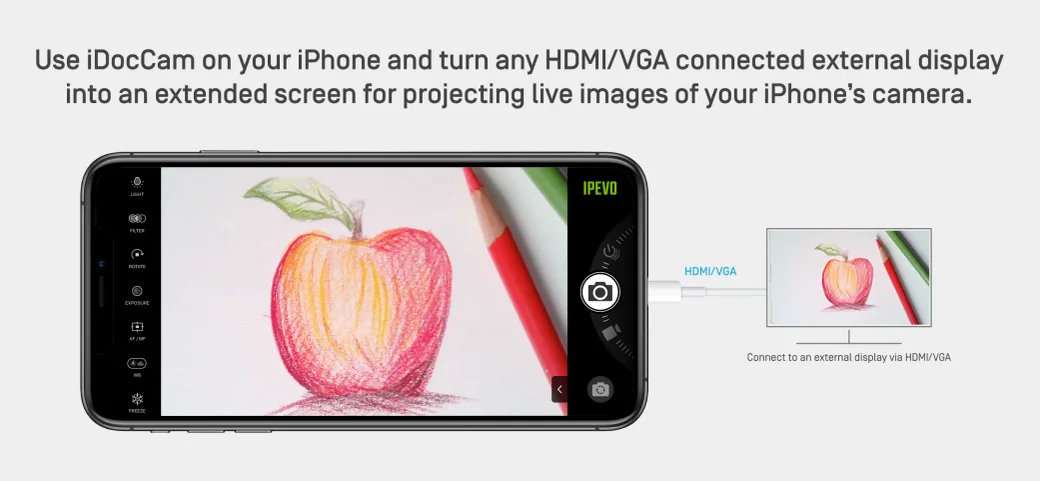
3. Connect iDocCam to an external display via HDMI/VGA, or AirPlay
Launch iDocCam on your iPhone. Then, connect your iPhone to an external display via HDMI/VGA via a Lightning to HDMI/VGA adapter, or AirPlay (using Apple TV). Now you can use the external display as an extended screen to project the live images of your iPhone’s camera.
#Trial Version
Available features:
• Snapshot*
• Wi-Fi connectivity to IPEVO Visualizer and Virtual Camera*
• HDMI, VGA, and Airplay projection*
*Digital watermark applied on output.
#Full Version
Added features:
• No watermark
• High-resolution video and image
• Customizable camera settings
• Image filters
• Video recording
• Timelapse recording
• Power-saving mode
• Voice control
• Full-screen controller
Yang baru
Versi 3.6.5 · 16/5/2025
Fixed minor bugs.
Privasi aplikasi
Yang dinyatakan IPEVO di App Store tentang cara aplikasi ini menangani data.
-
Data yang tidak ditautkan dengan Anda
Dapat dikumpulkan, tetapi tidak ditautkan dengan identitas Anda.
- Pembelian
- Pengenal
Praktik privasi dapat bervariasi, misalnya berdasarkan fitur yang Anda gunakan atau usia Anda.
Informasi
- Penjual
- IPEVO
- Kategori
- Produktivitas
- Versi
- 3.6.5
- Diperbarui
- 16/5/2025
- Dirilis
- 8/12/2019
- Ukuran
- 20,9 MB
- Memerlukan
- iOS 12.0 atau yang lebih baru
- Batasan usia
- 4+
- Harga
- Gratis
- Pembelian dalam aplikasi
- Ya
- Bahasa
- Inggris, Belanda, Suomi (Finlandia), Prancis, Jerman, Italia, Jepang, Korea, Rusia, Tionghoa Sederhana, Spanyol, Tionghoa Tradisional
- Hak cipta
- © 2025 IPEVO Corp.
Mungkin Anda juga suka
-
 Extron ControlProduktivitas
-
 Swivl CaptureProduktivitas
-
 Ditto ConnectProduktivitas
-
 Q-SYS UCI ViewerProduktivitas
-
 Ekahau SurveyProduktivitas
-
 ISTELive 26 and ASCD Annual 26Produktivitas
-
 vCastSenderProduktivitas
-
 Scribble Together whiteboardProduktivitas
-
 Ekahau AnalyzerProduktivitas
-
 Seeing AIProduktivitas