- Age rating4+
- CategoryPhoto & Video
- Developersangkoo Kang
- LanguagesEnglish
- Size2.0 MB
Links to the official App Store page
Download.org hosts no file of OLiveCam. The button opens its official App Store page, published by sangkoo Kang. Listing last checked on Nov 18, 2026.
Screenshots


About
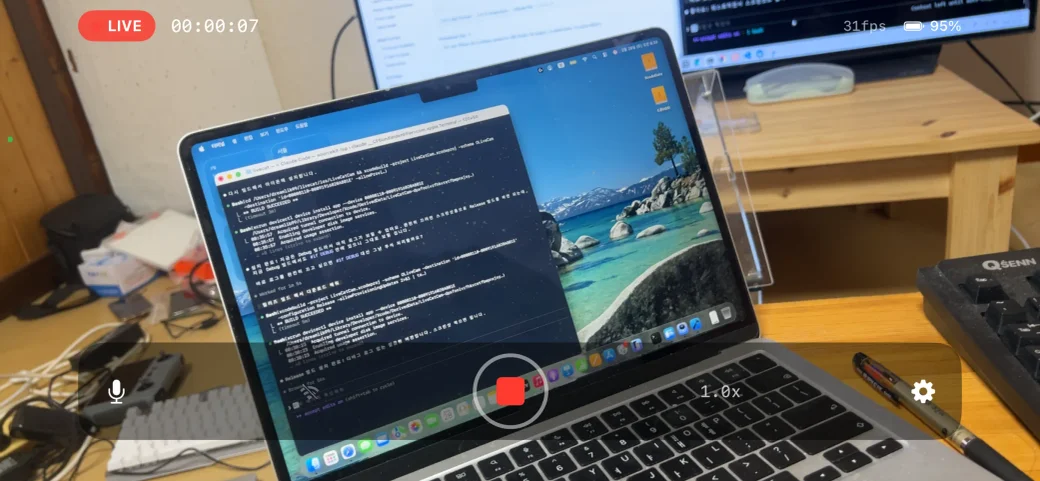
Turn your phone into a professional wireless camera for OBS Studio.
OLiveCam streams crystal-clear H.264 video to OBS — no cables, no extra plugins, no watermarks. Choose SRT for
reliable quality or UDP for ultra-low latency.
SIMPLE SETUP
1. Open OBS → Add Media Source → srt://0.0.0.0:9000?mode=listener
2. Tap Auto Discover or enter your PC's IP
3. Tap Start — you're live
KEY FEATURES
• SRT protocol — reliable, crystal-clear streaming (~200ms)
• UDP protocol — ultra-low latency for local Wi-Fi
• Auto Discover — finds OBS on your network automatically
• Real-time OBS monitor — WiFi icon shows live connection status
• 1080p / 720p H.264 hardware encoding
• Audio streaming support
• Works with OBS Studio on Windows, Mac, and Linux
• No OBS plugins required — standard SRT/UDP MPEG-TS
• Pinch to zoom
• Auto-reconnect on connection drops
• Battery and thermal monitoring
• Landscape optimized for streaming
• In-app setup guide for OBS, networking, and troubleshooting
PERFECT FOR
• Live streamers who need a wireless camera
• YouTube / Twitch broadcasters
• Pet cams and home monitoring
• Content creators
• Multi-camera OBS setups
• Remote streaming via VPN (Tailscale supported)
NETWORK SUPPORT
• Same Wi-Fi — just enter IP and go
• Different networks — port forwarding guide included
• Cellular (LTE/5G) — works with Tailscale VPN
• Hotspot — connect PC to phone hotspot
PRIVACY FIRST
• Local network only — no cloud, no data collection
• No account required
• No ads, no tracking
What’s new
Version 1.1.1 · Mar 15, 2026
• OBS Live Monitor — WiFi icon shows real-time OBS connection status
• Smart Start — Verifies OBS is running before streaming begins
• Auto Discover — Now finds OBS on your local network automatically
• UI Restore — Long-press to hide controls, tap to restore
• Quick Start Guide — Easy OBS setup instructions included
• Bug fixes and stability improvements
App privacy
What sangkoo Kang declares on the App Store about how this app handles data.
-
Data not collected
The developer does not collect any data from this app.
Privacy practices may vary, for example with the features you use or your age.
Information
- Seller
- sangkoo Kang
- Category
- Photo & Video
- Version
- 1.1.1
- Updated
- Mar 15, 2026
- Released
- Mar 12, 2026
- Size
- 2.0 MB
- Requires
- iOS 17.0 or later
- Age rating
- 4+
- Price
- Free
- Languages
- English
- Copyright
- © 2026 Sangkoo Kang
You might also like
-
 OBS Phone CamWireless camera for OBS
-
 ReCam: Use Phone as WebcamWireless or USB, 4K for Calls
-
 MCR Box Camera – Live EncoderPhone camera for MCR Box
-
 Ujjina Live EncoderPhoto & Video
-
 MyReelsPhoto & Video
-
 PhoneCam Pro: Webcam for PCYour camera as a PC webcam
-
 Wireless Webcam - SplonkCamFacecam, Stream & OBS
-
 SuperCam StudioPro Webcam for Streaming & OBS
-
 CamFlowLiteWireless NDI® Phone camera
-
 SwitchEffect CameraLive Video & Screen Sharing