- Batasan usia4+
- KategoriFoto & Video
- Pengembangsangkoo Kang
- BahasaInggris
- Ukuran2,0 MB
Tertaut ke halaman resmi App Store
Download.org tidak menyimpan file OLiveCam apa pun. Tombol ini membuka halaman aplikasi di App Store, tempat sangkoo Kang menerbitkannya. Halaman terakhir diperiksa pada 18/11/2026.
Tangkapan layar

Tentang
Pengembang belum menyediakan teks ini dalam bahasa Anda.
Turn your phone into a professional wireless camera for OBS Studio.
OLiveCam streams crystal-clear H.264 video to OBS — no cables, no extra plugins, no watermarks. Choose SRT for
reliable quality or UDP for ultra-low latency.
SIMPLE SETUP
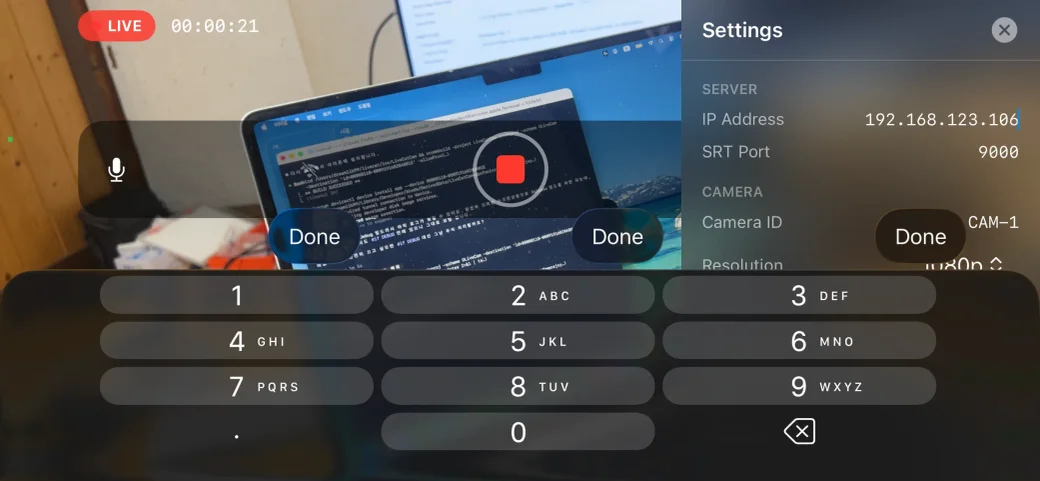
1. Open OBS → Add Media Source → srt://0.0.0.0:9000?mode=listener
2. Tap Auto Discover or enter your PC's IP
3. Tap Start — you're live
KEY FEATURES
• SRT protocol — reliable, crystal-clear streaming (~200ms)
• UDP protocol — ultra-low latency for local Wi-Fi
• Auto Discover — finds OBS on your network automatically
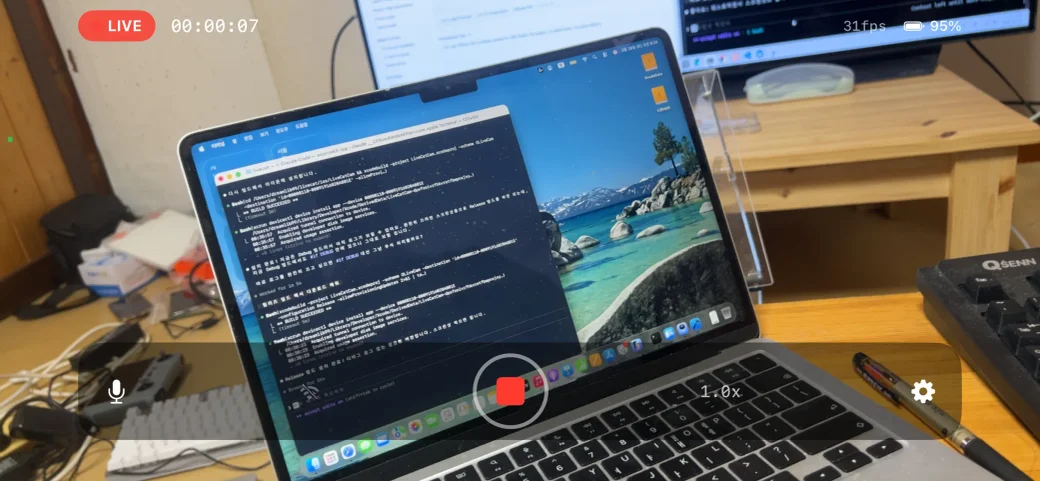
• Real-time OBS monitor — WiFi icon shows live connection status
• 1080p / 720p H.264 hardware encoding
• Audio streaming support
• Works with OBS Studio on Windows, Mac, and Linux
• No OBS plugins required — standard SRT/UDP MPEG-TS
• Pinch to zoom
• Auto-reconnect on connection drops
• Battery and thermal monitoring
• Landscape optimized for streaming
• In-app setup guide for OBS, networking, and troubleshooting
PERFECT FOR
• Live streamers who need a wireless camera
• YouTube / Twitch broadcasters
• Pet cams and home monitoring
• Content creators
• Multi-camera OBS setups
• Remote streaming via VPN (Tailscale supported)
NETWORK SUPPORT
• Same Wi-Fi — just enter IP and go
• Different networks — port forwarding guide included
• Cellular (LTE/5G) — works with Tailscale VPN
• Hotspot — connect PC to phone hotspot
PRIVACY FIRST
• Local network only — no cloud, no data collection
• No account required
• No ads, no tracking
Yang baru
Versi 1.1.1 · 15/3/2026
• OBS Live Monitor — WiFi icon shows real-time OBS connection status
• Smart Start — Verifies OBS is running before streaming begins
• Auto Discover — Now finds OBS on your local network automatically
• UI Restore — Long-press to hide controls, tap to restore
• Quick Start Guide — Easy OBS setup instructions included
• Bug fixes and stability improvements
Privasi aplikasi
Yang dinyatakan sangkoo Kang di App Store tentang cara aplikasi ini menangani data.
-
Data tidak dikumpulkan
Pengembang tidak mengumpulkan data apa pun dari aplikasi ini.
Praktik privasi dapat bervariasi, misalnya berdasarkan fitur yang Anda gunakan atau usia Anda.
Informasi
- Penjual
- sangkoo Kang
- Kategori
- Foto & Video
- Versi
- 1.1.1
- Diperbarui
- 15/3/2026
- Dirilis
- 12/3/2026
- Ukuran
- 2,0 MB
- Memerlukan
- iOS 17.0 atau yang lebih baru
- Batasan usia
- 4+
- Harga
- Gratis
- Bahasa
- Inggris
- Hak cipta
- © 2026 Sangkoo Kang
Mungkin Anda juga suka
-
 OBS Phone CamFoto & Video
-
 ReCam: Use Phone as WebcamFoto & Video
-
 MCR Box Camera – Live EncoderFoto & Video
-
 Ujjina Live EncoderFoto & Video
-
 MyReelsFoto & Video
-
 PhoneCam Pro: Webcam for PCFoto & Video
-
 Wireless Webcam - SplonkCamFoto & Video
-
 SuperCam StudioFoto & Video
-
 CamFlowLiteFoto & Video
-
 SwitchEffect CameraFoto & Video