- Độ tuổi4+
- Danh mụcẢnh & Video
- Nhà phát triểnsangkoo Kang
- Ngôn ngữTiếng Anh
- Kích thước2,0 MB
Liên kết đến trang App Store chính thức
Download.org không lưu trữ tệp nào của OLiveCam. Nút này mở trang ứng dụng trên App Store, nơi sangkoo Kang phát hành ứng dụng. Trang được kiểm tra lần cuối: 18/11/2026.
Ảnh chụp màn hình

Giới thiệu
Nhà phát triển chưa cung cấp nội dung này bằng ngôn ngữ của bạn.
Turn your phone into a professional wireless camera for OBS Studio.
OLiveCam streams crystal-clear H.264 video to OBS — no cables, no extra plugins, no watermarks. Choose SRT for
reliable quality or UDP for ultra-low latency.
SIMPLE SETUP
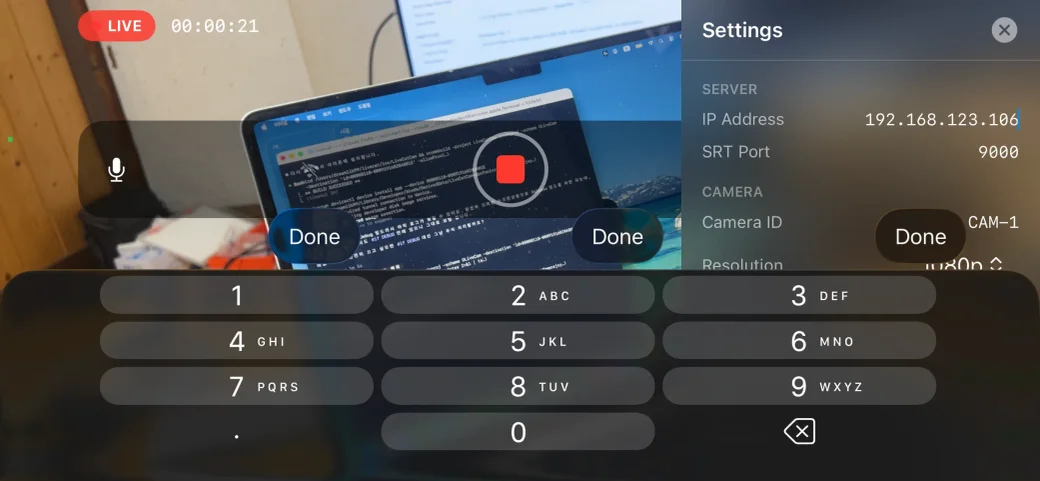
1. Open OBS → Add Media Source → srt://0.0.0.0:9000?mode=listener
2. Tap Auto Discover or enter your PC's IP
3. Tap Start — you're live
KEY FEATURES
• SRT protocol — reliable, crystal-clear streaming (~200ms)
• UDP protocol — ultra-low latency for local Wi-Fi
• Auto Discover — finds OBS on your network automatically
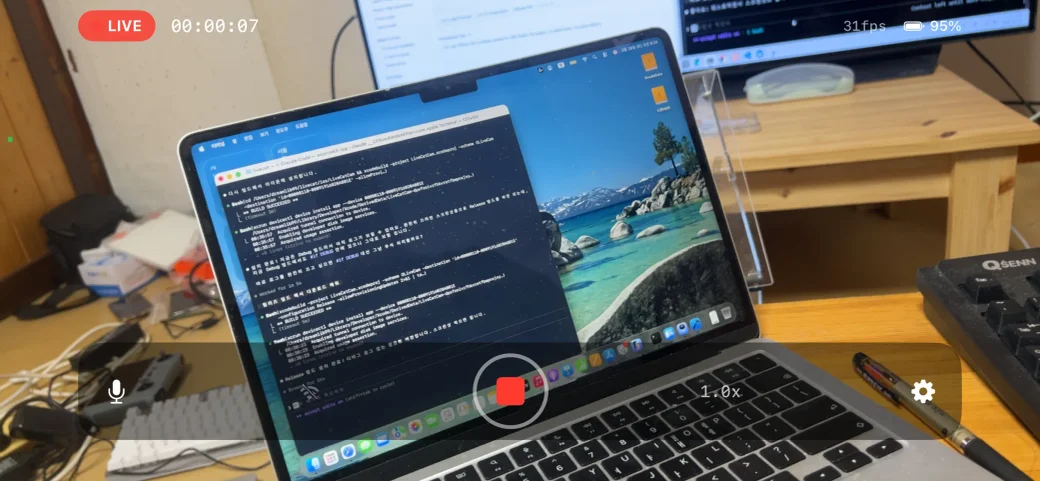
• Real-time OBS monitor — WiFi icon shows live connection status
• 1080p / 720p H.264 hardware encoding
• Audio streaming support
• Works with OBS Studio on Windows, Mac, and Linux
• No OBS plugins required — standard SRT/UDP MPEG-TS
• Pinch to zoom
• Auto-reconnect on connection drops
• Battery and thermal monitoring
• Landscape optimized for streaming
• In-app setup guide for OBS, networking, and troubleshooting
PERFECT FOR
• Live streamers who need a wireless camera
• YouTube / Twitch broadcasters
• Pet cams and home monitoring
• Content creators
• Multi-camera OBS setups
• Remote streaming via VPN (Tailscale supported)
NETWORK SUPPORT
• Same Wi-Fi — just enter IP and go
• Different networks — port forwarding guide included
• Cellular (LTE/5G) — works with Tailscale VPN
• Hotspot — connect PC to phone hotspot
PRIVACY FIRST
• Local network only — no cloud, no data collection
• No account required
• No ads, no tracking
Có gì mới
Phiên bản 1.1.1 · 15/03/2026
• OBS Live Monitor — WiFi icon shows real-time OBS connection status
• Smart Start — Verifies OBS is running before streaming begins
• Auto Discover — Now finds OBS on your local network automatically
• UI Restore — Long-press to hide controls, tap to restore
• Quick Start Guide — Easy OBS setup instructions included
• Bug fixes and stability improvements
Quyền riêng tư của ứng dụng
Những gì sangkoo Kang khai báo trên App Store về cách ứng dụng này xử lý dữ liệu.
-
Dữ liệu không được thu thập
Nhà phát triển không thu thập bất kỳ dữ liệu nào từ ứng dụng này.
Phương thức đảm bảo quyền riêng tư có thể khác nhau, chẳng hạn như tuỳ theo các tính năng bạn sử dụng hoặc độ tuổi của bạn.
Thông tin
- Người bán
- sangkoo Kang
- Danh mục
- Ảnh & Video
- Phiên bản
- 1.1.1
- Cập nhật
- 15/03/2026
- Phát hành
- 12/03/2026
- Kích thước
- 2,0 MB
- Yêu cầu
- iOS 17.0 trở lên
- Độ tuổi
- 4+
- Giá
- Miễn phí
- Ngôn ngữ
- Tiếng Anh
- Bản quyền
- © 2026 Sangkoo Kang
Có thể bạn cũng thích
-
 OBS Phone CamẢnh & Video
-
 ReCam: Use Phone as WebcamẢnh & Video
-
 MCR Box Camera – Live EncoderẢnh & Video
-
 Ujjina Live EncoderẢnh & Video
-
 MyReelsẢnh & Video
-
 PhoneCam Pro: Webcam for PCẢnh & Video
-
 Wireless Webcam - SplonkCamẢnh & Video
-
 SuperCam StudioẢnh & Video
-
 CamFlowLiteẢnh & Video
-
 SwitchEffect CameraẢnh & Video