- 対象年齢4+
- カテゴリ写真/ビデオ
- 開発元sangkoo Kang
- 言語英語
- サイズ2.0 MB
App Storeの公式ページにリンクしています
Download.orgはOLiveCamのファイルを一切ホストしていません。ボタンを押すと、sangkoo Kangが公開しているApp Storeのアプリページが開きます。ページの最終確認:2026/11/18。
スクリーンショット

概要
開発元はこのテキストをお使いの言語で提供していません。
Turn your phone into a professional wireless camera for OBS Studio.
OLiveCam streams crystal-clear H.264 video to OBS — no cables, no extra plugins, no watermarks. Choose SRT for
reliable quality or UDP for ultra-low latency.
SIMPLE SETUP
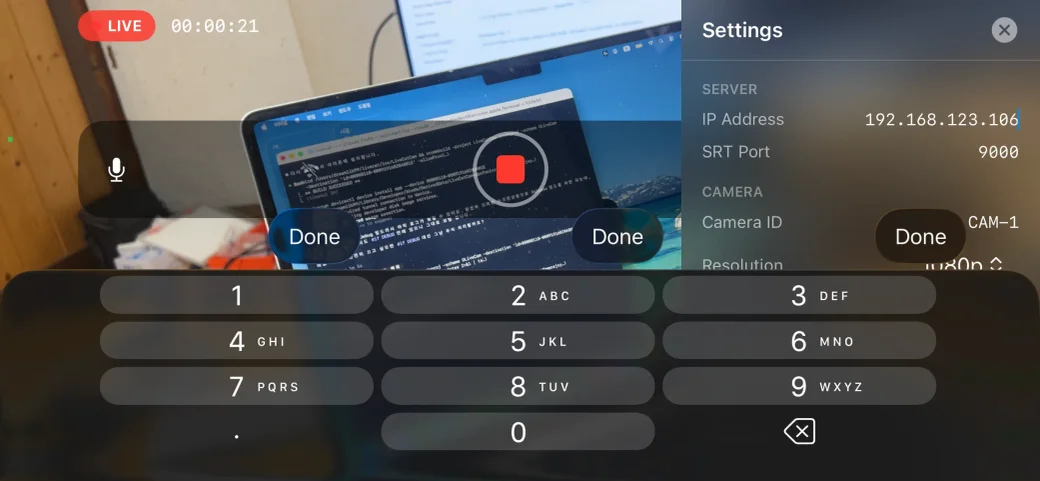
1. Open OBS → Add Media Source → srt://0.0.0.0:9000?mode=listener
2. Tap Auto Discover or enter your PC's IP
3. Tap Start — you're live
KEY FEATURES
• SRT protocol — reliable, crystal-clear streaming (~200ms)
• UDP protocol — ultra-low latency for local Wi-Fi
• Auto Discover — finds OBS on your network automatically
• Real-time OBS monitor — WiFi icon shows live connection status
• 1080p / 720p H.264 hardware encoding
• Audio streaming support
• Works with OBS Studio on Windows, Mac, and Linux
• No OBS plugins required — standard SRT/UDP MPEG-TS
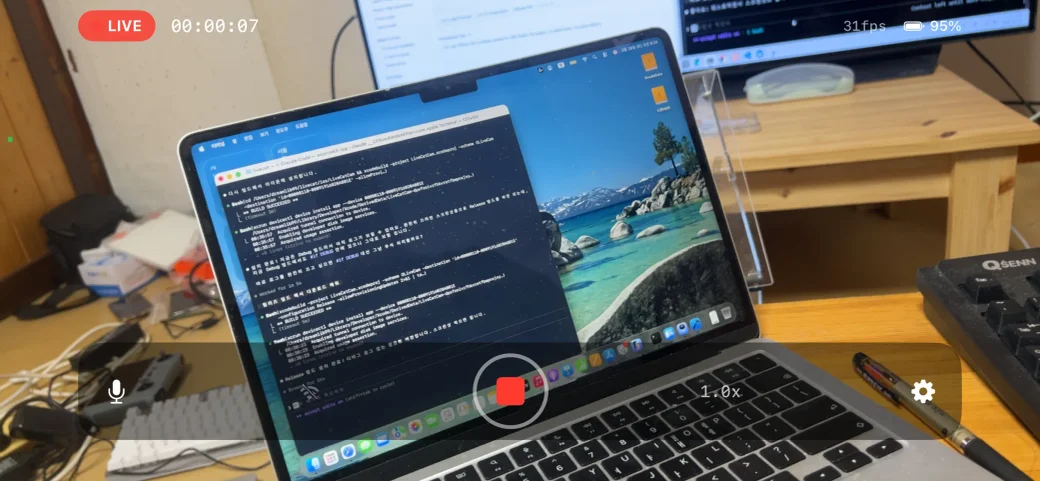
• Pinch to zoom
• Auto-reconnect on connection drops
• Battery and thermal monitoring
• Landscape optimized for streaming
• In-app setup guide for OBS, networking, and troubleshooting
PERFECT FOR
• Live streamers who need a wireless camera
• YouTube / Twitch broadcasters
• Pet cams and home monitoring
• Content creators
• Multi-camera OBS setups
• Remote streaming via VPN (Tailscale supported)
NETWORK SUPPORT
• Same Wi-Fi — just enter IP and go
• Different networks — port forwarding guide included
• Cellular (LTE/5G) — works with Tailscale VPN
• Hotspot — connect PC to phone hotspot
PRIVACY FIRST
• Local network only — no cloud, no data collection
• No account required
• No ads, no tracking
新機能
バージョン 1.1.1 · 2026/3/15
• OBS Live Monitor — WiFi icon shows real-time OBS connection status
• Smart Start — Verifies OBS is running before streaming begins
• Auto Discover — Now finds OBS on your local network automatically
• UI Restore — Long-press to hide controls, tap to restore
• Quick Start Guide — Easy OBS setup instructions included
• Bug fixes and stability improvements
アプリのプライバシー
このアプリのデータの取り扱いについて、sangkoo KangがApp Storeで申告している内容です。
-
データの収集なし
開発元はこのアプリからデータを収集しません。
プライバシーの取り扱いは、ご利用の機能やお客様の年齢などに応じて異なる場合があります。
情報
- 販売元
- sangkoo Kang
- カテゴリ
- 写真/ビデオ
- バージョン
- 1.1.1
- 更新日
- 2026/3/15
- リリース
- 2026/3/12
- サイズ
- 2.0 MB
- 必要条件
- iOS 17.0以降
- 対象年齢
- 4+
- 価格
- 無料
- 言語
- 英語
- 著作権
- © 2026 Sangkoo Kang