Big Face Clock
Flip Clock, Desk & Bedside
Designed for iPhone, iPad, iPod touch
Free
- Age rating4+
- CategoryUtilities
- Developer克 王
- LanguagesEnglish+ 2 more
- Size27.8 MB
Links to the official App Store page
Download.org hosts no file of Big Face Clock. The button opens its official App Store page, published by 克 王. Listing last checked on Nov 23, 2026.
Screenshots

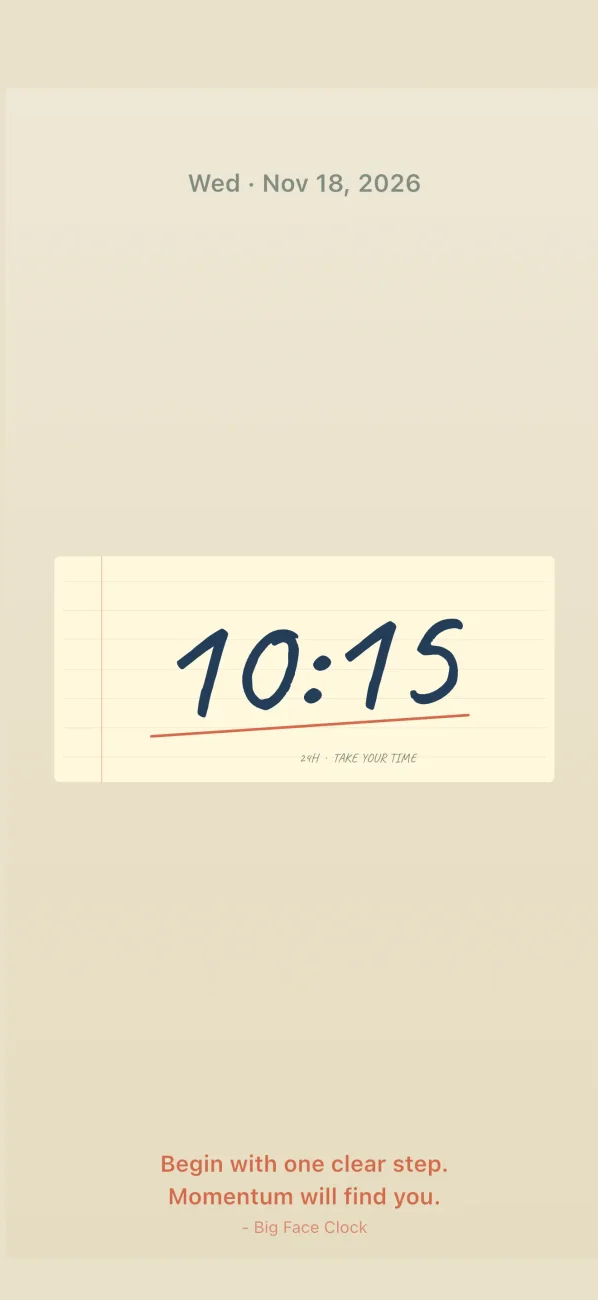
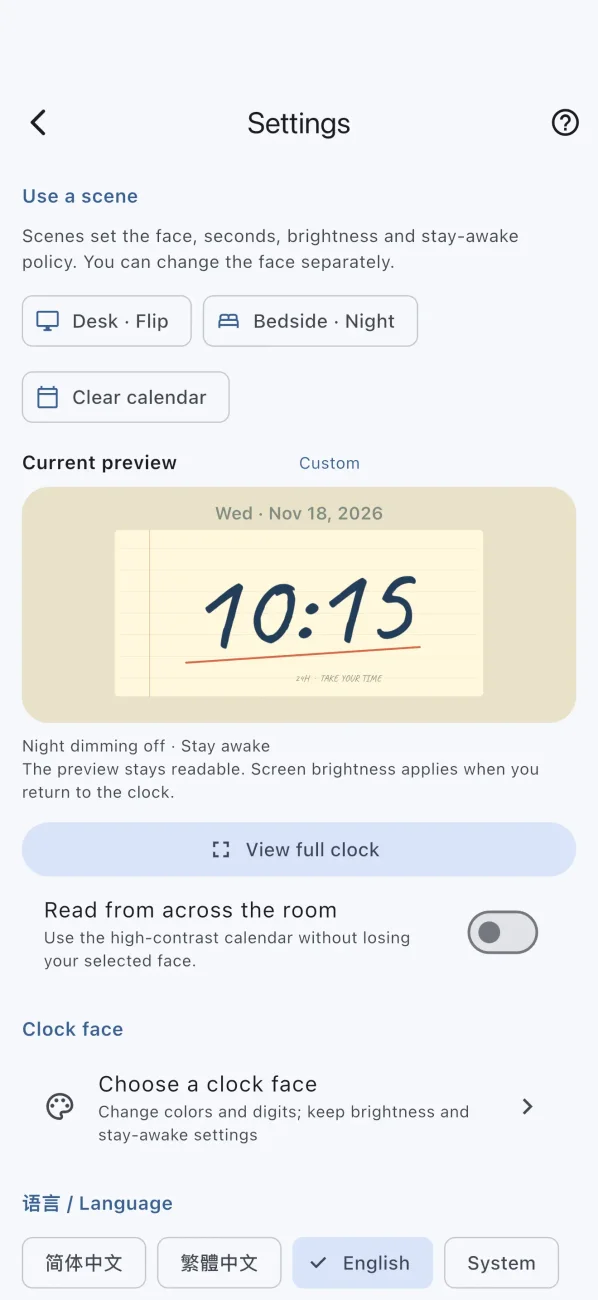
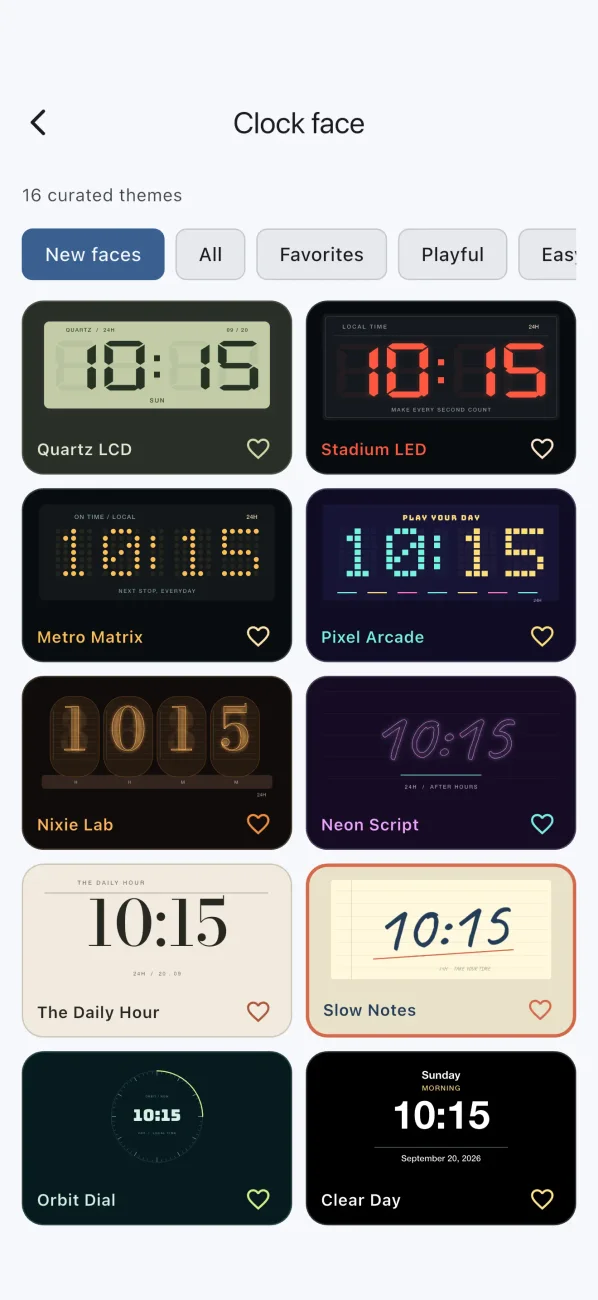
About
Big Face turns your iPhone or iPad into a clear, full-screen clock for your desk, bedside or spare device.
A CLOCK FOR YOUR SPACE
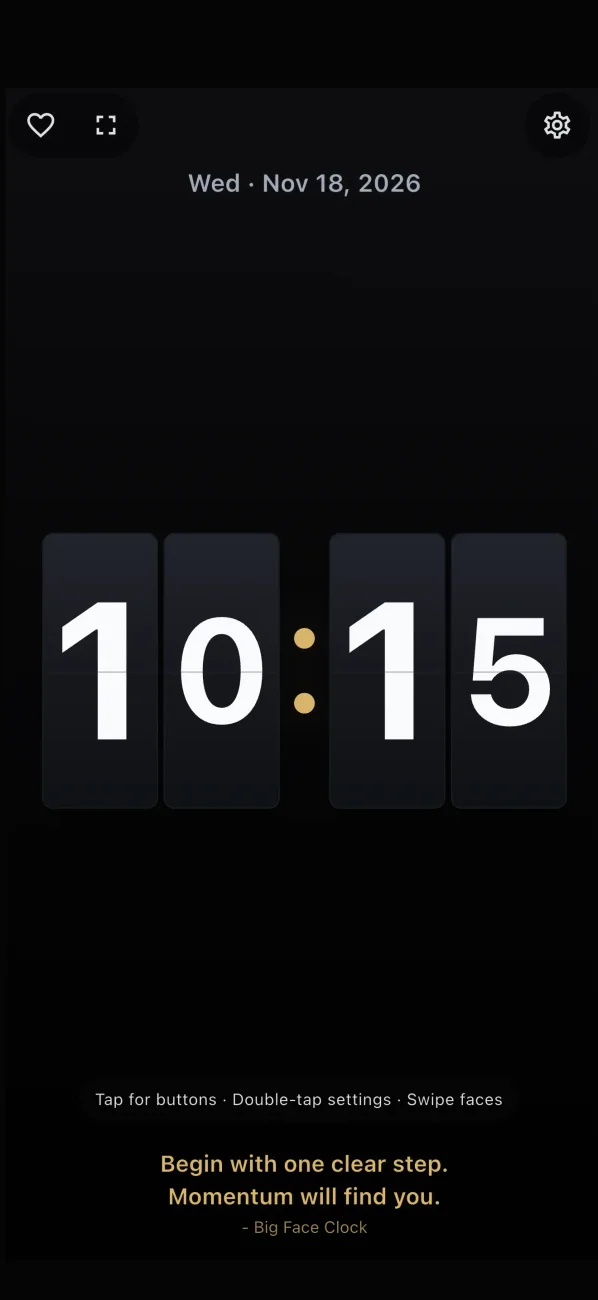
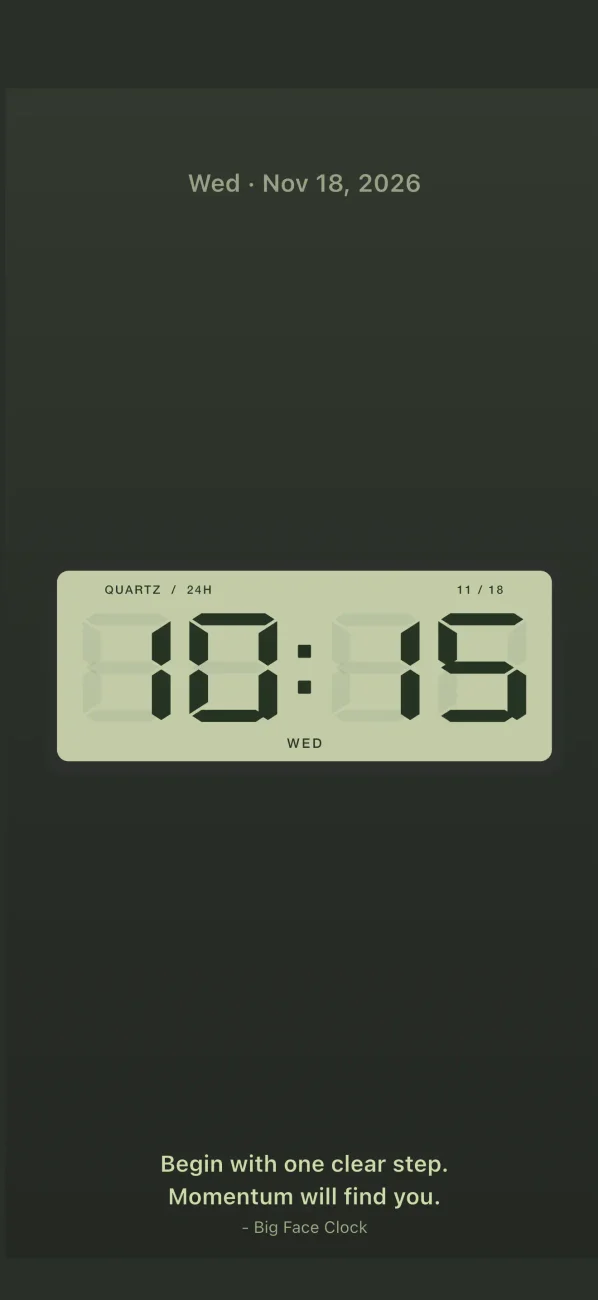
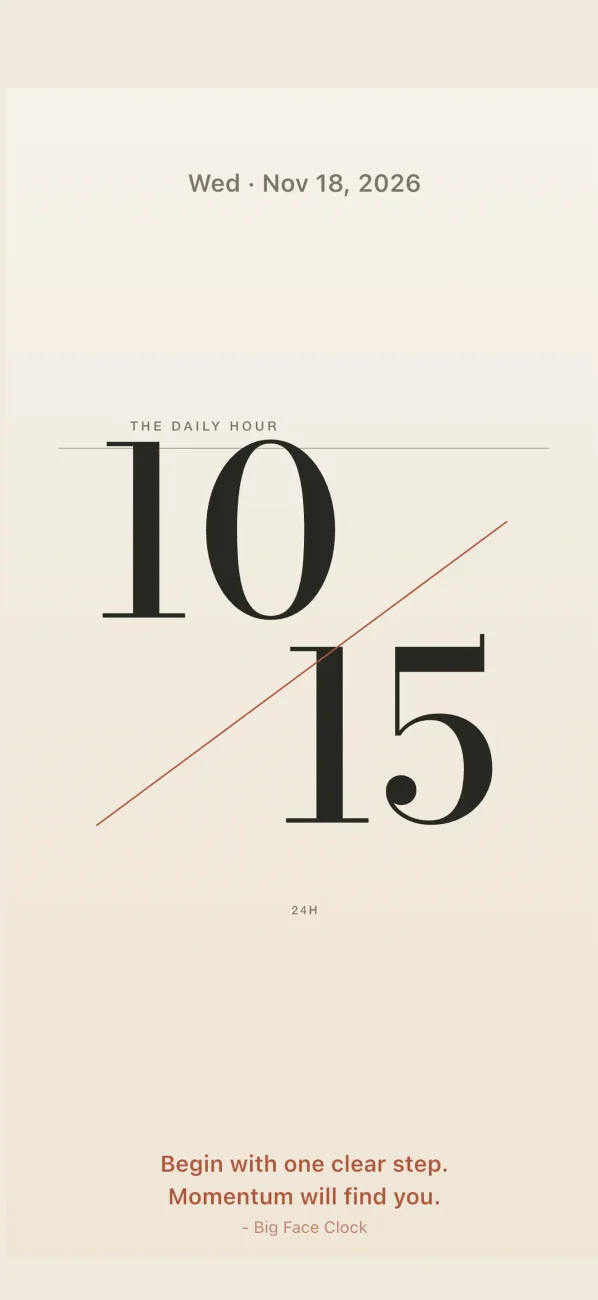
Choose from 16 themes, including flip cards, quartz-style LCD, dot matrix, neon, editorial, handwritten and a high-contrast calendar. Save your favorites and swipe between faces.
SEE THE DETAILS YOU WANT
Use 12- or 24-hour time, show or hide seconds, and choose a clean clock-only display. View the date and weekday, with a lunar calendar available in Chinese. Read built-in words or add your own quotes locally.
SET UP YOUR DESK OR BEDSIDE
Apply Desk, Bedside or Clear Calendar in one tap. Set night-dimming hours and brightness, or temporarily brighten the display with a tap. The readable mode brings up a high-contrast calendar while preserving your chosen theme.
DISPLAY AND POWER OPTIONS
Choose charging-only keep-awake, low-battery protection and optional pixel shifting for longer foreground sessions. Add flip, LCD or clear clock widgets to your Home Screen on iOS 17 or later; the clear face also supports a Lock Screen widget. Widget updates are managed by iOS and do not display seconds.
No account and no ads. Your settings and custom quotes stay on your device. Optional automatic network time synchronization can be switched off in Settings. When disabled, the app uses device time and sends no NTP time-sync requests. The clock also works offline.
Full-screen keep-awake works only while the app is open in the foreground. It does not replace the system Lock Screen or StandBy. Pixel shifting does not guarantee protection against screen burn-in.
What’s new
Version 0.2.1 · Nov 19, 2026
Improved alignment of the date, battery indicator and settings button. Quick scenes now apply immediately, with clearer explanations of how scenes and clock styles work together. Refined the settings preview, colors and display controls.
App privacy
What 克 王 declares on the App Store about how this app handles data.
-
Data not collected
The developer does not collect any data from this app.
Privacy practices may vary, for example with the features you use or your age.
Information
- Seller
- 克 王
- Category
- Utilities
- Version
- 0.2.1
- Updated
- Nov 19, 2026
- Released
- Oct 28, 2026
- Size
- 27.8 MB
- Requires
- iOS 15.0 or later
- Age rating
- 4+
- Price
- Free
- Languages
- English, Simplified Chinese, Traditional Chinese
- Copyright
- © Kevin
You might also like
-
 Adhoro: Your Flexible TimerFor work, exercise and more
-
 Binary Clock by Logical LabsUtilities
-
 QuietClockElegant. Configurable.
-
 KolkmannenControl your Klokman clock
-
 Flip Clock: Bedside ClockNight, desk & digital clock
-
 CatClock MonoMinimalist B&W Desk Clock
-
 StyleClock: Focus TimerBeautiful Clocks & Widgets
-
 Custom Clock WidgetDesign your own clock widgets
-
 SleepyLight: Night LightAmbient Light & Flashlight
-
 Strange Clocks15 unusual clocks, decoded