LensLink Camera
Phone camera for OBS Studio
Designed for iPhone, iPad, iPod touch
Free
- Age rating4+
- CategoryPhoto & Video
- DeveloperEric Murray
- LanguagesEnglish+ 6 more
- Size8.0 MB
Links to the official App Store page
Download.org hosts no file of LensLink Camera. The button opens its official App Store page, published by Eric Murray. Listing last checked on Nov 13, 2026.
Screenshots

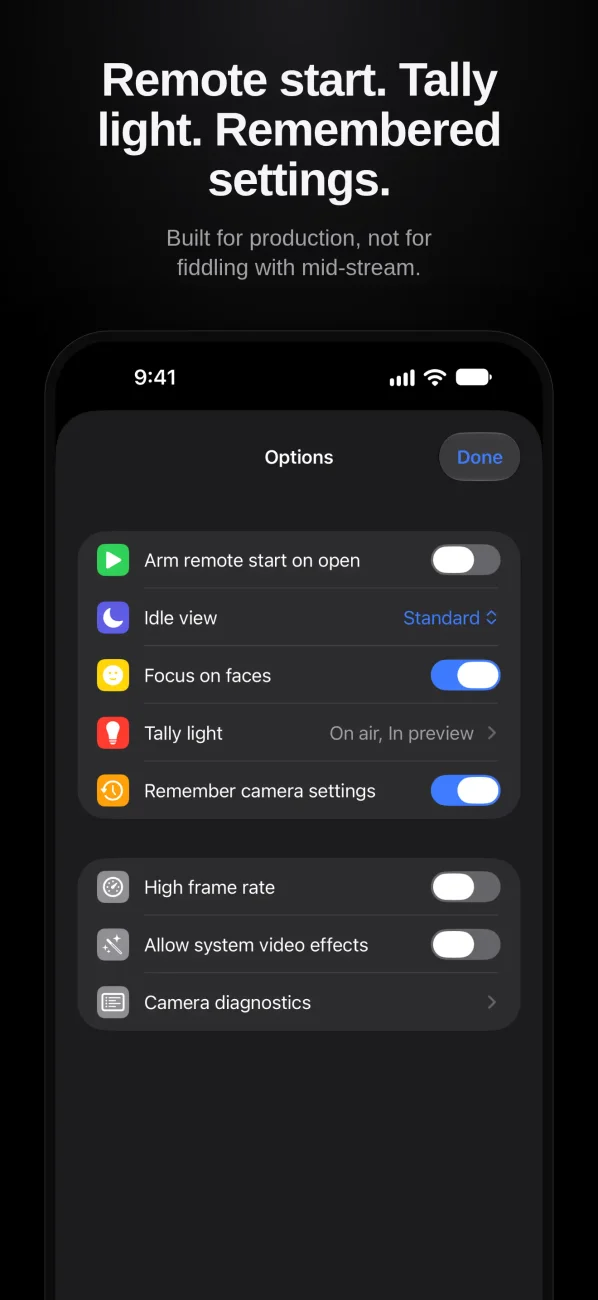
About
LensLink Camera turns your iPhone or iPad into a camera for OBS Studio. Mount the phone, open the app, and it appears in OBS as a video source over Wi-Fi or a USB cable — with the picture quality the phone's camera is actually capable of.
Picture first
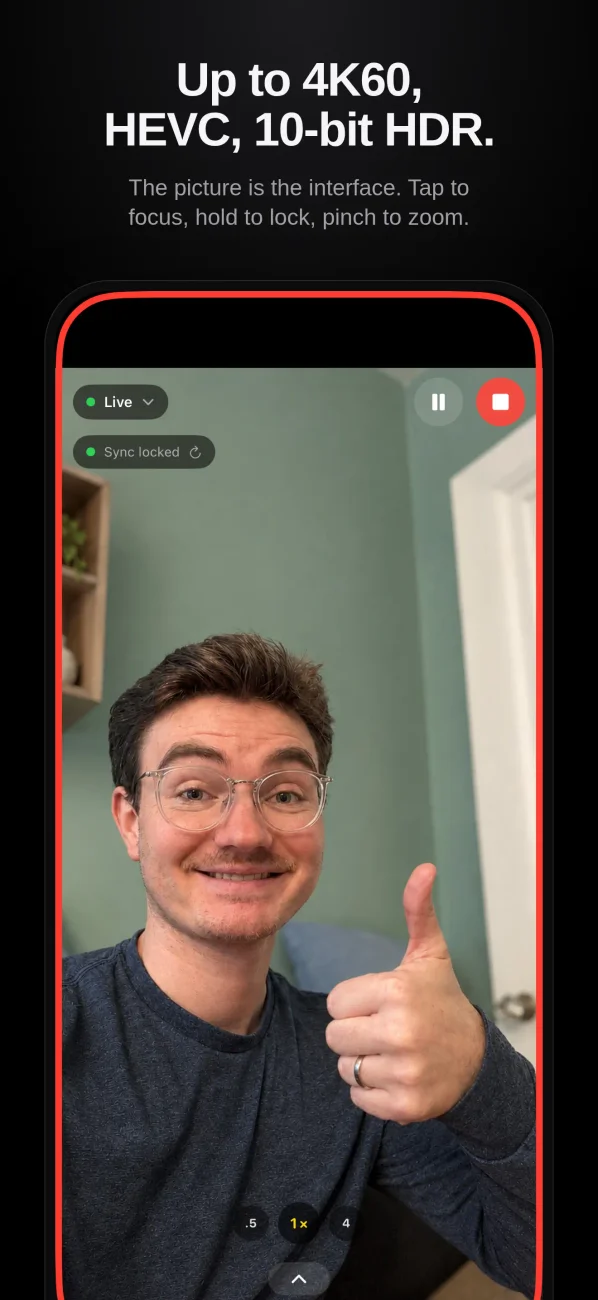
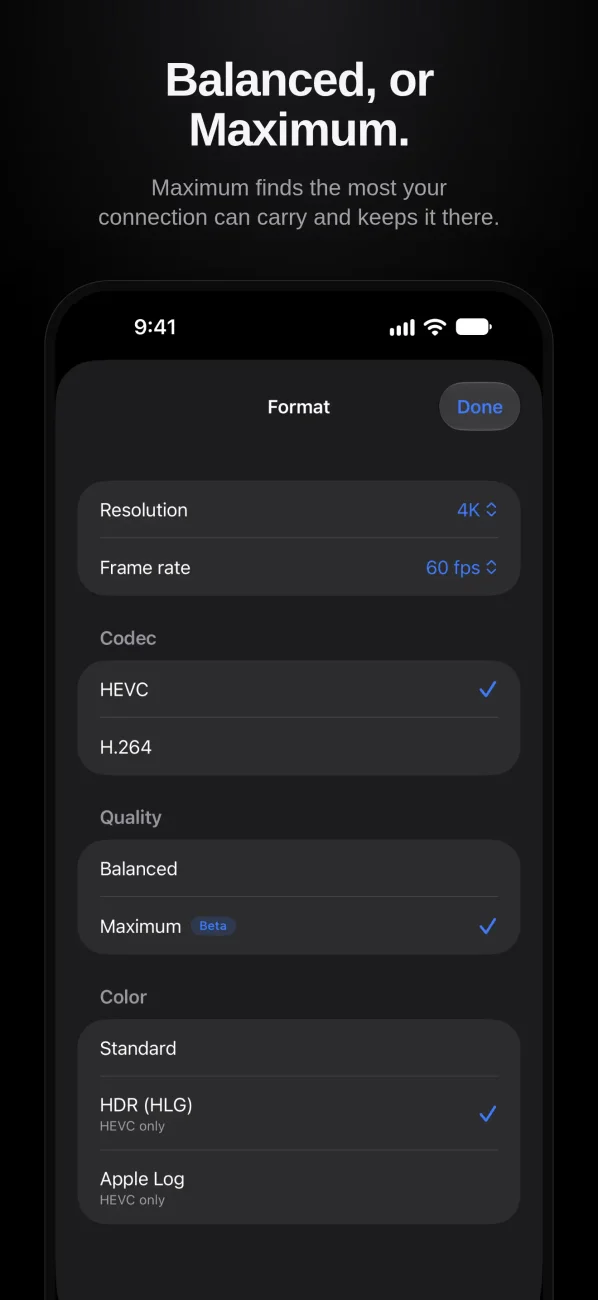
Up to 4K at 60 fps, HEVC or H.264, with 120 and 240 fps available where the camera has them
10-bit HDR (HLG) and Apple Log on supported devices
Balanced or Maximum quality: Maximum finds the most your connection can carry
Every lens, with the Camera app's lens buttons
Controls that stay out of the way
Tap to focus, hold to lock focus and exposure, drag for brightness, pinch to zoom
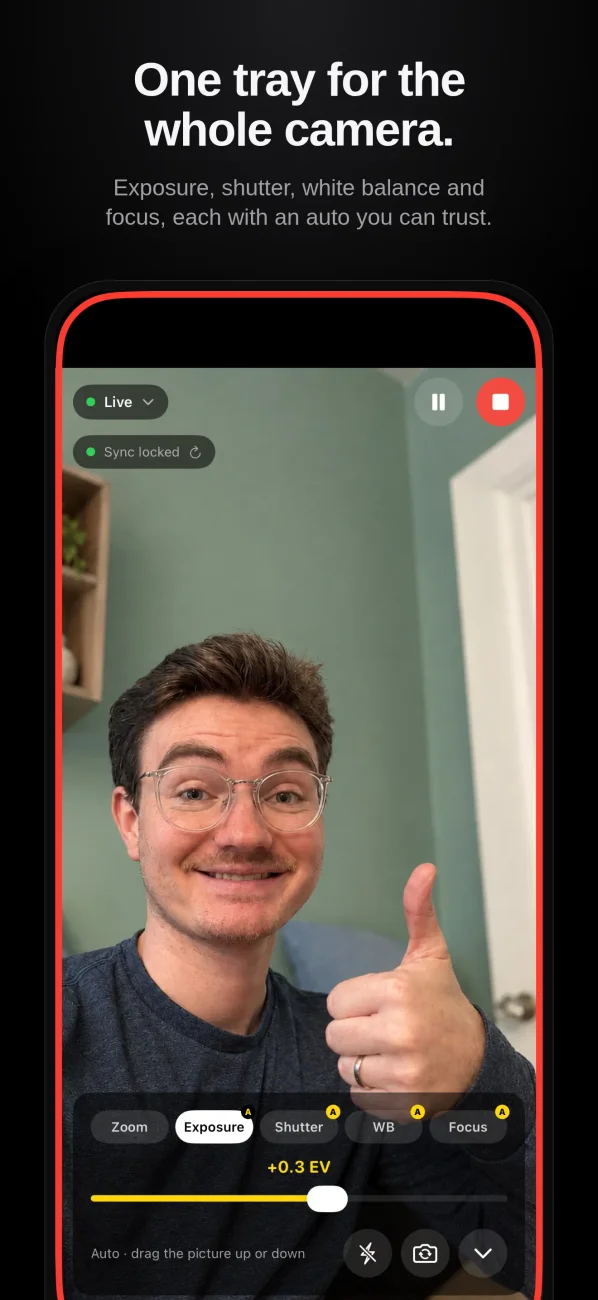
One tray for exposure, shutter, white balance and focus, with faces-first autofocus
The same controls in a browser panel on your computer, and in OBS itself
Remember camera settings: a shot dialed in once stays dialed-in
Built for production
Remote start: OBS starts the camera while the app sits idle
Tally light: a colored border says when you're on air
Pause with a held picture instead of a frozen frame
Keeps streaming beside other apps on iPads that support it
Automatic lip-sync: the plugin measures latency and aligns your real microphone
Virtual green screen, right on the phone
Mirror your whole screen with app audio
Siri and Shortcuts
Private by design
Nothing is recorded on the phone, and nothing leaves your local network. No account, no sign-in, no analytics.
Requires OBS Studio and the free, open-source LensLink plugin for Mac, Windows or Linux: https://lenslink.cam
What’s new
Version 1.17.1 · Oct 4, 2026
More control over focus, exposure and white balance, and tidier controls on the Live screen.
• Calibrate white balance on white paper: tap the eyedropper on the WB chip, then tap the paper in the picture. It also corrects the green or magenta cast of LED and fluorescent lights.
• On iPhones with a 48 MP Main camera, a 2× lens button uses the sensor's full detail.
• Hold the picture to pin focus and exposure to that spot of the frame: wherever you point the phone, they keep adjusting for what is there, until a tap on the picture releases them.
• A Lock button in the tray locks the selected setting at what auto is doing right now. Hold it to lock or unlock everything.
• Natural motion blur, on by default: auto exposure keeps the shutter at half the frame time or faster (1/60 at 30 fps), raising ISO in dim light instead of smearing motion. Turn it off in Options or with the Shutter chip's button.
• The tray's chips are Focus, WB, EV, ISO and Shutter, and the EV, ISO and Shutter dials click between stops.
• Zoom moves to the lens row: tap the yellow lens button for a zoom dial, and tap it again to reset the zoom.
• Green screen has its own button next to the lens buttons. Hold it to turn green screen on or off; where depth assist runs, a tap opens the Subject dial.
• The Subject distance now starts on Auto, which keeps the cutoff just behind you.
• Green screen shows where depth assist works: the Green screen row and the Format menus mark it with Depth, and the Subject button turns to dots while it runs. Zoom steps aside then, since the camera can't zoom with depth.
• Options are grouped under Camera, Live screen, Remote start and Advanced, and the computer card now reads simply OBS connected, Ready or Armed.
• Update the OBS plugin to 1.17.1 too: its browser control panel gains white balance calibration, Natural motion blur and the Auto subject distance.
App privacy
What Eric Murray declares on the App Store about how this app handles data.
-
Data not collected
The developer does not collect any data from this app.
Privacy practices may vary, for example with the features you use or your age.
Information
- Seller
- Eric Murray
- Category
- Photo & Video
- Version
- 1.17.1
- Updated
- Oct 4, 2026
- Released
- Sep 25, 2026
- Size
- 8.0 MB
- Requires
- iOS 15.0 or later
- Age rating
- 4+
- Price
- Free
- Languages
- English, French, German, Japanese, Portuguese, Simplified Chinese, Spanish
- Copyright
- © 2026 Eric Murray
You might also like
-
 LensLink: Phone Webcam for OBSNo-plugin Wi-Fi & USB camera
-
 TetherCamiPhone instead of a webcam
-
 OBS 4KVirtual Camera & 4K Viewer
-
 Camly — Phone WebcamUse your phone as a PC webcam
-
 CamFlowLiteWireless NDI® Phone camera
-
 Stream to StudioEasy way for stream to Studio
-
 TapCam: Wireless PC WebcamWireless or USB PC webcam
-
 Live Publisher: RTMP SRT NDIStream Camera & Video Encoder
-
 CastreamGo Live Everywhere in Seconds
-
 Stream Studio NDI OBS CameraYour IPhone as pro cam