PDF Editor - Edit Everything!
Convert, Sign, Merge, Compress
Designed for iPhone, iPad, iPod touch
Free · In-app purchases
- Age rating4+
- CategoryBusiness
- DeveloperDesygner Pty Ltd
- LanguagesEnglish+ 46 more
- Size373.6 MB
Links to the official App Store page
Download.org hosts no file of PDF Editor - Edit Everything!. The button opens its official App Store page, published by Desygner Pty Ltd. Listing last checked on Nov 23, 2026.
Screenshots


About
Edit a PDF and get back the file you expected.
Many PDF editors move your fonts, your spacing and your layout. PDF Editor is built to keep them where they are. Open a PDF, change the text, the images and the pages, export it, and the document still looks like the original. If a file ever does not come out right, message us from inside the app: we reply within one business day and fix import, editing and font problems as a priority, keeping you posted until it is done.
Built in Australia. Your documents stay yours.
What you can do
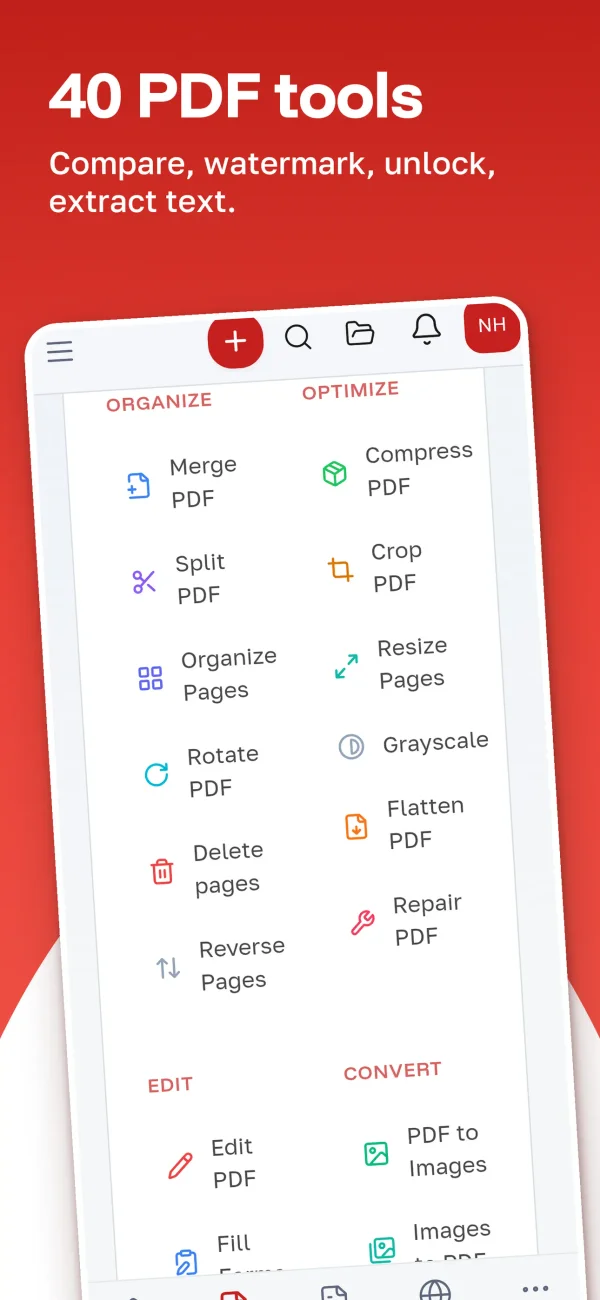
• Edit PDF text: change words, font, size and color directly on the page.
• Edit PDF images: replace, crop, resize or delete any image.
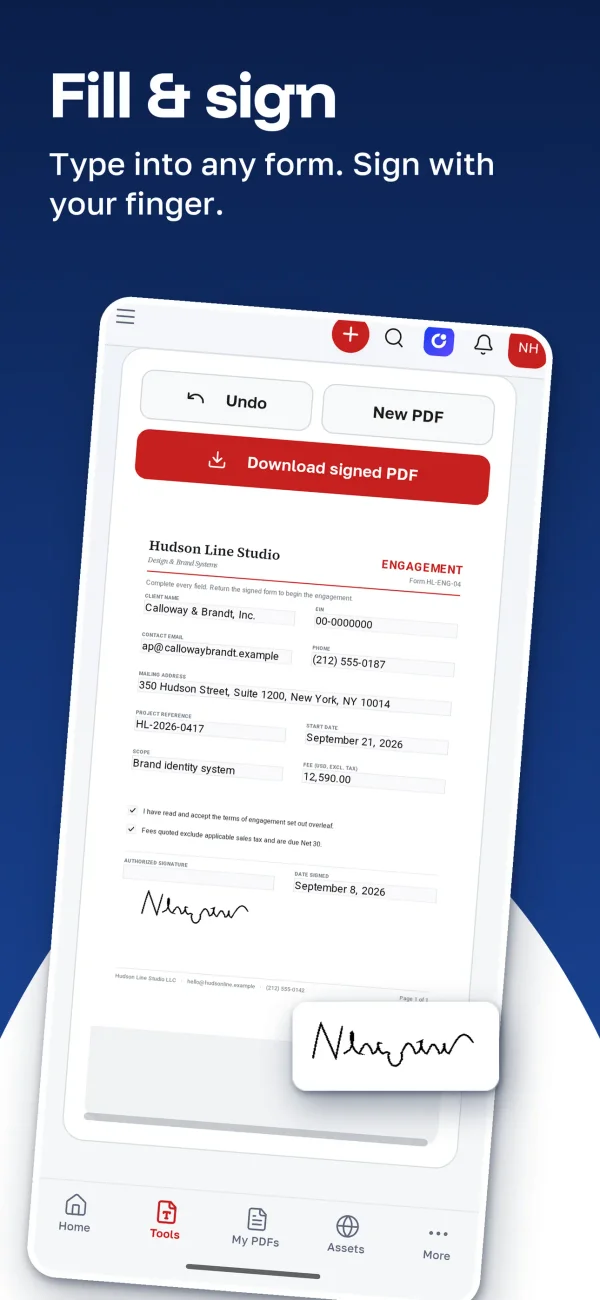
• Sign PDF: draw or type your signature once and place it on any document.
• Fill PDF forms: complete a form, save it and send it.
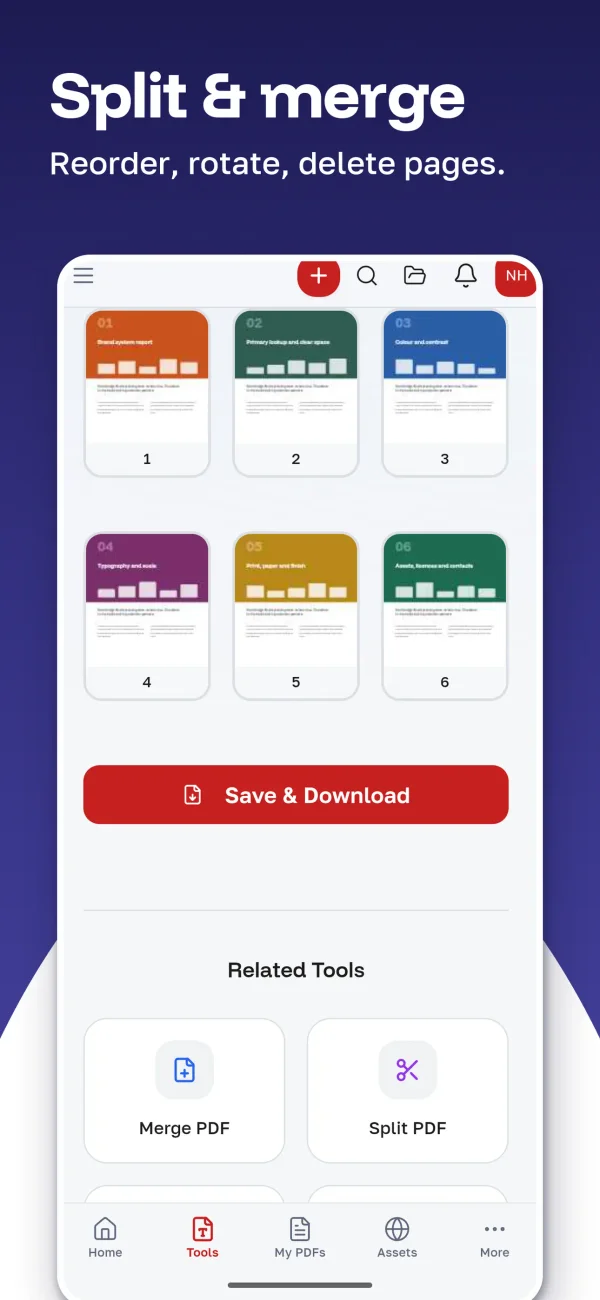
• Merge PDF: combine several PDF files into one.
• Split PDF: separate one PDF into smaller files.
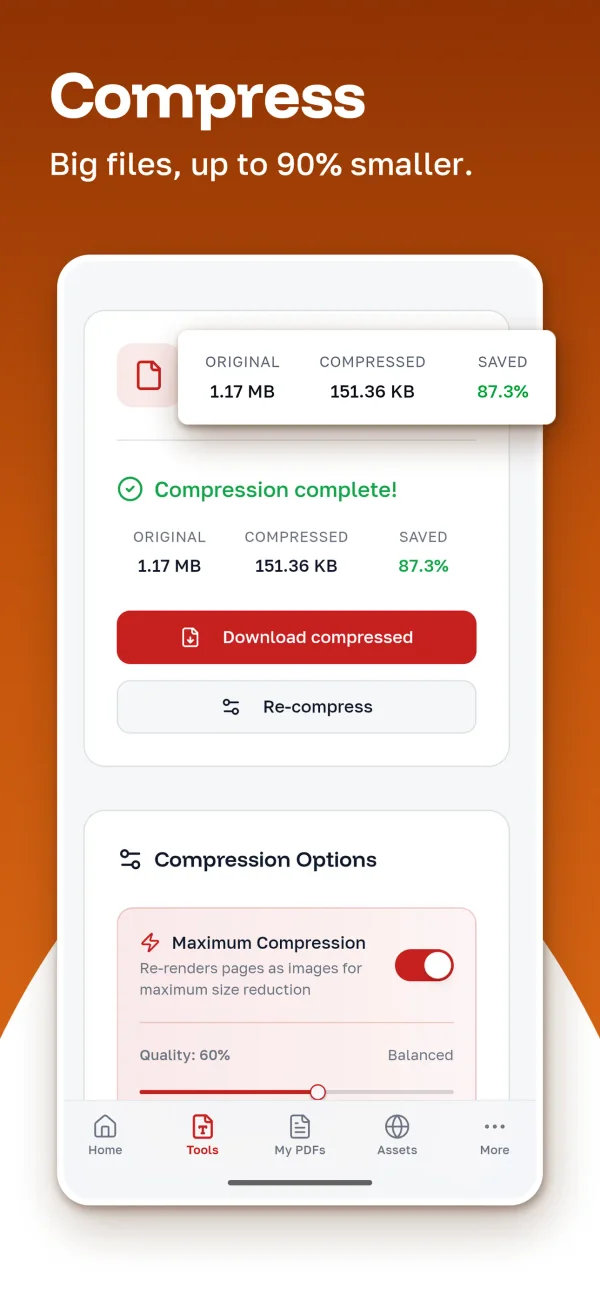
• Compress PDF: reduce the file size for email and upload.
• Convert PDF to JPG or PNG: turn any page into an image.
• Turn images into a PDF: combine photos or scans into one document.
• Open Word, PowerPoint and Illustrator files: edit them as a PDF and export.
• Organize pages: reorder, rotate, duplicate, delete, crop and number pages.
• Annotate PDF: highlight and underline what matters.
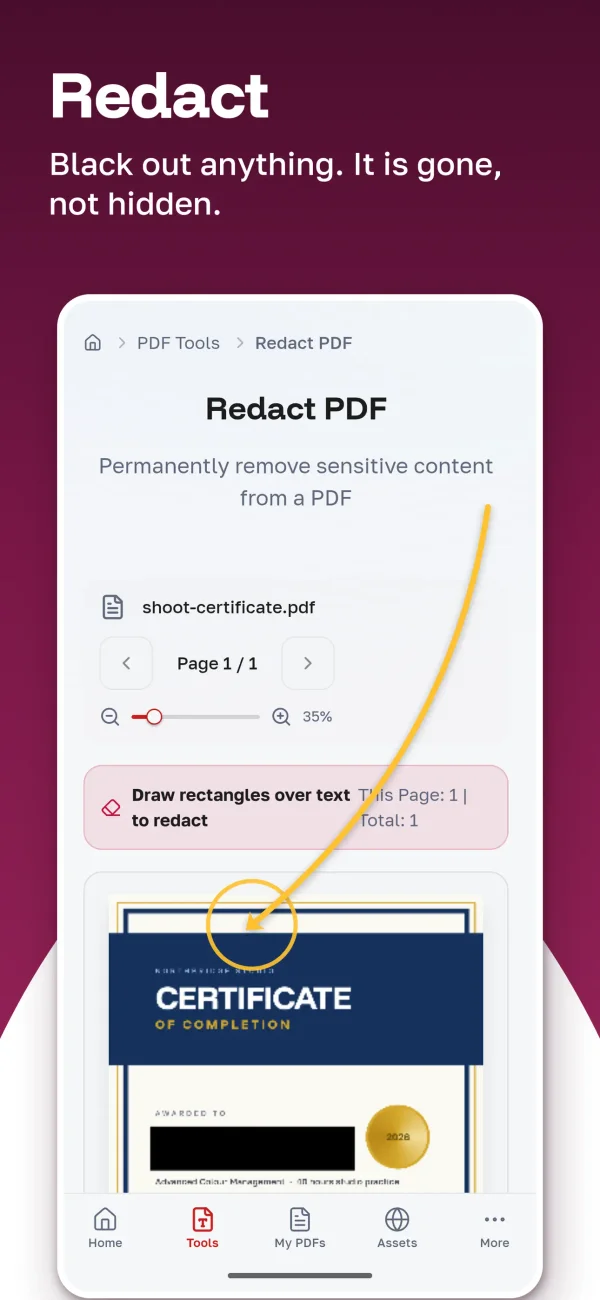
• Redact PDF: black out text that must not be shared.
• Scan to text (OCR): turn a scanned page into text you can edit.
• Unlock PDF: remove a password you own.
• Watermark PDF: add a watermark, a header or a footer.
• Resize PDF: change the page format without losing quality.
Read and annotate any PDF
Open any PDF file, read it and highlight what matters. Large files stay sharp when you zoom.
Edit PDF text properly
Tap a paragraph and type. PDF Editor keeps the font, the line breaks and the spacing you already have, so you do not have to rebuild the page after every change.
Sign and fill without printing
Draw or type a signature, place it, save it. Fill in a contract, an invoice or an application form and send it back the same day. No printer needed.
Merge, split and compress
Combine a set of files into one report. Pull three pages out of a long contract. Compress a large PDF so it fits an email limit. All from your phone.
Convert and export
Save as PDF for print or for web. Export a page as JPG or PNG for a message or a slide. Turn a set of photos into one PDF. Open a Word, PowerPoint or Illustrator file and work on it as a PDF.
Start from a template
Do not start from an empty page. Open a ready-made invoice, report, proposal, contract, letter, resume, flyer or business card, then change the parts you need. Every template is editable and exports as a PDF.
Phone, tablet and web
Your documents sync, so you can start on a phone and finish on a laptop.
What is free and what is paid
Every month a free account includes 5 PDF edits and 20 PDF tool operations such as merge, split, compress or rotate. Subscriptions raise these allowances and more: monthly AI credits and extra storage are included.
Common questions
Can I change text in a file someone else made? Yes. Open it and tap the text.
Can I put two files together? Yes, use Merge.
Can I make a file smaller? Yes, use Compress.
Can I turn a scan into text? Yes, use Scan to text.
Do I need an account? Merge, split, compress, rotate and the other page tools work without one. Editing text, signing, filling forms and watermarks need a free account.
Does it work offline? Merge, split, compress, sign, fill forms and the other page tools run on your device and work offline. Editing PDF text in the full editor, scan to text and the AI tools need an internet connection.
Something did not import or export correctly. What now? Send it to us from Settings → Feedback & Support. We reply within one business day.
Download PDF Editor and fix the PDF properly, the first time.
Privacy Policy: https://desygner.com/privacy
Terms of Use (EULA): https://desygner.com/terms
What’s new
Version 6.5.1 · Nov 21, 2026
Welcome to the all-new PDF Editor — completely rebuilt from the ground up for a faster, smoother experience. It's now part of Automo, with powerful tools to edit, sign, convert and organize your PDFs. Best of all, most features are now free. Edit anywhere and get more done. Thank you for using PDF Editor!
App privacy
What Desygner Pty Ltd declares on the App Store about how this app handles data.
-
Data linked to you
May be collected and linked to your identity.
- Purchases
- Contact info
- User content
- Identifiers
- Usage data
-
Data not linked to you
May be collected but is not linked to your identity.
- Purchases
- Usage data
- Diagnostics
Privacy practices may vary, for example with the features you use or your age.
Information
- Seller
- Desygner Pty Ltd
- Category
- Business
- Version
- 6.5.1
- Updated
- Nov 21, 2026
- Released
- Apr 22, 2018
- Size
- 373.6 MB
- Requires
- iOS 15.0 or later
- Age rating
- 4+
- Price
- Free
- In-app purchases
- Yes
- Languages
- English, Arabic, Bengali, Bulgarian, Catalan, Croatian, Czech, Danish, Dutch, Finnish, French, German + 35 more
- Copyright
- © Desygner Pty Ltd
You might also like
-
 PDF Hero - PDF Editor & ReaderCreate & Edit PDF Documents
-
 PDF Pro - Reader Editor FormsEdit, annotate, view documents
-
 PDF Scanner Document ConverterConvert Photo, Word to PDF App
-
 PDF Editor: Fill, Edit, e SignPDF Files Cam Scanner & Reader
-
 PDF Export: Editor & ConverterTools, Scan, Compress & Merge
-
 Foxit PDF EditorView, Edit, Convert, and Sign
-
 Doc Scanner PDF, Convert & OCRScan PDF Documents & Converter
-
 Scanner Document PDF ConverterJpeg photo png image Cam scan
-
 FreeEdit, PDF EditorProductivity
-
 PDF Editor・PDF File ConverterPDF Scanner, Filler and Signer