
PixTrack Tracklogger
Simple GPX tracklog recording
Designed for iPhone, iPad, iPod touch
Free
- Age rating4+
- CategoryPhoto & Video
- DeveloperThinkbitz Software Studio
- LanguagesEnglish
- Size40.2 MB
Links to the official App Store page
Download.org hosts no file of PixTrack Tracklogger. The button opens its official App Store page, published by Thinkbitz Software Studio. Listing last checked on Nov 12, 2026.
Screenshots

About
Want to geotag your digital camera photos? Have Lightroom Classic?
PixTrack is the cloud-syncing GPS tracklogger you need.
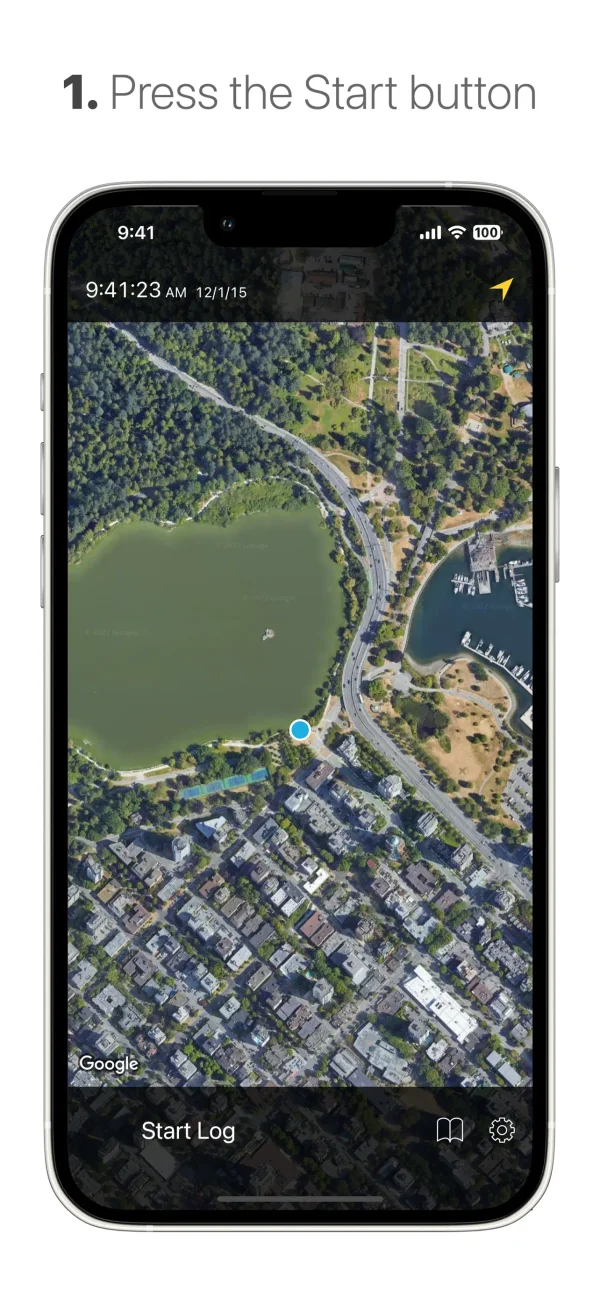
1. Tap the Start button.
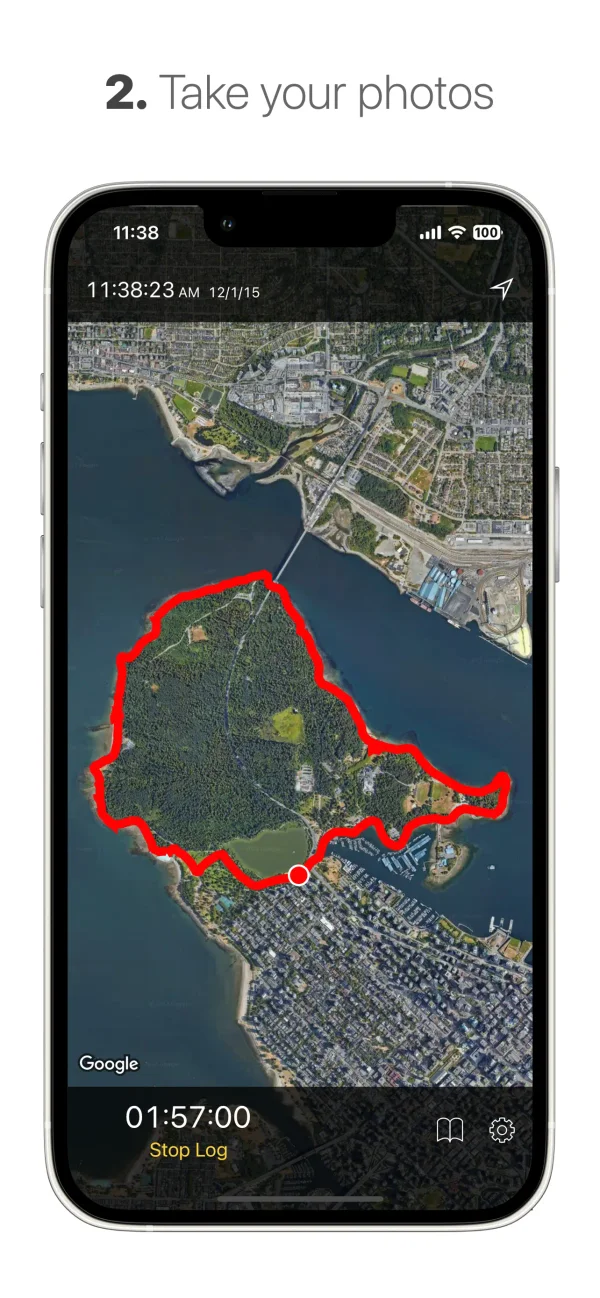
2. Take your photos. PixTrack tracks your progress.
3. Tap the Stop button. PixTrack automatically uploads your tracklog to Dropbox or iCloud Drive.
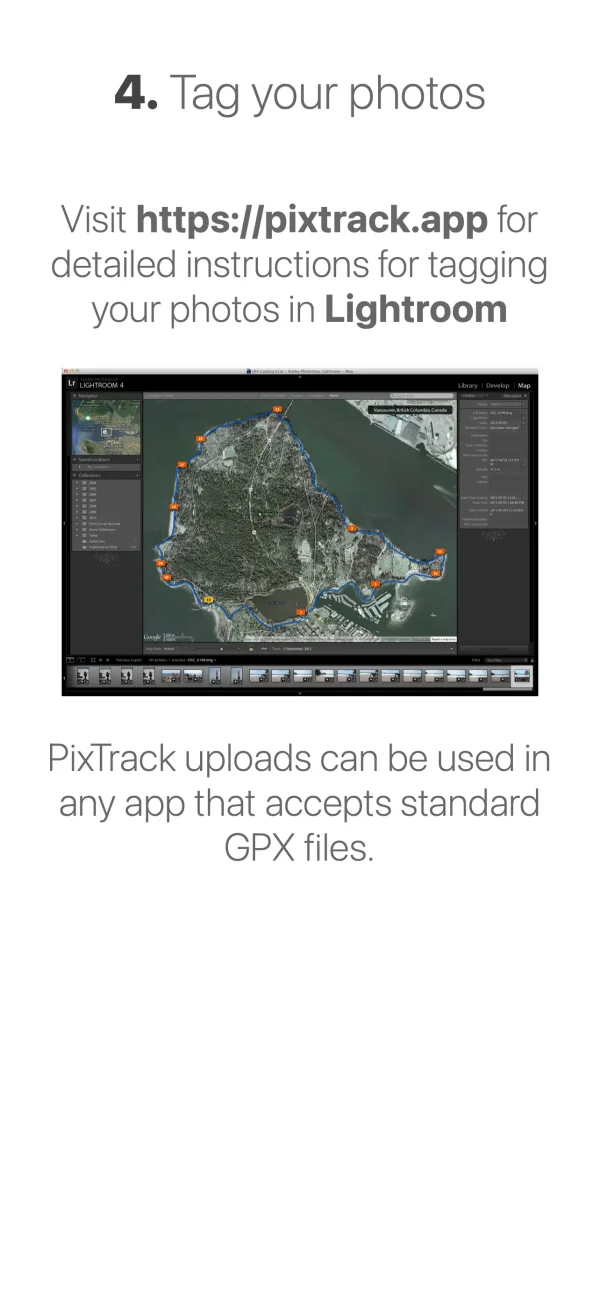
4. Automatically geotag your photos in Lightroom Classic or any other software that uses standard GPX logs.
PixTrack includes handy features:
• To-the-second clock display (to make it easy to sync your clock on your camera)
• Support for Live Activities and the Dynamic Island, in addition to optional notification reminders that it's running.
• History of your previous trips which syncs with Dropbox. Add GPX files on your computer and view them in PixTrack.
• Retracing your route? Show previous tracklogs, or any GPX file, on the map as you record.
• Don't want to use Dropbox? Logs can also be exported to other apps or iCloud Drive using standard iOS functionality.
• Support for iPad - view synced tracklogs, or if you have a GPS-capable iPad use it instead of your phone to save your phone's battery.
• Support for multiple map providers: Choose from Google, Apple, or OpenStreetMap maps
• Dashboard widget: Easily start and stop PixTrack from your homescreen
PixTrack is the easiest way to take advantage of the build-in geotagging functionality in today's photo software.
--
ADOBE LIGHTROOM CLASSIC: STEP-BY-STEP
1. Select the photos you'd like to tag.
Hint: Select All on the latest import works well.
2. Switch to the Map module.
3. Load the tracklog:
Map menu > Tracklog > Load Tracklog...
Your tracklogs are in your Dropbox folder:
Dropbox > Apps > PixTrack
4. After your tracklog is loaded, choose:
Map menu > Tracklog > Auto-Tag Photos
5. That's It!
--
Notes:
• Lightroom tagging requires Adobe Photoshop Lightroom Classic (version 4/2012 or newer) for Windows or Mac.
• Continued use of GPS running in the background can dramatically decrease battery life.
What’s new
Version 2.4.2 · Sep 17, 2024
- Support for iOS 18 tinted widgets and icon modes
- Assorted fixes
App privacy
What Thinkbitz Software Studio declares on the App Store about how this app handles data.
-
Data linked to you
May be collected and linked to your identity.
- Location
-
Data not linked to you
May be collected but is not linked to your identity.
- Usage data
- Diagnostics
Privacy practices may vary, for example with the features you use or your age.
Information
- Seller
- Thinkbitz Software Studio
- Category
- Photo & Video
- Version
- 2.4.2
- Updated
- Sep 17, 2024
- Released
- Jan 18, 2013
- Size
- 40.2 MB
- Requires
- iOS 15.0 or later
- Age rating
- 4+
- Price
- Free
- Languages
- English
- Copyright
- © 2012-2022 Thinkbitz Inc
You might also like
-
 GeoTagrVersatile photo geotagging
-
 Geopix - GPS Photo TaggerBatch GPS GeoTag Your DSLR
-
 Alpha GPS: Camera GeotaggingLocation Sync & Remote Shutter
-
 CamDE : Multiple ExposureDouble Exposure Photo Blender
-
 Mango Exposure: The CalculatorLong Exposure & Depth of Field
-
 Depth of Field MasterTake control of your focus
-
 DuoCam - Camera KépCapture Front & Back at Once
-
 MemeKit - Meme ManagerCollect and find memes
-
 Reaction Vault - Meme SaverFind GIFs and replies fast
-
 ImmoStoryAIAI video maker for real estate