- 対象年齢4+
- カテゴリ写真/ビデオ
- 開発元Thinkbitz Software Studio
- 言語英語
- サイズ40.2 MB
App Storeの公式ページにリンクしています
Download.orgはPixTrack Trackloggerのファイルを一切ホストしていません。ボタンを押すと、Thinkbitz Software Studioが公開しているApp Storeのアプリページが開きます。ページの最終確認:2026/11/12。
スクリーンショット

概要
開発元はこのテキストをお使いの言語で提供していません。
Want to geotag your digital camera photos? Have Lightroom Classic?
PixTrack is the cloud-syncing GPS tracklogger you need.
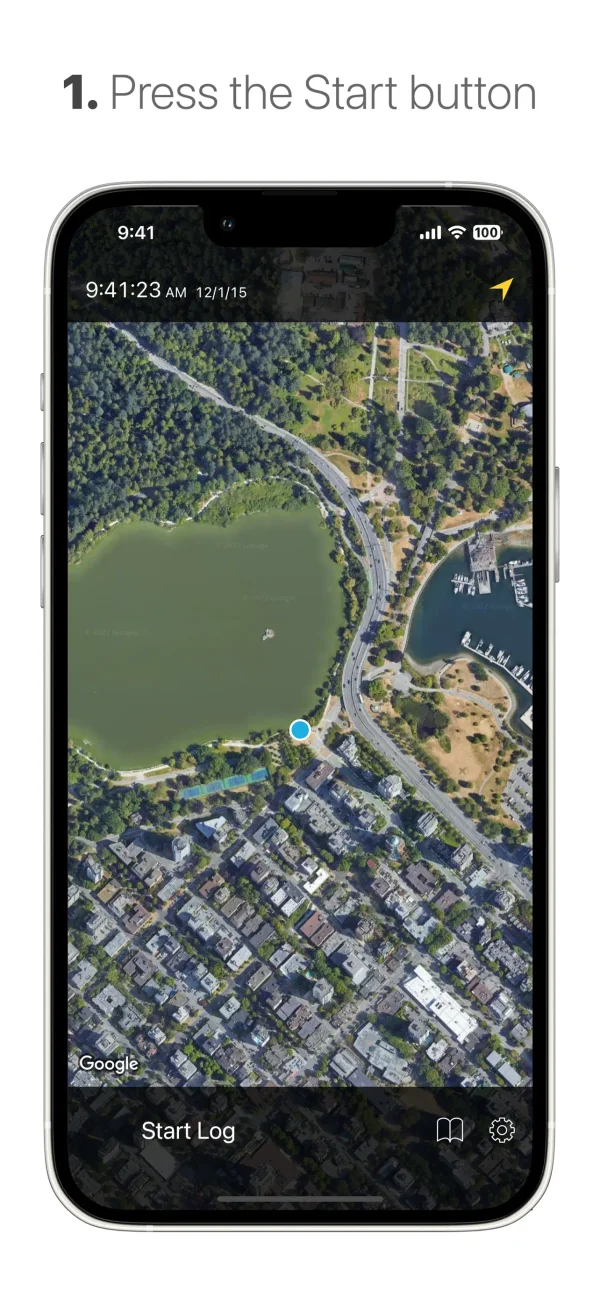
1. Tap the Start button.
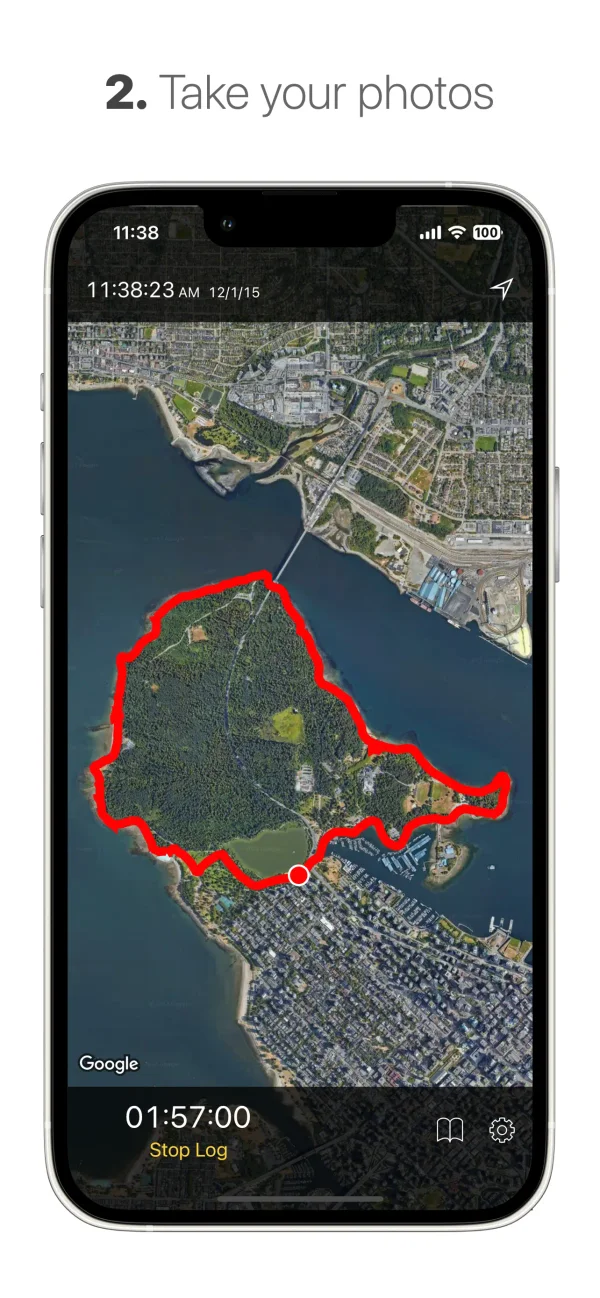
2. Take your photos. PixTrack tracks your progress.
3. Tap the Stop button. PixTrack automatically uploads your tracklog to Dropbox or iCloud Drive.
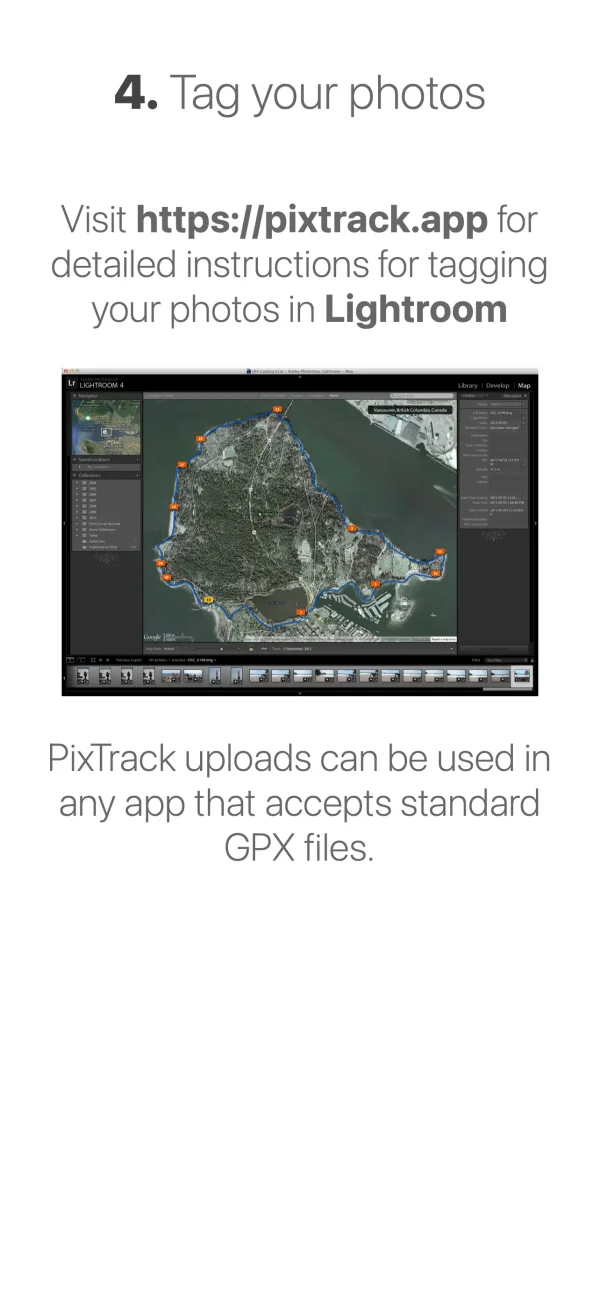
4. Automatically geotag your photos in Lightroom Classic or any other software that uses standard GPX logs.
PixTrack includes handy features:
• To-the-second clock display (to make it easy to sync your clock on your camera)
• Support for Live Activities and the Dynamic Island, in addition to optional notification reminders that it's running.
• History of your previous trips which syncs with Dropbox. Add GPX files on your computer and view them in PixTrack.
• Retracing your route? Show previous tracklogs, or any GPX file, on the map as you record.
• Don't want to use Dropbox? Logs can also be exported to other apps or iCloud Drive using standard iOS functionality.
• Support for iPad - view synced tracklogs, or if you have a GPS-capable iPad use it instead of your phone to save your phone's battery.
• Support for multiple map providers: Choose from Google, Apple, or OpenStreetMap maps
• Dashboard widget: Easily start and stop PixTrack from your homescreen
PixTrack is the easiest way to take advantage of the build-in geotagging functionality in today's photo software.
--
ADOBE LIGHTROOM CLASSIC: STEP-BY-STEP
1. Select the photos you'd like to tag.
Hint: Select All on the latest import works well.
2. Switch to the Map module.
3. Load the tracklog:
Map menu > Tracklog > Load Tracklog...
Your tracklogs are in your Dropbox folder:
Dropbox > Apps > PixTrack
4. After your tracklog is loaded, choose:
Map menu > Tracklog > Auto-Tag Photos
5. That's It!
--
Notes:
• Lightroom tagging requires Adobe Photoshop Lightroom Classic (version 4/2012 or newer) for Windows or Mac.
• Continued use of GPS running in the background can dramatically decrease battery life.
新機能
バージョン 2.4.2 · 2024/9/17
- Support for iOS 18 tinted widgets and icon modes
- Assorted fixes
アプリのプライバシー
このアプリのデータの取り扱いについて、Thinkbitz Software StudioがApp Storeで申告している内容です。
-
ユーザーに関連付けられたデータ
収集され、ユーザーの識別情報に関連付けられる場合があります。
- 位置情報
-
ユーザーに関連付けられないデータ
収集される場合がありますが、ユーザーの識別情報には関連付けられません。
- 使用状況データ
- 診断
プライバシーの取り扱いは、ご利用の機能やお客様の年齢などに応じて異なる場合があります。
情報
- 販売元
- Thinkbitz Software Studio
- カテゴリ
- 写真/ビデオ
- バージョン
- 2.4.2
- 更新日
- 2024/9/17
- リリース
- 2013/1/18
- サイズ
- 40.2 MB
- 必要条件
- iOS 15.0以降
- 対象年齢
- 4+
- 価格
- 無料
- 言語
- 英語
- 著作権
- © 2012-2022 Thinkbitz Inc