
- Age rating4+
- CategoryUtilities
- Developerkobunachou ozawa
- LanguagesEnglish
- Size13.5 MB
Links to the official App Store page
Download.org hosts no file of Routine Time Watch. The button opens its official App Store page, published by kobunachou ozawa. Listing last checked on Nov 17, 2026.
Screenshots

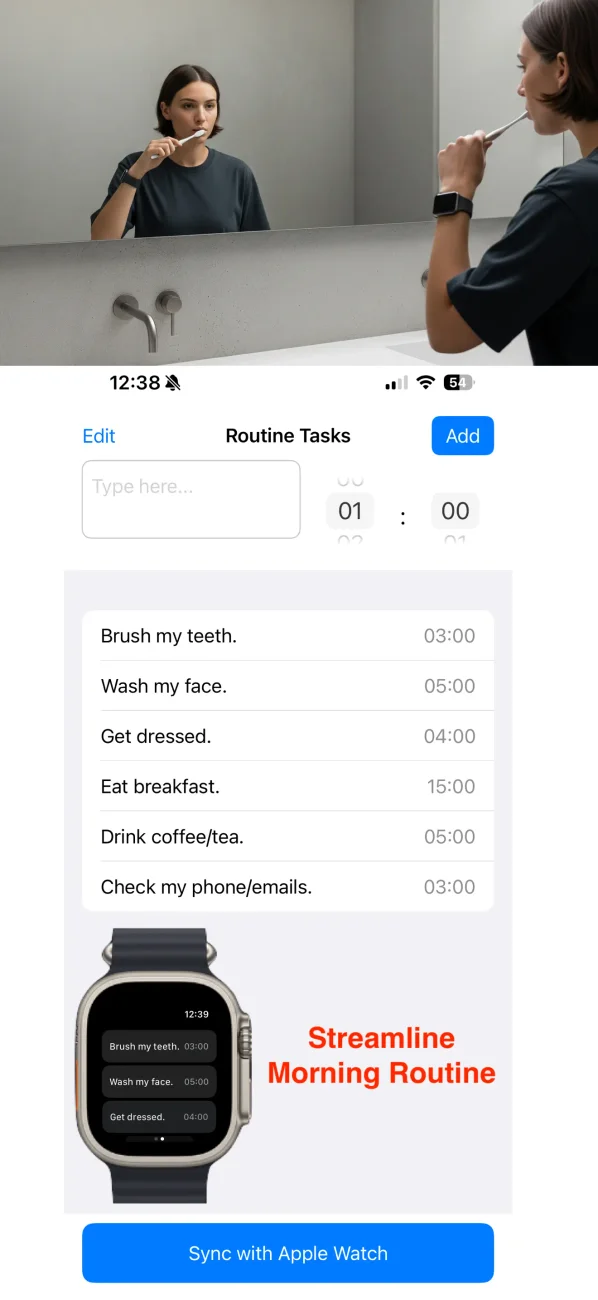
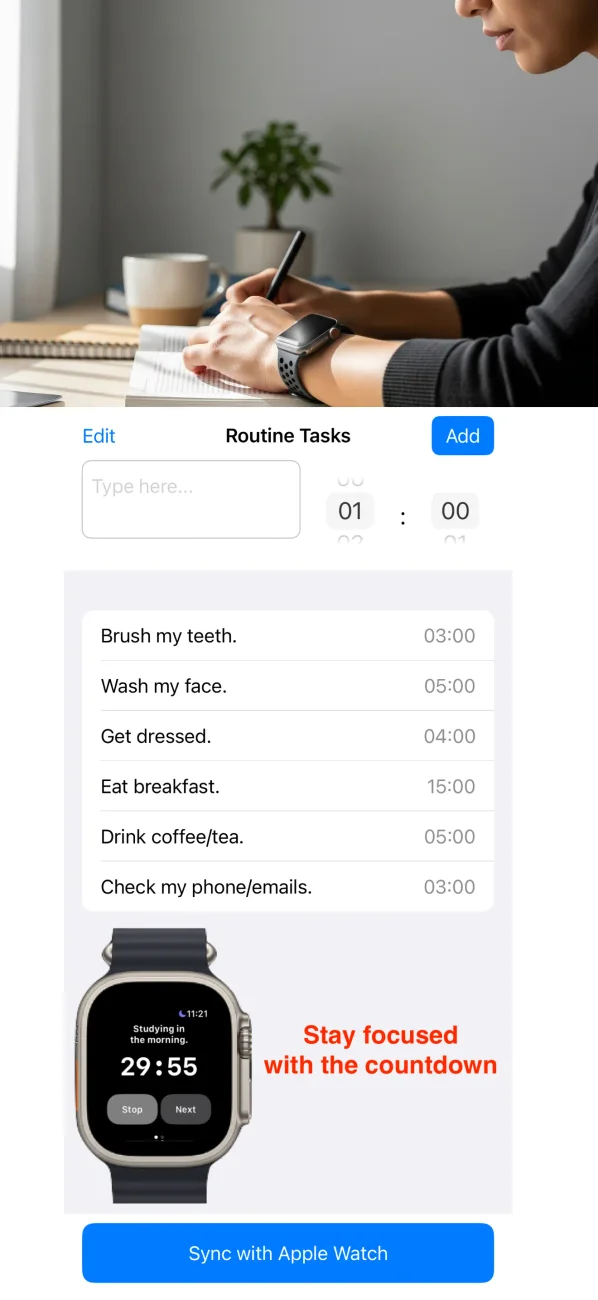
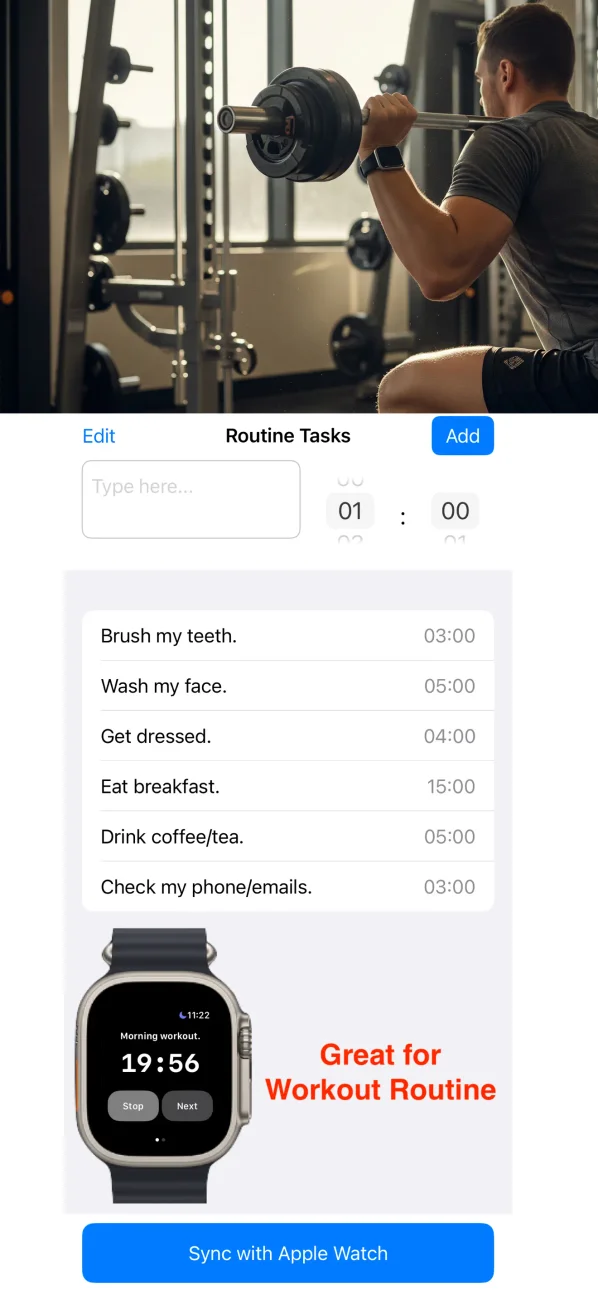

About
"Routine Time Watch" is an Apple Watch app that sequentially counts down through a list of tasks.
~ Features ~
-This app helps you efficiently complete your routines, such as a morning tasks, by making you more aware of time.
-You can view your listed tasks on your Apple Watch and start from any step you like.
-This app notifies you with a vibration when a time limit is reached.
~ How to Use ~
1. On your Apple Watch, go to Settings > General > Return to Clock and select After 1 Hour. *1, *2
2. Open the app on your iPhone and enter your desired task in the text field at the top left.
3. After entering the text, set the time limit for the task to its right.
4. After you've finished entering the task, press the Add button to add it to your list.
5. Repeat the above steps to add more tasks. *3
6. Once your task list is complete, open the app on your Apple Watch.
7. Tap the Sync with Apple Watch button on your iPhone to sync the task list.
8. Confirm that the task list has been reflected on your Apple Watch.
9. Tap the Start button on your Apple Watch to begin the task countdown. *4
*1 You can also set a custom app setting to prevent the watch from returning to the clock face when you twist your wrist.
*2 We recommend placing a shortcut to the app on your watch face for quick access.
*3 To change the order or delete tasks, use the Edit button.
*4 You can swipe left and right on the Apple Watch screen to switch to the task list.
What’s new
Version 2.8 · Mar 25, 2026
-bugs fixed
App privacy
What kobunachou ozawa declares on the App Store about how this app handles data.
-
Data not collected
The developer does not collect any data from this app.
Privacy practices may vary, for example with the features you use or your age.
Information
- Seller
- kobunachou ozawa
- Category
- Utilities
- Version
- 2.8
- Updated
- Mar 25, 2026
- Released
- Jul 31, 2025
- Size
- 13.5 MB
- Requires
- iOS 18.4 or later
- Age rating
- 4+
- Price
- $0.99
- Languages
- English
- Copyright
- © Shin APP Tech
You might also like
-
 Audio MonitorSound & Decibel Meter
-
 Sequence-Actions TimerDomina tu tiempo y tu ritmo
-
 AizuDeck - Cue DeckHaptic Routine Timer for Watch
-
 DoDone RoutinesTimed routines & sequences
-
 SixtySum - Time CalculatorAdd hours, minutes & seconds
-
 Voice Clock - Hear the TimeSpoken Clock & Timer
-
 Momently: Countdown WidgetsDays Until Birthdays & Trips
-
 Haptic Pulse TimerJust a pulse.
-
 Hierarchical To-do Listcan layer tasks infinitely
-
 Haptic Focus TimerMulti-notification Watch Timer