- Age rating9+
- CategoryProductivity
- DeveloperReleve LLC
- LanguagesEnglish
- Size5.4 MB
Links to the official App Store page
Download.org hosts no file of TableScan Studio. The button opens its official App Store page, published by Releve LLC. Listing last checked on Nov 18, 2026.
Screenshots




About
TableScan Studio turns photos of printed or handwritten tables into clean, editable spreadsheets in minutes. No retyping—just capture, crop, review, and export. Designed for students, researchers, and anyone who works with tables on paper.
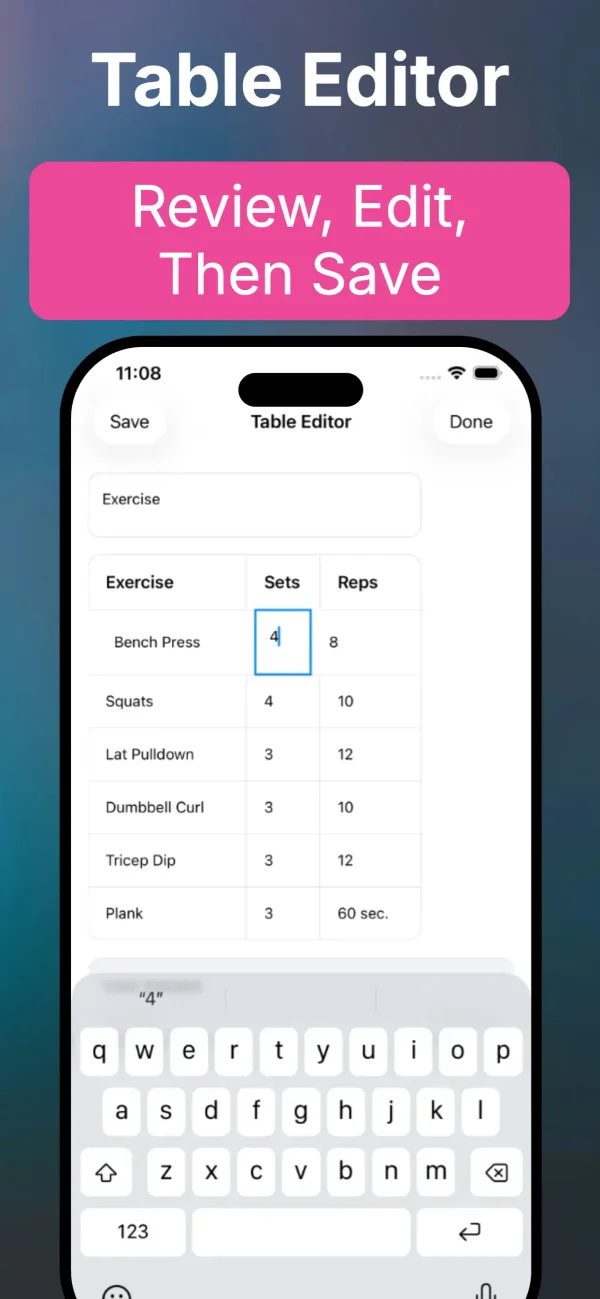
Accuracy matters. Low-confidence cells are highlighted so you know what to double-check. Tap any cell to view its OCR and extraction confidence before exporting.
CAPTURE
Use your camera to photograph tables from forms, handwritten notes, receipts, or documents. For best results, capture one table per photo.
CROP
Adjust the crop area to match the table borders. Tighter crops improve recognition accuracy.
AI-POWERED RECOGNITION
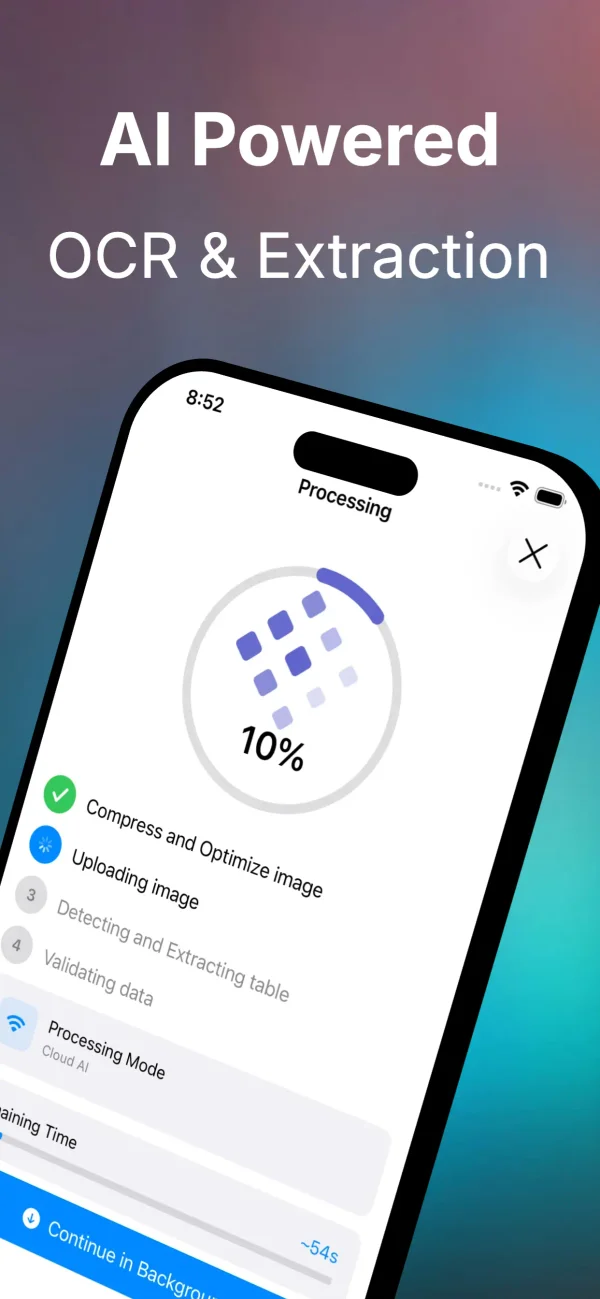
Advanced table recognition extracts structure and text in a single step. Supports both printed and handwritten tables.
TABLE EDITOR
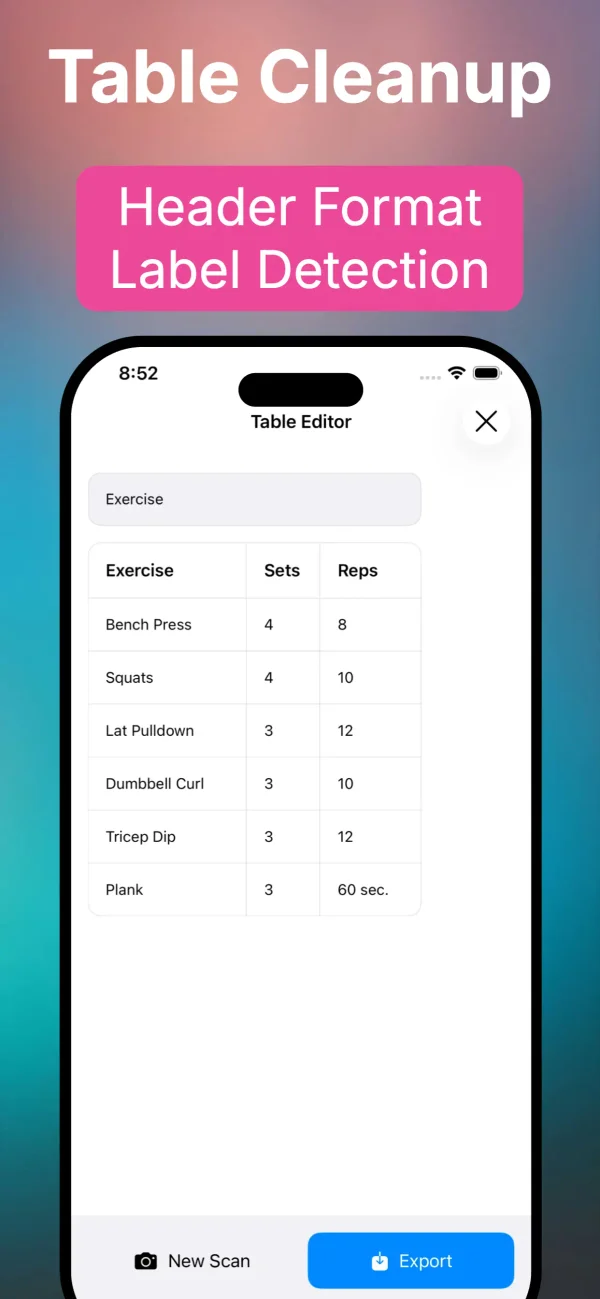
Review and refine results in a spreadsheet-like editor. Edit cell content directly in the app—fix typos, fill gaps, or adjust values. Tap any cell to view OCR and extraction confidence. Optional text above or below the table is preserved for context.
EXPORT
Export tables to Excel (.xlsx), CSV, or PDF for use in spreadsheets, reports, or archives.
SCAN HISTORY
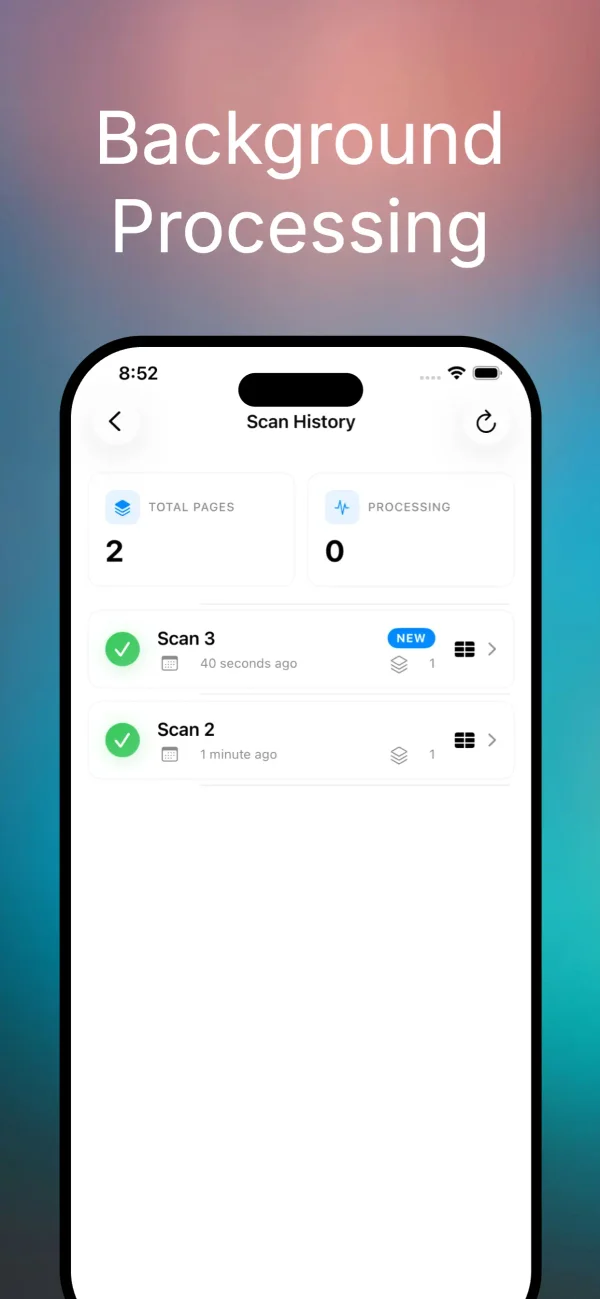
Revisit completed scans. Re-edit or re-export past tables anytime.
SUBSCRIPTIONS
Start with a free trial (e.g., 3 scans). Choose from these monthly auto-renewing subscriptions:
- Starter: $2.99/month (30 scans/month)
- Standard: $4.99/month (60 scans/month)
- Power: $8.99/month (120 scans/month)
- Pro: $19.99/month (300 scans/month)
All plans include AI extraction, in-app table editing with confidence view, Excel/CSV/PDF export, background processing, scan history, and privacy-first processing.
Payment is charged to your Apple ID upon purchase. Subscriptions auto-renew monthly at the end of the current period unless canceled at least 24 hours in advance. Manage subscriptions in your App Store account settings under Subscriptions. Any unused portion of the free trial is forfeited if you subscribe.
Terms of Use: https://www.apple.com/legal/internet-services/itunes/dev/stdeula/
Privacy Policy: https://releve-ai.us/privacy-terms
Support: contact@releve-ai.us
Developer: Releve LLC — releve-ai.us
What’s new
Version 7.0 · Feb 25, 2026
Version [7.0] brings smoother iPad support and key performance fixes.
iPad Portrait Enhancements
Improved layouts across all screens for better use in portrait mode on iPad.
Faster Camera Launch
Eliminated startup delays by optimizing camera session setup.
Reliable Table Cropping
Fixed hangs on the Crop Table screen when tapping Done during loading.
App privacy
What Releve LLC declares on the App Store about how this app handles data.
-
Data not collected
The developer does not collect any data from this app.
Privacy practices may vary, for example with the features you use or your age.
Information
- Seller
- Releve LLC
- Category
- Productivity
- Version
- 7.0
- Updated
- Feb 25, 2026
- Released
- Feb 12, 2026
- Size
- 5.4 MB
- Requires
- iOS 17.6 or later
- Age rating
- 9+
- Price
- Free
- In-app purchases
- Yes
- Languages
- English
- Copyright
- © 2025 Releve LLC
You might also like
-
 Tablo: Scan PDF & Photo to XLSTable OCR to Spreadsheet
-
 Gridshot: Scan to SpreadsheetPhoto table CSV export
-
 Pagelight: Scanner OCRScan, sign, transcribe. No ads
-
 NoteOCR - Handwriting to TextConvert Notes to Word & Excel
-
 CalcSpeed - Easy CalculatorEasy formula modification
-
 Xcelify: Scan Tables to SheetsImage to spreadsheet converter
-
 OCR Memo - Scan HandwritingSnap Notes, Sort by Calendar
-
 ScanToExcel - Document ScannerPDF & Photo to Spreadsheet
-
 ArbeitszeitenrechnerProductivity
-
 HonestPDF: Private PDF ToolsCompress, Redact, Sign Offline