LastPass Authenticator
LastPass US LP- 3 歳以上対象年齢
- 仕事効率化カテゴリ
- 2026/10/14更新日
- 無料価格
com.lastpass.authenticatorのGoogle Play公式ページにリンクしています。最終確認:2026/11/20。

スクリーンショット



このアプリについて
Googleによる英語 (アメリカ合衆国)からの自動翻訳です。
あなたてLastPassのアカウントとアプリのための楽な二要素認証。
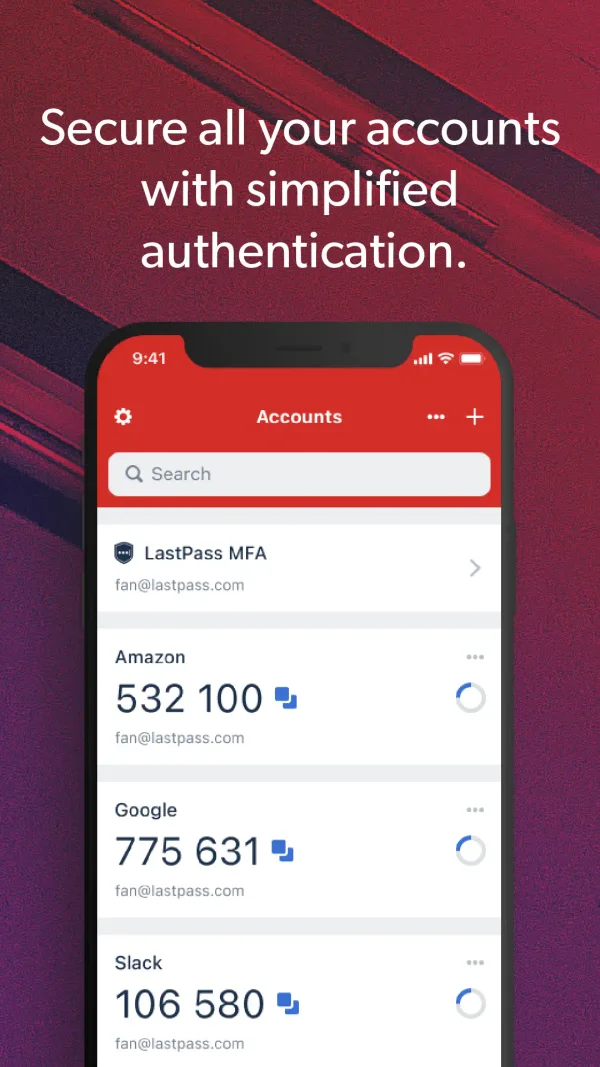
LastPass Authenticator は、LastPass アカウントやその他のサポートされているアプリに簡単な 2 要素認証を提供します。ワンタップ認証と安全なクラウド バックアップを備えた LastPass Authenticator は、ストレスを感じることなくあらゆるセキュリティを提供します。
セキュリティを強化する
サインイン時に 2 要素認証コードを要求することで、LastPass アカウントを保護します。2 要素認証では、追加のログイン手順でアカウントを保護することでデジタル セキュリティが向上します。たとえパスワードが漏洩したとしても、2 要素認証コードがなければアカウントにアクセスすることはできません。
デバイスを「信頼できる」とマークすることもできるため、アカウントが 2 要素認証で保護されている間は、そのデバイスでコードの入力を求められなくなります。
電源を入れる
LastPass アカウントの LastPass Authenticator を有効にするには:
1. LastPass Authenticator をモバイル デバイスにダウンロードします。
2. コンピュータで LastPass にログインし、ボールトから「アカウント設定」を起動します。
3. 「多要素オプション」で、LastPass Authenticator を編集し、バーコードを表示します。
4. LastPass Authenticator アプリでバーコードをスキャンします。
5. 環境設定を設定し、変更を保存します。
LastPass Authenticator は、Google Authenticator または TOTP ベースの 2 要素認証をサポートするサービスやアプリに対しても有効にすることができます。
ログインする
LastPass アカウントまたはその他のサポートされているベンダー サービスにログインするには:
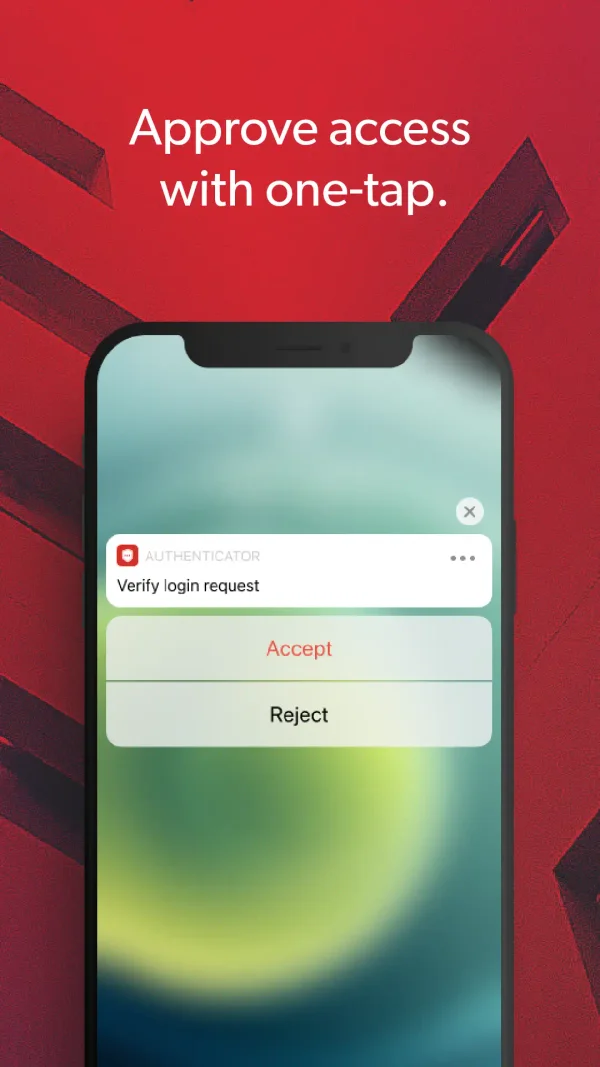
1. アプリを開いて 6 桁の 30 秒コードを生成するか、自動プッシュ通知を承認/拒否します
2. または、SMS コードを送信します
3. デバイスのログイン プロンプトにコードを入力するか、リクエストの承認/拒否を押します。
特徴
- 30秒ごとに6桁のコードを生成します
- ワンタップ承認のプッシュ通知
- 新しい/再インストールされたデバイスにトークンを復元するための無料の暗号化バックアップ
- SMSコードのサポート
- QRコードによる自動セットアップ
- LastPass アカウントのサポート
- 他の TOTP 互換サービスおよびアプリのサポート (Google Authenticator をサポートするものを含む)
- 複数のアカウントを追加する
- Android と iOS で利用可能
- LastPass プレミアム、ファミリー、ビジネス、チームの顧客向けの Wear OS サポート
原文を表示
LastPass Authenticator offers effortless two-factor authentication for your LastPass account and other supported apps. With one-tap verification and secure cloud backup, LastPass Authenticator gives you all the security, without any of the frustration.
ADD MORE SECURITY
Safeguard your LastPass account by requiring two-factor authentication codes when signing in. Two-factor authentication improves your digital security by protecting your account with an additional login step. Even if your password is compromised, your account can’t be accessed without the two-factor authentication code.
You can even mark a device as “trusted”, so you won’t be prompted for codes on that device while your account remains protected by two-factor authentication.
TURNING IT ON
To turn on LastPass Authenticator for your LastPass account:
1. Download LastPass Authenticator to your mobile device.
2. Log in to LastPass on your computer and launch “Account Settings” from your vault.
3. In “Multifactor Options”, edit LastPass Authenticator and view the barcode.
4. Scan the barcode with the LastPass Authenticator app.
5. Set your preferences and save your changes.
LastPass Authenticator can also be turned on for any service or app that supports Google Authenticator or TOTP-based two-factor authentication.
LOGGING IN
To login to your LastPass account or other supported vendor service:
1. Open the app to generate a 6-digit, 30-second code OR approve/deny an automated push notification
2. Alternatively, send SMS code
3. Enter the code into the login prompt on your device OR hit approve/deny request
FEATURES
- Generates 6-digit codes every 30 seconds
- Push notifications for one-tap approval
- Free encrypted backup to restore your tokens on a new/reinstalled device
- Support for SMS codes
- Automated set-up via QR code
- Support for LastPass accounts
- Support for other TOTP-compatible services and apps (including any that support Google Authenticator)
- Add multiple accounts
- Available on Android and iOS
- Wear OS support for LastPass Premium, Families, Business and Teams customers
データ セーフティ
このアプリが収集・共有するデータについて、LastPass US LPがGoogle Playで申告している内容です。
- このアプリはサードパーティと以下の種類のデータを共有することがありますアプリのアクティビティ、アプリの情報、パフォーマンス、デバイスまたはその他の ID
- このアプリは以下の種類のデータを収集することがあります位置情報、個人情報、他 3 件
- データは送信中に暗号化されます
- データを削除できません
- 独自のセキュリティ審査
新機能
バージョン 2.27.0 · 2026/10/14
You'll have a more reliable experience thanks to various minor bug fixes.
開発元の連絡先
- ウェブサイトlastpass.com
- メールstore-support@lastpass.com
- プライバシーポリシーlastpass.com
- 住所125 High St Ste 220 Boston, MA 02110 United States
情報
- 提供元
- LastPass US LP
- カテゴリ
- 仕事効率化
- バージョン
- 2.27.0
- 更新日
- 2026/10/14
- リリース
- 2016/3/16
- 必要条件
- Android 12以降
- 対象年齢
- 3 歳以上
- 価格
- 無料
- パッケージ名
- com.lastpass.authenticator