LastPass Authenticator
LastPass US LP- EveryoneAge rating
- ProductivityCategory
- Oct 14, 2026Updated
- FreePrice
Links to the official Google Play listing of com.lastpass.authenticator. Last checked on Nov 20, 2026.

Screenshots



About this app
Effortless two-factor authentication for your LastPass account and apps.
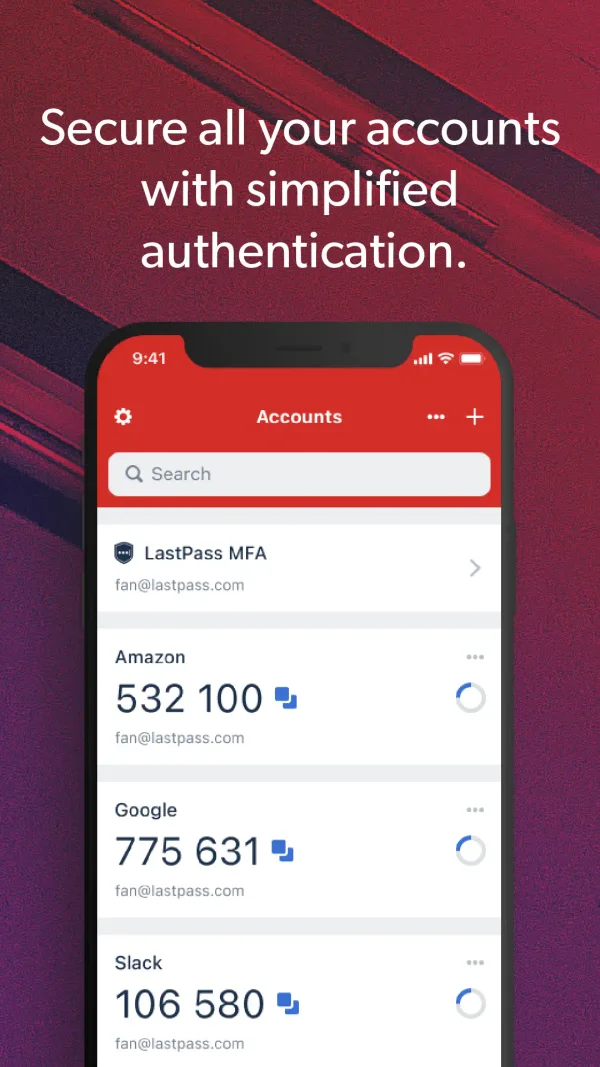
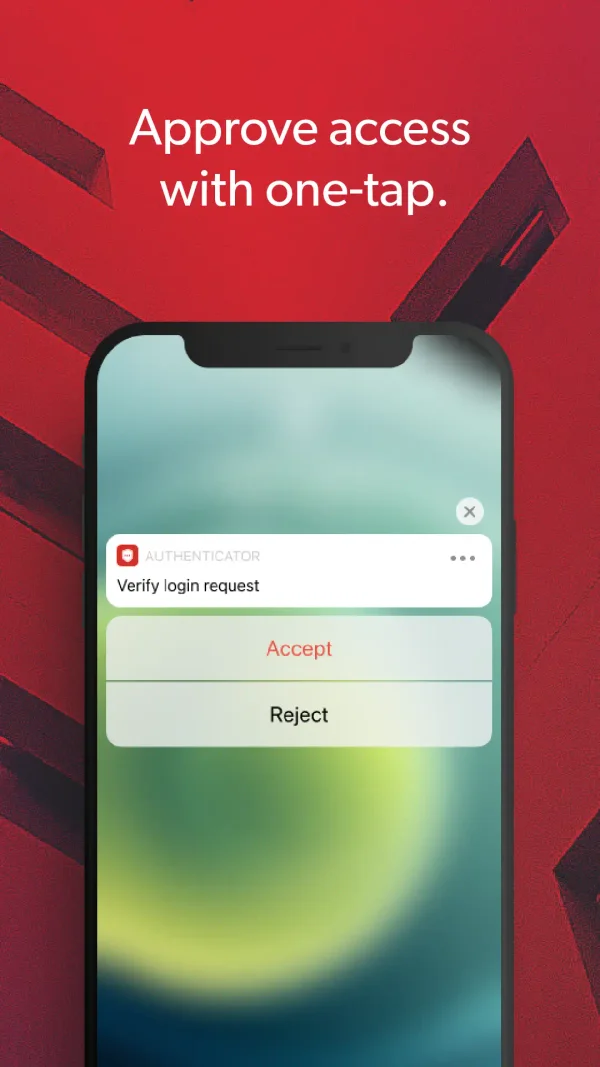
LastPass Authenticator offers effortless two-factor authentication for your LastPass account and other supported apps. With one-tap verification and secure cloud backup, LastPass Authenticator gives you all the security, without any of the frustration.
ADD MORE SECURITY
Safeguard your LastPass account by requiring two-factor authentication codes when signing in. Two-factor authentication improves your digital security by protecting your account with an additional login step. Even if your password is compromised, your account can’t be accessed without the two-factor authentication code.
You can even mark a device as “trusted”, so you won’t be prompted for codes on that device while your account remains protected by two-factor authentication.
TURNING IT ON
To turn on LastPass Authenticator for your LastPass account:
1. Download LastPass Authenticator to your mobile device.
2. Log in to LastPass on your computer and launch “Account Settings” from your vault.
3. In “Multifactor Options”, edit LastPass Authenticator and view the barcode.
4. Scan the barcode with the LastPass Authenticator app.
5. Set your preferences and save your changes.
LastPass Authenticator can also be turned on for any service or app that supports Google Authenticator or TOTP-based two-factor authentication.
LOGGING IN
To login to your LastPass account or other supported vendor service:
1. Open the app to generate a 6-digit, 30-second code OR approve/deny an automated push notification
2. Alternatively, send SMS code
3. Enter the code into the login prompt on your device OR hit approve/deny request
FEATURES
- Generates 6-digit codes every 30 seconds
- Push notifications for one-tap approval
- Free encrypted backup to restore your tokens on a new/reinstalled device
- Support for SMS codes
- Automated set-up via QR code
- Support for LastPass accounts
- Support for other TOTP-compatible services and apps (including any that support Google Authenticator)
- Add multiple accounts
- Available on Android and iOS
- Wear OS support for LastPass Premium, Families, Business and Teams customers
Data safety
What LastPass US LP declares on Google Play about the data this app collects and shares.
- This app may share these data types with third partiesApp activity, App info and performance, and Device or other IDs
- This app may collect these data typesLocation, Personal info and 3 others
- Data is encrypted in transit
- Data can’t be deleted
- Independent security review
What’s new
Version 2.27.0 · Oct 14, 2026
You'll have a more reliable experience thanks to various minor bug fixes.
Developer contact
- Websitelastpass.com
- Emailstore-support@lastpass.com
- Privacy policylastpass.com
- Address125 High St Ste 220 Boston, MA 02110 United States
Information
- Offered by
- LastPass US LP
- Category
- Productivity
- Version
- 2.27.0
- Updated
- Oct 14, 2026
- Released
- Mar 16, 2016
- Requires
- Android 12 or later
- Age rating
- Everyone
- Price
- Free
- Package name
- com.lastpass.authenticator
Similar apps
-
 SafeInCloud 1
Productivity
-
 Autenticator App
Productivity
-
 Duo Mobile
Business
-
 Airport Community
Communication
-
 Personio: HR Tasks on the Go
Business
-
 Avast VPN: Fast Proxy, Privacy
Communication
-
 2FA Authenticator (2FAS)
Tools
-
 Virtual SIM
Communication
-
 RoboForm Password Manager
Productivity
-
 Password Manager - Proton Pass
Productivity
-
 PDK Access by ProdataKey
Lifestyle
-
 ConstructionOnline
Tools