LastPass Authenticator
LastPass US LP- PEGI 3Yaş sınırı
- VerimlilikKategori
- 14.10.2026Güncellendi
- ÜcretsizFiyat
com.lastpass.authenticator için resmi Google Play sayfasına bağlanır. Son kontrol: 20.11.2026.

Ekran görüntüleri



Bu uygulama hakkında
Google tarafından otomatik çeviri. Orijinal dil: İngilizce (Amerika Birleşik Devletleri).
LastPass hesabı ve uygulamalar için Zahmetsiz iki faktörlü kimlik doğrulama.
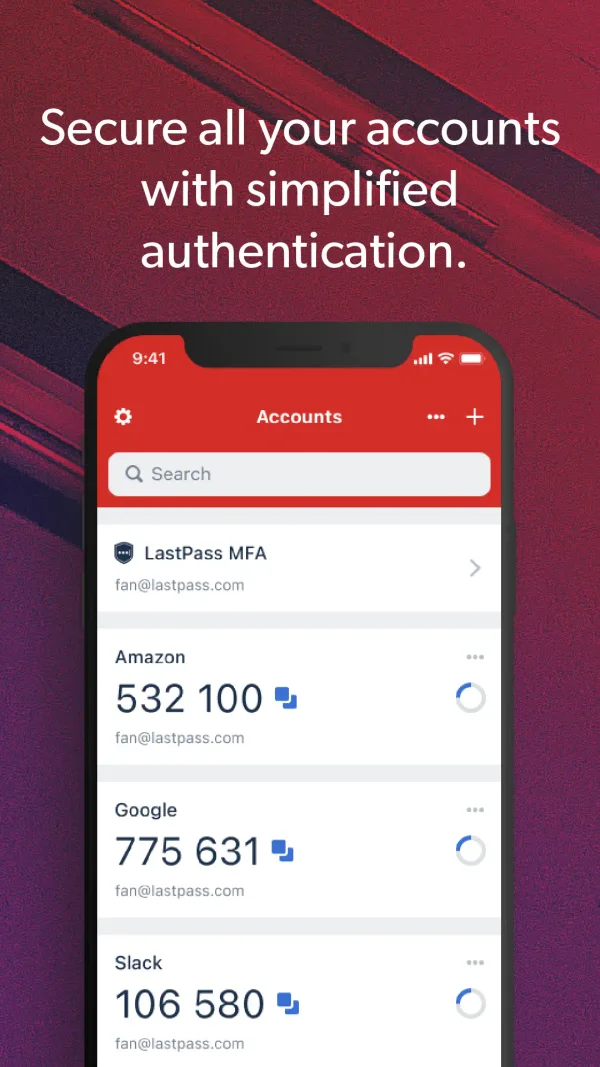
LastPass Authenticator, LastPass hesabınız ve desteklenen diğer uygulamalarınız için zahmetsiz iki faktörlü kimlik doğrulama sunar. Tek dokunuşla doğrulama ve güvenli bulut yedeklemeyle LastPass Authenticator, hiçbir sıkıntı yaşamadan size tüm güvenliği sağlar.
DAHA FAZLA GÜVENLİK EKLEYİN
Oturum açarken iki faktörlü kimlik doğrulama kodlarını zorunlu kılarak LastPass hesabınızı koruyun. İki faktörlü kimlik doğrulama, ek bir oturum açma adımıyla hesabınızı koruyarak dijital güvenliğinizi artırır. Şifreniz ele geçirilse bile, iki faktörlü kimlik doğrulama kodu olmadan hesabınıza erişilemez.
Hatta bir cihazı "güvenilir" olarak işaretleyebilirsiniz, böylece hesabınız iki faktörlü kimlik doğrulamayla korunmaya devam ederken o cihazda kod girmeniz istenmez.
AÇMA
LastPass hesabınız için LastPass Kimlik Doğrulayıcıyı açmak için:
1. LastPass Authenticator'ı mobil cihazınıza indirin.
2. Bilgisayarınızda LastPass'ta oturum açın ve kasanızdan “Hesap Ayarları”nı başlatın.
3. “Çok Faktörlü Seçenekler”de LastPass Authenticator'ı düzenleyin ve barkodu görüntüleyin.
4. LastPass Authenticator uygulamasıyla barkodu tarayın.
5. Tercihlerinizi ayarlayın ve değişikliklerinizi kaydedin.
LastPass Authenticator, Google Authenticator'ı veya TOTP tabanlı iki faktörlü kimlik doğrulamayı destekleyen herhangi bir hizmet veya uygulama için de açılabilir.
GİRİŞ YAPILIYOR
LastPass hesabınıza veya desteklenen diğer satıcı hizmetlerinde oturum açmak için:
1. 6 basamaklı, 30 saniyelik bir kod oluşturmak VEYA otomatik anlık bildirimi onaylamak/reddetmek için uygulamayı açın
2. Alternatif olarak SMS kodunu gönderin
3. Kodu cihazınızdaki giriş istemine girin VEYA isteği onayla/reddet tuşuna basın
ÖZELLİKLER
- Her 30 saniyede bir 6 haneli kod üretir
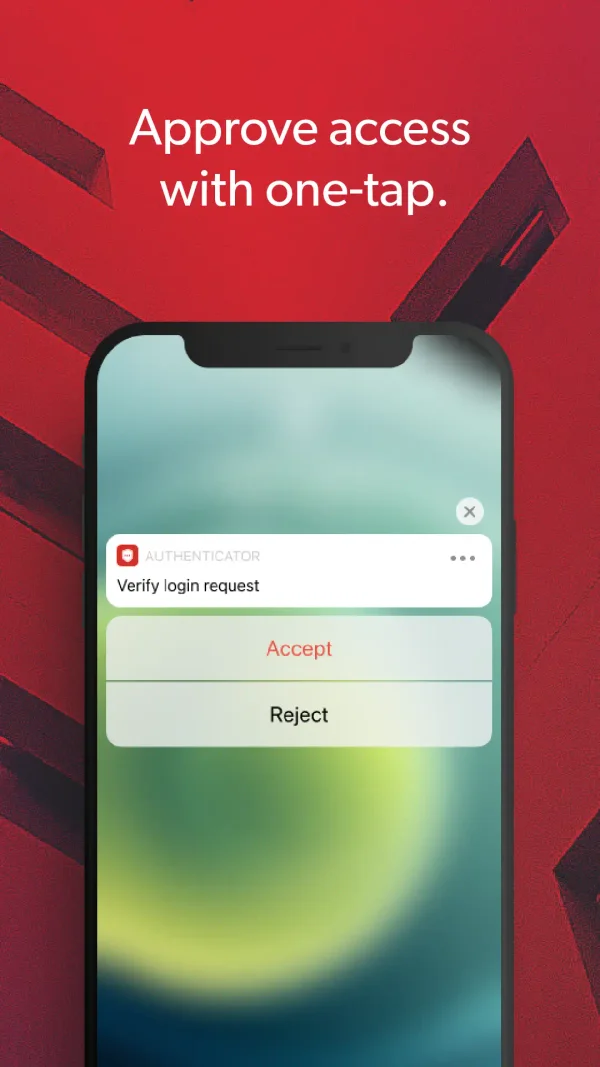
- Tek dokunuşla onay için anlık bildirimler
- Jetonlarınızı yeni/yeniden yüklenmiş bir cihaza geri yüklemek için ücretsiz şifreli yedekleme
- SMS kodları desteği
- QR koduyla otomatik kurulum
- LastPass hesapları için destek
- Diğer TOTP uyumlu hizmetler ve uygulamalar için destek (Google Authenticator'ı destekleyenler dahil)
- Birden fazla hesap ekleyin
- Android ve iOS'ta mevcut
- LastPass Premium, Aileler, İşletme ve Teams müşterileri için Wear OS desteği
Orijinal metni göster
LastPass Authenticator offers effortless two-factor authentication for your LastPass account and other supported apps. With one-tap verification and secure cloud backup, LastPass Authenticator gives you all the security, without any of the frustration.
ADD MORE SECURITY
Safeguard your LastPass account by requiring two-factor authentication codes when signing in. Two-factor authentication improves your digital security by protecting your account with an additional login step. Even if your password is compromised, your account can’t be accessed without the two-factor authentication code.
You can even mark a device as “trusted”, so you won’t be prompted for codes on that device while your account remains protected by two-factor authentication.
TURNING IT ON
To turn on LastPass Authenticator for your LastPass account:
1. Download LastPass Authenticator to your mobile device.
2. Log in to LastPass on your computer and launch “Account Settings” from your vault.
3. In “Multifactor Options”, edit LastPass Authenticator and view the barcode.
4. Scan the barcode with the LastPass Authenticator app.
5. Set your preferences and save your changes.
LastPass Authenticator can also be turned on for any service or app that supports Google Authenticator or TOTP-based two-factor authentication.
LOGGING IN
To login to your LastPass account or other supported vendor service:
1. Open the app to generate a 6-digit, 30-second code OR approve/deny an automated push notification
2. Alternatively, send SMS code
3. Enter the code into the login prompt on your device OR hit approve/deny request
FEATURES
- Generates 6-digit codes every 30 seconds
- Push notifications for one-tap approval
- Free encrypted backup to restore your tokens on a new/reinstalled device
- Support for SMS codes
- Automated set-up via QR code
- Support for LastPass accounts
- Support for other TOTP-compatible services and apps (including any that support Google Authenticator)
- Add multiple accounts
- Available on Android and iOS
- Wear OS support for LastPass Premium, Families, Business and Teams customers
Veri güvenliği
Bu uygulamanın topladığı ve paylaştığı veriler hakkında LastPass US LP tarafından Google Play üzerinde yapılan beyan.
- Bu uygulamanın üçüncü taraflarla paylaşabileceği veri türleri:Uygulama etkinliği, Uygulama bilgileri ve performansı ve Cihaz veya diğer kimlikler
- Bu uygulamanın toplayabileceği veri türleriKonum, Kişisel bilgiler ve 3 veri türü daha
- Veriler, aktarım sırasında şifreleniyor
- Veriler silinemiyor
- Bağımsız güvenlik değerlendirmesi
Yenilikler
Sürüm 2.27.0 · 14.10.2026
You'll have a more reliable experience thanks to various minor bug fixes.
Geliştirici iletişim bilgileri
- Web sitesilastpass.com
- E-postastore-support@lastpass.com
- Gizlilik politikasılastpass.com
- Adres125 High St Ste 220 Boston, MA 02110 United States
Bilgiler
- Sunan
- LastPass US LP
- Kategori
- Verimlilik
- Sürüm
- 2.27.0
- Güncellendi
- 14.10.2026
- Yayın tarihi
- 16.03.2016
- Gereksinim
- Android 12 veya sonrası
- Yaş sınırı
- PEGI 3
- Fiyat
- Ücretsiz
- Paket adı
- com.lastpass.authenticator
Benzer uygulamalar
-
 SafeInCloud 1
Verimlilik
-
 Authenticator App
Verimlilik
-
 Duo Mobile
İş
-
 Airport Community
Haberleşme
-
 Personio: HR Tasks on the Go
İş
-
 Avast VPN: Güvenlik
Haberleşme
-
 2FA Authenticator (2FAS)
Araçlar
-
 Virtual SIM
Haberleşme
-
 RoboForm Password Manager
Verimlilik
-
 Proton Pass: Parola Yöneticisi
Verimlilik
-
 PDK Access by ProdataKey
Yaşam Tarzı
-
 ConstructionOnline
Araçlar