
Clarify 2.0.11 for Windows
SHA-256 listed
Captures screenshots, tags them, exports to PDF
You are on macOS — this is the Windows version. See the macOS version
All ages
Age rating
Screenshots
Description
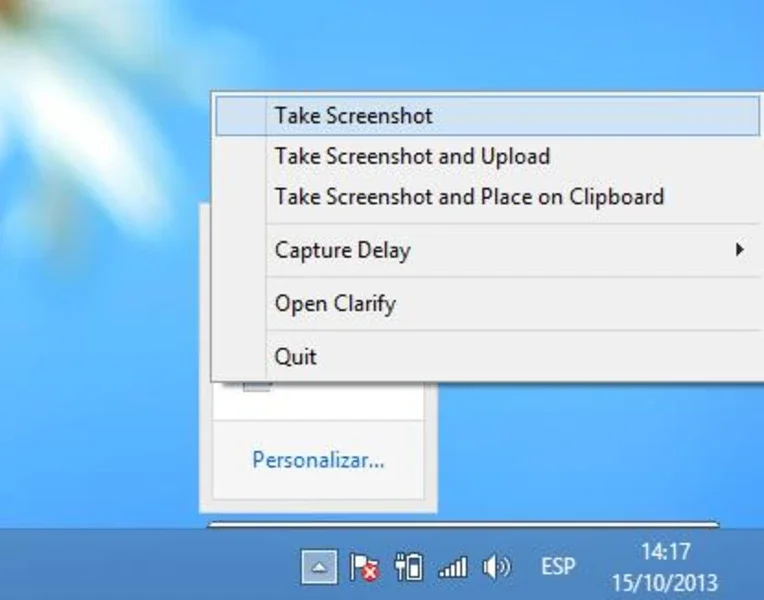
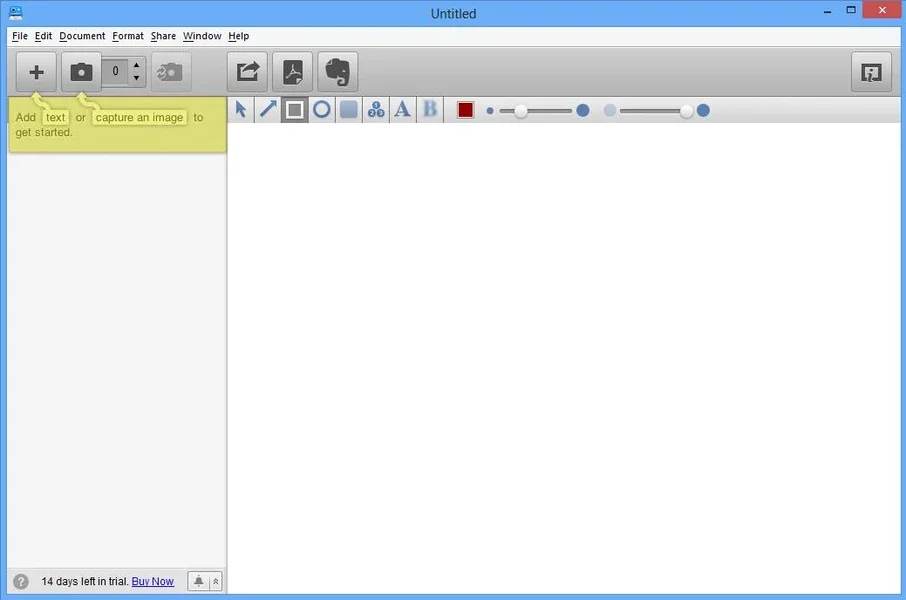
Clarify captures screenshots and files them by page, so a long document or web page stays sorted instead of turning into a pile of loose images. Tags help with finding a shot again later. Notes go on with arrows and text, which is handy when you need to point at something in the capture.
There is the usual export path: images can be saved as JPG, and a set of screenshots can go out as a PDF. Captures can also be sent to Evernote, or shared on social networks once saved.
It is a Windows tool for grabbing images or documents, built by Blue Mango Learning Systems.
Download files
File2.0.11EXE
Version2.0.11
ReleasedFeb 12, 2020
Size27.0 MB
SHA-256
Get
76ecde7a070fbbc5c46140e72e8e295293bd36aeed2e433b123f858ec90e9b70
Signed by Blue Mango Multimedia LLC · valid until Jan 10, 2019Fileclarify-2.0.4.exeEXE
Version2.0.4
ReleasedFeb 27, 2015
Size18.0 MB
SHA-256
Get
9f0df888524090543e3d294bc7aecf875710e1f647f56405715526cae668e1e8
Fileclarify-1.2.6.exeEXE
Version1.2.6
ReleasedApr 1, 2014
Size8.9 MB
SHA-256
Get
7e722316721d4d3624dfd46ea1d7cc6a8e06b06ac99a78fd281e0485d4e8b937
Fileclarify-1.2.5.exeEXE
Version1.2.5
ReleasedNov 13, 2013
Size8.8 MB
SHA-256
Get
35c9100d9ee9cf0a50d4624b179454c577adde89ce5373efbd5c253b4ca667dc
Fileclarify-1.2.4.exeEXE
Version1.2.4
ReleasedOct 15, 2013
Size8.7 MB
SHA-256
Get
9dc6609de25c940740adf61c68ba83db9a2049c341f3be9ef2f57ac668b4ee27
System requirements
Available on:
Additional information
Developer
Latest release
2.0.11 · Feb 12, 2020
Size
27.0 MB
Category
File type
EXE
SHA-256
76ecde7a070fbbc5c46140e72e8e295293bd36aeed2e433b123f858ec90e9b70
Digital signature
Signed by Blue Mango Multimedia LLC · valid until Jan 10, 2019





