
Cropper 1.11 for Windows
SHA-256 listed
Semitransparent guide for precise screen captures
All ages
Age rating
Screenshots
Description
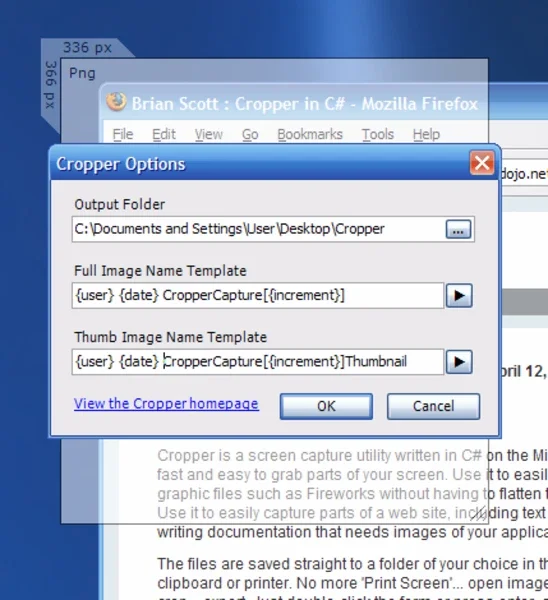
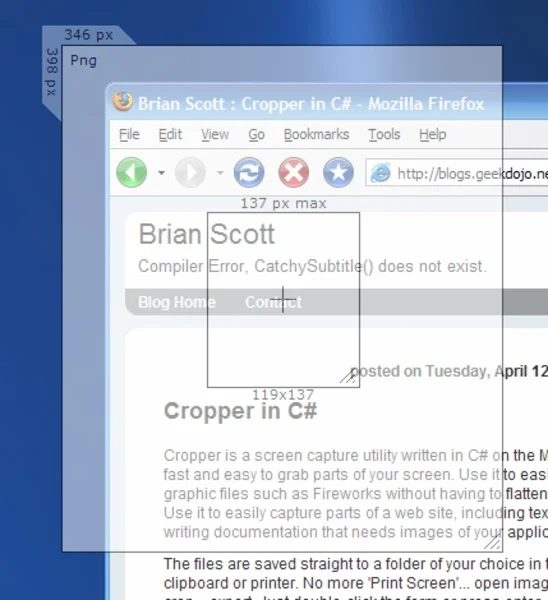
Cropper changes how screenshots are normally taken. A semitransparent window serves as the guide, and you set its proportions to match the desktop area you want. Place the guide over the screen area to capture, then press Enter. The captured image can be resized into a smaller thumbnail, and you can save it as JPG, BMG or PNG. To start, double-click the system tray icon.
Download files
FileCropperSetup_1.11_x86.zipZIP · 32-bit
Version1.11
ReleasedAug 15, 2023
Size547.7 KB
SHA-256
Get
a56a28362b5096f2d913d0d1e48a721d72f6715002d2c8c5d394ed1838d6b0c2
File1.9.1ZIP
Version1.9.1
ReleasedNov 29, 2007
Size270.9 KB
SHA-256
Get
4a630eb5c54d010dbee73eba2a8ccea78e2d2777809081c8cd64fbdf40dc9378
Filecropper-1.9.1.zipZIP
Version1.9.0
ReleasedUnknown
Size270.9 KB
SHA-256
Get
4a630eb5c54d010dbee73eba2a8ccea78e2d2777809081c8cd64fbdf40dc9378
System requirements
Additional information
Developer
Latest release
1.11 · Aug 15, 2023
Size
547.7 KB
Category
File type
ZIP
SHA-256
a56a28362b5096f2d913d0d1e48a721d72f6715002d2c8c5d394ed1838d6b0c2





