
EasyCapture 1.2.0 for Windows
SHA-256 listed
Captures screenshots and marks them up in the same window
All ages
Age rating
Screenshots
Description
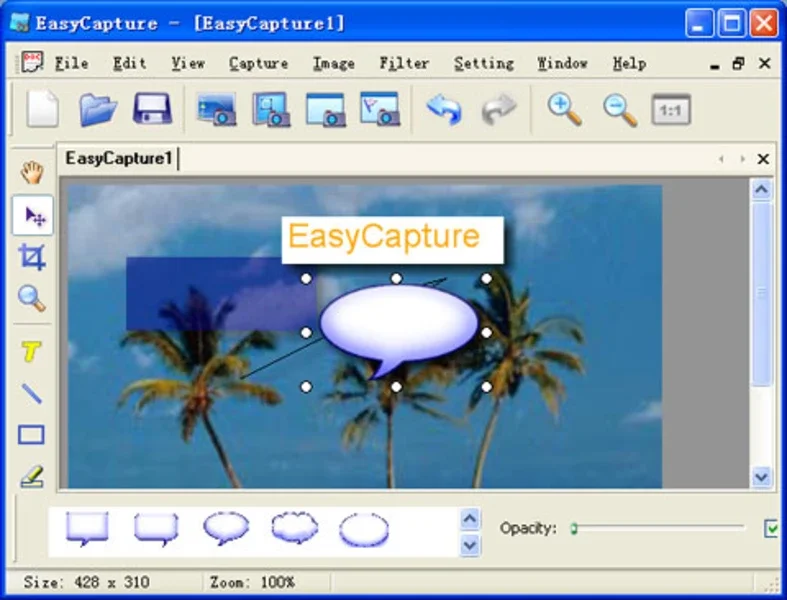
EasyCapture takes screenshots on Windows and lets you edit them immediately, without switching to another program. After a capture, the image opens in the editor, where you can mark it up and save it.
- The editor includes many tools for highlighting points on the screen and explaining them.
- Several kinds of shots are available.
- Multiple key combinations can be configured.
It is a free application.
Download files
File1.2.0EXE
Version1.2.0
ReleasedMar 27, 2012
Size2.6 MB
SHA-256
Get
7283f32595822e82ba5d86f6074092faa70245dee8be0c580f4e377e05646ad7
No digital signatureFileeasycapture-1.0.0.0.exeEXE
Version1.0.0.0
ReleasedDec 28, 2007
Size2.6 MB
SHA-256
Get
22d394b07386f76097471e931494355d511c5b47756923ba99b10c5bdaca9ee8
System requirements
Available on:
Minimum OS:
Windows Windows Vista or later
Additional information
Developer
Latest release
1.2.0 · Mar 27, 2012
Size
2.6 MB
Category
File type
EXE
SHA-256
7283f32595822e82ba5d86f6074092faa70245dee8be0c580f4e377e05646ad7
Digital signature
No digital signature





