
Gyazo 6.0.2 for Windows
Screenshot and screen recording tool with automatic cloud upload
Screenshots
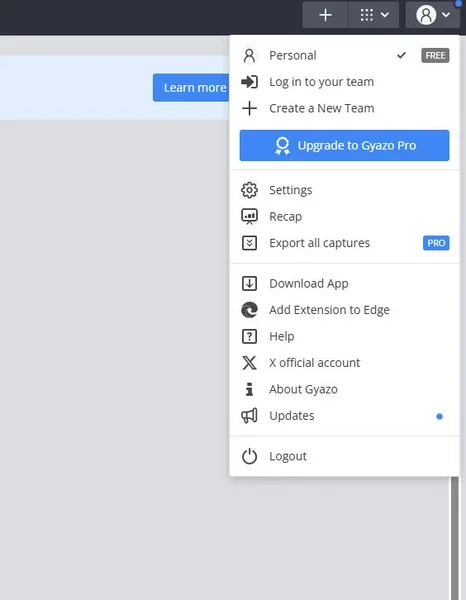
Description
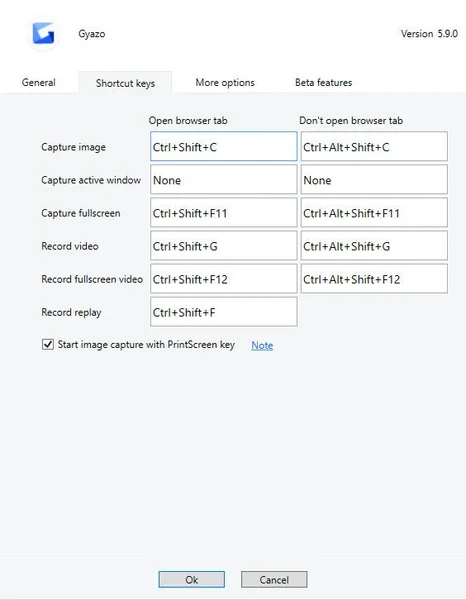
Gyazo captures screenshots and records video clips. Keyboard shortcuts come preconfigured for capturing an image, capturing the whole screen, and recording video, and each one has two variants: one opens a browser tab to show the capture, the other does not. The PrintScreen key works too.
Storage and account
Everything goes up to the cloud automatically, and you can view it from any browser. Uploads to the cloud have no limit on the number. Creating an account is free and needs only an email address.
- Maximum image size is 40 MB
- Maximum video size is 1024 MB
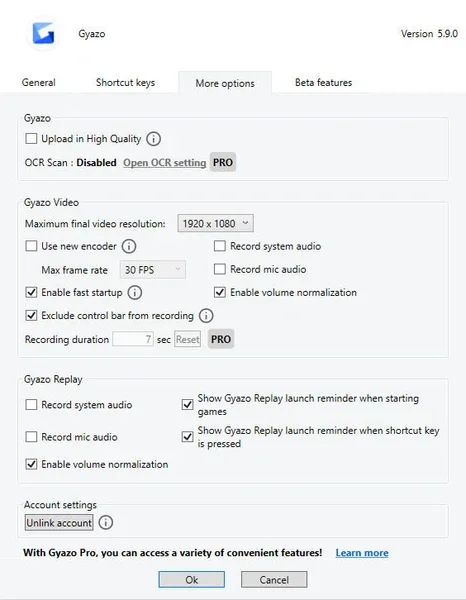
- The free version limits clips to 7 seconds
- Longer clips require a Pro subscription
Screenshots come labeled with related information, such as the game name for a game screenshot or the tab name for a browser tab video. The program takes up little space on the PC.
Download files
dd54655d2b55f7405eb472f5215e7dbf8323b66573d03f455f8012729b2df376
Signed by Helpfeel Inc. · valid until Nov 18, 2026456f12bb746d154227a5ad9fc628cf516ff8d433f20fcfa29448beee26dd4ef6
Signed by Helpfeel Inc. · valid until Nov 18, 20262c7a98959589c10019519ce7e6efa925c7cf953fd153f13d036b4a92fffd85fa
Signed by Helpfeel Inc. · valid until Nov 18, 2026136849020993c438b0f56ed07db36e7055f0af04b48086baa19a7e386a1b02bf
Signed by Helpfeel Inc. · valid until Nov 18, 2026429ac0b8f85d93dedcf722a3ae6ff7a146031d6dd9a4026627e505d708106f96
Signed by Helpfeel Inc. · valid until Nov 18, 2026System requirements
Available on:
Minimum OS:
Windows XP or later
Additional information
Developer
Latest release
Size
Category
File type
SHA-256
dd54655d2b55f7405eb472f5215e7dbf8323b66573d03f455f8012729b2df376





