
RapiCapWin 1.0.8 for Windows
SHA-256 listed
Screenshot tool with three capture modes and JPG, GIF, BMP output
All ages
Age rating
Screenshots
Description
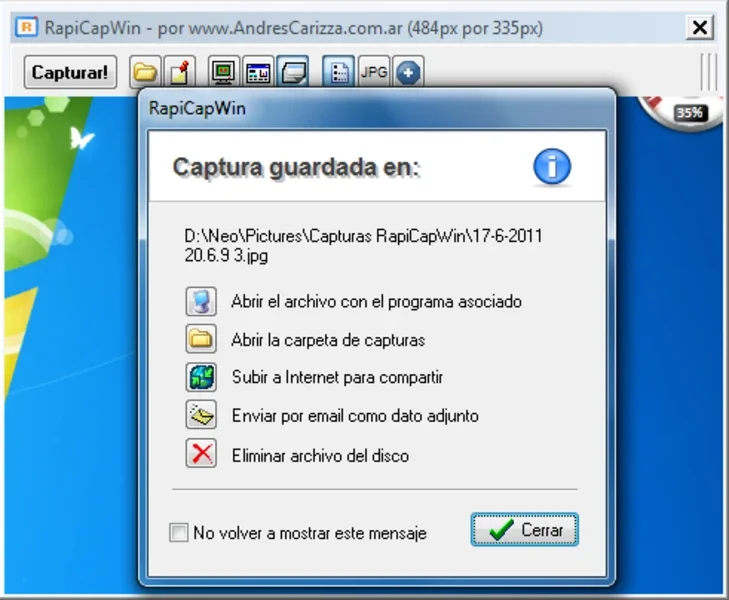
RapiCapWin takes screenshots in three ways: the full screen, the active window, or a rectangular area you draw yourself. The main window can turn into a transparent box you stretch over whatever you want to capture, so the area is set by eye before you shoot.
Saves go to JPG, GIF, or BMP. The GIF options include a colour palette, and JPG has compression quality settings. Default sizes are built in, such as MSN Messenger's avatar, which saves you setting dimensions each time.
It runs on Windows and is free.
Download files
File1.0.8EXE
Version1.0.8
ReleasedJun 2, 2011
Size646.6 KB
SHA-256
Get
3a0db3cbebfd57dc6586fa87105acff97f88e39094d3f3e47c3242fe7674757a
No digital signatureFilerapicapwin-1.0.7.exeEXE
Version1.0.7
ReleasedOct 22, 2010
Size598.2 KB
SHA-256
Get
9e957d71b120a63d70e5d76671c0074f9af3cfd71ed809689cbd061b805cddca
System requirements
Available on:
Additional information
Developer
Latest release
1.0.8 · Jun 2, 2011
Size
646.6 KB
Category
File type
EXE
SHA-256
3a0db3cbebfd57dc6586fa87105acff97f88e39094d3f3e47c3242fe7674757a
Digital signature
No digital signature





