Screen Capture And Annotate 3.2.0.2 for Windows
Captures screens, marks them up, and saves projects for later edits
Screenshots
Description
Screen Capture And Annotate captures a scrolling window by scrolling it automatically to cover the whole scrollable area. That is the feature you notice first. Capturing the full screen is also there, along with a user-defined rectangular area, the active window, the active window without borders, and a specific window or control such as a button or toolbar.
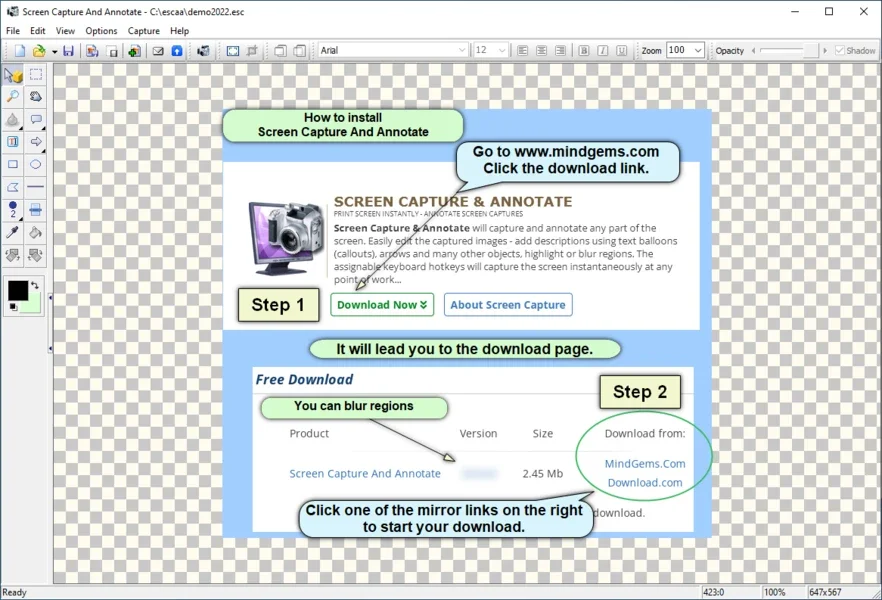
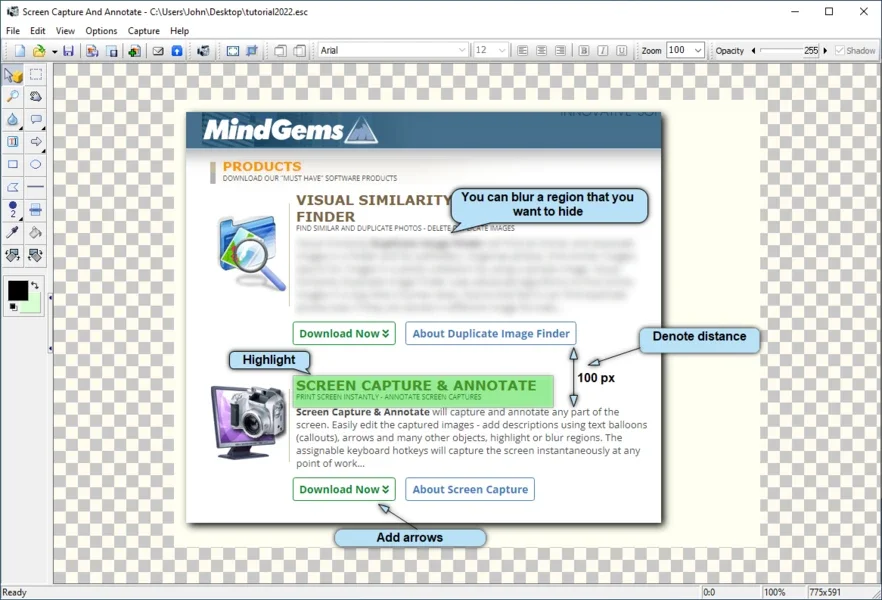
Once an image is in hand, you can rotate and scale it, then crop, resize, paint, draw on it, and fill areas with colors. Effects include transparency, shadows, and other adjustments. Regions can be highlighted with marker-like effects. Arrows mark areas or show relationships, and text annotations come in styles such as balloons and rectangles. Shapes cover ellipses, rectangles, and free-hand polygons. You can insert external images such as logos or earlier captures, and combine several captures into one image. Hotkeys resize windows to exact pixel dimensions. The color picker captures any screen color, sets it as the foreground color, and copies its value to the clipboard. Capture projects load and save for later editing or extension. Files can be written as JPEG, GIF, PNG, TIFF, JPEG2000, Targa, Paintbrush, or BMP, and also as WMF, EMF, ICO, CUR, WBMP, PXM, PPM, or PSD.
The license is a lifetime license, and the price is free.
Download files
15eb904cee0a0e60b1d092af1c9ace2f2a4625e71e05d46eecbcf069f9b87c12
Signed by MindGems · valid until Nov 30, 20256f93cdb49b06da1ab1475b562ba1afb7c83d5b8725af7a80f26bb75530150042
System requirements
Available on:
Additional information
Developer
Latest release
Size
Category
File type
SHA-256
15eb904cee0a0e60b1d092af1c9ace2f2a4625e71e05d46eecbcf069f9b87c12





