
SnapaShot Pro 5.05.7 for Windows
SHA-256 listed
Takes screenshots via a resizable frame and copies or saves them with one click
All ages
Age rating
Screenshots
Description
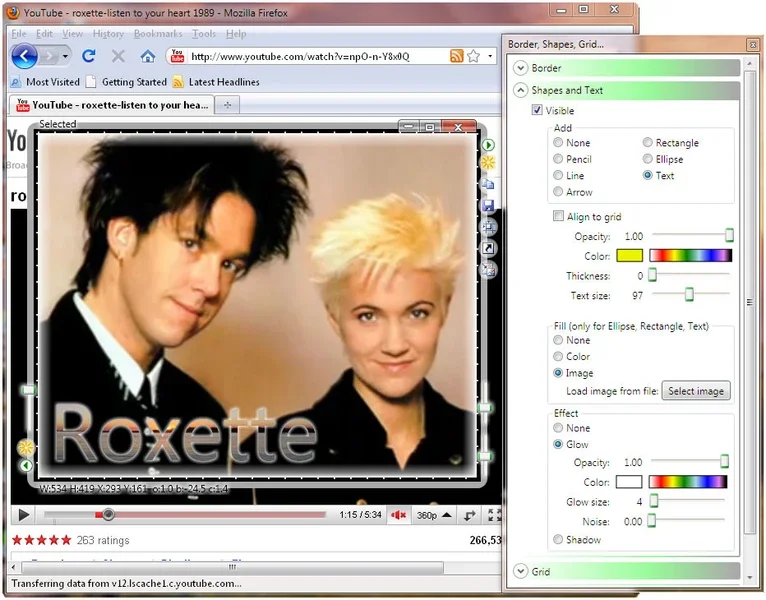
SnapaShot Pro takes screenshots on Windows. You drag a resizable frame over the screen to choose the area, or capture the whole display. One click copies the shot to the clipboard; another click saves it as an image file. JPG, BMP, GIF, TIFF, PNG and WDP are the supported formats. The program is free to use.
Capturing and saving
The frame is the main way in. Resize it to the area you want, then click to grab the shot. Saving writes the image in any of the listed formats.
Download files
FileSnapaShot_Pro_V5.05.7.zipZIP
Version5.05.7
ReleasedApr 17, 2026
Size916.6 KB
SHA-256
Get
83f0696ccacaec78e74794c3efa5fb0e98a88c3c93f9a0ba0b4544880df45396
File4.0.7ZIP
Version4.0.7
ReleasedOct 5, 2015
Size796.8 KB
SHA-256
Get
f902622f08762166c8b3e7f2f16ba33069be5b55f118e347e0bab9cf16663ccd
Filesnapashot-pro-4.0.6.zipZIP
Version4.0.6
ReleasedFeb 13, 2015
Size789.2 KB
SHA-256
Get
18ec1756cf073c811f6fd845906c7be2f1d0a8217bc0301a27cd89b0e50d5467
Filesnapashot-pro-4.0.4.zipZIP
Version4.0.4
ReleasedJan 11, 2013
Size786.5 KB
SHA-256
Get
e64aa4d1ef6404abafca71aa222efad882e217503e1c0fed7a55291fc4d30d6a
Filesnapashot-pro-4.0.3.zipZIP
Version4.0.3
ReleasedDec 20, 2012
Size786.4 KB
SHA-256
Get
eb983b8d193a59f742c0a67a36f00a284373fe22a57392fb70929dbbde2e4148
System requirements
Available on:
Minimum OS:
Windows Windows 11 or later
Additional information
Developer
Latest release
5.05.7 · Apr 17, 2026
Size
916.6 KB
Category
File type
ZIP
SHA-256
83f0696ccacaec78e74794c3efa5fb0e98a88c3c93f9a0ba0b4544880df45396





