
Webpage Capture 1.0 for Windows
Internet Explorer plug-in that snapshots whole pages, even past the screen
Screenshots
Description
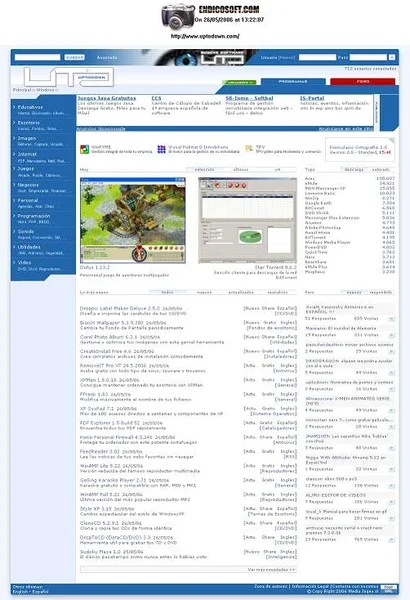
Click the Webpage Capture icon in the toolbar and it takes a snapshot of the page you are viewing, including whatever runs past the edges of the screen. The capture is the full page, not the part visible in the window.
The program installs into the browser's toolbar as a plug-in for Internet Explorer. Each snapshot gets the capture date, down to the day and time, printed at the top, along with the full address of the page. That header makes a folder of captures readable later without opening each one to check where it came from.
Captures are saved as BMP files in the Webpage Capture folder inside Program Files. Later versions will be able to store images in JPG as well. It can also store pages that the browser's 'Save As' option cannot handle.
Download files
dcf143782ae6cd30a0e44624e4c9ca961ab280a0046b15714993a00d667abad2
No digital signatureSystem requirements
Available on:
Additional information
Developer
Latest release
Size
Category
File type
SHA-256
dcf143782ae6cd30a0e44624e4c9ca961ab280a0046b15714993a00d667abad2





