
Tenuto
Theory exercises and tools
Entwickelt für iPhone, iPad, iPod touch
5,99 €
- Altersfreigabe4+
- KategorieMusik
- Entwicklermusictheory.net
- SprachenEnglisch
- Größe11,2 MB
Verlinkt auf die offizielle App Store-Seite
Download.org hostet keine Datei von Tenuto. Die Schaltfläche öffnet die App-Seite bei App Store, wo musictheory.net die App veröffentlicht. Eintrag zuletzt geprüft am 24.11.2026.
Screenshots


Info
Der Entwickler hat diesen Text nicht in Ihrer Sprache bereitgestellt.
Tenuto is a collection of 24 highly-customizable exercises designed to enhance your musicality. From recognizing chords on a keyboard to identifying intervals by ear, it has an exercise for you. Tenuto also includes six musical calculators for accidentals, intervals, scales, chords, analysis symbols, and twelve-tone matrices.
A short description of the exercises and calculators follows.
––––––
• Note Identification
• Key Signature Identification
• Interval Identification
• Scale Identification
• Chord Identification
Tap the button corresponding to the written staff line. For example: if shown a C, E, and G with a sharp; tap the "Augmented Triad" button.
––––––
• Note Construction
• Key Signature Construction
• Interval Construction
• Scale Construction
• Chord Construction
Construct the specified label by moving notes and/or adding accidentals. For example: if shown a C and an "Augmented 4th" label, move the second note to F and add a sharp.
––––––
• Keyboard Reverse Identification
Tap the piano key corresponding to the written note on the staff. While similar to Note Identification, this exercise uses a piano keyboard rather than note name buttons.
• Keyboard Note Identification
• Keyboard Interval Identification
• Keyboard Scale Identification
• Keyboard Chord Identification
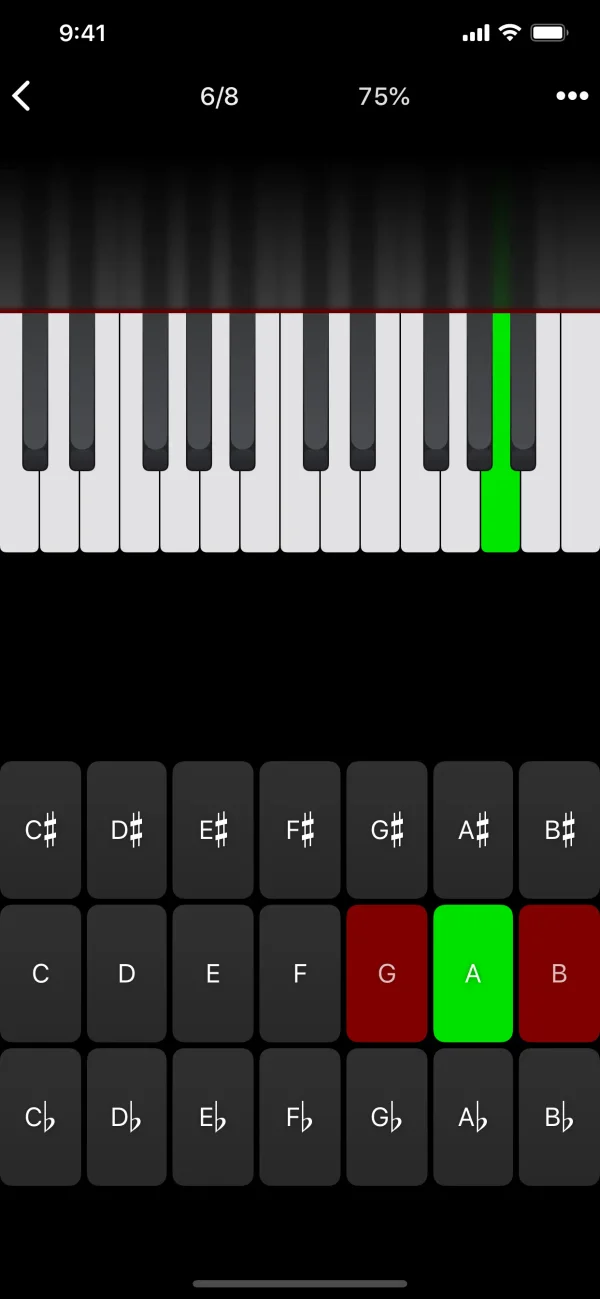
Tap the button corresponding to the highlighted piano key(s). If the C and G keys are highlighted, tap the "P5" (Perfect 5th) button.
––––––
• Fretboard Note Identification
• Fretboard Interval Identification
• Fretboard Scale Identification
• Fretboard Chord Identification
Tap the button corresponding to the marked fretboard position(s). If the 2nd fret of the D string is marked, tap the "E" button.
––––––
• Keyboard Ear Training
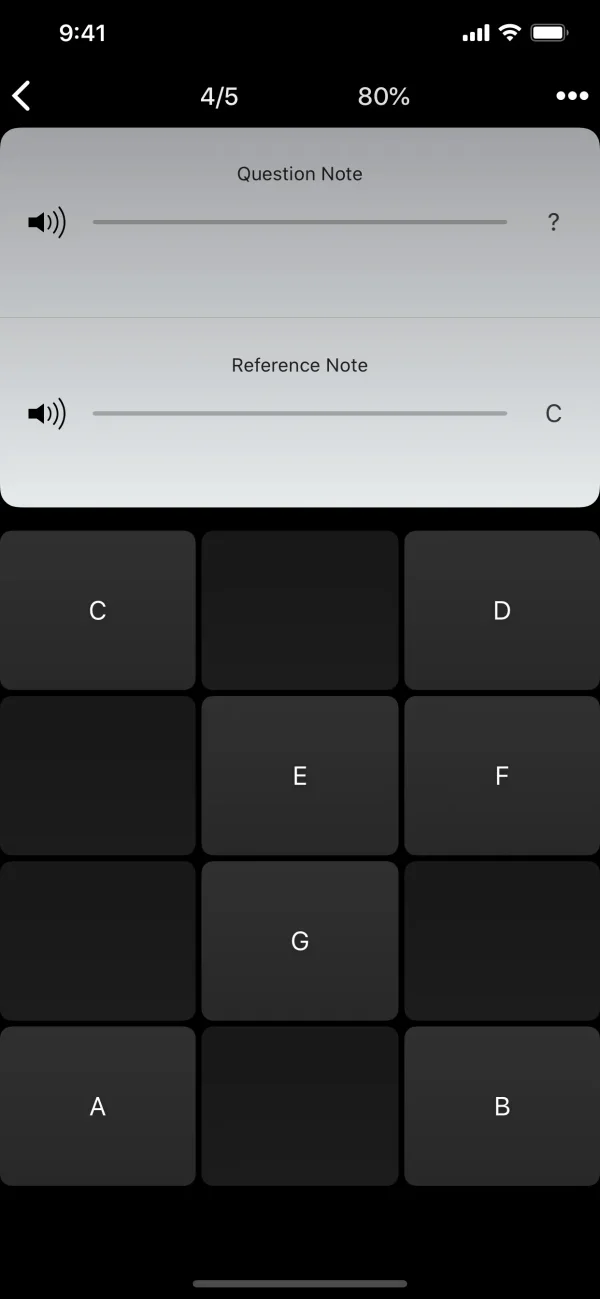
• Note Ear Training
Listen to the played reference and question notes. Select the piano key or note button corresponding to the question note.
• Interval Ear Training
• Scale Ear Training
• Chord Ear Training
Tap the button corresponding to the played notes. If E and F are played, tap the "Minor 2nd" button.
––––––
• Accidental Calculator
Display the accidental for a note and key.
• Interval Calculator
Display the interval for a note, type, and key.
• Chord Calculator
Display the scale for a tonic and scale type.
• Chord Calculator
Display the chord for a note, type, and key.
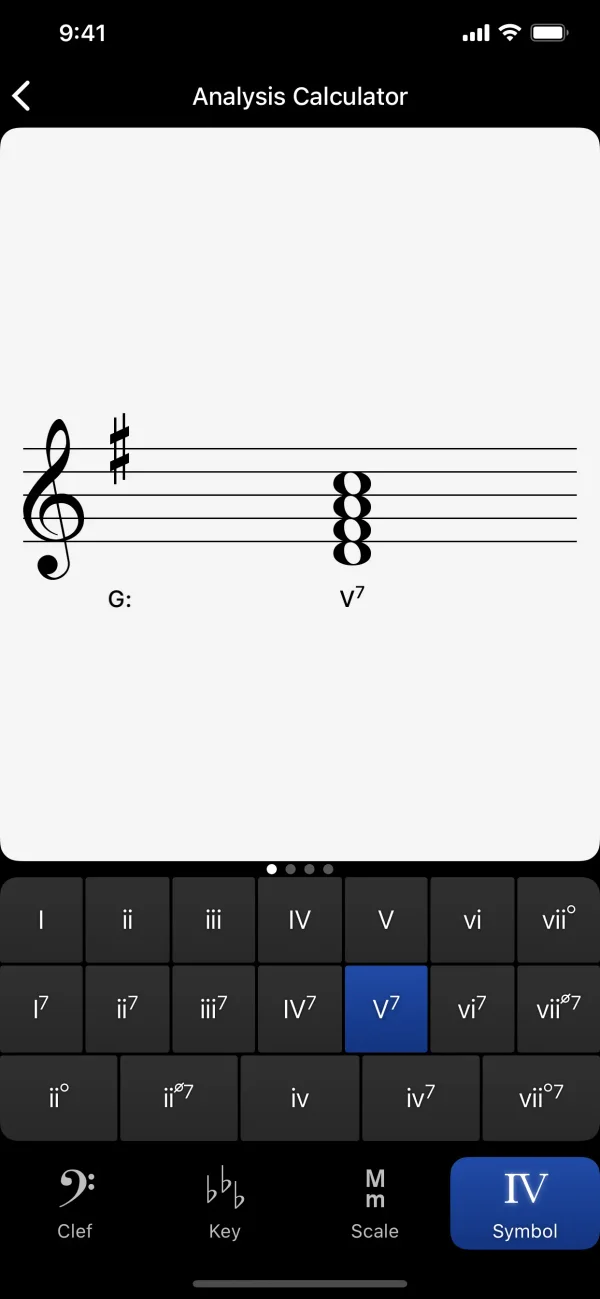
• Analysis Calculator
Display the chord for a symbol and key.
• Matrix Calculator
Display the twelve-tone matrix for a specified tone row.
Neue Funktionen
Version 5.1 · 28.04.2026
- Updates the app icon used in Dark, Clear, or Tinted modes.
- Fixes several layout and drawing issues when running as a Windowed App.
- Fixes an extremely rare crash when Challenge Mode is enabled.
App-Datenschutz
Was musictheory.net im App Store zum Umgang dieser App mit Daten angibt.
-
Nicht mit Ihnen verknüpfte Daten
Können erfasst werden, sind aber nicht mit Ihrer Identität verknüpft.
- Diagnose
Die Datenschutzpraktiken können variieren, zum Beispiel je nach den von Ihnen verwendeten Funktionen oder Ihrem Alter.
Informationen
- Anbieter
- musictheory.net, LLC
- Kategorie
- Musik
- Version
- 5.1
- Aktualisiert
- 28.04.2026
- Veröffentlicht
- 30.08.2011
- Größe
- 11,2 MB
- Erfordert
- iOS 15.8 oder neuer
- Altersfreigabe
- 4+
- Preis
- 5,99 €
- Sprachen
- Englisch
- Copyright
- © 2011-2026, musictheory.net, LLC
Das könnte Ihnen auch gefallen
-
 Earpeggio - GehörbildungIntervalle, Akkorde & Rhythmus
-
 Functional Ear TrainerGehörbildung für alle
-
 Sight Reading FactoryMusik
-
 iReal ProNotenbuch & Begleitungs-Tracks
-
 EarMaster - Theorie & GehörGehörbildung. Vom-Blatt-Singen
-
 Music Tutor (Sight-reading)Musik
-
 Klavierakkorde und TonleiternAkkorde, Musiktheorie lernen
-
 Music Rhythm TrainerSight reading & ear training
-
 TONALY: Songs & TonleiternAkkorde und Musiktheorie App
-
 TonalEnergy Stimmgerät & MetroWerkzeuge zum Üben von Musik